As the owner of a somewhat popular photography blog with millions of page-views annually, it should come as no surprise that I see a lot of internet trolls. I delete a lot of these comments, because their only purpose is to stir up trouble by being purposefully mean-spirited and unreasonable. These comments literally have zero value, and if a value was assigned to such comments, it would be a negative number. The world would be a better place without these people, which is a really sad reality. I mean, what kind of legacy is that? The world is better without you? Who wants to be that person? It would seem like nobody, yet there are so many examples all over the place where that’s exactly the case. If you are a troll, stop what you are doing, and instead spend your time and energy doing something good, something that has a positive effect on those you encounter.
According to Wikipedia, an internet troll is “a person who posts inflammatory, insincere, digressive, extraneous, or off-topic messages in an online community (such as social media, newsgroup, forum, chat room, online video game, or blog), with the intent of provoking readers into displaying emotional responses, or manipulating others’ perception. This is typically for the troll’s amusement, or to achieve a specific result such as disrupting a rival’s online activities or manipulating a political process. Even so, Internet trolling can also be defined as purposefully causing confusion or harm to other users online, for no reason at all.” Merriam-Webster defines it as “to antagonize others online by deliberately posting inflammatory, irrelevant, or offensive comments or other disruptive content,” and, “to harass, criticize, or antagonize someone especially by provocatively disparaging or mocking public statements, postings, or acts.”
Unfortunately, trolls aren’t going away. This post won’t stop them. All I can do is spare you from them as much as practical. However, what I can tell you is that the number of troll comments has been increasing on this website. Also, sometimes trolls can come across initially as genuine, and, like a wolf in sheep’s clothes, only after a level of trust has been established do they reveal their true colors.
This is more valuable than a troll’s words
What is the best way to deal with trolls?
– Heed the sign: don’t feed the trolls. That simply means don’t take the bait—they’re desperately hoping for your response, so don’t give it to them. Don’t even respond to their comments—ignore them. This is the best strategy.
– Call them out. If you do find yourself in a back-and-forth with a troll, call them out. State in your response that you know they are a troll. Oftentimes, for some reason that I don’t understand, calling a troll a troll is like pouring water on the Wicked Witch of the West. I think this works because they often take the angle of being the superior person, so shedding light on their charade takes away that false position they’re hiding behind.
– Block them. I try to; however, some get through, either because they took the wolf-in-sheep’s-clothes approach, or because I let them so as to prove a point, or because their initial comment was borderline trollish, and I erred on the wrong side. Troll’s comments add no value whatsoever, so blocking these comments is a gain and not a loss.
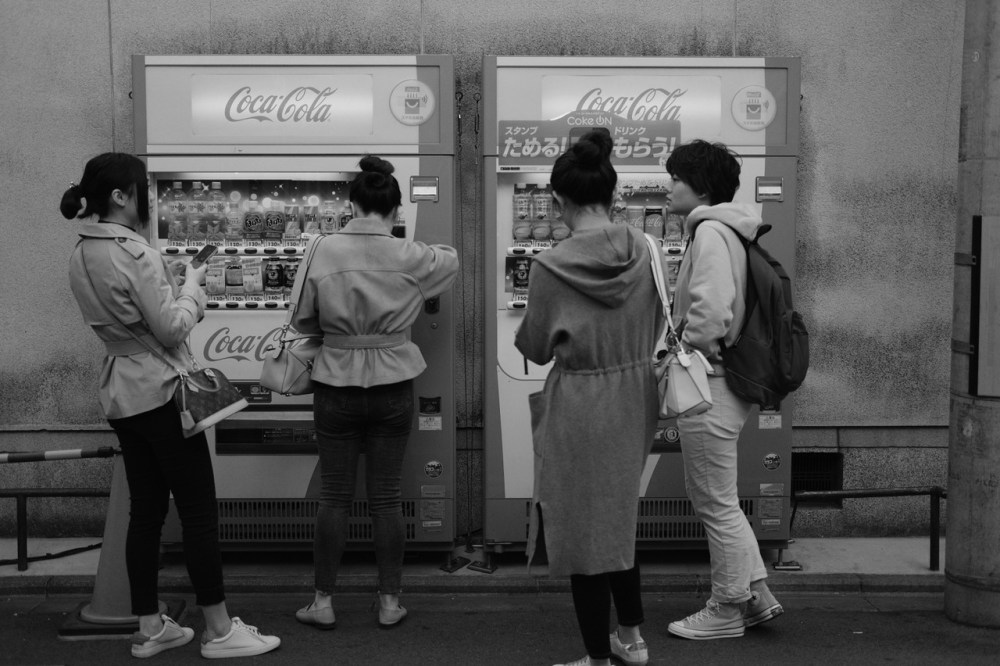
I searched my image library for “troll” and this image came up because it is a trolley.
Today, a troll left a nasty comment on this blog (I blocked it… it was never published). The person had a unique name, so I wondered what would turn up if I Googled them. As it turns out, this person just goes around saying hateful things across the internet. That’s all they do. Literally, the only online records of this person are troll comments, mostly of the worst kind (and often repeating the same words). Likely the identity they use for these comments isn’t their real name, and perhaps they have many aliases. I took screenshots of these comments, and I was going to include them in this post, but I think it’s counterintuitive to give the person the satisfaction of that, so I’m not going to do it—I’d rather them think that they wasted their time (which they did).
Trolls are internet parasites. They suck the fun and life out of it for no reason other than they get some weird jollies from it. If you are a troll, I implore you: stop being a part of what’s wrong with the world, and instead give your life some much needed meaning by saying words of kindness and encouragement. We could all use more of that—a lot more—and a whole lot less of unnecessary spitefulness.
The Fujifilm community is absolutely wonderful! There are so many kind and helpful people who make it great, and I appreciate all you guys a heck-of-a-lot. My hope for this website has always been for it to be a positive resource for the community, and I hope that you find it to be that way. I try not to let the trolls ruin it (like they do on so many other websites), and if one does, I apologize for their awful behavior. If you have a concern about this, feel free to reach out to me anytime.
This post is by popular demand! Ever since I started sharing pictures captured with my new-to-me Fujifilm X70, I’ve been bombarded with requests to compare the camera with the XF10 and the Ricoh GR models. And I fully understand why: there aren’t very many truly pocketable APS-C fixed-lens cameras, yet these are perfect for travel, street, and to just carry everywhere and use literally every day. There’s definitely a draw to them, and I can’t fathom why they’re not even more popular. Every photographer should want one of these, or something like them, but they often stay in a state of obscurity. I find it odd, but that’s the way it is.
We’ll start this off with a comparison of the two Fujifilm models: X70 and XF10. What’s similar and what’s different? Which one is better? Of the two, which should you buy?
At first glance you might think they’re the same camera, because they look very similar, and have nearly identical dimensions. The XF10 is lighter than the X70 because it has more plastic in its construction, and it feels like a cheaper camera (which it is). The lens is optically the same, but the X70 has an aperture ring while the XF10 doesn’t. The X70 also has a tilting rear screen, something not found on the XF10. And then there’s the dial: PASM vs Shutter Knob—regular readers of this blog know already that I don’t prefer PASM (putting it mildly), but maybe you do. The XF10 doesn’t have a hot shoe, or C1-C7 Custom Presets. The X70 has a 16-megapixel X-Trans II sensor, while the XF10 has a 24-megapixel Bayer sensor—I think, as far as image quality goes, they’re pretty similar, and I wouldn’t call one output “better” than the other. The XF10 is newer, released more than two-and-a-half years after the X70.
Fujifilm XF10
There are some things, such as Snapshot, that I like about the XF10, but there are some things, such as a generally sluggish performance, that I don’t. Between the two, it’s clear that the X70, despite being an older model released in 2016, is the more premium option, and it is the camera that I prefer of the two. The X70 is a keeper if you’ve got one; the XF10 is dispensable. With that said, the X70 can be hard to find (those who own them rarely sell them) and are often expensive. The XF10 is much easier to find, but finding a bargain on one can still be a challenge. If you are on a tight budget or don’t have much patience (and don’t mind the limitations of this model), the XF10 is a very good runner-up, but if you want the better option of these two, the X70 is the one to go with. Both models have been long discontinued, so don’t expect to find one brand-new, and if you somehow do, know that it will come with a premium price tag; otherwise, you’ll have to be satisfied with something that isn’t new but is new to you.
How does the X70 (and XF10) compare to the Ricoh GR cameras? I’m most known for my Fujifilm Film Simulation Recipes, but lesser known are my Ricoh GR Recipes; I know a thing or two about both brands. I own a GR and a GR III. The GR II is essentially the same camera as the GR (just minor improvements), so everything that I say about the GR in this discussion will apply to the GR II. The GR IIIx has a different focal-length lens, but is otherwise very similar to the GR III, so what I say about the GR III applies also to the GR IIIx. I hope this makes sense and helps to simplify things a little.
The Ricoh GR models are not as pretty as the Fujifilm models, but what they lack in beauty they make up for in compactness. While the X70 and XF10 are small, the GR cameras are really small, which makes them even easier to carry with you everywhere. The GR III is just a little smaller than the GR I & II. Functionality and feature wise, all of the GR models are more similar to the XF10 than the X70. The rear screens are fixed. There’s a PASM dial. There’s no aperture ring around the lens. The GR cameras aren’t laggy like the XF10, though, plus there’s a hot shoe.
Ricoh GR
Image quality on the GR cameras are similarly good compared to the Fujifilm models. My opinion is that the GR, which was released in 2013 and features a 16-megapixel camera, has the “worst” technical image quality of all of these cameras, but there’s some sort of pixie dust that gives it a special quality—I’m not exactly sure what it is, but there’s an unexpected appealing quality to the images (this applies also to the GR II, released in 2015). The GR III, which has a 24-megapixel sensor and was released in 2019, has superior technical image quality over the GR, but lacks a little of that pixie dust. Is technical image quality more important, or that hard-to-define special quality? Your answer will reveal which GR camera to consider. I personally like the GR III a little more than the GR.
What’s better, though: Fujifilm or Ricoh? That’s a really tough decision. I do like Fujifilm’s JPEGs a little more than Ricoh’s, but they’re both very good; the “color science” and approach to JPEG output is different, so you might prefer one over the other (I personally prefer Fujifilm’s, no surprise, but everyone is different). Between the XF10 and any of the GR models, I would go with Ricoh, but Ricoh isn’t the hands-down winner—the XF10 is nearly as good, but the GR cameras are slightly better, in my opinion. Between the X70 and Ricoh, I give the X70 the edge, because the design and shooting experience is superior. Even though the GR models are noticeably smaller and fit just a little easier into my pockets, I’d choose to take the X70 with me instead, as it’s more fun to shoot with. The GR III is the only model that you can still buy brand-new, so if you don’t want to purchase a used camera, it’s your only option.
The best case scenario is if you can own multiple cameras, because each have their advantages and disadvantages. There are times when each of the models discussed in this article could be the best choice. If you own a Fujifilm camera and a GR camera, that allows you to choose which one you think will work best for you in the situations you anticipate encountering. However, if it can only be one, I recommend the Fujifilm X70 (even though I’ve only owned it for a short time), followed very closely by the GR III, then followed very closely by the GR or GR II (get the GR II if the price is the same), then followed very closely by the XF10. Some might disagree with that ranking, but that’s my opinion. I do hope this article is helpful for those trying to decide which one to get.
None of these cameras are perfect by any means, but they are all perfect for shoving into a pocket and carrying with you everywhere. Can’t afford any of them? Don’t worry, just use your phone—if you have an iPhone, be sure to try my RitchieCam camera app! This can serve a similar purpose, and since you already have your phone on you, it’s not necessary to also carry a camera. While I have a phone with RitchieCam in my pocket, I’ll often have a Fujifilm X70 or Ricoh GR III in a pocket, too.
Download the Fuji X Weekly App for free today! AppleAndroid Download the Ricoh Recipes App for free today! AppleAndroid Download the RitchieCam App for iPhone for free today! Apple
I read a couple of articles over the last several days that bothered me, both of which stated that you must shoot RAW. These articles come up often—it’s nothing new. I’ve written about it before, and even before that. The sentiment of “only amateurs shoot JPEG” and “you really should shoot RAW” get old. Those are tired, worn out statements that are largely based on “truths” that are no longer true. My hope with this article is to simply provide a counter-point. This blog and all of you who use Film Simulation Recipes are a strong testament that speaks louder than this article ever could, so I’ll try to keep it brief.
First, I want to make this very clear: do what works for you. If RAW works for you, do that. If JPEGs work for you, do that. If editing JPEGs works for you, do that. If film works for you, do that. Or any combination of those things or anything else, do that. Whatever you have found that works for you, that’s what you should be doing. If what you are doing isn’t really working for you, try something else. There’s no right or wrong way to do things, just different ways, some of which work for some and some of which work for others. Different strokes for different folks, right?
One reason why I think the “RAW vs JPEG” debate keeps coming up is because more-and-more photography consumers (not photographers, but those who view photographs) detest photo manipulation. Photoshop has become a bad word. Whether it’s a photo contest where the winner exceeded the editing allowed by the rules (and so has their title stripped), or the magazine cover where the girl no longer looks like how they really look, or the picture in the news where things were added or subtracted to change the meaning of the image, or the image that’s just been edited so much that it’s no longer believable—whatever the story, sometimes photography consumers feel that photography is dishonest, and the manipulation of an image equals a manipulation of the one viewing it. There appears to be a lack of honesty by photographers, particularly when they edit so much. You might agree or disagree with this sentiment, but the sentiment is real. I know this because I once defended Steve McCurry’s use of Photoshop, and because of this someone accused me in a college paper of wanting little girls to have low self-esteem.
I think a lot of these “RAW is better” articles and videos stem from a response to this sentiment, which is fine. I don’t blame anyone for trying to defend what they do when someone criticizes it. Trust me, I get it. Where I do have a problem is that many times in the defense of RAW the JPEG photographer is insulted. The argument is, “I have to shoot RAW because JPEGs suck.” Or, “Only amateurs use JPEG.” It’s as if the JPEG shooter must be put down in order to make the RAW shooter feel superior. That’s just lame. Yes, there was a time early in the development of digital camera technology where the straight-out-of-camera JPEG was no good and so RAW really was the only viable option for quality images, but that day has long passed, especially for (but certainly not limited to) those who use Fujifilm cameras. That argument is old and tired and no longer based in truth. It once was true, but now is a myth. Perpetuating that myth helps no one. Insulting people definitely doesn’t help.
Of course, Ansel Adams is always brought into this. Well, he was the darkroom master, so obviously he manipulated his photos to a significant degree. Usually an Ansel Adams quote is included, which proves the point that you should never rely on straight-out-of-camera pictures. Adams never would have. Except this ignores his work with Polaroids—he loved Polaroids, something a lot of people are unaware of. There’s a whole chapter (entitled One-Step Photography) in one of his books where he discusses the benefits of not having to use a darkroom. Ansel Adams is hugely inspirational, and his words are highly motivating, but I don’t think he would be strictly a RAW shooter and staunchly against straight-out-of-camera JPEGs—it is a disservice to the legendary master to just assume he would be against JPEGs.
The real arguments that should be made to defend the use of RAW are these: – It’s my art, and as the artist I get to decide how it’s created. I understand that not everyone will like it, but a lot of people seem to, so I’m going to keep doing it my way. – I capture undeveloped digital images that, like film, must be developed through a process, and I have a specific process for it that works well for me. – Images have been manipulated to create the final picture since the beginning of photography—over 150 years!—so what I’m doing is nothing new and well within the traditions of the art. – I enjoy using photo editing software, and adjusting the pictures is half the fun for me.
Straight-out-of-camera JPEG from my Fujifilm X-E4 using the Positive Film recipe.
Notice how all of those arguments are strong, and none of them insults anyone. Unfortunately, there will always be those who disagree, and you’ll never change their minds. Perhaps just being as honest and straightforward as practical will help. If you swapped the sky with another sky, just say so. If you removed people from the frame, don’t hide that fact. Don’t make the manipulations that you did a big secret, which makes people believe that you’re hiding something from them. Or do keep it a secret—it’s not really any of my business what you do or don’t do, and I don’t really care. It’s your art, after all, so you get to decide what you do and what parts of your process you want to keep a mystery.
My process is straightforward. I program Film Simulation Recipes into my cameras, and I use camera-made JPEGs that are unedited (aside from minor cropping and straightening). While I basically don’t edit anymore, I certainly used to. I used to be a RAW photographer. I used to spend up to 30 minutes on each picture in software. That process worked alright for a time, but my current process works for me now. It saves me so much time, it makes creating photographs more enjoyable, it allows me to be more in-tune with my camera and the scene (because I have to get it right in-the-field or else), and I still get the look I want—the aesthetic I would have made if I had edited a RAW image in software. I love it! But I fully understand that it’s not for everyone. If it works for you, great! If it doesn’t work for you, great! If it works for you sometimes but doesn’t other times, great! You’ve got to do what works for you, and ignore those who say that there’s only one “right” way to do things.
The “RAW vs JPEG” debate needs to end. Photography consumers don’t care how you achieved your picture, except in those cases where people feel that they were duped by a heavily manipulated image. I suggest being upfront about how much editing you did, if you did a lot—but that’s up to you, and is between you and your audience. Otherwise, nobody cares if you shot RAW and edited in-software or if it’s a straight-out-of-camera JPEG, or anything else in-between. One process isn’t better or worse than another—they each have advantages and disadvantages, so it is simply a matter of if what you are doing works for you or not. If it works, that’s awesome! If it doesn’t, then try something else. Mic dropped, debate over.
It’s my pleasure to introduce you to the wonderful photography of Gerardo Celasco! Although you might not have seen his pictures before, there’s a decent chance that you’ve seen Gerardo. He’s a model-turned-actor (among other things, including internationally competing show jumping horse rider, accomplished volleyball player, and financial expert) who does photography as a hobby. He has a lot of talent, and whatever he does he does very well—photography included.
Although he was born in Miami, Gerardo grew up in El Salvador. He later moved to Texas and studied at Southern Methodist University. His home base is now in California, but he frequently travels internationally, and of course brings a camera along—a Fujifilm camera—to capture the moments.
Gerardo is perhaps best known for playing Miguel Lopez-Fitzgerald on the NBC drama Passions from 2006-2007. He also played Carlos Peña in Moneyball, Mark Kovac in two episodes of Bones, Xavier Castillo during Season 5 and 6 of How To Get Away With Murder, Ty Salazar in Next, and Dr. Nick Vega in a recent episode of Good Sam, among other things.
In the coming-soon-to-Netflix series Devil in Ohio Gerardo plays Detective Lopez. We’ll get more into this in a moment, but below you’ll find the trailer, which you should definitely take a moment to watch right now.
Fuji X Weekly: Hey, Gerardo! I’m truly honored for this opportunity to interview you! Let’s begin at the very beginning: where did your early interests in photography come from? Were cameras and pictures a big part of your childhood?
Gerardo Celasco: We didn’t grow up taking a lot of photos in my family and we didn’t have lots of cameras around when my siblings and I were growing up. My dad was an engineer and my mom worked in sales and retail for a shoe company in El Salvador. To this day, we still don’t take many photos when we’re together. When we’re on a trip we always say, “We have to take more group photos!” And since I always have a camera on me, I’m always the one taking the photos so I’m rarely in the pictures.
Fuji X Weekly: How did you get started in photography?
Gerardo Celasco: I got started in photography pretty early on, but not necessarily behind the camera. When I was in high school I was asked to be the model for a campaign in El Salvador. Roberto Aguilar was the most sought out photographer in El Salvador. No one was doing what he was doing, and I got to be in front of his camera several times—it was my first time being in front of the camera. We became really close friends, and I learned so much from watching him work. He moved to Europe and became a professor in France for a few years, and is now living in London. Roberto was my first influence in photography, but I can also say he was my first influence in “performing” as well. I never went to drama school. I have a degree in Finance from Southern Methodist University—a life in entertainment wasn’t really in the cards for me growing up in El Salvador and the son of entrepreneurs.
Photo by Gerardo Celasco
Fuji X Weekly: What made you pursue photography further, take it more seriously?
Gerardo Celasco: This image [above] is my first one that shocked me when I saw it imported into my computer. I believe I shot it with a Leica D-Lux 4. There was no plan—it was on auto—and I got that “bokeh” everyone talks about. I didn’t know how that happened or how to recreate it, so that inspired me to really learn about the art form. I decided to enroll into a UCLA extension course for Photography, and did that for a few months. That’s where I learned about aperture and depth of field and things like that.
Fuji X Weekly: What was your most memorable photography experience?
Gerardo Celasco: I think that first image I shot that shocked me is the most memorable. It’s what inspired all of my other images. I still love the photo so much. It’s very raw, very real. I can feel so much when I see it. It was shot in El Salvador in La Libertad near the beach. It was sticky and damp. The two women were working and cooking on open fire in that heat. Maybe it’s because I was there, but I feel all of that every time I see the image.
Photo by Gerardo Celasco
Fuji X Weekly: What was your first camera?
Gerardo Celasco: My first camera was one of the really small Canon PowerShots. It was a matte silver. I carried that thing everywhere—way before we had cameras in our cellular phones. The list goes on from there: Canon 20D, Leica D-Lux 4, Canon 5D Mark II, Fujifilm X100T, Sony a7, Fuji X-T2, Fuji X-Pro3—that is the trajectory into mirrorless, but more importantly how I found Fuji. I also shoot film with a Canon AE-1 Program, and my everyday—always with me—Olympus Mju II, which always sparks a conversation or a laugh when I pull it out.
Fuji X Weekly: What made you buy your first Fujifilm camera? What do you shoot with now?
Gerardo Celasco: A trip to Morocco with my 5D led me to give up on my entire Canon photography gear. It was so heavy, and was very distracting. You couldn’t really get away with shooting discretely with a camera that size. At the time my good friend, cinematographer and camera/steadicam operator Eduardo Fierro, was a Fuji shooter. His exact words when I complained about my Canon were “Vendé esa mierda y compráte la Fuji” (which means: sell that shit and buy a Fuji!). So that’s what I did, and the X100T was my first Fuji. I now shoot with the X-Pro3, paired with a Fuji 27mm f/2.8, 35mm f/2, or 16-55 f/2.8.
Photo by Gerardo Celasco
Fuji X Weekly: What is your favorite aspect of Fujifilm cameras?
Gerardo Celasco: What I love most about the Fuji lineup—other than the obvious size and price—is the menu and the film simulations. The user interface is great and easy to get around. But for me, the film simulations are what really sets it apart from anything else. I don’t do any post editing on my images (because I haven’t learned Capture One or Photoshop), and I shoot everything JPEG (mainly because I don’t know what to do with a RAW file, and have never felt the need for it). Fuji X Weekly is my go to App for Film Simulation Recipes. Funnily enough, I believe that is how we met: I sent you a DM on Instagram, praising all of your Film Simulation Recipes and the RitchieCam App on the iPhone.
Fuji X Weekly: That’s right! I definitely remember that day—it was a nice surprise, and a bit of a shock. By the way, which Film Simulation Recipes do you like best?
Gerardo Celasco: My favorite film simulations are Portra 400, Portra 800, and the Ilford black-and-white ones. I honestly like the output of the Fuji Portra recipes more than the images I get with my film camera using real Portra 400 film—and it’s also cheaper.
Photo by Gerardo Celasco
Fuji X Weekly: What do you photograph most now?
Gerardo Celasco: I like shooting life, but I don’t like calling it “street photography.” I don’t have a style, and I honestly don’t know what I’m doing most of the time. I just shoot when I’m inspired. And I shoot what seems interesting to me at that moment. But I never have a plan. I just simply shoot, and share my images. I don’t like the pressure of someone asking me to photograph something or an event—I get so much satisfaction in just showing up with a camera and capturing beautiful moments when I haven’t been asked to, and then sharing those moments.
Fuji X Weekly: Who are your photographic influences?
Gerardo Celasco: I don’t have a list of photographers that have influenced me—I can probably only name a handful of them—but it’s not like I’m trying to do what they did. Vivian Maier, Ansel Adams, Garry Winograd, Henri Cartier-Bresson—those names comes to mind without me cheating and looking at my bookshelf.
Photo by Gerardo Celasco
Fuji X Weekly: How has your acting career influenced your photography?
Gerardo Celasco: Most people think that being an actor influenced my photography, but what it did was enhance it. Photography (in front or behind the camera), was my first step to becoming an actor—I’ve always felt that photography led me to my acting career. Being on set has made me more comfortable in front of the camera but at the same time it inspires me to want to shoot more. I’m always chatting up the cinematographer or the camera operators when I am on a set—mostly I’m just asking lots of questions about composition and lighting. Those men and women know so much, and I just try to learn and soak up as much as they are willing to share. Their work is what inspires me today.
Fuji X Weekly: Tell me about your upcoming Netflix series, Devil in Ohio.
Gerardo Celasco: Ah. Devil in Ohio! I feel like you and your wife have been patiently waiting for that. I think I was shooting that when I found RitchieCam and we started talking, only to find out you were the same person behind Fuji X Weekly! We’re only a couple weeks away from the premiere day. It will air on Netflix on September 2, and all 8 episodes will be available.
The show is based on a book by the same name written by Daria Polatin. Daria is also the showrunner for the show. The story was inspired by true events, which always makes it more interesting. I would describe it as a family drama meets a suspense/thriller. It has elements of both. Emily Deschanel (who I worked with many years ago on the final episodes of Bones), plays Suzanne Mathis, a Psychiatrist who is caring for an underage girl who has turned up at hospital clearly in distress. No one comes looking for the girl, so Suzanne decides to take her into her home until they can find a family for her. Doesn’t take long to realize that the girl has escaped from a cult, putting the family and their relationships in danger. I play Detective Alex Lopez, who is a transplant from big city Chicago. He’s a fish out of water, and by-the-book, but also has no idea what he’s dealing with by taking on this case. We had a great group of actors, great directors, and an incredible crew. I hope people find it and enjoy it!
Photo by Gerardo Celasco
Fuji X Weekly: Gerardo, thank you so much for taking time out of your day to allow me to interview you—it’s been such a pleasure!
Gerardo Celasco: I’d just like to say thank you for including me in this. I’m a big fan of Fuji X Weekly, and for you to ask me to be a part of it is really cool.
Check out Gerardo Celasco on Instagram (Here and Here)—give him a follow plus “heart” some of his pictures. Mark your calendars now, and be sure to binge-watch Devil in Ohio on September 2nd!
“We are working on WOW product development.” —Jun Watanabe, Product Planning Group Manager, Imaging Solutions Division, Fujifilm
Fujirumors reported on an article by Digital Camera Life that translated and summarized a video by Map Camera, which featured an interview with Fujifilm Product Planning Manager Jun Watanabe. In addition to the quote above, Jun also said, “I would like to continue working to create ‘WOW’ products with the development team, including me, so that we can meet everyone’s expectations and say, ‘I definitely want to buy this.'”
Before we go any further, I must point out that this seems a little like the “Telephone Game” where one person whispers something into someone’s ear, and that person whispers what they heard into the next person’s ear, and so on, until the last person speaks what they heard, which doesn’t much resemble what the first person whispered. Now add to that a translation of a translation, and we get these quotes by Jun Watanabe, which may or may not be what he actually said. However, for the purpose of this article, we’ll assume that Fujifilm is indeed currently working on products that will make people say “wow”—or at least products that the Product Planning Group thinks will make people say that—and they want to “meet everyone’s expectations” somehow.
There’s a lot to digest, of course. Sometime in the 1400’s, monk and poet John Lydgate stated, “You can please some of the people all of the time, you can please all of the people some of the time, but you can’t please all of the people all of the time.” No one product will “meet everyone’s expectations” but perhaps he simply means that between all of the projects that they’re working on, once they all come out, that there will be a “wow product” for everyone.
Coastal Blooms – San Simeon, CA – Fujifilm X-E4 – “Pacific Blues” recipe
I’m in a unique position here at Fuji X Weekly, because I hear from a lot of Fujifilm photographers—granted, mostly those who shoot with Film Simulation Recipes, which is certainly not everyone with a Fujifilm camera, but a large number nonetheless. I have a pretty good pulse on a large segment of Fujifilm’s customers. I know what would make a lot of their customers say, “I definitely want to buy this!” But Fujifilm has never asked me. I have a lot of valuable feedback that I would be more than happy to give to them, if they’re ever interested.
I think the top two things that would make the Fujifilm photographers in this audience say “wow” are 1) a recommitment to Kaizen updates, and 2) more JPEG options (film simulations and such). For example, the Classic Negative film simulation has more of a wow factor for many of the tens of thousands of people shooting with recipes than the autofocus speed of the X-H2s, and giving that film simulation to the X-T3—the all-time top selling model—via a firmware update is a no-brainer for making your customers happy. I assume, however, that the Product Planning Group is not involved with those things—it’s different departments altogether—so Jun and his gang might completely agree, but it wouldn’t make any difference.
What I thought I’d do with this article, on the off-chance that someone from Fujifilm reads it (maybe even Mr. Watanabe himself), is provide some ideas for “wow” products that Fujifilm photographers would want to buy. These are things that would make people take notice. I don’t think becoming more like another brand is a good way to make people say “wow” (except, perhaps, sarcastically). These are ideas for products that would set Fujifilm apart from the crowd, and not blend in. Ordered from least exciting to most (in my opinion anyway), here’s my list of the 10 “WOW” products that Fujifilm should be making right now!
10. Minimalist Model
Maybe just have this little screen and remove the big one.
The Fujifilm X-E4 is already a “minimalist” camera that people either love or hate, and in some ways Fujifilm wen’t too far, removing too many dials and switches and such. But, what if Fujifilm went even further?
Here’s my idea: no rear screen—just a hybrid viewfinder (maybe like the one in the X-Pro2?). Maybe include the little “box tab” screen of the X-Pro3? No video mode. Incorporate the dual shutter/ISO knob of the X100V. Add back the M/C/S switch. Maybe include a C1-C7 knob (or switch of some kind)? Otherwise, clean and simple. Small and lightweight. This wouldn’t be the X-E5, but a new model altogether, made for the experience of shooting with it.
I’m sure this would not sell like hotcakes, and a lot of people wouldn’t like it, but it would certainly grab headlines. Every camera reviewer would want to get their hands on one, just to try it. A lot of people would want to try it. I would want to try it, and most likely own it. Crazy? Yes. Great? Probably, depending on the design choices—it will be a tough balancing act, though, and making it “just right” won’t be easy.
9. 135mm Lens
135mm focal-length.
Fujifilm has a 90mm prime and a (really large and expensive) 200mm prime, but nothing in-between. I found a vintage Vivitar 135mm lens that I just love using, and it made me wonder why doesn’t Fujifilm have a 135mm prime? They should.
This isn’t something to get carried away with. Should it have OIS (stabilization)? It could, but it definitely doesn’t have to. Should it have a wide maximum aperture? F/2.8 is plenty wide enough. Should it be weather-sealed? Probably, I think that’s more-or-less expected nowadays. This shouldn’t be a $6,000 lens or even a $1,200 lens, but sub-$1,000—maybe around $800-$900.
8. Another Pancake Lens
The 27mm pancake helps make this setup super small and lightweight.
One obvious advantage of APS-C over full-frame is size and weight. A big draw to Fujifilm cameras, from those who in the past shot Canon or Sony or Nikon, is the smaller package. It can be such a pain to lug around big and heavy gear, and after doing that for awhile it’s refreshing to have something less intrusive around your neck. Not only are the cameras smaller and lighter, but the lenses can be, too.
Fujifilm has a number of small and lightweight primes, but only two pancakes: the 18mm f/2 and 27mm f/2.8. The 18mm is long overdue for an update (keep the optics, give it a faster and quieter motor). The 27mm, which was recently updated (but is hard to find because it sells out even before hitting the store shelves), is my personal favorite lens. Why not add another pancake option?
I think there are three potential focal-lengths for the new pancake, but I’m not certain which would be best. My personal top-choice is something longer than the 27mm, perhaps a 40mm f/2.8. This short-telephoto would be good for portraits and walk-around photography. Another option would be something wider than the 18mm, perhaps 14mm (or 15mm) f/3.5. The third option would be something in-between 18mm and 27mm, like maybe 23mm f/2.8. I don’t know which one should be made, but I know that one of them should, because size and weight are a big draw to the system, and having a serious series of pancake lenses would do a lot to emphasis that advantage.
7. GFX100R
This is shape that the GFX100R should have.
I don’t own a GFX camera, but if I did, it would definitely be a rangefinder-styled model. So far, the GFX 50R is the only rangefinder-styled camera in the GFX lineup, and it’s old—almost four years old now. It’s the cheapest GFX model—you can pick one up for $2,850 right now—but maybe it hasn’t sold well, I don’t know (perhaps that’s why it’s the only one). If it has sold at least somewhat well, I think it makes a lot of sense to offer a 100-megapixel updated model with the same sensor as the GFX100S. That for sure would make people say wow!
6. ISOCELL
I captured this picture in 2012 using a Samsung NX200.
This isn’t so much a product as it is a technology. Samsung partnered with Fujifilm to develop the ISOCELL technology that is used in a number of cellphone cameras now. If Fujifilm used a Samsung-made ISOCELL sensor with “Tetra” pixel-binning for X-Trans, that would grab headlines. Imagine a 112-megapixel X-Trans VI sensor that produced 28-megapixel images for high-ISO or extended dynamic range, and otherwise delivered medium-format-like high-resolution pictures. People would take notice!
5. Infrared Camera
Straight-out-of-camera infrared picture on non-converted Fujifilm X-E4.
A number of people want to do IR photography, but the conversion process is invasive and expensive. The only camera-line that makes infrared photography easy is the Sigma SD models, which include a removable IR filter—take the filter off and shoot IR photography, put it back on and shoot normal. I don’t know if that’s particularly practical for Fujifilm, but they could make an already-IR camera model. In fact, Fujifilm did this with the X-T1; however, it was only available for medical purposes, and not sold to the general public.
I don’t think an IR model would need to be the X-T4 (or future X-T5), but something more affordable, like the X-T30 II or future X-T40. Obviously not everyone would go out and buy one, but I think there’d be enough interest to make it worthwhile for Fujifilm to produce. It would certainly be a wow-camera for some photographers.
4. Digital XPan
XPan aspect ratio captured with the RitchieCam App on my iPhone.
The XPan cameras were a joint venture between Fujifilm and Hasselblad, beginning in 1998, that used 35mm film to capture panoramic pictures in the 65×24 aspect ratio. While XPan cameras weren’t huge commercial successes, they gained a cult-following—so much so that Fujifilm has included the XPan aspect ratio as an option on the latest GFX models.
My idea is not for a 65×24 crop, but for a camera with a 65×24-shaped sensor. This would require a special-built sensor, which might be both difficult and expensive to procure. I think it would need to be in an X-Pro-like body, and probably should have a fixed-lens… maybe 30mm f/2.8? If it were interchangeable-lens, perhaps it would require two or three special lenses to use the full sensor (for the XPan ratio), or use any other X-mount lens and the camera automatically produces a 3:2 aspect ratio image. To me, the fixed-lens option makes the most sense.
I don’t think a digital XPan camera is especially practical, but it would be a huge headliner. Without a doubt it would make people’s jaws drop, and maybe even their wallets open.
3. X200 (Full-Frame X100)
Imagine this bigger….
I do not see Fujifilm jumping into the full-frame market. It’s crowded, and between X and GFX, Fujifilm can already basically indirectly compete well against it. Still, a lot of people have asked Fujifilm to produce a full-frame line; however, that’s like starting over from scratch, since most of their current X lenses won’t cover the sensor, and the GFX lenses are large and expensive compared to many full-frame options. It would be a huge financial risk that probably wouldn’t pay off. With that said, I do think there’s one full-frame camera that Fujifilm could produce that would be much less risky: the X200, a full-frame version of the X100-series.
It would obviously be bigger, heavier, and more expensive than the X100V. I think the focal-length of the lens should be different, too, so that it is not just the sensor size that separates the X100 line from the X200. Perhaps 50mm? Maybe 30mm? 35mm could be perfect, so it might not be a good idea to mess with it. There should be something more to differentiate the APS-C version from the full-frame, and Fujifilm would have to figure that out.
If Fujifilm did produce this camera, it would for certain have a big wow-factor, and I have zero doubts that people would line up to buy it.
2. X80
Imagine this smaller….
The Fujifilm X70 was doomed from the start. It was announced just three months before the first X-Trans III camera, right when Sony announced that they were not going to produce anymore 16-megapixel APS-C sensors. Fujifilm used their last X-Trans II sensors in this camera (plus the X-E2S), and when supplies ran out, so did this camera. When people asked when they were going to release a successor, Fujifilm stated that the X-Trans III sensor was “too hot” to place inside the tiny X70 body. The closest thing to a successor was the XF10, an inexpensive Bayer model with a PASM dial. But the X70 is much beloved by those who own them—to this day they can be tough to find, and they’re not cheap (don’t expect to find a bargain just because it’s old).
If Fujifilm were to release a real successor to the X70 (which would likely be called X80), it would no doubt be a hit. Smaller, lighter, and more-wide-angle than the X100 series, with the latest technology and JPEG options, would make people look. And buy! I’m confident that this would be a top-seller.
My top recommendation to Fujifilm for a “WOW” product is a monochrome-only camera based on either the X100 or X-Pro line, and called “Acros Edition.” It would basically be Fujifilm’s version of the Leica’s black-and-white-only cameras, like the M Monochrom, M10 Monochrome, and Q2 Monochrom.
What advantages do monochrome-only cameras have over color sensors? For one, all of the pixels are used for luminosity information (not just half, or in the case of X-Trans, 55%), which means more apparent resolution (more detailed image), less digital noise, improved high-ISO performance, and increased dynamic range. You can use color filters with it just like with black-and-white film. And it’s fun and cool. I’d be first in line to buy one, and I’m sure many reading this would be right beside me, as this would be the wow camera of all wow cameras.
I don’t know if any of these 10 product ideas are currently being considered by Fujifilm or not. Their idea of what would make people say “wow” and mine might be two completely different things. Fujifilm’s idea of what might make people say, “I definitely want to buy this,” could be 180º from mine. If Fujifilm should happen to read this, I want to make sure that my ideas were stated, because maybe—just maybe—this could impact future designs in some way. Probably not; however, it’s still fun to dream.
Now it’s your turn! Which of these 10 ideas would you be most excited for? What products would make you go “wow” that I didn’t include in this list? Let me know in the comments!
Fujifilm X-T200 — Fujifilm’s last entry-level camera?
I commonly get asked advice on camera gear. Most often it is which Fujifilm camera to buy, usually by someone who is trying to get into the system—either as a first “serious” camera or switching brands, typically because they want to try Film Simulation Recipes; however, I occasionally I get asked by someone (that knows that I’m “into photography”) who is looking for an entry-level camera for themselves or their teenage kid. If it’s for themselves, it’s because Johnny’s 5th birthday is coming and they want better pictures, or they’re about to take that epic vacation they’ve been saving up for and want to capture the memories. If it’s for their child, it’s because their kid has shown some interest in photography and they want to foster that. Either way, the basic entry-level model is what’s needed.
Whenever I ask about budgets, I usually hear something like, “Under $300.” Sometimes $500 is the upper limit. I’ve been told $150 before. Almost never is it $1,000. In the past the advice I gave was to buy a used entry-level DSLR, like the Nikon D3200, for example, which could often be found somewhere close to the budget—super easy for the novice, yet advanced enough that a budding photographer could learn on it. Later, I would suggest something like the Fujifilm X-T100 or X-A5, which were affordable mirrorless options (and, of course, Fujifilm). Nowadays it’s harder to make a recommendation because the entry-level camera is basically gone.
Those who are “serious” tend to know that they have to spend more to get a quality camera. Much of the time you get what you pay for; however, sometimes these entry-level models were surprisingly good—I was impressed by the image quality of the Fujifilm X-T200, for example. Those who are after quality will typically skip the entry-level and go for a mid-tier option or higher. Those who want a cheap introduction will be satisfied with a low-budget camera. A lot of people—mostly those who would never consider themselves a “real photographer”—used to buy these cheap cameras in droves, but now they don’t.
The reason they don’t is largely because of the cellphone. The camera technology on your phone is beyond good enough for most people and purposes, and it keeps getting more and more impressive. You don’t need a bulky, inconvenient, complicated, and expensive DSLR to capture Johnny’s 5th birthday. You don’t need an interchangeable-lens camera to photograph that epic vacation. Your phone is more than capable of delivering stunning pictures that can be instantly shared. Yes, you could spend a grand on a camera and lens, you could lug it around, you could take classes or watch videos on how to use it since it’s all so confusing, and you could download a bulky photo editing program onto your computer—or just pull out your phone and let its smart technology handle it all for you with just one tap.
It wasn’t long ago that the cellphone killed the pocket point-and-shoot. Now it’s also killed entry-level interchangeable-lens cameras. While I think cellphone camera technology can be (and could continue to become) appealing to “serious” photographers, I don’t think it will have a big impact on higher-end cameras. The market is shrinking from the bottom up—not the top down. If anything, there is an increased demand for mid and high end models. But the lucrative point-and-shoot and entry-level markets are pretty much all dried up.
What does this mean? There are several things. First, those hoping to find a cheap camera will have to get an older model, because less and less are new ones being made. I definitely don’t mind using “old” gear, but others don’t always feel the same—five-year-old tech is practically obsolete and 10-year old definitely is (in some people’s opinions, not mine). Fujifilm’s last entry-level cameras—the X-A7 and X-T200—were discontinued shortly after their release, due to sluggish sales. Right now the mid-tier X-E4 is their lowest-level model, and it is certainly not a “low-end” camera. Other brands have been discontinuing their entry-level options, too. If you want a “real” camera, you’ll need to get a “serious” camera; otherwise, stick with your cellphone.
I think the affect on those with a budding interest in photography will be profound. Either you will learn on a cellphone (which isn’t necessarily a bad thing), or you’ll pony-up for a mirrorless—those who cannot afford the mirrorless model either won’t have their interest fostered and it will fade, or will learn photography differently—good, bad, or indifferent, this will shape the future of photography in some way. Change always has some impact on the future, but we won’t know exactly what it is until we get there.
Another impact that the disappearing entry-level will have on the camera industry is that money must be made somewhere. Camera companies have to make up for the lost revenue. While the trend in tech is that things become cheaper over time, I think we’re already seeing that the top-end is not getting cheaper. It won’t just affect the top, but that is what’s most affected currently it seems; I suspect that it will have an impact across all brands and all tiers to varying degrees. Fujifilm is lucky because their Instax line is still extremely popular and profitable.
The flip side of the coin is that the cellphone camera market is (and has been) booming. Whether it is Apple or Android, the camera capabilities of your device likely had a significant impact on your decision to buy. How many lenses does it have? How much resolution? What kind of computational tricks can it do? The more people spend on cellphones, the more the technology marches forward, and the better the cameras become. It’s really quite amazing what the little telephone/computer/camera in your pocket can do!
Photo by Amanda Roesch using the RitchieCam App on an iPhone 13
Obviously those advancements mean opportunities. I took the opportunity to create the RitchieCam App to bring simplified and intuitive one-step photography to your iPhone. My wife took the opportunity to do some underwater photography—something that she wouldn’t have done with an interchangeable-lens camera, but her iPhone 13 handled it swimmingly well. What that opportunity is for you depends on you—there is an opportunity for certain, you just have to find it and make it happen.
Yes, the entry-level camera is disappearing, and will soon be gone. Much like CDs, Blockbuster, and one-hour photo labs, cheap interchangeable-lens cameras are a thing of the past. It will have an impact on photography, but whether that’s positive or negative depends on your perspective. And I do think there are both positives and negatives. Certainly camera manufacturers have been concerned for some time—if there’s a lesson to be learned, perhaps it’s to do more to bring the mobile photography tech advancements to “real” cameras, too. Those wanting a bottom-end camera are seeing their options disappear. Those hoping cameras will become cheaper as they become better will likely be disappointed, at least for a time. That might look bleak, but I also believe that photography has become more accessible.
How has photography become more accessible if it isn’t becoming more affordable? The phone-in-your-pocket is only getting better, and is being taken more seriously. There’s a reason why the pocket point-and-shoot and entry-level interchangeable-lens cameras have succumbed to it. Many more people have access to a decent camera, and the pictures are easily shared across the world—more pictures are being captured now than ever before, and that’s a huge understatement!
Fujifilm cameras have made post-processing unnecessary. I don’t know how many of you truly understand the impact of this—I have a front-row seat, and I’m just beginning to grasp the magnitude of it. Learning Lightroom and Photoshop have been a prerequisite barrier to becoming a “serious photographer” for years; however, not everyone in the world has access to photo-editing programs, not everyone has a desire (or the time) to learn them, and not everyone enjoys sitting at a computer for hours (or has the time). A lot of people have been on the outside looking in, but now they don’t have to be because the barrier has been removed (thanks to Fujifilm cameras and Film Simulation Recipes). For others, it’s just a fun way to do photography, and has made the process of creating pictures more enjoyable.
Some who are just learning photography, who’ve maybe only used their cellphones previously, are buying Fujifilm cameras and using recipes and getting good results out-of-the-gate; if they had to edit their pictures, they would still be stuck on the software—they’d be making less progress and having less fun. Some who are experienced pros and have been in the business awhile have found that using recipes on Fujifilm cameras has simplified their workflow and made them more productive, while not sacrificing quality delivered to the client (true story I’ve heard several times).
Camera makers don’t like seeing a previously profitable market segment disappear, and that makes them worry about the future. Those wanting to buy a low-budget camera are finding it harder and harder to find. Things are shifting and changing within the photography and camera world. Yet, whether you just want some decent snaps of Johnny’s birthday or are just starting out in photography or are a seasoned pro—or anywhere in-between—there are great opportunities for you right now. The obstacles in your path have never been smaller.
As Chase Jarvis coined, the best camera is the one that’s with you—sometimes that’s your cellphone. Whenever I use my iPhone for photography, I always use my very own camera app: RitchieCam. Designed with a one-step philosophy, RitchieCam produces photos that are ready to be shared or printed the instant that they’re captured.
I partnered with Sahand Nayebaziz to develop RitchieCam. I worked with Sahand on the Fuji X Weekly and Ricoh Recipes Apps, so we already had established a great working relationship even before beginning work on this camera app. Sahand uses Fujifilm cameras, and sometimes his iPhone, for his photography.
Sahand and I were talking recently when he mentioned that his favorite RitchieCam filter is Instant Color 3 set to about 30% intensity. I have always used 100% intensity. Even though I put this feature into the app, I had never used it personally, other than testing it out when it was being developed. I thought that some would appreciate it, so it was important to include it.
The three-slider icon (between the star and gear) opens the Filter Intensity slider. All the way right is 100% and all the way left is 0%. I like to use 100% on all of the filters, but that’s to be expected because I created the filters. You might prefer something different, so you can customize the intensity to fit your tastes.
I thought that there’s some potential for creativity with this feature, so I began to experiment with it. First I tried Sahand’s suggestion of Instant Color 3 at 30%, which did in fact produce good results (see the picture at the top of this article). Then I played around with the other filters at various intensities.
B&W Fade Filter set to 70% intensity
I found the three black-and-white filters in particular can produce interesting results, because they become muted-color filters when set to about 70% intensity. Of the three monochrome options, my favorite filter to adjust the intensity of in order to create color pictures is Dramatic B&W. Set to about 70%, the Dramatic B&W filter makes for wonderful muted-color photography. I was actually very impressed with this, and spent a couple of days shooting the Dramatic B&W filter set to about 70% intensity.
Here are some examples:
Dramatic B&W Filter set to 70% intensity
Dramatic B&W Filter set to 70% intensity
Dramatic B&W Filter set to 70% intensity
Dramatic B&W Filter set to 70% intensity
Dramatic B&W Filter set to 70% intensity
The RitchieCam App has 18 filters (15 color and 3 B&W), but the potential aesthetics that can be achieved using RitchieCam is much greater because you can adjust the intensity of each filter, and that adjustment changes the look—at least a little, and sometimes a lot—which gives you even greater creative control over your pictures.
If you have an iPhone and you haven’t downloaded the RitchieCam App, go to the Apple App Store right now and do so! Then play around with the Filter Intensity slider and see what fun things you come up with. Let me know which filter is your favorite, and what intensity you use. If you find something especially interesting, I’d love to try it myself.
Leigh & Raymond Photography (formally known as The Snap Chick) dropped a video with a wonderful shoutout to my RitchieCam iPhone camera App! You’ll find the video above—RitchieCam is mentioned at about the 11-minute mark. Wow! Really, wow! I’m speechless. Thank you, Leigh and Raymond, for your kindness and support!
For those who don’t know, RitchieCam is an easy-to-use streamlined camera app intended to bring one-step photography to the iPhone. There are 18 analog-inspired filters so that you don’t have to edit your mobile pictures if you don’t want to. It is intended to be simple enough to be useful for anyone and everyone with an iPhone, although it is robust enough that even seasoned photographers should find it satisfying. Visit RitchieCam.com to learn more. Also, be sure to follow RitchieCam on Instagram!
I recently visited Pismo Beach, California, and used my Fujifilm X100V to capture some pictures. As I was photographing, I remembered a previous trip to this same location eight years ago—at that time I was shooting with a Sigma DP2 Merrill camera. I was curious how my X100V pictures would compare to those captured with the Sigma camera
For those who don’t know, the DP2 Merrill was introduced in 2012. It has Sigma’s unique three-layer APS-C Foveon sensor with a whopping 46 megapixels (15.3 megapixels on each layer); while a lot of megapixels were advertised, the resolution is more equivalent to 30 megapixels (compared to 26 megapixels on the Fujifilm camera). It has a 30mm (45mm equivalent) f/2.8 lens permanently attached to the front—the X100V has a 23mm (34.5mm equivalent) f/2 lens. There are plenty of similarities between these two models, but there are many differences, too.
The Sigma DP2 Merrill produces wonderful images within a very narrow window: ISO 100 or ISO 200. You can get a decent black-and-white up to ISO 800, but at all costs going higher should be avoided, especially for color photography, where ISO 400 is pushing the envelope. The battery only last about as long as a 36-exposure roll of film. The camera is not particularly stylish or user-friendly.
The Fujifilm X100V can be used at much higher ISOs—for example, the Kodak Tri-X 400 Film Simulation Recipe requires a minimum of ISO 1600, and maxes out at ISO 12800. For color photography, I’m comfortable going as high as ISO 6400 (that purple flower picture above was ISO 1600). I will typically carry a spare battery, but oftentimes one fully-charged battery will last the whole day. The X100V is one of the most beautiful and best-designed cameras, in my humble opinion.
Sigma DP2 Merrill(yeah, that’s the same kid… my son, Jon)
The biggest difference between the Sigma DP2 Merrill and Fujifilm X100V is workflow. With the Sigma, I’d have to load the massive files onto my computer, which would take forever (I’m sure it would be quicker now with modern computers), then I’d have to do an initial edit with their mediocre software (which, again, has likely improved), save as a TIFF, and then finish editing in another program (sometimes a thirty-minute process per picture). With the Fujifilm, I use Film Simulation Recipes to get the look I want straight-out-of-camera, download the pictures from the camera to my phone, crop and straighten if needed, and then upload to storage. My post-processing workflow is so much quicker and easier with the X100V!
Obviously I’m not doing any sort of serious comparison between a still-new model and one that’s a decade old. That’s not fair, and that’s not the point. I’m just looking back, and seeing what has changed in eight years. Obviously my kids have grown a whole bunch. The other big change is that my workflow has simplified and become much less intrusive to my life. The Sigma camera was good for a season, but now I’m very happy to be shooting with Fujifilm.
Well, this is going to sound crazy, but I turned my Fujifilm X100V into a disposable film camera. No, I didn’t disassemble my digital camera, rip out the sensor, and adapt a film spool. Instead, I configured my X100V to capture pictures that appear as though they were captured with a cheap throwaway film camera. Why? I’ve done crazier things before, including distressing a camera, so it shouldn’t be too shocking that I’d do this—perhaps it was just a matter of time.
The inspiration for this project has been building for awhile. I have a picture displayed on my dresser that’s over 20 years old—it’s my wife and I, captured sometime shortly after we got married. A friend took the picture with a disposable camera. I can tell that it was a Fujifilm QuickSnap camera by the color palette, which is clearly Fujicolor. The picture is special to me because it’s a very personal (and happy) moment that’s been frozen in time through photography. It’s nothing more than a snapshot captured on a cheap camera, and would be completely meaningless to almost anyone else. I have a box full of these type of pictures, mostly 4″ x 6″ prints. You might have a box like this, too—snapshots that are meaningful to you.
Bread Truck – Farmington, UT – Fujifilm X100V
Fujifilm developed the QuickSnap camera, a “one-time-use” 35mm film camera, in the mid-1980’s (Kodak released its version, called FunSaver, a couple years later), and it was an instant hit. These “disposable” cameras were extremely popular in the 1990’s and 2000’s. They came preloaded with 27 frames (a 24-exposure roll of film, but you got three extra shots), and were point-and-shoot. You’d push the shutter-release and advance the film, but otherwise there typically weren’t any other controls, so anyone could use these cameras—no skill required. Once you exposed all of the frames, you’d take the camera to the 1-hour lab, where they removed the film for development and recycled the camera. 60 minutes later you’d have a packet of 4″ x 6″ prints.
Cheap digital point-and-shoots made a dent in disposable camera sales, but it was really the cellphone camera that rendered them obsolete; however, you might be surprised to learn that you can still buy disposable cameras today. Thanks to the Lomography movement and an increased interest in film photography, there’s enough of a market for these cameras to continue to exist in 2022. I briefly considered purchasing one, but instead of that, I decided to capture QuickSnap-like images on my Fujifilm X100V.
Now you know the why, so let’s get into the how.
Note: This was a Creative Collective article, but now it is available to everyone.
I started with research. I discovered that the Fujifilm QuickSnap cameras have a fixed 32mm f/10 lens with focus preset to somewhere near 6 feet. The shutter is permanently set to 1/140. Depending on the unit, the flash is either permanently on or can be powered on-and-off. The film… depends. Nowadays, Superia 400 is what you’ll find in QuickSnap cameras. Superia 800 was also commonly used in these for awhile, but it’s been discontinued for a number of years now. Superia 200 and Superia 1600 had very brief runs in disposable cameras, although they were “specialty” versions: Superia 200 for bright daylight, Superia 1600 for indoors/night. Before Superia, there was Super G Plus, Super HG, Super HR, and probably others. These cameras have no exposure control. Basically, the latitude of the film was the exposure control. Any overexposure and underexposure would be “fixed” when printing. You could overexpose Superia by three stops, arguably four, and still get a usable picture, and underexpose by a stop or maybe two.
The Fujifilm X100V has a full-frame-equivalent 34.5mm focal-length lens, which is slightly less wide-angle than QuickSnap cameras, but pretty close to the 32mm focal-length of the disposable. I figured it was close-enough for this project. I set the aperture to f/10 and the shutter to 1/160, as 1/140 wasn’t an option (I could have alternatively used 1/125). I set ISO to Auto, up to ISO 6400. The X100V doesn’t have the same exposure latitude of the film, so it was important to have some level of exposure control. In bright daylight conditions, I activated the ND filter to prevent overexposure (I programmed the ND filter to the Fn button on the top, as an On/Off switch). The Exposure Compensation Dial was set to +1/3. I manually focused to six-and-a-half feet and left it there. I set the flash to be be On (TTL +1/3), and let it fire on every exposure.
For the film simulation recipe, I went with Fujicolor Superia 800, except that I set Sharpness to -4, Grain to Strong Small, and the White Balance Shift to be -1 Red & -2 Blue. This seemed to be a pretty close match to the prints I was hoping to mimic the aesthetic of.
The X100V’s lens is too sharp and flawless to mimic a cheap one-time-use camera, so I needed some help. I used a 10% CineBloom filter to take the digital edge off of the pictures, and also a UV filter that just so happened to have a thin layer of dust on it (not sure if the dust made a difference or not, but I figured it was worth trying). I briefly considered very lightly sandpapering a UV lens, but decided against that, just because I didn’t want to ruin the filter without knowing whether it would work or not.
I wanted it to be a disposable camera experience, so, after I got the camera set, I disabled the rear screen and the electronic viewfinder, and used only the optical viewfinder. I turned off all of the display information (except for the ND filter, because I wanted to know if it was On or Off). With everything set, I went out and captured 27 exposures!
I didn’t review any of the pictures until after all 27 images were captured. I had no idea what the pictures would look like until the project was complete. The only controls I used were the shutter-release and the ND filter—it really was a point-and-shoot experience, with aperture, shutter, focus, and flash all preset.
Here are my 27 exposures captured using my X100V-as-a-disposable-camera:
Frame 01
Frame 02
Frame 03
Frame 04
Frame 05
Frame 06
Frame 07
Frame 08
Frame 09
Frame 10
Frame 11
Frame 12
Frame 13
Frame 14
Frame 15
Frame 16
Frame 17
Frame 18
Frame 19
Frame 20
Frame 21
Frame 22
Frame 23
Frame 24
Frame 25
Frame 26
Frame 27
I think some of these shots are very convincing as disposable camera images. If I had them made into 4″ x 6″ prints, I could probably trick some people into thinking I actually used a QuickSnap camera. To that end, I think this project was a success. More importantly, I had fun. I really appreciated not seeing the pictures until the end—I might use the optical viewfinder more often, and keep the rear screen off.
The biggest challenge was keeping track of the exposures. I used the notes section (under the recipe) in the Fuji X Weekly App to help remember, but that wasn’t ideal, and I ended up going over by one, thinking that it was the 27th frame when it was actually the 28th. If I do this again, I’ll have to figure out a better method.
I think you could do this technique with any camera, but the JPEG tools, built-in flash, ND filter, and optical viewfinder make the X100V particularly ideal for this. I tried a few shots on my X-T30 using a kit zoom and the Kodak Gold 200 recipe, and it seemed to do alright, but it wasn’t the same experience as the X100V. If you don’t own an X100V, I invite you to try this on whichever Fujifilm camera you do own. You might just discover something fun, and capture some meaningful moments in the process.
Did you know that there’s a faster way to switch between the C1-C7 Custom Presets on your Fujifilm camera?
The C1-C7 Custom Presets are a great place to store up to seven Film Simulation Recipes. Not all Fujifilm cameras have the ability to store Custom Presets, but most do, and they’re pretty easy to program, especially after you’ve done it a time or two. Once you have the Custom Presets programmed into the camera, for most models, you access them by selecting the Q-Button, which brings up the Q-Menu. In the Q-Menu you can scroll through the C1-C7 options using (usually) the Rear Command Dial. There’s some variance between models, so your camera might be different, and there’s more than one way to access Custom Presets, but this is likely how most of you do it.
If you have an X-Trans III or X-Trans IV camera, with a couple exceptions, there’s a faster way to switch between Custom Presets. This will work only if your model has the ability to assign “Select Custom Setting” to the Rear Command Dial. For those with a capable model, on you camera, select Menu and go to the Set-Up (Wrench) subset, select Button/Dial Setting, then Function (Fn) Setting, scroll down to R-Dial, and choose Select Custom Setting. That’s it! Now let’s try it out.
To switch between C1-C7 Custom Presets, simply push the Rear Command Dial to open a C1-C7 menu on your screen. Use the Rear Command Dial wheel, Joystick, or D-Pad to scroll through the options, and push the Rear Command Dial, Joystick, or the OK button to select the one you want. Because you can use the Rear Command Dial to open the menu, scroll through the options, and select the Custom Preset, you can do this very quickly with one finger while looking through the viewfinder. For some of you, this will noticeably improve your Fujifilm user experience!
Obviously if you use the Rear Command Dial for something else already, this might not be a good solution for you. And this won’t work on every Fujifilm camera. I have my X100V, X-T30, and X-H1 programmed this way, and I much prefer this method for switching between C1-C7 Custom Presets. I think some of you will, too.
If you do program your Fujifilm camera this way and find that it works better for you, let me know in the comments!
Freightliner – Farmington, UT – Fujifilm X-H1 – “Ilford XP2 Super 400”
I was asked to create a film simulation recipe for Ilford XP2 Super 400 monochrome film. This is a currently-available black-and-white negative film that’s designed to be in developed in color negative (C41) chemistry. While this is unusual it’s definitely not unique. I’ve shot with some of these films before (namely Kodak BW400CN), and they’re surprisingly good, but a disadvantage is their archival characteristics. While I’ve used many Ilford films in the past (Delta 100 and Delta 400 were my two favorites back in the day), I’ve never shot with XP2 Super, and so I have no firsthand experience with it. Thankfully, I was able to find some good sample images (and other information) to help with the process. The film is somewhat contrasty and bright with fairly fine grain. It can be shot anywhere from ISO 50 to ISO 800, although ISO 400 is what Ilford suggests to shoot it at; whatever ISO you choose will affect the exact outcome.
I wasn’t having good luck with this recipe at first, but as I experimented, I stumbled into what I believe is a fairly accurate facsimile to the film. The White Balance settings (combined with Acros+R) turned out to be the key. Getting the exposure correct can sometimes be tricky, depending on the light and scene, so that’s why the “typical” exposure compensation is such a wide range.
Farmington Train Station – Farmington, UT – Fujifilm X-H1 – “Ilford XP2 Super 400”
This “Ilford XP2 Super 400” film simulation recipe is compatible with all X-Trans III cameras, plus the X-T3 and X-T30. If you have a newer X-Trans IV camera, you can use this recipe, but you’ll have to decide on the Grain size (I suggest Small).
Acros+R Dynamic Range: DR400 Highlight: -1 Shadow: +4 Noise Reduction: -4 Sharpening: -2 Grain Effect: Strong White Balance: 10000K, +7 Red & +7 Blue ISO: Auto up to ISO 12800 Exposure Compensation: -2/3 to +2/3 (typically)
Example photographs, all camera-made JPEGs captured using this “Ilford XP2 Super 400” film simulation recipe on my Fujifilm X-H1:
Francis Peak on a Sunny Day – Farmington, UT – Fujifilm X-H1
Waterway – Farmington, UT – Fujifilm X-H1
Reed by the Lake – Farmington, UT – Fujifilm X-H1
Swan Season Closed – Farmington, UT – Fujifilm X-H1
Do Not Block Access – Farmington, UT – Fujifilm X-H1
Boat Launch Area – Farmington, UT – Fujifilm X-H1
Littering Prohibited – Farmington, UT – Fujifilm X-H1
Long Road to Nowhere – Farmington, UT – Fujifilm X-H1
Rural Tractor – Farmington, UT – Fujifilm X-H1
Cat & Honey Bucket – Farmington, UT – Fujifilm X-H1
Caterpillar – Farmington, UT – Fujifilm X-H1
Tractor – Farmington, UT – Fujifilm X-H1
Lamp & Side Mirrors – Farmington, UT – Fujifilm X-H1
A Y – Farmington, UT – Fujifilm X-H1
Empty Benches – Farmington, UT – Fujifilm X-H1
Tracks with no Train – Farmington, UT – Fujifilm X-H1
Nobody pays me to write the content found on fujixweekly.com. There’s a real cost to operating and maintaining this site, not to mention all the time that I pour into it. If you appreciated this article, please consider making a one-time gift contribution. Thank you!
Soon you’re going to see more content published on the Fuji X Weekly blog. I usually post between 15 and 25 articles each month, but soon there’ll be even more than that. Shortly I’ll be typing with increased fervor!
As you might know, I’m not sponsored by anyone. Fujifilm doesn’t sponsor this website, nor does B&H, KEH, or anybody else. I don’t get paid for the content that I publish, other than a little ad revenue, which isn’t much and barely covers the expenses of web hosting and such. Going forward I’m taking a different approach, which I hope makes sense to you.
Very soon I will be launching the Fuji X Weekly Creative Collective. The Creative Collective is a bonus-content subscription, where you’ll have access to extra articles. What kind of content will be a part of the Creative Collective? These articles will largely be exercises in creativity. They’ll be experiments, focused on trying new things, and they’ll be invitations for you to do it, too. We will dive deeper into settings and techniques. We’ll go down some rabbit holes just to see where they go. This will be a journey, and it will be interesting to see what we discover together. Whether you are an experienced Fujifilm shooter or brand-new to photography, there will be something for everyone. If you want to adventure with me on this, the Fuji X Weekly Creative Collective will be only $2 (USD) per month.
I’m going to continue to publish 15 to 25 posts each month, which will be available free to everyone—this includes film simulation recipes, and much of the other content that you expect to find here. The additional articles will be for Creative Collective subscribers only as bonus content. If you don’t subscribe, not much changes for you. If you do subscribe, there’s going to be even more Fuji X Weekly articles for you to enjoy. Additional details coming soon, so stay tuned!