I am the special guest today on Fujifilm’s Live Weekly Tech Webinar! If you have some free time today at 5PM Eastern, 2PM Pacific, please join us as we “talk shop” about Fujifilm cameras and settings. They describe the program as informal yet informative nerdiness for your photographic soul. If you are interested, click here for more information. I hope to see you in a few hours!
If the terms “analog” or “SOOC” make your ears perk up, you’ve found the right edition of Tech Talk Weekly Webinar. This week the Fujifilm tech team is joined by Ritchie Roesch of Fuji X Weekly. If you aren’t familiar check out the website https://fujixweekly.com or find the app available on Android and IOS. Join us to hear about this awesome community based project, built around Fujifilm cameras and designed to allow for some amazing in camera creativity. Bring your camera, your questions, and join us for this informal yet informative photo nerd session.
If you are looking for your first Fujifilm camera, it can be difficult to know which one to buy. Perhaps this will be your first “serious” camera. Or maybe you’ve had a different brand of camera for awhile, but you don’t use it all of the time, and you’re not all that experienced with it. It could be that you’re interested in a Fujifilm camera because you want to try my film simulation recipes. This article is intended to help you with your buying decision.
I’m making a few assumptions with this post: you’re in the market for a new camera, you want a camera that’s easy-to-use yet you can grow with, and you’re on a limited budget. Maybe those assumptions are incorrect for you, but I bet they’re true for many of the people who this article was intended for. My hope is that this post will give you some clarity.
So let’s look at a few Fujifilm cameras!
This post contains affiliate links, and if you make a purchase using my links I’ll be compensated a small amount for it.
Fujifilm X-S10
The X-S10 is a mid-range mirrorless offering from Fujifilm that’s great for both still photography and video. It doesn’t have all the typical retro stylings and controls that most Fujifilm cameras are known for, but if you have some experience (even if just a little) shooting DSLRs or mirrorless cameras from other brands, this camera will likely feel more natural to you, and the learning curve will be just a little easier. It’s an extraordinarily capable model, and will keep up with you as you become a better photographer. If you are looking for the best budget Fujifilm camera for video, look no further, as the video-centric X-S10 is well-regarded for it’s cinematic capabilities. The camera retails body-only for $1,000, or $1,500 bundled with the Fujinon 16-80mm lens.
I recommendation the Fujifilm X-S10 camera if: – You have some experience with a different brand and want the easiest transition to Fujifilm. – You will be doing a lot of videography.
I don’t recommend the Fujifilm X-S10 camera if: – You want the full Fujifilm retro experience. – You are on a tight budget.
The Fujifilm X-T30 is a great retro-styled mid-range mirrorless camera, but it is a couple years old now. Despite having the same X-Trans IV sensor and processor as all of the other models in this list, it is more like a previous generation camera. Don’t get me wrong: the X-T30 is an excellent option. I have this camera and use it frequently (you can read my review of the X-T30 here). Of all the cameras in this list, the X-T30 is the one I recommend the least, but I do still recommend it. It’s a solid option for both stills and video, but it is beginning to feel slightly dated. The camera retails body-only for $900, or $1,300 bundled with the Fujinon 35mm f/2 lens or Fujinon 18-55mm lens; however, it might be possible to find it discounted.
I recommendation the Fujifilm X-T30 camera if: – You like the retro-styling. – You can find it on sale.
I don’t recommend the Fujifilm X-T30 camera if: – Having the latest and greatest is important to you. – You’ll be primarily using it for video.
The Fujifilm X-T30 II is a minor update to the X-T30, but if you plan to use film simulation recipes and/or use the camera for video, the new model has some important features that make it worth choosing. The X-T30 and X-T30 II share the same sensor and processor, but are basically two different camera generations. Not surprising, the new version is better. The camera retails body-only for $900, or $1,000 bundled with the Fujinon 15-45mm lens, and $1,300 bundled with the Fujinon 18-55mm lens; however, the X-T30 II isn’t out just yet, but it is available for preorder.
I recommendation the Fujifilm X-T30 II camera if: – You want the best mid-range retro-styled Fujifilm model. – You will be doing both still photography and videography.
I don’t recommend the Fujifilm X-T30 II camera if: – You need a camera right away. – You can find the original X-T30 on sale for significantly cheaper.
Fujifilm doesn’t currently have any low-budget entry-level models—the Bayer-sensor cameras, which serve this purpose, have all been discontinued, at least for now—so the X-E4 currently sits at the bottom of the roster, but, make no mistake, this is a mid-tier camera, similar to the ones above, and not low-end. While the X-E4 sits at the bottom, it is actually my top recommendation, with one exceptions: If you will be doing a lot of video, the X-E4 has some limitations that the X-T30 II and (especially) the X-S10 do not. Otherwise, my best suggestion for those in the market for their first Fujifilm camera is the X-E4. The camera isn’t perfect (you can read my review of the X-E4 here), and perhaps Fujifilm went slightly too minimalistic with it, but it is a pretty darn good option, and an excellent choice for someone wanting an uncomplicated camera that will grow with them as they become better and more experienced. The X-E4 retails body-only for $850, or $1,050 when bundled with the Fujinon 27mm lens.
I recommendation the Fujifilm X-E4 camera if: – You want the cheapest mid-range retro-styled Fujifilm model. – You want an uncomplicated option.
I don’t recommend the Fujifilm X-E4 camera if: – You will be primarily using it for video. – You think you’ll want a lot of programable buttons and dials.
Obviously, if this will be your first Fujifilm camera and you are on a tight budget, you are going to need a lens—a body-only option won’t likely be your best bet, as you will want a lens bundle. Unfortunately, the X-T30 II bundled with the 15-45mm is the only option if you don’t want to spend more than $1,000. The 15-45mm lens is decent enough for a cheap zoom, but there’s a reason it only costs $100 (when bundled). Also, the X-T30 II isn’t out yet, although you can preorder it if you don’t mind waiting. Your next best bet is the X-E4 bundled with the (excellent) 27mm f/2.8, which is $1,050. The rest of the bundles are $1,300-$1,500, which very well might be above your budget.
If these prices are outside of what you can afford, you might consider a used camera, perhaps an X-Trans II or X-Trans III model. Something like the X-T1, X100F, X-E3, X-T20, or a number of other older cameras are good options. The used route is a good way to get into the system without breaking the bank.
If, by chance, you can afford a $1,400 camera, I have one more recommendation for you.
Fujifilm X100V
The Fujifilm X100V is my “desert island” model—if I could only have one camera, it would be this! I love mine (you can read my review of the X100V here), as it’s such an excellent camera. The X100V has a fixed lens, so you don’t need to go out and buy one, although the lack of interchangeable capability is a limitation you’ll have to consider carefully. Of all of the cameras in this list, the X100V would be considered the most “premium” of the group. The camera retails for $1,400.
I recommendation the Fujifilm X100V camera if: – You want the most enjoyable Fujifilm experience. – You want a compact option.
I don’t recommend the Fujifilm X100V camera if: – You have a limited budget. – You don’t think you’d like the limitation of a fixed lens.
All Fujifilm X cameras have a feature called Film Simulation Bracket. Select three different film simulations, and the camera will process each exposure as three different images using whichever film simulations you selected. Unfortunately, with Film Simulation Bracket, you cannot change any other parameter, only the film simulation. This means that the camera will not apply three different Film Simulation Recipes. When Fujifilm designed this feature, I’m sure that they were unaware of how people would be using their cameras, and Film Simulation Bracket definitely demonstrates that. Instead of what it is, it should be Custom Preset Bracket—you pick three different C1-C7 presets, and the camera will generate an image using each with every exposure. That would be amazing! But, sadly, that’s not an option. I’ve never really liked or used Film Simulation Bracket until recently, and I discovered that it can sometimes be a useful tool.
In this article we will look at what Film Simulation Bracket is, how to use it, and when it is a useful feature.
Note: this was a Creative Collective article that required a subscription, but it is now available to everyone!
Every Fujifilm X-series camera has Film Simulation Bracket built-in, but how to access it and set it up is different depending on your model. If your camera has a Drive button, push it, then scroll down to Film Simulation BKT. Next, push the Menu button, go to the Shooting Menu, and find Film Simulation BKT, then select the three film simulations you want to use. If your camera has a Drive Mode Dial on the top plate, select BKT on the dial. Next, push the Menu button, go to the Shooting Menu, choose Drive Setting, then BKT Setting, then BKT Select, then Film Simulation BKT, and then select the three film simulations that you want to use. If you are having trouble, I recommend Googling your camera’s users manual. Fujifilm has made it pretty easy to navigate their digital manuals, and you shouldn’t have much trouble finding it. For example, if you search for the Fujifilm X100V user manual, you’ll quickly locate it. Under The Shooting Menus, you’ll see Shooting Setting, and when you click that you’ll find Film Simulation BKT.
Once your camera is in the Film Simulation Bracket Drive Mode, and you have your three film simulations selected, you’re good to go shoot. Well, sort of. What about all of the other settings? We’ll talk a little more about this in a bit, but I wanted to touch on a few things first.
RAW is only available when using Film Simulation Bracket on X-Trans III and newer. So some cameras, like the X-Pro1 and X-T1, can only record JPEGs when using this function. On newer cameras, you’ll not only get one RAW file, but you’ll get three! That means for every exposure, you’ll have six images recorded to the memory card: three RAW files plus three JPEGs. This is an odd quirk of Film Simulation Bracket.
Another thing to note is that Clarity (for those cameras that have Clarity) is disabled when using Film Simulation Bracket. If you shoot RAW+JPEG, you can reprocess the RAW files in-camera (or using X RAW Studio) to apply Clarity after-the-fact if you’d like.
You can program one film simulation recipe into your camera when you use Film Simulation Bracket, and one image captured will be of that recipe, and the other two images will also be that recipe, but with a different film simulation applied. Sometimes this can produce good results. For example, Kodachrome II and Ektachrome 100SW are essentially the same recipes, just with different film simulations (Classic Chrome and Velvia respectively). Sometimes this can produce not-so-good results, like when Omar Gonzalez accidentally used Classic Chrome instead of Classic Negative on the Agfa Vista recipe. Let’s look at a couple of examples of this:
Fujifilm X-T1 – Kodacolor 200 recipe – PRO Neg. Std
Fujifilm X-T1 – Kodacolor 200 recipe – Monochrome
In the first set, I used the Vivid Color recipe as the base, setting the three film simulations to bracket as Velvia (which is what the recipe calls for), Provia, and PRO Neg. Hi. In my opinion, Provia and PRO Neg. Hi produced so-so results—not terrible, but not great, either. In the second set, I used the Kodacolor 200 recipe as the base, setting the three film simulations to bracket as Classic Chrome (which is what the recipe calls for), PRO Neg. Std, and Monochrome. I thought that Monochrome looked pretty good, and that is certainly a good companion to the Kodacolor 200 recipe. PRO Neg. Std was alright, and I can see some people liking it. With this experiment, the second set was more of a success than the first.
What’s great about this experiment is that you can accidentally stumble into great looks by simply applying a different film simulation to an already existing recipe. For example, this is how I discovered the Elite Chrome 200 recipe. Using Film Simulation Bracket, I programmed the base with my Fujicolor Superia 800 recipe, which uses Classic Negative, and I set Classic Chrome and Astia as the other two options. I didn’t care for the Astia version, but I really liked the Classic Chrome images, and it quickly became an official recipe. It’s really fun when you get an unexpectedly good result while experimenting with this feature.
I really wanted to have three good pictures produced from using Film Simulation Bracket. I wanted each of them to have a unique look. The film simulations aren’t always that much different from each other, and the subtle differences aren’t always immediately obvious. What’s the point in producing three only slightly different images? Since all of the settings (aside from film simulation) were going to be identical, I needed to carefully choose three film simulations that were obviously different. But each also had to look good with those otherwise identical settings.
I knew exactly where to start: Kodak Portra 400 v2. Why? Not only because it is one of my favorite recipes, but because another favorite recipe of mine is identical to it except for the film simulation: Vintage Vibes. Kodak Portra 400 v2 uses Classic Chrome while Vintage Vibes uses Classic Negative, and aside from that they are identical. I just needed to figure out which film simulation would look good with these same settings. I tried a couple, but didn’t care for the results. Then I programmed Eterna Bleach Bypass into my Fujifilm X-E4 as the third film simulation. Bingo! That’s the winner! I call this new recipe Ferrania Solaris FG 400.
The three photos at the very top of this article are examples of using these three recipes with Film Simulation Bracket. The first is Kodak Portra 400 v2, the second is Vintage Vibes, and the third is Ferrania Solaris FG 400. Let’s look at a couple more examples:
Kodak Portra 400 v2
Vintage Vibes
Ferrania Solaris FG 400
Kodak Portra 400 v2
Vintage Vibes
Ferrania Solaris FG 400
Of course, there’s still the issue of Clarity. I have to reprocess the RAW files in-camera to apply Clarity. If I didn’t use Film Simulation Bracket, and simply captured one image using the Kodak Portra 400 v2 recipe, I could just as easily reprocess the RAW in-camera to create a Vintage Vibes and Ferrania Solaris FG 400 version. So what’s the point?
There are two circumstances where I feel that Film Simulation Bracket is actually useful. First, if you have an X-Trans III, X-T3 or X-T30 camera, and if there were three recipes that used different film simulations but were otherwise identical (there’s not currently), this would be a good way to get three different looks from the same exposure—creating these recipes is something that I’ll challenge myself to do. This is also possible with older sensors or Bayer, but it’s maybe just a little less practical. For newer X-Trans IV cameras, ignoring Clarity (or, in the case of the three recipes mentioned above, maybe using a diffusion filter in lieu of Clarity) might be a good strategy. Second, Film Simulation Bracket is great for discovery. The Elite Chrome 200 and Ferrania Solaris FG 400 recipes are direct results from experimenting with this tool. It’s something I’ll definitely do more of in the coming days, weeks, and months, just for the fun of it.
I enjoyed trying Film Simulation Bracket for the serendipity of it. You don’t know what you’ll get when you use a different film simulation with a recipe until you try. A lot of times the results are mediocre. Sometimes the results are terrible. Occasionally the results are great, which makes experimenting with Film Simulation Bracket worth it. I invite you to try it yourself, just to see what you get.
In my article No Edit Photography: 7 Tips To Get The Film Look From Your Digital Photos, I suggested that you should sometimes use diffusion filters (Tip 3) in order to better achieve an analog aesthetic. In that article I stated, “You want the effect to be subtle.” I think that’s generally good advice, as in most circumstances subtleness will get you the best results. But what happens when you ignore the “rules” and get crazy? What happens when you use multiple diffusion filters together in order to get a bold effect? This article will explore those questions, and hopefully it will inspire you to do your own experiments with diffusion filters.
Ready to get crazy?
Note: this was a Creative Collective article that required a subscription, but it is now available to everyone!
I don’t think diffusion filter designers deliberately intended for their filters to be stacked together, but of course creative people will experiment with something just to see what happens. Maybe it will be terrible, but maybe it will be great, so it is worth the time and effort to try. The idea to do this wasn’t actually mine—a Fuji X Weekly reader shared with me his pictures where he stacked diffusion filters—and I knew that it was something that I needed to try.
I currently own five diffusion filters: Tiffen 1/4 Black Pro Mist, Tiffen 1/2 Black Pro Mist, Moment 5% CineBloom, Moment 10% CineBloom, and Moment 20% CineBloom. The 1/2 Black Pro Mist is a different thread size than the others, so I didn’t use it for these experiments. Because the other four are the same 49mm thread, I was able to use them together on my Fujifilm X100V. My very first image using stacked diffusion filters was the picture below:
A bright lamp is just off frame in the upper-right corner of the picture. Combining the 10% & 20% CineBloom filters dispersed the highlights, softening the transition from bright white to shades of grey. There’s also a softening effect on the transition to black. It’s a greater effect than using the 1/4 Black Pro Mist on its own, and closer to the 1/2 Black Pro Mist (although I didn’t directly compare it to the 1/2 Tiffen filter).
Let me make a quick note of my impressions of Black Pro Mist vs CineBloom. Black Pro Mist seems to effect overall contrast slightly less than CineBloom while delivering similar halation (or highlight bloom); however, it also produces a barely visible warm/red color cast. CineBloom reduces contrast slightly more overall than Black Pro Mist, but doesn’t have the color cast. So they’re quite similar, yet produce a noticeably different look. For example, the 10% CineBloom is more similar to the 1/2 Black Pro Mist when it comes to overall contrast, but closer to the 1/4 Black Pro Mist when it comes to halation. Which is better? I can’t answer that for you. They both have strengths and weaknesses. Overall, I lean a little more towards liking CineBloom just a bit better, just because it doesn’t have the color cast.
Unsurprisingly, using the 10% and 20% CineBloom filters together produces a stronger effect compared to using the 20% alone. It is definitely stronger than using the 1/4 Black Pro Mist, and it seems to be as strong of halation as the 1/2 Black Pro Mist (although, again, I didn’t directly compare it to that filter). This combination noticeably reduces contrast, producing slightly “faded” (but still dark) shadows. Let’s look at a few.
Fujifilm X100V using both 10% & 20% CineBloom filters plus Fujicolor Pro 400H recipe.
Fujifilm X100V using both 10% & 20% CineBloom filters plus Fujicolor Pro 400H recipe.
Fujifilm X100V using both 10% & 20% CineBloom filters plus Fujicolor Pro 400H recipe.
Fujifilm X100V using both 10% & 20% CineBloom filters plus Fujicolor Pro 400H recipe.
Fujifilm X100V using both 10% & 20% CineBloom filters plus Fujicolor Pro 400H recipe.
The reduction in overall contrast is noticeable in the above pictures, which isn’t necessarily good or bad—it’s a matter of if you like it or don’t like it. When there’s a light source (like the image immediate above this) you get a misty effect (while it was partly-cloudy, it wasn’t misty). When the sun was near the frame, the halation was much too strong, and I didn’t like those pictures; however, when the light wasn’t too strong, the effect seems quite nice. I think the 20% filter or (especially) the 10% filter used alone (not used together) would have done better for the pictures with a bright light. The softer look created with stacked diffusion filters when there isn’t a bright light is actually rather lovely.
None of that, of course, is crazy. I said at the beginning of this article that we were going to get rather wild, so let’s get crazy! What happens when you stack a 1/4 Black Pro Mist, 20% CineBloom, and 10% CineBloom together? Let’s find out!
Fujifilm X100V using three diffusion filters plusVelvia v2 recipe.
Fujifilm X100V using three diffusion filters plusFujicolor Pro 400H recipe.
Fujifilm X100V using three diffusion filters plusFujicolor Pro 400H recipe.
Fujifilm X100V using three diffusion filters plusFujicolor Pro 400H recipe.
Fujifilm X100V using three diffusion filters plusFujicolor Pro 400H recipe.
Fujifilm X100V using three diffusion filters plusFujicolor Pro 400H recipe.
Fujifilm X100V using three diffusion filters plusFujicolor Pro 400H recipe.
Fujifilm X100V using three diffusion filters plusFujicolor Pro 400H recipe.
Fujifilm X100V using three diffusion filters plusFujicolor Pro 400H recipe.
Fujifilm X100V using three diffusion filters plusFujicolor Pro 400H recipe.
Fujifilm X100V using three diffusion filters plusFujicolor Pro 400H recipe.
Fujifilm X100V using three diffusion filters plusFujicolor Pro 400H recipe.
Fujifilm X100V using three diffusion filters plusFujicolor Pro 400H recipe.
Fujifilm X100V using three diffusion filters plusFujicolor Pro 400H recipe.
Fujifilm X100V using three diffusion filters plusFujicolor Pro 400H recipe.
Fujifilm X100V using three diffusion filters plusFujicolor Pro 400H recipe.
Fujifilm X100V using three diffusion filters plusKodak Tri-X 400 recipe.
When there’s not a light source in or near the frame, the results of stacking three diffusion filters can be wonderful, with an elegant softness that you might really appreciate. I think the two pumpkin pictures at the top of this set show this effect especially well. Look at those beautiful tones! When there is a light in or near the frame, stacking filters can definitely produce a pronounced Orton effect—in some pictures it can be alright, and others not so much.
I have four different diffusion filters, but I’ve only showed you two combinations. I tried the 5% CineBloom, but it’s such a subtle effect that it didn’t make much sense to use it for these experiments (which are supposed to be crazy). I also tried the 1/4 Black Pro Mist with the 10% CineBloom and 20% CineBloom separately. Using the 1/4 Black Pro Mist with the 10% CineBloom is similar to using the two CineBlooms stacked together (not 100% the same, but similar enough). Combining the 1/4 Black Pro Mist and 20% CineBloom (without the 10%) is in-between using the two CineBlooms and using all three diffusion filters. In your own experiments, feel free to try any combination and see if you like the results.
Diffusion filters are great for taking the “digital edge” off of digital pictures to subtly give them a more analog aesthetic. My recommendation, if you like the effect, is to use a 5% CineBloom, 10% CineBloom, 1/8 Black Pro Mist, or 1/4 Black Pro Mist. Some people will find the 5% CineBloom and 1/8 Black Pro Mist to be too weak, and some people will find the 10% CineBloom and 1/4 Black Pro Mist to be too strong. You’ll have to decide what works best for you, and it might even be situationally dependent.
While not likely for everyday photography, stacking diffusion filters can give you a faded, misty, or Orton effect (depending on the light). You can sometimes get results that are especially nice. If you have more than one diffusion filter with the same thread size, I invite you to use them at the same time. The results can be serendipitous, producing pictures that you might dislike or that you absolutely love. I definitely captured a few that I love.
I love getting an analog aesthetic right out of camera! Fujifilm X cameras offer many great tools to get film-like results straight-out-of-camera without the need to edit. By adjusting the JPEG parameters, you can create various looks that I call film simulation recipes—I have published nearly 200 of them! These settings save you time, simplify the photographic process, and make capturing pictures even more enjoyable.
“By making it possible for the photographer to observe his work and his subject simultaneously,” wrote Edwin H. Land, co-founder of Polaroid, “and by removing most of the manipulative barriers between the photographer and the photograph, it is hoped that many of the satisfactions of working in the early arts can be brought to a new group of photographers.”
Ansel Adams called it One-Step Photography, and added, “The effect of one-step processing on both amateur and professional creative photography has been revolutionary. As with all art forms, we must accept the limitations of the medium as well as revel in the advantages.”
Land and Adams were specifically talking about Polaroid pictures, but I think it applies similarly to Fujifilm X cameras and film simulation recipes. The “manipulative barriers between the photographer and the photograph” have been removed! Now you just have to decide which recipe you want to use, like picking which film to load, and start creating, without worrying about how you’re going to later manipulate the pictures, because the straight-out-of-camera pictures are pretty darn good, and don’t require manipulation. Sure, edit if you want—there’s nothing wrong with that—but you don’t have to if you don’t want to, and there’s nothing wrong with that, either. Ansel Adams called it “revolutionary” and said to “revel in the advantages.” There’s freedom in this.
All of the pictures in this article are unedited (except for perhaps some minor cropping) straight-out-of-camera JPEGs that I recently captured using a Fujifilm X camera and a film simulation recipe.
Soon you’re going to see more content published on the Fuji X Weekly blog. I usually post between 15 and 25 articles each month, but soon there’ll be even more than that. Shortly I’ll be typing with increased fervor!
As you might know, I’m not sponsored by anyone. Fujifilm doesn’t sponsor this website, nor does B&H, KEH, or anybody else. I don’t get paid for the content that I publish, other than a little ad revenue, which isn’t much and barely covers the expenses of web hosting and such. Going forward I’m taking a different approach, which I hope makes sense to you.
Very soon I will be launching the Fuji X Weekly Creative Collective. The Creative Collective is a bonus-content subscription, where you’ll have access to extra articles. What kind of content will be a part of the Creative Collective? These articles will largely be exercises in creativity. They’ll be experiments, focused on trying new things, and they’ll be invitations for you to do it, too. We will dive deeper into settings and techniques. We’ll go down some rabbit holes just to see where they go. This will be a journey, and it will be interesting to see what we discover together. Whether you are an experienced Fujifilm shooter or brand-new to photography, there will be something for everyone. If you want to adventure with me on this, the Fuji X Weekly Creative Collective will be only $2 (USD) per month.
I’m going to continue to publish 15 to 25 posts each month, which will be available free to everyone—this includes film simulation recipes, and much of the other content that you expect to find here. The additional articles will be for Creative Collective subscribers only as bonus content. If you don’t subscribe, not much changes for you. If you do subscribe, there’s going to be even more Fuji X Weekly articles for you to enjoy. Additional details coming soon, so stay tuned!
Light on the Rock – Farmington, UT – Fujifilm X-E4 – “Ferrania Solaris FG 400”
Ferrania is an Italian film manufacturer that’s been making photographic film since the 1920’s. For a long time they were owned by 3M. They were perhaps best known for producing films for “generic” brands, but they also had their own products that they sold. One Ferrania brand line was called Solaris, a color negative emulsion available in ISO 100, 200, and 400 varieties. The history of the Solaris line is a little vague. There have been a number of different versions produced from perhaps the 1980’s until very recently, and some of these had significantly different aesthetics. This recipe seems to be close to Ferrania Solaris FG 400, which was sold in the late-1990’s and early-2000s. It was known for having a lot of contrast (for a color negative film), low saturation, and a slight warm cast (a bit unusual for a European film). Ferrania Solaris FG 400 Plus, which came out later, definitely had a different look (more similar to Superia), and this recipe is not a close match for that emulsion.
I didn’t set out to mimic the look of Ferrania Solaris FG 400—it just so happens to look like it. This recipe is actually Kodak Portra 400 v2 (and also Vintage Vibes) except with the Eterna Bleach Bypass film simulation (instead of Classic Chrome and Classic Negative, respectively). Those two recipes are personal favorites, so it’s not too surprising that simply changing the film simulation produces good results. This recipe does a good job of (unintentionally) mimicking Ferrania Solaris FG 400, but one flaw is that it’s a bit too warm (compared to the film), and it’s more like shooting the film with a warming filter attached to the lens (a common technique when shooting film).
Bike in the Steely Sky – Farmington, UT – Fujifilm X-E4
Because this recipe uses the Eterna Bleach Bypass film simulation, it’s only compatible with the Fujifilm X-T4, X-S10, X-E4, and X-T30 II cameras. As a reminder, Clarity slows the camera down considerably, as it takes a noticeable moment to save the exposure to the card. You could, alternatively, instead of Clarity, use a diffusion filter, such as the 5% CineBloom filter or 1/8 Black Pro Mist, with this recipe.
Eterna Bleach Bypass Dynamic Range: DR400 Highlight: 0 Shadow: -2 Color: +2 Noise Reduction: -4 Sharpening: -2 Clarity: -2 Grain Effect: Strong, Small Color Chrome Effect: Strong Color Chrome Effect Blue: Weak White Balance: 5200K, +1 Red & -6 Blue ISO: Auto, up to ISO 6400 Exposure Compensation: +1/3 to +1 (typically)
Example photographs, all camera-made JPEGs using this new Eterna Bleach Bypass film simulation recipe on my Fujifilm X-E4:
Wet Berries 1 – Farmington, UT – Fujifilm X-E4
Wet Berries 2 – Farmington, UT – Fujifilm X-E4
BrightLeaves in a Dark Forest – Fruit Heights, UT – Fujifilm X-E4
Pumpkin & Stem – Farmington, UT – Fujifilm X-E4
Leaves Around A Tree – Farmington, UT – Fujifilm X-E4
Leaves of Autumn – Fruit Heights, UT – Fujifilm X-E4
Dead Leaf – Fruit Heights, UT – Fujifilm X-E4
Blackberry Bush Under Tree Trunks – Farmington, UT – Fujifilm X-E4
Heart of Nature – Fruit Heights, UT – Fujifilm X-E4
Girl in the Forest – Fruit Heights, UT – Fujifilm X-E4
Girl with Pumpkin Head – Fruit Heights, UT – Fujifilm X-E4
Plant on Books – Farmington, UT – Fujifilm X-E4
Shelf Decor – Farmington, UT – Fujifilm X-E4
Clouds Around The Mountain – Layton, UT – Fujifilm X-E4
Hill & Storm – Farmington, UT – Fujifilm X-E4
Francis Peak Peeking – Farmington, UT – Fujifilm X-E4
Nobody pays me to write the content found on fujixweekly.com. There’s a real cost to operating and maintaining this site, not to mention all the time that I pour into it. If you appreciated this article, please consider making a one-time gift contribution. Thank you!
One benefit of becoming a Fuji X Weekly App Patron is that you get early-access to some new film simulation recipes. There are, of course, a number of reasons why you should become a Fuji X Weekly Patron, including Early-Access Recipes—perhaps the best benefit might be the ability to quickly and easily find the recipes that are compatible with your camera. The best App experience is reserved for Patrons.
Currently there are 10 Early Access Recipes on the App. Right now these recipes are only available to Patrons, but they will eventually become free to everyone as new Early-Access Recipes replace them. Several are due to be replaced soon, so this list will probably look significantly different before the end of the year.
Let’s take a look at the current 10 Patron Early-Access Recipes!
This recipe is intended to resemble CineStill 800T film, which is Tungsten balanced. Film can have many different aesthetics, depending on how it’s shot, developed, scanned or printed, and viewed, and this recipe is modeled after one particular look from this film. It’s good for night photography, but can produce interesting results in other light conditions.
Snow on the Stormy Mountain – Farmington, UT – Fujifilm X-E4
Empty Harmons Fuel Stop – Farmington, UT – Fujifilm X-E4
Ready To Go Nowhere – Farmington, UT – Fujifilm X-E4
This is essentially the same CineStill 800T recipe above, but adapted for use on the X-Pro3 and X100V cameras. They’re nearly identical, yet very subtly different. Those with an X-T4, X-S10, X-E4, and X-T30 II camera can use it, too, and you get to decide if you like this recipe or the one above better.
This recipe resembles expired Kodacolor VR film. This film dates back to the early 1980’s, and is a predecessor to ColorPlus 200. A great option for a vintage analog aesthetic.
Inside City Creek – Salt Lake City, UT – Fujifilm X-T30
Stones & Glass Ceiling – Salt Lake City, UT – Fujifilm X-T30
I described this one as an “artist’s recipe” because it produces a look similar to famed Hudson River School painter Albert Bierstadt, particularly his Yosemite paintings. It’s one of my absolute favorites!
Sentinel & Merced – Yosemite NP, CA – Fujifilm X100V
Yosemite Creek – Yosemite NP, CA – Fujifilm X100V
El Cap & Merced – Yosemite NP, CA – Fujifilm X100V
This recipe was modeled after some old photographs that someone shared with me. In the right conditions it can produce incredibly excellent vintage results.
Vintage Berries – Farmington, UT – Fujifilm X100V
Water Tower – Salt Lake City, UT – Fujifilm X100V
Suburban Reed Evening – Farmington, UT – Fujifilm X100V
The name is not a typo. Nor is there a film called “Porto 200.” But there is an X-Trans II recipe called Porto 200 (named after Porto, Portugal), and this is an adaptation of it for X-Trans III plus X-T3 and X-T30 cameras.
Golden Oak – Layton, UT – Fujifilm X-T30 – Agfa Optima 200
In the SOOC live video series, Fujifilm X-Photographer Nathalie Boucry and I discuss, among other things, film simulation recipes. If you’ve never watched an episode, we introduce a recipe to shoot with, inviting you to use it and share your pictures. In the last video (which you’ll find at the bottom of this article, in case you missed it), we announced that Agfa Optima 200 was the new recipe-of-the-month. Use this recipe, upload your favorite picture (link here) that you used this recipe to capture, and we’ll share it in the next episode! Be sure to submit before November 18th, which is when the next video goes live.
Nathalie and I, of course, don’t just ask you to try a recipe—we use it ourselves, too. This is a journey that we’re on together, all of us. I wanted to share with you a few fall photographs that I recently captured using the Agfa Optima 200 on my Fujifilm X-T30. This recipe isn’t usually my first choice for colorful landscapes, but trying recipes in various situations is a part of the fun of this—there’s a lot to discover! I’m learning along side you, and that’s a great thing about this project. I look forward to seeing on November 18th what you captured with this recipe. See you then!
Red Leaves in the Forest – Layton, UT – Fujifilm X-T30 – Agfa Optima 200
Vine Leaves in Autumn – Layton, UT – Fujifilm X-T30 – Agfa Optima 200
Pop of Color in the Canopy – Layton, UT – Fujifilm X-T30 – Agfa Optima 200
Pumpkin – Farmington, UT – Fujifilm X-T1 – “Kodacolor 200”
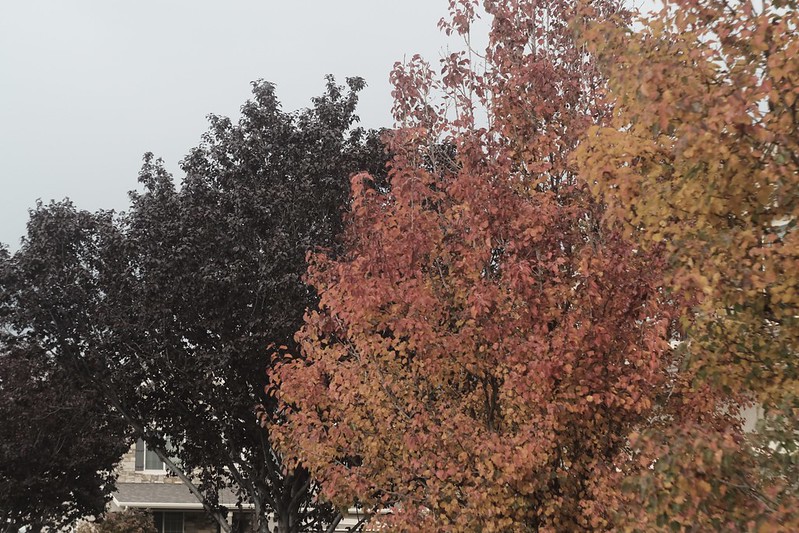
For this recipe, I was attempting to recreate a Kodak Portra 400 NC aesthetic. A couple of decades ago, Portra (both the ISO 160 and ISO 400 emulsions) came in two versions: NC (“Neutral Color”) and VC (“Vivid Color”). Kodak later revised the film to be something in-between the two, which they simply called Portra 160 and Portra 400. This recipe is, I believe, in the general ballpark of Portra 400 NC, but not exactly right; however, I like the results anyway. So if this recipe is close to Kodak Portra 400 NC, why did I call it Kodacolor 200? Because I think it is actually a little closer to Kodacolor 200, which is a variety of Kodacolor VR, and related to ColorPlus 200. I wouldn’t call it an exact match to Kodacolor 200, but that’s the film this is most likely closest to. If you want a Portra 400 NC or Kodacolor 200 aesthetic, this recipe is relatively similar to both.
There’s a fair amount of contrast produced by this recipe, which looks really good in conditions without harsh light. In bright daylight, the contrast might be a little too much, perhaps more closely resembling push-processed film, or (to a lessor extent) even bleach-bypassed Portra. On bright days, you might consider dropping both Shadow and Highlight to +1 if you find it to be too contrasty. I believe this film simulation recipe produces its best results when the sun is a little obscured, but not heavy overcast; however, it’s possible to get good results in many different circumstances. If your X-Trans II camera has Classic Chrome, I invite you to give this recipe a try—it’s a great high-contrast, low saturation option.
Power Pole Cup – Farmington, UT – Fujifilm X-T1 – “Kodacolor 200”
Classic Chrome Dynamic Range: DR200 Highlight: +2 (Hard) Shadow: +2 (Hard) Color: -2 (Low) Sharpness: -1 (Medium-Soft) Noise Reduction: -2 (Low) White Balance: 3200K, +8 Red & -8 Blue ISO: Auto up to ISO 3200 Exposure Compensation: 0 to +2/3 (typically)
Example photographs, all camera-made JPEGs captured on my Fujifilm X-T1 using this Kodacolor 200 film simulation recipe:
Phragmites – Farmington, UT – Fujifilm X-T1
Touch of Red – Salt Lake City, UT – Fujifilm X-T1
Pumpkin Stem – Farmington, UT – Fujifilm X-T1
Autumn Shrub – Farmington, UT – Fujifilm X-T1
Ground Leaves – Farmington, UT – Fujifilm X-T1
Neighborhood Autumn Tree – Farmington, UT – Fujifilm X-T1
Creek Path in Autumn – Farmington, UT – Fujifilm X-T1
Nobody pays me to write the content found on fujixweekly.com. There’s a real cost to operating and maintaining this site, not to mention all the time that I pour into it. If you appreciated this article, please consider making a one-time gift contribution. Thank you!
It’s now November, and tricks or treats are officially over. I thought it would be fun to look back at October, and see what the most viewed articles were. I have two categories: most viewed in October and most viewed that were published in October. It’s a subtle difference, but a difference nonetheless. I’ll finish up with a third category: pointing out some posts that seem to have been overlooked—maybe you missed them.
I’ve noticed that a lot of people are creating film simulation recipes and sharing them on their social media accounts, but they’re easily lost and forgotten. I wanted to create a place where you can share your recipes, and where you can find recipes created by others. That’s the idea behind the Fuji X Weekly Community Page—this is a library of film simulation recipes created by you and for you!
If you want even more film simulation recipes for your Fujifilm camera than what I’ve published here, or if you’ve created a recipe that you want to share, or if you just want to check out some pictures captured by others, be sure to visit the Fuji X Weekly Community Recipes Page! My hope is that this will become a great resource for the Fujifilm community. Be sure to bookmark it and check it often!
Here are just a few recipes that have been recently added to the Community page:
Elite Chrome 200 was a “high-ISO” color transparency film made by Kodak during the 1990’s and into the mid-2000’s. It was one of those films you could find at most corner drug stores, and you typically would chose it if you ran out of film while out-and-about and needed something. Elite Chrome was a low-budget Ektachrome film. A rumor that I remember about Elite Chrome 200 is that it was actually Ektachrome E200 that didn’t pass the quality control inspection, but I have no idea if that was true or not. Interestingly, Kodak claimed that Elite Chrome 200 was the lowest-contrast ISO 200 reversal film on the market. Because of how it responded to C-41 chemistry, it was a popular option for cross-processing.
I shot several rolls of Elite Chrome 200 film back in the day. Unfortunately, Ektachrome had a tendency to fade over time—it’s not an especially great archival film. I actually made a recipe mimicking faded Elite Chrome 200. This recipe is more like if the film wasn’t faded. I wasn’t intentionally intending to recreate Elite Chrome—in fact, I stumbled into this recipe when I used Classic Chrome instead of Classic Negative with my Fujicolor Superia 800 recipe. I was pretty shocked by just how good it looked! Sometimes changing the film simulation can produce good results, and sometimes (like when Omar Gonzalez used Classic Chrome instead of Classic Negative with my Agfa Vista recipe) it doesn’t produce good results. Fortunately for you, this is an example of when it works, and it just so happens by chance to resemble Elite Chrome 200 film.
The Fallen – Fruit Heights, UT – Fujifilm X-E4 – “Elite Chrome 200”
This film simulation recipe is compatible with all X-Trans IV cameras, except for the X-T3 and X-T30. If you have an X-Pro3, X100V, X-T4, X-S10, X-E4, or X-T30 II, this recipe is completely compatible with your camera. If you do have an X-T3 or X-T30 and want to use this recipe, you’ll have to ignore Grain Size (set it to Strong), ignore Color Chrome FX Blue, and ignore Clarity. In lieu of Clarity, use a diffusion filter, such as a 10% CineBloom or 1/4 Black Pro Mist.
Classic Chrome Dynamic Range: DR400 Highlight: -1 Shadow: +1 Color: -1 Noise Reduction: -4 Sharpening: -1 Clarity: -4 Grain Effect: Strong, Large Color Chrome Effect: Strong Color Chrome Effect Blue: Weak White Balance: Daylight, -1 Red & -3 Blue ISO: Auto, up to ISO 6400 Exposure Compensation: +1/3 to +2/3 (typically)
Example photographs, all camera-made JPEGs using this Elite Chrome 200 film simulation recipe on my Fujifilm X-E4 & Fujifilm X100V:
Pumpkin Head – Fruit Heights, UT – Fujifilm X-E4
Colorful Fall Trees – Farmington, UT – Fujifilm X100V
Little Yellow Leaf – Fruit Heights, UT – Fujifilm X-E4
October Tree Trunks – Fruit Heights, UT – Fujifilm X-E4
Sunlight In The Golden Forest – Fruit Heights, UT – Fujifilm X-E4
Autumn Forest Light – Fruit Heights, UT – Fujifilm X-E4
Autumn Woods – Fruit Heights, UT – Fujifilm X-E4
Autumn Creek – Fruit Heights, UT – Fujifilm X-E4
Late October Leaves – Fruit Heights, UT – Fujifilm X-E4
Raindrops on a Branch – Farmington, UT – Fujifilm X100V
Leaves on Old Fallen Tree – Fruit Heights, UT – Fujifilm X-E4
Jo in the Forest – Fruit Heights, UT – Fujifilm X-E4
Happy Johanna – Farmington, UT – Fujifilm X-E4
Evening Interstate – Farmington, UT – Fujifilm X100V
Nobody pays me to write the content found on fujixweekly.com. There’s a real cost to operating and maintaining this site, not to mention all the time that I pour into it. If you appreciated this article, please consider making a one-time gift contribution. Thank you!
Red Mountain – Farmington, UT – Fujifilm X-T30 – “Eterna v3”
This film simulation recipe began as an attempt to recreate a certain look. It wasn’t successful, and I didn’t like the look of it, but it sat as a C3 preset on my Fujifilm X-T30 for many months. Recently I decided to revisit this preset, and, after a couple of quick adjustments, I had something that I liked. Unfortunately, it doesn’t mimic the aesthetic that I was asked to recreate. Fortunately, it looks pretty good nonetheless, so I’m making it an official recipe.
What does this film simulation recipe resemble? There are some similarities to Eterna 250D developed using the ECN-2 process, but it’s not an exact match. Maybe push-processed Eterna 250D? I’m still not sure, as I didn’t find very many examples to compare it to. Since I wasn’t sure what to call this recipe, I named it Eterna v3. The original Eterna recipe can be found here and the Eterna v2 recipe can be found here.
Yellow Path – Fruit Heights, UT – Fujifilm X-T30 – “Eterna v3”
While I think this recipe does well enough in many circumstances, it seems to be best suited for sunny days, including “golden hour” photography. This recipe isn’t directly compatible with the Fujifilm X-H1 because it uses Color Chrome Effect; however, if you want to use it on the X-H1, simply ignore CCE and try it anyway—it will look slightly different, but you might like it anyway. For “newer” X-Trans IV cameras, like the X-Pro3, X100V, X-T4, X-S10, X-E4, and X-T30 II, you’ll have to decide what Grain Size to select—either Small or Large—but otherwise this recipe is compatible with your camera.
Eterna Dynamic Range: DR400 Highlight: +2 Shadow: +3 Color: +4 Noise Reduction: -4 Sharpening: -2 Grain Effect: Strong Color Chrome Effect: Strong White Balance: Auto, -1 Red & -1 Blue ISO: Auto up to ISO 6400 Exposure Compensation: +1/3 to +2/3
Below are all camera-made JPEGs captured using this Eterna v3 Film Simulation recipe on my Fujifilm X-T30 camera:
Girl on Playground Swing – Farmington, UT – Fujifilm X-T30
Red Playground Structure – Farmington, UT – Fujifilm X-T30
Caution for Falling Bicycles – Farmington, UT – Fujifilm X-T30
Yellow Leaves at a Park – Farmington, UT – Fujifilm X-T30
Yellow Leaves on the Ground – Fruit Heights, UT – Fujifilm X-T30
Nobody pays me to write the content found on fujixweekly.com. There’s a real cost to operating and maintaining this site, not to mention all the time that I pour into it. If you appreciated this article, please consider making a one-time gift contribution. Thank you!
Digital photography is convenient. You can review your pictures immediately after they’re captured—no waiting for rolls of film to come back from the lab. You can manipulate the images as much as you’d like in software to achieve any aesthetic that you can dream of. You can get extremely clean, sharp, bright, and vibrant pictures with extraordinary dynamic range that just wasn’t possible in the film era. Perfect pictures are prevalent today—a wonder of contemporary photography, no doubt.
Sometimes I think that digital photography is too good, too flawless, too sterile. Perfect pictures can be perfectly boring. Pulitzer-Prize winning author John Updike stated, “Perfectionism is the enemy of creation.” I think that statement is true in multiple aspects. For example, if you are working hard to create perfect pictures, you will not create very many images. I think, also, that creativity is rarely born out of perfectionism. Creativity is serendipitous. It’s not calculated. Scott Adams (of Dilbert fame) wrote, “Creativity is allowing yourself to make mistakes. Art is knowing which ones to keep.”
With film photography, mistakes happen fairly frequently. You don’t know what you have until you have it sometime later. There are a lot of variables that can affect the outcome, which are sometimes out of your control. Occasionally you accidentally and unknowingly discovery something extraordinary. There’s a lot of uncertainty, and when you fortuitously stumble upon something interesting, there’s a lot of joy in that. Film photography is imperfect—it has flaws—and, because of that, it is rewarding. This is one reason why there’s a resurgence of interest in analog pictures.
Film photography is inconvenient. The serendipity of it is fascinating, but I prefer the instant reward of digital. I’m not patient enough anymore for analog. Don’t get me wrong, I shot film for many years. I prefer how film looks, but digital is more consistent, convenient, cheaper (after the initial investment is made), and quicker, so I choose digital. But what if it is possible to get the best of both worlds? What if you could get the “film look” from your digital camera? What if you could do it without editing. Straight-out-of-camera. No Lightroom or Photoshop needed. Would you try it?
What exactly is the so-called film look? That’s actually a difficult question to answer, because one film can have many different aesthetics, depending on how it was shot, developed, scanned and/or printed, and viewed. There have been hundreds of different films available over the years, each with unique characteristics. Film can have so many different looks that it could take a lifetime to try and describe them all.
Most simplistically, the film look can be defined as a picture that looks like it was shot on film, but really the answer is more elusive than that. The best way to understand it would be to look at pictures captured with film. Find prints from the 1990’s or 1980’s. Photographic paper (and film, too) fades over time, so the further back you go, the more likely it will appear degraded. Maybe that’s something you prefer? There are as many different film looks as there are tastes, and there’s certainly not a one-size-fits-all answer to what exactly film looks like.
Captured on Elite Chrome 200 color reversal film that has faded.
The biggest difference between film and digital is how highlights are handled. With film, there’s a gradation to white that’s often graceful, but with digital it is much more abrupt. Shadows can also sometimes be more gradual and graceful with film than digital, but definitely not to the same extent as highlights, and definitely not always. Another difference is that film grain is usually considered more beautiful and artful than digital noise. With film photography, there are sometimes surprises that stem from gear (or film) imperfections that don’t typically happen naturally with digital capture. Beyond that, digital images can be effectively manipulated in post-editing to resemble film photographs, especially in the era of Lightroom presets and software filters.
There are two responses that I expect to receive. First, someone will say, “Shoot film if you want the film look.” Nobody is going to argue against that, but this article is not about merely getting the film look—it’s about getting the film look from your digital camera, because digital is more convenient. Second, a person will argue, “I can easily get this look with software, so why bother doing it in-camera?” Getting the look straight-out-of-camera saves time, simplifies the photographic process, and makes capturing pictures even more enjoyable. There’s no right or wrong way to do things—I’m just discussing one method, which you may or may not appreciate. If you enjoy post-processing, that’s great! I personally don’t enjoy it, so I go about things differently, which works for me.
1. Shoot A Fujifilm Camera
Fujifilm X-E4.
Fujifilm X-T30.
Fujifilm X100V.
Step One to achieve the film look from your digital photos without the need to edit is to buy a Fujifilm camera. Which one? It doesn’t matter. If you already own one, you can skip ahead to Step Two.
Why do you need a Fujifilm camera? Why not a Canon, Sony, or Nikon? Because Fujifilm has, in my opinion, the best JPEG engine in the industry. They’ve used their vast experience with film to give their digital cameras an analog soul. In other words, Fujifilm has made it easier than any other brand to get a film look out-of-camera. Could you do it with another brand? Sure—I created JPEG settings for film looks on Ricoh GR cameras. You can do something similar with other brands, but, in my experience, Fujifilm gives you more and better tools to do this. The best brand for achieving a film look that doesn’t require post-processing is Fujifilm, so that is why you need a Fujifilm camera.
I’ll recommend the Fujifilm X100V or Fujifilm X-E4, both of which I own and use often. I also own a Fujifilm X-T30, Fujifilm X-T1, and Fujifilm X-Pro1, and those are very capable cameras, too. Additionally, I’ve shot with a Fujifilm X100F, Fujifilm X-Pro2, Fujifilm X-T20, Fujifilm XQ1, Fujifilm XF10, Fujifilm X-T200, Fujifim X-A3, Fujifilm X-E1, and Fujifilm X-M1. It doesn’t matter which model you buy, but, if you can afford it, I would go for one the newer models (X-Pro3, X100V, X-T4, X-S10, X-E4, or X-T30 II), because they have more JPEG options, and it’s possible to get more looks out of those cameras. Don’t worry if a new camera is out of your reach, as there are many quality used options that are affordable.
Film simulation recipes are JPEG camera settings that allow you to get a certain look straight-out-of-camera. They’re basically a customization of the stock film simulations that come with the camera, adjusted to achieve various aesthetics. I’ve published over 175 film simulation recipes for Fujifilm cameras, most based on (or inspired by) classic film stocks. They’re free and easy to use. I even created a film simulation recipe app for both Apple and Android! If you have a Fujifilm camera, you should have the app on your phone. Film simulation recipes go a very long ways towards achieving a film look in-camera. Programming a recipe into your camera is kind of like loading a roll of film, except that you can capture as many frames as you wish on each roll, and change the film anytime you want.
There are a lot of wonderful options to choose from, including Kodachrome 64, Kodak Portra 400, Kodak Tri-X 400, Fujicolor C200, Fujicolor Pro 400H, AgfaChrome RS 100, and so many more! There are nearly 200 of them on this website, plus some more on the Community Recipes page. No matter your Fujifilm X camera, there are some great film simulation recipe options for you to use. I even have a number of unusual recipes, like Cross Process, Expired Slide, and Faded Negative, intended to mimic some alternative analog aesthetics. The three example pictures above are unedited (aside from, perhaps, some minor cropping), just to give you a brief taste of what recipes look like.
3.Use Diffusion Filters
10% CineBloom.
5% CineBloom.
5% CineBloom.
As I already mentioned, the biggest difference between digital images and film photographs are how highlights are handled (and, to a lesser extent, shadows). Diffusion filters help with this. They take the “digital edge” off of your pictures by bending a small percentage of the light that passes through the filter, which causes it to be defocused. The images remain sharp, but a slight haziness is added, especially in the highlights, which produces a more graceful gradation to white.
There are various types of diffusion filters by a few different brands. I recommend Black Pro Mist filters by Tiffen or CineBloom filters by Moment. You want the effect to be subtle, so I suggest a 1/8 or 1/4 Black Pro Mist—I used a 1/4 in the picture at the very top of this article—or a 5% or 10% CineBloom, which I used in the three pictures above; however, I have seen some good results with the stronger options (1/2 Black Pro Mist and 20% CineBloom). A slight effect from a diffusion filter in the right situations can subtly improve a photograph’s analog appearance.
I love using vintage lenses on my Fujifilm cameras, because they often have flaws that give pictures character. Some of the charm of analog photography stems from imperfect gear—that serendipity I mentioned earlier is often from flawed glass. Modern lenses are precision engineered and meant to give you perfect pictures. But they can be too good and too sharp. They’re great if you photograph test charts, but vintage lenses often have seemingly magical qualities that make real-world pictures better, and definitely more film-like. A lot of time you can find these old lenses for pretty cheap, but you do need an adaptor to attach them to your Fujifilm camera.
If you don’t want to buy used gear and adaptors, a great alternative is to get yourself some inexpensive manual lenses, like the Pergear 50mm f/1.8, 7artisans 50mm f/1.8, and Meike 35mm f/1.7. There are, of course, lots more manual options like these, many of which have flaws and character similar to vintage lenses, except that they’re brand-new and don’t need adaptors. Manual lenses are trickier to use, especially if you don’t have much experience with them, but I find them to be a rewarding, delivering wonderfully imperfect photographs.
With digital photography, you have many tools to make sure your focus is spot-on; if you are unsure that you precisely nailed it, you can immediately review the image and zoom in to make sure, and retake if necessary. With film photography, not only are the focus tools much more limited, you don’t even know if you got it exactly right until the film comes back from the lab. If you study classic photography, you’ll notice that many iconic pictures didn’t spot-on nail the focus. You’ll even notice this in old movies and television shows, too. It was common, and nobody cared. It has become a small part of the film look.
Worry more about composition and storytelling, and less about getting perfect focus. In fact, my recommendation is to not review the LCD after each shot to check. Take the picture, and if you got focus perfect, great! And if you didn’t, don’t let the imperfection bother you, but celebrate that a little softness can be a part of the analog aesthetic. A little blur is not always bad, especially if the picture is otherwise interesting or compelling.
One of the big differences between digital and film is that film has lovely silver grain while digital has ugly noise. Grain can be ugly, too, but digital noise is generally regarded as undesirable, and usually it is, while grain is general regarded as artful. Fujifilm has programmed their cameras in such a way that the noise has a more film-grain-like appearance than other brands. It’s definitely not an exact match to any film grain, but it’s certainly better than typical ugly noise. So why not incorporate it into your pictures?
A lot of photographers are afraid to use high ISOs. Back in the film days, I remember that ISO 400 was considered to be a high-ISO film. Some people thought you were nuts if you used an ISO 800 or 1600 film. ISO 3200 film was only for the most daring, or for use under extreme circumstances. Early digital cameras were pretty bad at higher ISOs, too, but camera technology has made incredible progress, and now cameras are pretty darn good at high ISO photography. I routinely use up to ISO 6400 for color photography, and even higher for black-and-white. Those ultra-high ISOs just weren’t possible or practical 10 or so years ago. Now combine high-ISO photography with Fujifilm faux grain (found on X-Trans III & X-Trans IV cameras), and the pictures begin to appear a little less digital and a bit more film-like.
Transparency film often requires a very precise exposure because there’s very little latitude for overexposure or underexposure. Negative film often has a much greater latitude—generally speaking it can tolerate more overexposure than underexposure. Each film is different. But here’s the thing: you don’t know if you got it right until later when the film is developed. In the moment you don’t know for sure if the exposure is really correct. With experience you can get pretty good, and exposure bracketing can help (not something you want to do all of the time because you’ll go through your film too quickly), but it’s almost a guarantee that you’ll end up with a few overexposed or underexposed frames. Sometimes this can affect the aesthetic or mood of the image, and by chance your picture is actually more interesting because of your mistake—that analog serendipity again. If you discover something you really like, you might even begin to do it on purpose (like overexposing Fujicolor Pro 400H by several stops).
Your digital camera has many great tools to help you get the exposure perfectly correct, which is great. And if you don’t get it right, you can know right away, and capture another exposure if need be, or fix it later by adjusting the RAW file. However, purposefully not getting the exposure just right, whether by overexposing or underexposing, is a good way to mimic the film experience, and sometimes you’ll get an unexpected result, which can be a very happy accident. I wouldn’t do this all of the time, but occasionally it is a fun and fruitful exercise.
Step One, which is using a Fujifilm camera, and Step Two, which is using film simulation recipes, are the most critical of these seven tips. You could use Ricoh GR cameras instead of Fujifilm, but I definitely recommend using Fujifilm. Step Three through Step Seven are optional, and they aren’t necessarily intended to be used all together or all of the time, although you certainly can if you want. Pick a couple of them—perhaps diffusion filter and vintage lens or high-ISO and underexposure—and see what results you get.
There are two things that I’d like for you to get out of this article. First, you don’t need software or editing apps to achieve an analog aesthetic. You can do it in-camera. All of the pictures in this article are unedited (except for some minor cropping). This saves you a whole bunch of time, and you might even find the process more fun. Second, I hope that this article inspires you to try something new. Don’t be afraid to experiment. Mistakes can be highly rewarding, and you might even discover something extraordinary.
A few more example photograph:
Vintage Color recipe & 1/4 Black Pro Mist filter.
Fujicolor Pro 400H recipe & 1/4 Black Pro Mist filter.
Nobody pays me to write the content found on fujixweekly.com. There’s a real cost to operating and maintaining this site, not to mention all the time that I pour into it. If you appreciated this article, please consider making a one-time gift contribution. Thank you!
I’ve received feedback from a number of Fuji X Weekly App users with this suggestion: explain better the benefits of becoming a Patron. I’ve heard stories like, “I’ve had the app for awhile, but I didn’t realize how much better it was when you subscribe. I wish I’d known this months ago!” Let me lay out for you the benefits of becoming a Fuji X Weekly App Patron.
First, before I get too far into this, let me briefly explain what the App is and why you should go download it right now, if you don’t already have it on your phone. The Fuji X Weekly App is a mobile film simulation recipe library containing over 175 recipes for Fujifilm cameras. Film simulation recipes are JPEG settings that allow you to achieve various looks, many based on classic film stocks, straight-out-of-camera without the need to edit. These settings save you time, simplify the photographic process, and make capturing pictures even more enjoyable. If you own a Fujifilm camera, you should try these recipes and have the App on your phone. So take a moment right now to download the Fuji X Weekly App if you don’t already have it.
My film simulation recipes are completely free, and the Fuji X Weekly App is also free. There is absolutely no cost to you. It’s my gift to the Fujifilm community—it’s a real honor if you find it beneficial to your photography, as I’m happy to be helpful.
Within the App there is an option to become a Fuji X Weekly Patron (click the gear icon), which is $19.99 (USD + tax) for an annual subscription. Why should you subscribe? What benefits do Patrons get?
Becoming a Patron unlocks the best App experience.
This app does have some advanced features that can be unlocked by becoming a Fuji X Weekly Patron! These advanced features include filtering by sensor or camera, as well as by film simulation or color/B&W, and the ability to favorite recipes for quick access. Let’s take a closer look at the benefits of these features.
Filtering
If you are using the free version of the App, you have to look at each recipe individually to discover which cameras it is compatible with. For example, if you open the Agfa Optima 200 recipe on the App and scroll down a little, it lists all of the fully compatible cameras that this recipe will work on. If your camera is listed, you can use the recipe, and if your camera isn’t listed, you probably need to keep looking. Alternatively, you could cross-reference the recipes using this website, which are sorted by sensor, as a method for narrowing your search.
There is an easier way, if you are a Fuji X Weekly App Patron.
If your camera is, let’s say, a Fujifilm X-S10, you can Filter By Sensor, and select X-Trans IV, and you’ll find the Agfa Optima 200 recipe in the list, because that recipe is compatible with X-Trans IV cameras. If your camera is, let’s say, an X-E3, you can Filter By Sensor, and you’ll find the Agfa Optima 200 recipe in that list, too, because that recipe is also compatible with X-Trans III cameras. Another option is to Filter By Camera. You might think that the Agfa Optima 200 recipe would still show up—and it will for the X-E3—but it won’t show up for the X-S10. Why? Because that recipe isn’t fully compatible with all X-Trans IV cameras, and the X-S10 is one of those that the recipe won’t fully work with; however, it’s 99% compatible, so with one change you can use it. You see, newer X-Trans IV cameras have Grain Size (either Small or Large) that you must choose, a feature not found on older X-Trans IV and X-Trans III cameras, so that’s why it is only 99% compatible.
You have two options to narrow down the recipes that you can use—Sensor or Camera—and understanding these tools can help you find the recipe that you’re looking for. If you want a recipe that is 100% compatible with your camera, then Filter By Camera is what you want to use. Note that you can only choose one camera. If you want to find the most recipes that will work with your camera, but perhaps some aren’t 100% compatible (like Agfa Optima 200 on the X-S10) and you might have to make a choice on a setting (like Grain Size), or accept that it might produce a slightly different look (more on this in a moment), or you might even have to sort through some non-compatible recipes, then Filter By Sensor is what you want to use. Note that you can choose as many sensors as you’d like. If you have an X-S10 and if you Filter By Camera, you’ll find over 60 recipes that are 100% compatible with your camera. If you Filter By Sensor, choosing X-Trans III, X-Trans IV, and GFX, you’ll find over 140! Yes, you can use those 140+ recipes, but that’s a lot to go through.
Other cameras are in a similar situation. Bayer sensor cameras only have six recipes, but you can also use X-Trans I and X-Trans II recipes, although the results will be slightly different. You might like it, you might not, but you won’t know unless you try. If you Filter By Sensor and choose X-Trans I, X-Trans II, and Bayer, you’ll find nearly 40 recipes that will work on your Bayer camera. It’s a similar story if you have an X-Trans II camera. For GFX, many X-Trans IV recipes are compatible with GFX, but will render just slightly different. The bottom line is that you can Filter By Camera and get a limited list of fully compatible recipes that will look as intended on your camera, or you can Filter By Sensor (and even select multiple sensors) and potentially get a much bigger list of recipes that may or may not be good options for your camera model—you get to decide how adventurous you want to be.
In many cases, no matter if you Filter By Sensor or Filter By Camera, there’s still going to be a lot of recipes to choose from, and it can be overwhelming. That’s where Filter By Simulation or Filter By Color/BW comes in handy. If you know that you want a B&W recipe, you can remove all of the color recipes from the list, and if you know that you want a color recipe, you can remove all of the B&W recipes from the list. If you know that you want a Classic Chrome recipe, you can display only those that use Classic Chrome, or if you know that you want an Eterna recipe, you can display only those that use Eterna. These are great tools to really narrow down your search, which will save you time!
Fuji X Weekly App Patrons have a much easier time finding the recipes that they’re looking for. Yes, you could scroll through 175+ recipes individually to find the ones for your camera, or you can use the Filter options to quickly locate exactly what you want, and only Patrons can do that.
Favoriting
Another wonderful tool that is unlocked by becoming a Patron is the ability to Favorite recipes. Once you’ve narrowed down your list with the Filtering options, you can “Star” recipes, and they’ll show up at the top of the list. To Favorite a recipe, with the recipe open, tap the star in the upper-right corner. The Filtering options apply to Favorite recipes, which is demonstrated in the above screenshots. What’s great about this is that, if you have multiple generations of sensors, say X-Trans II and X-Trans III, you can Favorite recipes for both, and when you Filter for your X-Trans II camera, only X-Trans II recipes will show up, and the X-Trans III recipes that you put a Star on won’t display, and vice versa. You can use the Favorite tool to keep track of the recipes that you currently have programmed into your camera, or to list the ones that you want to someday try, or to note the ones that you’ve used and you really like.
Becoming a Patron unlocks early-access recipes.
Fuji X Weekly Patrons also get early access to some new film simulation recipes! There are currently 10 “early-access” film simulation recipes on the App (marked by an aperture symbol), that only Patrons can view. These recipes will eventually be free to everyone, but right now they’re only available to Patrons. As new early-access recipes are cycled into the App for Patrons, the others will be made available to all. My favorite Patron early-access recipes currently on the App are Vintage Color, Old Kodak, Pushed CineStill 800T, Kodacolor VR, and Vintage Negative. Getting early-access to some new film simulation recipes is a fun reward for your support.
Becoming a Patron supports Fuji X Weekly
Nothing is free. My film simulation recipes are free to you, both on this website and on the App, but that doesn’t mean that they’re free—it just means someone else is paying for it. As you can imagine, creating and maintaining an app isn’t cheap. Same for a website. Creating and sharing these recipes takes a lot of time and effort and sometimes even money. All of this is to say that Patrons support the App and website and future film simulation recipes and more! Their support leads to other great things, too, like the Community Recipes page, and even recipes for Ricoh cameras. Patrons partner with Fuji X Weekly for the benefit of the Fujifilm community and beyond, and without their support all of these great things, including the App, wouldn’t happen. Also, if you found film simulation recipes and the app useful to your photography, this is a great way to show your appreciation.
I want to give a big “thank you” to all of the Fuji X Weekly App Patrons! If you’re not already, consider becoming a Patron today.
To conclude, Fuji X Weekly Patrons unlock some great tools for the best app experience, plus they get early-access to some new recipes while supporting Fuji X Weekly for the benefit of the Fujifilm community and more. It’s a win-win!
I want to mention here at the very end of this article that we’re busy building a big App update that will add some great new functions and features. We’re working hard to get this update out before December, and with any luck it will happen. I think you’ll really appreciate these improvements, as they’ll make the Fuji X Weekly App even better!
Episode 04 of SOOC was this morning. I want to give a big “Thank You” to everyone who tuned in and participated—you are the ones who make these episodes great! If you missed it when it was live, you can still watch it (above). We ran a little long (almost two hours!), but I hope you learned something, that you were inspired, and/or that it was entertaining enough to make it worthwhile. Asking for two hours of your time is a lot, and we really appreciate everyone who journeyed along with us today!
For those who may not know, SOOC is a monthly live video series, with each episode focused on a different film simulation recipe. It is a collaboration between Tame Your Fujifilm (Fujifilm X-Photographer Nathalie Boucry) and Fuji X Weekly (Ritchie Roesch). SOOC is a fun and educational experience where we not only talk about Fujifilm camera settings, but also answer your questions and give tips and tricks. Basically, we’re trying to help you master your Fujifilm camera, with a focus on simplifying your photographic workflow.
In this month’s episode we discussed my Kodacolor film simulation recipe, and viewed the wonderful pictures that you captured with this recipe. We also introduced the next recipe: Agfa Optima 200. Upload your pictures here to be featured in the next video! Episode 05 will be on November 18th, so mark your calendars, and I look forward to seeing you then!
If you appreciated Episode 04, be sure to hit the “thumbs up” button on YouTube. Also, help us spread the word by sharing the video on your social media accounts. Thanks so much!
Episode 04 of SOOC is live today! Join Fujifilm X-Photographer Nathalie Boucry (Tame Your Fujifilm) and Ritchie Roesch (Fuji X Weekly) as we discuss the Kodacolor film simulation recipe and so much more! This will be both educational and entertaining, and well worth your time. SOOC is an interactive program, so we need your participation! I personally invite you to tune in at 10 AM Pacific Time, 1 PM Eastern—if you are not sure what time it will be where you’re at, you can use this time zone converter. I hope to see you soon!
City Roses – Farmington, UT – Fujifilm X100V – “Pushed CineStill 800T”
The Fuji X Weekly app is free, yet becoming a Fuji X Weekly Patron unlocks the best app experience! One benefit of being a Patron is you get early access to some new film simulation recipes. These early-access recipes will eventually become available free to everyone in time, including this new one. In fact, many early-access recipes have already been publicly published on this blog and the app, so now everyone can use them. Patrons help support Fuji X Weekly and, really, without them there would be no app. So I want to give a special “thank you” to all of the Patrons!
A few days back I published a Patron early-access recipe called “Pushed CineStill 800T” that was compatible with the Fujifilm X-T4, X-S10, X-E4, and X-T30 II cameras, and I immediately received requests for an alternate version for the X100V and X-Pro3. I was able to get pretty darn close! While this new Patron early-access recipe is for those with an X100V or X-Pro3, it is also compatible with the X-T4, X-S10, X-E4, and X-T30 II, and if you have one of those cameras you will have to decide which version to use—even though they’re both nearly identical, you might prefer one over the other.
Both recipes mimic the look of push-processedCineStill 800T film. To create this aesthetic, I studied overcast daytime examples of the film, and, interestingly enough, it did quite well at night, too; however, I do believe it more faithfully mimics the film in cloudy daytime conditions—it does produce nice results in daylight or night, so feel free to use it anytime. Film can look different depending on how it is shot, developed, printed, or scanned. This recipe doesn’t replicate pushed CineStill 800T film under all circumstances, but in certain conditions it’s a good facsimile. I really like how this one looks, and I think some of you will really appreciate it, too!
If you are a Fuji X Weekly Patron, it’s available to you right now on the app!
Example photographs, all camera-made JPEGs captured using this “Pushed CineStill 800T” film simulation recipe:
Gas Pumps at Night – Farmington, UT – Fujifilm X-E4
Nighttime Neighborhood – Farmington, UT – Fujifilm X-E4
Night Walkway – Farmington, UT – Fujifilm X-E4
Nighttime Flowerpot – Farmington, UT – Fujifilm X-E4
Episode 04 of SOOC is this Thursday, October 21, at 10am Pacific Time, 1 PM Eastern!
SOOC is a monthly live video series, with each episode focused on a different film simulation recipe. It is a collaboration between Tame Your Fujifilm (Fujifilm X-Photographer Nathalie Boucry) and Fuji X Weekly (Ritchie Roesch). SOOC is a fun and educational experience where we will not only talk about Fujifilm camera settings, but also answer your questions and give tips and tricks.