Fujifilm X-Trans IV Film Simulation Recipe: Eterna v2

One of my favorite film simulations is Eterna. There’s a special quality to it that’s different than the other film simulations, with its low contrast and muted colors. Yes, you can get pretty close to Eterna using PRO Neg. Std, but you cannot completely match the lovely subtle tonality of it. I think the Eterna film simulation is a little underrated, as it’s a great base for crafting recipes, and I was eager to create a new look with it—so I did!
Real Eterna is a motion picture film. Actually, there have been a number of different film stocks that Fujifilm has given the name Eterna to. The film simulation of the same name doesn’t exactly match any specific Eterna film, yet it has a great general Eterna cinematic feel. In my opinion, the Eterna film simulation is good for achieving an analog color negative film aesthetic.
The first recipe that I created that uses the Eterna film simulation is simply called Eterna, and I really like how that one turned out. I wanted to make something similar, but not identical, using the additional JPEG options that Fujifilm has added to their newer X-Trans IV cameras. I wanted a warm vintage film look—something that could possibly be confused as being actual analog—without being based on any specific film. I think it looks pretty good, and I hope that you do, too.

Because this film simulation recipe requires the new Auto White Priority white balance, it is only compatible with the X-T4, X-S10 and X-E4; however, for outdoor natural light photography, using Auto white balance will produce identical results, which means that you can use this Eterna v2 recipe with the X100V and X-Pro3! For indoor artificial light photography, using Auto white balance will produce overly warm images, so Auto White Priority works better, but right now only the three newest Fujifilm X cameras have that option. For the X-T3 and X-T30, in addition to using Auto white balance, you’ll have to disregard Color Chrome Effect Blue and Clarity, and consider setting Highlight to +2 and Shadow to +1 plus Sharpness to -2 to compensate, as well as disregard Grain size (simply use Strong). It won’t be identical, but it will be very similar—I tested it out on my X-T30 and it works.
Eterna
Dynamic Range: DR400
Highlight: +3
Shadow: +2
Color: +3
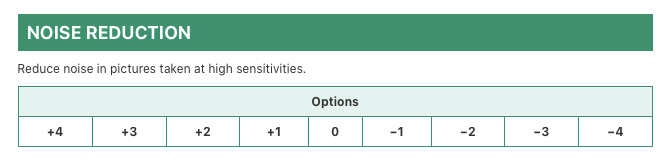
Noise Reduction: -4
Sharpness: 0
Clarity: -3
Grain Effect: Strong, Small
Color Chrome Effect: Strong
Color Chrome Effect Blue: Strong
White Balance: Auto White Priority (X100V + X-Pro3: Auto), +4 Red & -7 Blue
ISO: Auto, up to ISO 6400
Exposure Compensation: +1/3 to +2/3 (typically)
Example photographs, all camera-made JPEGs using this “Eterna v2” film simulation recipe on my Fujifilm X-E4:


Find this film simulation recipe on the Fuji X Weekly — Film Recipes App!


Help Fuji X Weekly
Nobody pays me to write the content found on fujixweekly.com. There’s a real cost to operating and maintaining this site, not to mention all the time that I pour into it. If you appreciated this article, please consider making a one-time gift contribution. Thank you!
$2.00