10 Must Try Film Simulation Recipes for Night Photography

Night Statue – Jackson Hole, WY – Fujifilm X100V – Serr’s 500T Recipe

Which Film Simulation Recipes are good for nighttime photography? With nearly 300 to choose from, it can be difficult to know when to use which Recipe. Almost all film emulsions are either Daylight-balanced or Tungsten-balanced; similarly, most Recipes are intended for daytime photography, and some are intended for nighttime photography. There are also some that, even though made for sunny conditions, still do well after the sun goes down. So let me suggest to you 10 Film Simulation Recipes that do well at night!

Depending on the exact light situation, some Film Simulation Recipes that are intended for daytime use will still look good at night, and other times they will produce a strong warm cast that you might not like. While adjusting the White Balance to better suite the situation is always an acceptable option (“season to taste” the Recipe), picking a Recipe that is intended for the light situation you are in is my preferred method. Like film, it’s better to pick the “right” one that matches the conditions you’ll be shooting in, but there’s no right or wrong way to do photography, so you’ll have to decode what works for you.

Of course, everyone has different tastes. There are some Recipes that you might love, and some that you might not. Your favorite after-dark Recipe might not be in this list, as it’s not comprehensive. There are certainly other Recipes that I have personally used and liked for nighttime photography; however, these are ones that I think are especially well-suited. A couple were tough cuts, and would certainly have been included if it was 15 Recipes and not 10.

If you are not sure which Film Simulation Recipe to use at night, try one of these!

Find these Film Simulation Recipes and nearly 300 more on the Fuji X Weekly — Film Recipes App!

Help Fuji X Weekly

Nobody pays me to write the content found on fujixweekly.com. There’s a real cost to operating and maintaining this site, not to mention all the time that I pour into it. If you appreciated this article, please consider making a one-time gift contribution. Thank you!

$5.00

The Fuji X Weekly Journey — FXW Zine (Issue 17, April 2023) — Creative Collective 044

Have you ever wondered about the story behind Fuji X Weekly? How did it all began? What’s behind the curtain? The April issue of FXW Zine is for you!

This never-before-told journey is something that I’ve been wanting to share with you for awhile now. I had to be a little vulnerable, because some of the details are personal. I hope that you find it inspirational to you and your personal journey, whatever that is. Ultimately, this journey isn’t so much about me as it is about you.

If you are a Creative Collective subscriber, the latest issue of FXW Zine is available for you to download now! If you are not a subscriber, consider joining the Fuji X Weekly Creative Collective to gain access to all of the issues plus other bonus articles.

Creative Collective 043: Dreamy Light (The Cheap & Easy Way)

Sunset & Saguaro – Sun City, AZ – Fujifilm X-E4 & Fujinon 90mmSuperia Summer Recipe

Dreamy light is all the rage right now. Maybe it has been for awhile, but it is definitely something that photographers are seeking right now. But how does one achieve it? Vintage lenses. Diffusion filters. Scratching a UV filter. Those can work. How about these: shooting through an optical viewfinder, oiling a filter, or using a LoFi lens? Yep, that’ll do it, too. But there is a cheaper and easier camera hack that might just work even better!

Here’s how to do it and what it looks like.

How to Solve Fujifilm’s Cam Remote App Not Connecting to iPhone

I posted a comical Reel on my Instagram account about the much maligned Fujifilm Cam Remote App, and it clearly struck a nerve. Between all of the social media accounts where I posted the short video, I had over 3,000 reactions (hearts, thumbs up, etc., etc.) and about 350 comments, which is a lot more than usual. Most of the comments were in agreement: the Cam Remote App is frustrating, and doesn’t seem to work well. By far, the biggest issue is getting the camera to even connect to the app. It often takes several tries before it will work, if it does at all. There have been times that, despite my best efforts, I just couldn’t get it to work, and I gave up trying to connect the camera to the app.

It’s really unfortunate that I cannot get the app to work sometimes—and when I can it is often a frustrating experience—because it is an important part of my workflow. I shoot with Film Simulation Recipes, then transfer the JPEGs off my camera and to my phone using the Cam Remote app, straighten and/or crop if necessary, and then upload to cloud storage. 99% of the time that is the full extent of my photographic workflow. When I can’t get the app to work, it’s a significant issue for me.

I haven’t always had trouble with Fujifilm’s Cam Remote app. Years ago I would receive reports from people stating that the app sucks, but I didn’t share those experiences; however, the problems began to show up after I purchased my Fujifilm X-T30. Then it got worse and worse. What changed? I think two things: Bluetooth and multiple bodies. In my experience, the Bluetooth feature is sometimes the cause of the hangup. Also, the app didn’t seem to like when I connected to one camera and then tried to connect to another camera right afterwards. So using the app for multiple cameras, and especially if one or more of those cameras have Bluetooth, is where it went wrong for me. It could be other problems, too, that I’m just not aware of.

While most of the comments to my Reel were in agreement, there were some who reported a different experience. A small number seem to have no issues with the app at all. It could be that they are using only one camera (and not multiple) and/or they don’t have Bluetooth models, but that’s just a guess. A few of the comments and messages that I received suggested that it was user error. Someone even told me the reason why I was having trouble is because I’m technologically inept and perhaps even stupid. People can be mean sometimes. Thankfully, some other people shared that they figured out a solution, and now the Cam Remote app works just fine for them.

There were a number of ideas put forth to resolve the issue. I spent a couple of hours putting these different potential solutions to the test. What I discovered through this process is a method that (so far) seems to work every time. You have to jump through some hoops that shouldn’t be necessary. Oh, and this method is for iPhones only. I assume there must be a similar method for Android, but I’m an iPhone user and not Android, so I cannot help much with that. So if you have an iPhone, I invite you to try this solution and see if it fixes the problem for you. Hopefully you’ll find that you can now consistently connect to Fujifilm’s Cam Remote app without issue.

Step 1: Open the Fujifilm Cam Remote App and select the camera you are going to connect with. Then swipe out of the app (exit out completely).

Step 2: Turn on WiFi on your Fujifilm camera.

Step 3: Open the Settings app and select Bluetooth. Tap the green slider to turn Bluetooth Off (disable). If Bluetooth works consistently for you or if your Fujifilm camera doesn’t have Bluetooth, skip this step. For me, Bluetooth is sometimes a hangup, so disabling it allows the app to work more consistently (albeit more slowly).

Step 4: Select Wi-Fi in the Settings App.

Step 5: Find the camera’s WiFi (in the Settings app—might be found under “My Networks” or “Other Networks”). Tap the “i” with a circle around it. Toggle Off (disable) “Private Wi-Fi Address” (if it is enabled).

Step 6: Turn Wi-Fi Off on your phone (tap the green slider) then immediately turn it back On. Select your camera’s WiFi before the phone auto-connects to another network. Wait a moment to make sure that the phone is connected to the camera.

Step 7: Relaunch the Cam Remote app. It should open to the camera you are trying to connect to (because of Step 1), but if it didn’t, select your camera from your list. The app might automatically connect to the camera (it sometimes does for me, although I don’t know why), but if it doesn’t (which is what should happen most of the time), tap “Import images selected on app” and it should connect. Boom, done!

Since following these seven steps, I have been able to connect with all of my Fujifilm cameras consistently each time on the first try. I tried it over and over and over just to be sure. Yes, it’s a hassle, and more steps than should be necessary, but it works, and eventually it becomes easier and more natural (second nature). If you have had problems with Fujifilm’s Cam Remote app on your iPhone, this should solve the issue for you.

I want to thank everyone who shared their experiences with the Cam Remote app with me, and especially for those who shared their solutions. It was a big help. Thank you! Supposedly Fujifilm has been working on a new app for awhile. With any luck that app will be ready soon and will work much better. I have no inside information on that, it’s just been rumored for awhile, so hopefully it is true.

7 Film Simulation Recipes for Ultra-High-ISO Photography

Garden Spiderweb – Buckeye, AZ – Fujifilm X-E4 – GAF 500 Recipe – ISO 12800

I remember when ISO 400 used to be consider high ISO. In fact, the “H” in Fujicolor Pro 400H means high ISO. When I shot film, I usually didn’t go higher than ISO 400, although on a rare occasion I did go wild and use an ISO 800, 1600, or (gasp!) 3200 emulsion (those were ultra-high-ISOs back then), when the expected light was dim and a tripod wasn’t practical. When I started shooting digital almost 15 years ago, I remember that ISO 1600 on my first DSLR was barely usable in a pinch, and it was best to stay at or below ISO 800. Nowadays those limitations are long gone.

Thanks to the X-Trans color array, Fujifilm is better able to differentiate color noise from color information (than with a Bayer array), allowing more control over how noise is rendered. Because of this, the APS-C sensor on Fujifilm X cameras does pretty darn well at high-ISO photography. Yes, it can get noisy, but the noise is more organic-looking and less color-splotchy (perhaps even a little film-grain-like) than non-X-Trans cameras typically produce.

Still, a lot of photographers are hesitant to try high-ISO photography. I’ve had someone tell me that they never go beyond ISO 800 on their Fujifilm cameras. Someone else said that they don’t use Film Simulation Recipes with DR400 because it requires an ISO that they’re not comfortable using. Everyone has their own preferred upper ISO limit—mine might be higher than yours, and that’s ok. What I’d like to do, though, is encourage you to step outside of your comfort zone, and try some ISOs that you would not normally—or perhaps ever—use.

You might want to use ultra-high-ISOs—which I consider to be ISO 12800 and higher, but your definition might be different—in dim light situations, such as at night or in a poorly lit room. That’s probably the most common reason. I will sometimes use really high ISOs in daylight when it’s not even necessary just for the aesthetic of it. Crazy, right?! I think sometimes digital can appear too clean, and an ultra-high-ISO can give the picture a grittier look, more similar to some film emulsions.

Of course, using ultra-high-ISOs in daylight can be problematic because the light is strong. My Fujifilm X100V has a built-in ND filter, which makes it more practical. Otherwise, screwing an ND filter onto the end of the lens will help. If you don’t have one, be sure to use your camera’s electronic shutter (instead of the mechanical one) because it is capable of faster shutter speeds. You might also have to use small apertures like f/11 or f/16 to reduce the light entering the camera.

If you want to give it a try, below are seven Film Simulation Recipes that use ultra-high-ISOs. Many of them go “up to” an ultra-high-ISO, so in that case you’d want to purposefully choose a high ISO instead of a low one. Give one or more of these Recipes a try today! Leave a comment to let me know which one (or ones) you like. My personal top favorites are GAF 500 for color and Kodak Tri-X 400 for B&W.

ISO 12800

Up to ISO 12800

Up to ISO 25600

ISO 1600-12800

ISO 12800

ISO 3200-12800

ISO 25600-51200

Find these Film Simulation Recipes and nearly 300 more on the Fuji X Weekly — Film Recipes App!

Help Fuji X Weekly

Nobody pays me to write the content found on fujixweekly.com. There’s a real cost to operating and maintaining this site, not to mention all the time that I pour into it. If you appreciated this article, please consider making a one-time gift contribution. Thank you!

$5.00

I Think You’ll Appreciate This …Or, How to Get Through Another Hump Day

Julio – Arlington, AZ – Fujifilm X-T5 – 1970’s Summer

Recently I shared videos by Leigh and Raymond Photography, Andrew Goodcamera, and Mango Street that mention Fuji X Weekly and/or Film Simulation Recipes. That’s awesome! Those are pretty big names in the camera world. But if you look on YouTube, there are so many other photographers who are shooting with Recipes and making some wonderful content. They don’t (yet) have the large following of those well-established channels, but they deserve some love and recognition for what they are doing. That’s what this post is about. I want to share with you some of those videos that I found, which perhaps didn’t come up in your feed, but are worthwhile to watch.

Today is Wednesday, which is also sometimes called Hump Day because it is in the middle of the week. If today is a struggle and you are in need of inspiration and/or entertainment, this will surely help! Find a video or two (or more!) below that look interesting, and give it a watch. At the end, if you liked it, don’t forget to give it a thumbs up and consider subscribing to that person’s channel. Let them know that you appreciate their content!

I’m sure I missed several wonderful videos. If you published one recently that I didn’t include, or if you’ve seen one by someone else that should have been in this list, feel free to leave a link to it in the comments. The videos below are simply the ones that YouTube presented to me, and I appreciated them so I thought you might, too.

Enjoy!

If Fujifilm was a Person….

Rusty Hoop – Santa Rosa, NM – Fujifilm X-E4Kodak Portra 400 v2 Recipe

If a movie was ever made about your life, who would play you? That’s a fun question that is sometimes used as an icebreaker. I’ve never really thought much about it myself. I’ve been told several times that I have a slight resemblance to Elvis Presley (although I don’t really see it personally), so maybe someone like Austin Butler? If it were up to me, I’d choose Gerardo Celasco, who is not only a good actor, but a super cool guy who shoots with Fujifilm cameras.

In a recent YouTube video by Mango Street entitled If Camera Brands Were People, the portrayal of Fujifilm reminds me a lot of me. It’s a little too accurate. It hits close to home. The video is a lot of fun to watch—I literally laughed out loud several times. I’ve included it below, so if you haven’t seen it, you can do so now. The picture at the top of this post will make more sense afterwards.

So who played me? Unexpectedly, it was Rachel Gulotta (and, unfortunately, not Gerardo… maybe next time). Of course, the video was all in good fun, and meant as comedy. Is it accurate? Are you Fujifilm if Fujifilm was a person? Is Rachel playing the part of you? Tell me what you think!

It’s quite amazing that “Film Simulation Recipe” has become a part of camera culture. For several years the phrase was neologism and used only within a fairly small circle, but it has now become a normal part of photography phraseology. In the Fujifilm world it is (amazingly!) common jargon; “Fujifilm” and “Film Simulation Recipe” are almost inseparable. Now it is beginning to spill outside of that and into the general photography lexicon. It’s hard for me to wrap my head around that, because I never thought this would grow so big, and that so many people would use Fuji X Weekly Recipes on their Fujifilm cameras. Incredible!

Top 10 Film Simulation Recipes of 2022 (& 2023 So Far)

Two Caballeros – Culleoka, TX – Fujifilm X-E4 – Kodachrome 64 Recipe

After yesterday’s Take the Blind Blind Film Simulation Recipe Test article, I’ve been asked a couple of times what were the 10 Film Simulation Recipes that I provided to Andrew Goodcamera. You see, he asked me to give him a list of the Top 10 most popular Film Simulation Recipes of 2022. Now, I have no way of knowing which are the most used; however, I can tell which are the Top 10 most viewed Recipes on the Fuji X Weekly website. Are page-views a good indication of use? Probably, but it’s also quite possible that some Recipes are overrepresented and others are underrepresented. Unfortunately I don’t have a more accurate metric, so this will have to suffice.

Below you will find the Top 10 most popular Film Simulation Recipes of 2022 based on page-views, in order from least to most popular. Seven of them are X-Trans IV Recipes (for the X-Pro3, X100V, X-T4, X-S10, X-E4, & X-T30 II cameras), and three are X-Trans III Recipes (plus compatible with the X-T3 & X-T30). X-Trans V Recipes are pretty new—the oldest published in the third week of November—so it make sense that none made this list, and I suspect that they’ll become increasingly more popular throughout 2023. The Recipes for X-Trans I, II, Bayer, and GFX just aren’t nearly popular enough to crack this list (not likely a Top 20 list, either). The majority of people who shoot using Film Simulation Recipes are doing so on X-Trans III and newer cameras, and the largest group are shooting with X-Trans IV models.

Interestingly, the Classic Chrome Recipe, which is the second one ever published on Fuji X Weekly, ranks pretty high. Black-and-white Recipes aren’t usually as popular as color, so I’m happy to see the Kodak Tri-X 400 Recipe climb the list. I’m not surprised by much else, so let’s get to that list!

Top 10 Film Simulation Recipes of 2022:

Number 10:

Number 9:

Number 8:

Number 7:

Number 6:

Number 5:

Number 4:

Number 3:

Number 2:

Number 1:

Which of these Film Simulation Recipes do you use most? What is your favorite Recipe not found on this list? Let me know in the comments!

I also thought it would be interesting to see if 2023 is trending different so far, or if the Recipes rank the same. While the top half of the list looks nearly identical, there are some notable differences in the bottom half. Pacific Blues is one of my top-favorite recipes, so I’m happy to see it crack the Top 10.

Top 10 Film Simulation Recipes of 2023 (so far…):

Number 10:

Number 9:

Number 8:

Number 7:

Number 6:

Number 5:

Number 4:

Number 3:

Number 2:

Number 1:

Find these Film Simulation Recipes and nearly 300 more on the Fuji X Weekly — Film Recipes App!

Take the Blind Film Simulation Recipe Test to See Which Might Be Your Favorite!

Coastal Blooms – San Simeon, CA – Fujifilm X-E4Pacific Blues Recipe

Andrew Goodcamera (formally known as Andrew & Danae) just published a YouTube video in which he conducts a blind film simulation and Film Simulation Recipe test. In the video Andrew shows six sets of 15 pictures. The images are a mix of stock film simulations (no recipe) and various Film Simulation Recipes. As you watch, you are supposed to take note of which pictures stand out to you—perhaps even take a guess at which Recipe you think was used for your favorite—and maybe discover a new Recipe to try that you didn’t realize you’d like. It’s a fun little experiment!

Back in January Andrew reached out to me because he had a video idea, and he needed a list of popular Film Simulation Recipes for it. He didn’t tell me what his video idea was, only that he was going to mention Fuji X Weekly and needed a list of Recipes. I happily provided him with what he requested, and that was the end of the story until today when I noticed he posted a new video. I’m very appreciative for his kind words and honored for the shoutout—thank you, Andrew!

I’m not going to say anything more until you’ve watched the video. I have some commentary that I want to add, but don’t want to spoil it for you, so take a moment right now to watch the video. Don’t scroll past the video below until you’ve watched it! Oh, and make sure you have a notepad handy to keep track of your picks.

Did you watch it? If so, keep scrolling down and let’s compare notes. If not, this is your last chance before you encounter some spoilers, so don’t go any further until you’ve seen the above video!

I had provided Andrew with 10 Film Simulation Recipes, which were the top ten most popular (by page views) from 2022. I wasn’t sure if he had used all of them or not, and I didn’t find out until the reveal that he had used six. I didn’t try to guess which pictures were which Recipes, but just wrote down which three images I liked most (best, second best, and third best) in each set.

What I picked most was picture J. In almost every set (four out of six) I chose that one as my favorite, and if it wasn’t number one it was second or third favorite (six selections total). I had a strong suspicion that it was Pacific Blues, and it turns out that it was indeed that Recipe. Pacific Blues is one of my absolute favorite Recipes, and this blind test just affirms that.

My next most-picked picture was O, although it was not my top favorite in any of the sets, only second or third (picked four times total). I wasn’t really sure which one that was, and was surprised when it was Vintage Kodachrome. I haven’t shot much with that particular Recipe in awhile, so I guess I need to!

The third-most picked picture was G (picked three times total: once number one and twice number two). I had a hunch that it was Kodachrome 64, but I wasn’t certain; turns out my hunch was right.

Picture I, which turned out to be Kodak Portra 400, was picked once for number one and once for number two. Picture H, which turned out to be Kodak Ektar 100, and picture D, which was my Classic Chrome Recipe, were each selected once for third favorite. The only stock film simulation (non-Recipe) picture that I selected was E, which is default Classic Negative, chosen once for third favorite.

Now it’s your turn! What were your top picks? Were you surprised by your findings? Comment below to let me know!

One last note: if you missed today’s SOOC Live broadcast about Street Photography, you can watch it now (click here). We had a great show, which was the first with the new format, so you’ll want to make sure to give it a view. Also, I want to give a big “thank you” to everyone who tuned in and participated!

My Favorite Street Photography Gear

100% – Salt Lake City, UT – Fujifilm X100V – Fujicolor Superia 800

Street photography is a very popular genre, and I get asked fairly frequently what my favorite gear is for it. While I do dabble in street photography, it’s not my most common photographic subject; however, I’ve done enough street photography that I feel comfortable giving gear recommendations for it. In this article I’ll tell you what I use and why.

While there is no definitive explanation, street photography is best described as pictures of chance encounters in public places. It often takes place in urban environments (such as downtown city centers), but it is certainly not limited to that. Some will say that humans must be included in the pictures for it to be street photography, but others will argue that the effects of humanity within the environment is acceptable, and some believe that any urban image fits within the genre. It is commonly understood that street photography involves candid (unstaged) pictures, but some will state that it is the chance encounters that are most important, and it is okay to provide some direction to that randomness in order to create a stronger picture. In other words, there’s no universal answer to what exactly street photography is, but most of the time you recognize it when you see it.

Grandmother & Grandson – Farmington, UT – Fujifilm X100V – Fujicolor Superia 100

If you’ve never done street photography but want to try, the first place to start is understanding the laws and customs of the place you are photographing. Each country is different, and it may even vary from specific location to specific location. You want to understand your rights as a photographer in a public location, and the rights of those potentially being photographed. Besides the legal question, there is the ethical one: should you? While something might be legally ok, it does not necessarily mean that it is moral. These are all things that you should consider before attempting any street photography. Research the local laws. Consider what you are comfortable photographing and why, and what you are not comfortable photographing and why not. I cannot emphasize this step enough, and I encourage you to spend some time on these questions before heading out with your camera.

After that, the next step is to go to a public place and capture some candid images. The most common location is an urban environment, such as the center of a large city, but it can be anywhere where people are. If you don’t have easy access to a large downtown, consider what is nearby where you live. Even if you live in a small town or a rural location, I bet there are opportunities nearby if you look hard enough.

Now, let’s discuss gear. To be clear, you can use any camera. I’ve done street photography with most of my gear. There are a few tools that I do prefer over others, but if you don’t have these don’t worry too much about it, because whatever gear you currently own is good enough. The list below is simply the cameras that I personally prefer for street photography.

Fujifilm X100V

This is my favorite camera for street photography. Actually, it’s my favorite camera, period. The Fujifilm X100V is my “desert island” model—if I could own only one camera for the rest of my life, it would be this. There are a few things that make it especially good for street photography.

First, it’s pretty small. It’s good for carrying as you walk around for awhile, and people don’t often get intimidated by it like they would with a larger body. Second, the leaf shutter is basically silent, and allows you to be more stealthy. Yes, electronic shutters are silent, too, but they do have a couple of drawbacks that might affect your photography (situationally dependent), so a silent mechanical shutter is an excellent feature. Third, the optical viewfinder allows you to see outside the frame to better anticipate the decisive moment. There are many other things that make the camera great, such as the build quality, weather sealing, traditional tactile controls, built-in ND filter, etc., etc.; this isn’t a review of the X100V, just some reasons why it is my favorite tool for street photography.

Perhaps the top thing that makes the Fujifilm X100V great for street photography are all the Film Simulation Recipes that you can program into the camera. Almost no matter the aesthetic you want to achieve, there is a Recipe that will allow you to get the look straight-out-of-camera, no editing needed. This can make street photography more fun, while saving you time and frustration later.

The only accessories that I commonly use on my X100V are a Hoage filter adapter, Fotasy UV filter, and 5% CineBloom filter (I only use one filter at a time).

Friendly Wave – Carlsbad, CA – Fujifilm X100V – Kodachrome 64
Paid Fare Zone – Phoenix, AZ – Fujifilm X100V – CineStill 800T
Folding Chairs – Panguitch, UT – Fujifilm X100V – Kodak Tri-X 400

Fujifilm X100V in black:  Amazon   B&H  Moment
Fujifilm X100V in silver: Amazon   B&H  Moment

Ricoh GR III

The Ricoh GR III is a super small and compact camera that you can literally carry with you everywhere, since it fits so easily into a pocket or purse. If you own a Ricoh GR III, there is no excuse for not having it with you. Since photo opportunities aren’t always planned, it’s important to have quick access to a camera at all times, and this model makes it easy. I try to carry my GR III with me whenever I go out, even if it is just to the grocery store.

There are a few reasons why I like the GR III for street photography in particular. Since it is so small and unassuming, most people won’t figure you to be a photographer; if they even notice that you have a camera, they’ll likely think you are a snap-shooter or tourist, and will often disregard you. The 27.5mm (equivalent) lens gives a wide view, which can be good for showing context. Like the X100V, the GR III has a nearly silent leaf shutter. If you don’t want to be noticed, this camera is probably the best bet. There are certainly drawbacks to the GR III (no model is perfect), but for the size and weight it is pretty darn excellent.

There are Recipes for the Ricoh GR III, although not nearly as many as there are for the Fujifilm X100V. If you want to skip picture editing (called one-step photography), the GR III is a solid option that should be strongly considered. In fact, the Fujifilm X100V and the Ricoh GR III compliment each other, and can coexist comfortably in your camera bag.

Urban Crescent – Salt Lake City, UT – Ricoh GR III – Royal Supra
Speak Up or It Will Be Flat – Salt Lake City, UT – Ricoh GR III – Kodak Chrome
Bike with Basket – Scottsdale, AZ – Ricoh GR III – Aged Print

Ricoh GR III:  Amazon  B&H  Moment

iPhone

Since you always have your phone, you always have a camera. If you accidentally left your “real” cameras at home, no worries! Your cellphone camera is a perfectly capable photographic tool. My current cellphone is an iPhone 11. I don’t think your cellphone make and model matter much—any cellphone camera will suffice—but I personally prefer Apple, since I can use the RitchieCam camera app, which is only available for iOS (click here).

The iPhone is great for street photography because nobody thinks twice about seeing someone with their phone out. Even if you do get “caught” capturing a picture, you can easily fake that you are taking a selfie or texting someone or some other typical phone action. Many cellphones have multiple focal length options, so they’re surprisingly versatile. My favorite accessory is the Moment Tele 58mm lens.

While I do use my phone for photography, I also use it for another important reason: Apps! Specifically, the Fuji X Weekly App (Android, Apple) and the Ricoh Recipes App (Android, Apple). In my opinion, those are essential tools to accompany your Fujifilm and Ricoh cameras.

Fame, Fortune – Moab, UT – iPhone 11 + RitchieCam App – Standard Film
Yield then Stop – Panguitch, Utah – iPhone 11 + RitchieCam App – Night Negative
Exxon in Winter – Moab, UT – iPhone 11 + RitchieCam App – Night Negative

Let me show you a few more street images that I captured recently.

The three above pictures, despite being pretty different overall, all have something in common (besides being street photography). If you want to know what it is, you’ll have to tune into SOOC Live on March 2. Nathalie Boucry and I will be discussing the theme of street photography, including things like gear and Film Simulation Recipes and such. Mark your calendars now! Be sure to subscribe to the SOOC Live YouTube channel so that you don’t miss out on all the great upcoming broadcasts.

See also: Elevating Your Street Photography with Fujifilm Film Simulation Recipes + 5 Recipes to Try Today!

This post contains affiliate links, and if you make a purchase using my links I’ll be compensated a small amount for it.

Try These 5 Fujifilm Film Simulation Recipes Today for a Color Negative Film Look

Abandoned & Trashed – North Salt Lake, UT – Fujifilm X100V – Fujicolor Reala 100

Getting an analog color negative film look from your Fujifilm camera is super easy! Pick a Film Simulation Recipe, program it into your camera, and photograph with it. You can get straight-out-of-camera analog-like results that don’t require any editing. But with almost 300 Recipes published on this website and the Fuji X Weekly App, it can be difficult to know which ones to choose. If you are not sure, let me suggest to you the five below. Yes, there are many others that will also get you a color negative film look, so this list is by no means definitive, but it might be a good starting point.

I’m doing more to suggest to you Film Simulation Recipes to try in various situations and for different aesthetics. This article is simply a short suggestion of Recipes that will give you a color negative film-like look. If that’s what you want to achieve, I invite you to try these today!

Fujicolor Reala 100 is compatible with the Fujifilm X-Pro3, X100V, X-T4, X-S10, X-E4, and X-T30 II; for X-Trans V, set Color Chrome FX Blue to Weak. Fujicolor Natura 1600 is compatible with the X-T4, X-S10, X-E4, and X-T30 II; for X-Trans V, set Color Chrome FX Blue to Weak. Fujicolor Pro 400H and Kodak Portra 400 are compatible with the X-Pro3, X100V, X-T4, X-S10, X-E4, and X-T30 II; for X-Trans V, set Color Chrome FX Blue to Off. Kodak Gold 200 is compatible with X-Trans III plus the X-T3 and X-T30; for newer X-Trans IV models, set Color Chrome FX Blue to Off, set Clarity to 0, and choose a Grain size (I recommend Small).

Find these Film Simulation Recipes and so many more in the Fuji X Weekly App! Download for free today; consider becoming an App Patron to unlock the best experience and support the work of this website.

See also:

Five Film Simulation Recipes Every Social Media Influencer Should Try on Their Fujifilm X100V
Elevating Your Street Photography with Fujifilm Film Simulation Recipes + 5 Recipes to Try Today!
The 10 Best Film Simulation Recipes on the Fuji X Weekly App
5 Film Simulation Recipes every Fujifilm X-T5 Photographer Should Try

Fujifilm GFX 4:3 Aspect Ratio

Shot with the 4:3 aspect ratio

The native aspect ratio of Fujifilm GFX cameras is 4:3. An aspect ratio is simply a mathematical expression of the shape of a sensor, film, picture, or screen. I’ve mostly shot with the 3:2 aspect ratio, which is the shape of 35mm film and many digital camera sensors, including Fujifilm X cameras, so the native GFX ratio isn’t something I’m used to.

The 4:3 aspect ratio has been around for a long time, and was the original shape of motion picture film beginning in the 1890’s. It would later become the standard shape of television screens and computer monitors for many decades, and today is the aspect ratio of most tablets, such as the iPad. It’s also the standard aspect ratio of Micro-Four-Thirds and digital medium-format cameras, and most old digicams and cellphone cameras use this ratio. 120 medium-format film can be (but isn’t always) shot in this aspect ratio, too.

While 4:3 is more square-like than 3:2, it is still a rectangle, yet I find it more challenging to compose within its shape. I personally like 3:2 and I’m quite comfortable with it. I even prefer to shoot 1:1 square instead of 4:3. The GFX aspect ratio just isn’t natural to me. It doesn’t seem like this should be a big deal, but for some reason it is for me. Over the last year I’ve challenged myself to use 4:3 more, so that I can be better at it.

Shot on an iPhone using my RitchieCam App in the 4:3 aspect ratio

Mainly I’ve used the 4:3 aspect ratio on my iPhone, which is the native shape of most cellphone cameras. My RitchieCam iPhone camera app does have many other ratios to choose from, and I don’t always use 4:3, but I’ve forced myself to use it more than ever before. This has certainly helped me not only refine my compositions within that shape, but become more accustomed to using it and seeing it. It has been becoming a bit more normalized for me. If you’ve used this ratio for years, that might seem like an odd statement, but I haven’t used it much ever (especially when compared to 3:2), so it has been outside of my comfort zone.

Fujifilm should add 4:3 as an aspect ratio choice on their X-series cameras. The current options are 3:2, 1:1, and 16:9. Why not add 4:3, 5:4, and 65:24? It doesn’t seem like it would take much programming effort to do so. Instead, if you want 4:3, you have to shoot GFX.

What about that top picture? What about the five pictures below? Which camera did I use for those to get a 4:3 aspect ratio? I didn’t crop them. They’re straight out of a Fujifilm camera—captured over the last two days and completely unedited—and they are all 4:3. Did I just buy a GFX camera, and, if so, which one? You’ll have to keep scrolling down to find out!

I did not buy a GFX camera, which you probably already guessed based on the photographs’ image quality. While I would certainly love to own one, it’s just not something that it’s in my budget. If Fujifilm ever wanted to give me one, I’d certainly accept the offer, but I’m definitely not holding my breath on that one!

So which Fujifilm camera did I shoot those images with? It couldn’t have been an X-series, right? Actually, the 2/3″ sensor X cameras—X10, X20, X30, XQ1, XQ2—do shoot naively in the 4:3 aspect ratio. But it wasn’t any of those models. And it wasn’t GFX. So what was it?

I used a lowly Fujifilm AX350 point-and-shoot digicam. This camera was number one in my The 5 Worst Fujifilm Cameras That You Should Never Own list, which was a tongue-in-cheek look at Fujifilm’s lesser appreciated models. Of course, any camera is “good enough” in the hands of a skilled photographer, including the AX350.

Interestingly, these old pocket point-and-shoot digicams are all the rage right now, particularly among Gen-Z. Why? There is a nostalgic aesthetic to their image quality. If you existed between 2000 and 2012, there’s a good chance that some of your most important or favorite life moments were captured on one of those cameras. These types of cameras were around before 2000, but film was still king by far. These types of cameras existed well after 2012, too, but more and more they were replaced by cellphones. If you were young between 2000 and 2012, you’re childhood memories are in part viewed through the aesthetic of cheap point-and-shoot digicams, so it makes sense that there would be some nostalgic feelings about it.

You can pick up these old digicams for next to nothing. If you don’t have one sitting in an old box or drawer somewhere, they commonly show up at thrift stores or yard sales for just a few dollars. I got mine from Goodwill about three-and-a-half years ago. It was in a box of various film and digital models, which I paid $40 for. I sold the two film cameras on eBay, and that paid for the lot. There were two kids cameras, which I kept—my youngest two children still play with them. There were two other point-and-shoot digital cameras that didn’t work, so they got tossed in the trash. The AX350 is the only thing that I kept for myself. I don’t use it often at all, but it’s fun to dust off every once in awhile. Although simple to operate, it’s a challenge to get quality results, so I find it to be a good photographic exercise.

Why Shooting JPEGs Is So Popular

I wrote an article for MomentWhy Shooting JPEGs Is So Popular (& 10 Fujifilm Simulation Recipes)—and they published it today! If you have a few minutes, click the link and check it out.

What’s the story behind this article? I had a great conversation with Moment recently, and we discussed various ways that we might be able to collaborate. Moment is the coolest camera store, so it’s really an honor to partner with them in any way that I can. And we have in the past. I wrote part of an article—Why I Never Shoot RAW — FujiFilm Simulations, Recipes, and More!—with Joshua Martin that they published back in September of 2021. Right around that same time we gave away five CineBloom filters, too. Although not a collab, I also reviewed Moment’s 58mm Cellphone Lens. The article they published today came out of the recent conversation we had.

I hope the Why Shooting JPEGs Is So Popular article will achieve several different things. First, I want to reach Fujifilm photographers who have never heard of Fuji X Weekly and Film Simulation Recipes (yes, there are some), and perhaps they will find it all very fascinating and give one a try. Second, I want to reach those who shoot Fujifilm cameras and have heard of Recipes, but perhaps have been too apprehensive to actually use them, and maybe now they will. Third, I want to convince some who shoot Canikony and are frustrated with their current RAW workflow to buy a Fujifilm camera and give Recipes a try. Fourth, I want to explain to those who just don’t “get it” why more and more photographers are choosing to shoot JPEGs and not edit their images, because some of those who have never tried it just can’t fathom why anyone would. Fifth, I want to encourage those who do shoot with Film Simulation Recipes and some grumpy stranger on the internet tells them that they’re doing it wrong; there’s a movement within photography, and you’re a part of it, which is really an incredible thing when you think about it.

There might be more collaboration opportunities between Fuji X Weekly and Moment—this article was simply the next step in a growing partnership. I don’t know for sure what the future collabs might be, but we definitely tossed around several cool ideas. We’ll have to wait and see which ones happen and which don’t, and if other new opportunities arise. In the meantime, I hope that you enjoy the article!

Creative Collective 041: Creative Faded Exposures

I love making retro faded-film-like looks on Fujifilm cameras using the multiple-exposure feature. I have created a number of Film Simulation Recipes which utilize double-exposures to achieve a faded aesthetic. Some of these Recipe are Faded Negative, Faded Color, Vintage Color Fade, Faded Monochrome, and Split-Toned B&W. This type of Recipe isn’t nearly as popular as the “regular” ones that don’t use multiple exposures, and I’m pretty sure it’s because these are a lot more difficult to use. They are way less convenient and practical; however, they can be a good challenge and a lot of fun, and you’ll achieve results that a fairly unique.

I didn’t come up with a new double-exposure Recipe, but I did come up with a slight variation to this concept that I thought I’d share with you. If you are looking for something creative to try, this might just be what you are looking for. In any event, you’re sure to make some interesting images.

Note: this was a Creative Collective article, but now it’s available to everyone.

The concept of this project is pretty simple, and can be done with most Fujifilm cameras. I used my Fujifilm X100V, but you certainly don’t need that model for this project. As long as your Fujifilm camera has a multiple-exposure mode—and most do—you can join in on the fun.

Step one is to choose a Film Simulation Recipe. I went with Kodachrome 64 simply because I like that recipe. While you can use any Recipe, I find that ones with mid or high contrast tend to work better than low-contrast Recipes. So pick your favorite Recipe, whichever one that is, and let’s see what happens.

The second step is to set your camera to capture double exposures. Look for Multiple Exposures in the Drive Menu or on the Drive selector on the top-plate (depending on your camera model). For newer cameras, make sure that you have Average selected in the Multiple Exposure Control submenu. Refer to your camera’s manual if you are not sure.

After that, you’ll want to tape two colored pieces of paper together (I used simple construction paper—see above). You can use any two colors. I chose blue and yellow because they are contrasting colors, and thought it might make it more dynamic. Be creative or thoughtful with whichever colors you choose. A problem you will encounter is that the line between blue and yellow is fine and not feathered. It goes sharply from one color to the other, which is not what you want. We’ll address this in a moment, but for now keep it in mind.

Next, capture the first exposure. The subject can be whatever you want it to be. The camera will ask you if you are satisfied with the exposure or if you want to try again. If you are happy with it, press OK and get ready for the second exposure.

For the next step, which is the second exposure, you will capture an image of the two-colored paper, including a bit of both colors in the frame—it can go straight across or diagonal. You want the picture to be blurry, so flip the camera to manual focus and ensure that it is out-of-focus. This will make the sharp line fuzzy, and will blur out the paper’s texture. I also used a slow shutter speed and moved the paper during the exposure, to further grade the transition between yellow and blue. The camera will allow you to make multiple attempts until you are satisfied, so don’t be afraid to redo the second exposure if you aren’t happy with the results.

Exposure 1, Exposure 2 & Combined Double Exposure Example:

Exposure One
Exposure Two
Combined Double-Exposure Image

Examples:

I haven’t done a whole lot to explore this concept. I’m sure there are a ton of creative possibilities. Use your imagination, and you are likely to capture some intriguing images.

12 Frames: Desert Photography on Kodachrome 25 — Fujifilm X-T5 + Fujinon 18-55mm F/2.8-4 + Special Guest!

Green Hills – Goodyear, AZ – Fujifilm X-T5 – Kodachrome 25 Recipe

A couple days ago I met up with Raymond from Leigh & Raymond Photography (formally The SnapChick) to do some desert photography. They have mentioned this website and the Apps on their YouTube Channel a few times, as they are big fans of Fujifilm cameras, Fuji X Weekly, and Film Simulation Recipes. Leigh and Raymond live in Arizona, and now I do as well, so we were able to finally meet—at least Raymond and I—for some photography.

I was actually very nervous for several reasons. First, I’m an introvert, and meeting new people always makes me a little apprehensive. Second, Leigh and Raymond are big names in photography. They have been successful YouTubers for many years. They are well connected within the industry. It’s kind of like meeting an actor, musician, or sports star. Third, Raymond does ultramarathons; while I might make a special effort to get to Dairy Queen if Blizzards are half off, I’m definitely not doing normal marathons let alone the David Goggins kind—and we were scheduled for a hike through the desert. I wasn’t sure what it would entail, or how intense this adventure might get.

It turns out that I had nothing to worry about. Raymond was super nice. The hike was easy and relatively short—definitely something someone with my “skills” and “experience” (or lack thereof) could accomplish. We had a great time. It was really good to meet up for some desert photography.

Raymond and I — Captured with RitchieCam on my iPhone

I used my Fujifilm X-T5 and Fujinon 18-55mm f/2.8-4 lens for this outing. I chose and programmed into the camera my Kodachrome 25 Film Simulation Recipe because I thought it would do well in this scenario (which I’ll get to in just a moment) and because I’m converting this Recipe for the X-T5. You see, X-Trans V renders blue more deeply on some film simulations, but the fix is simple: if an X-Trans IV Recipe that uses Classic Chrome, Classic Negative, Eterna, or Eterna Bleach Bypass calls for Color Chrome FX Blue set to Strong, change it to Weak on X-Trans V, and if it calls for Color Chrome FX Blue set to Weak, change it to Off. The Kodachrome 25 Recipe calls for Color Chrome FX Blue set to Strong, so I adjusted it to Weak on my X-T5.

I decided that the Kodachrome 25 Recipe would be good for this scenario because of its characteristics. Kodachrome 25 film had low contrast (for slide film), slightly subdued saturation, and true-to-life (yet Kodak-warm) colors. It was regarded as the sharpest, most fine grained emulsion on the market, and was a popular choice for commercial photography. With an ISO of 25, some found this film to be challenging to use, so the higher-ISO Kodachrome 64, which had a little boost in contrast and saturation, was a more common option. Still, plenty of Kodachrome 25 pictures graced the pages of publications such as National Geographic and Arizona Highways, and I wanted to replicate that classic aesthetic for my desert images. It was forecasted to be overcast with perhaps some peeking sun, and the Kodachrome 25 Recipe does well in that weather—not too warm or cool, and not too much or too little contrast.

If this had been film, I would have shot two rolls of 24-exposure Kodachrome 25 (yes, it was by chance exactly 48 exposures). Of course, Kodachrome has long been discontinued, so shooting with this Film Simulation Recipe on a Fujifilm camera is probably the closest you can get to shooting with the emulsion. The Kodachrome 25 frames in this article are my 12 favorites from that desert outing with Raymond. I hope you enjoy!

Rock Ridge – Goodyear, AZ – Fujifilm X-T5 – Kodachrome 25 Recipe
Raymond Photographing Flowers – Goodyear, AZ – Fujifilm X-T5 – Kodachrome 25 Recipe
Flowers in the Dry Desert – Goodyear, AZ – Fujifilm X-T5 – Kodachrome 25 Recipe
Remnants of a Tree – Goodyear, AZ – Fujifilm X-T5 – Kodachrome 25 Recipe
Prickles – Goodyear, AZ – Fujifilm X-T5 – Kodachrome 25 Recipe
Sharp Friends – Goodyear, AZ – Fujifilm X-T5 – Kodachrome 25 Recipe
Cholla Arms – Goodyear, AZ – Fujifilm X-T5 – Kodachrome 25 Recipe
Dead Saguaro – Goodyear, AZ – Fujifilm X-T5 – Kodachrome 25 Recipe
Old Saguaro – Goodyear, AZ – Fujifilm X-T5 – Kodachrome 25 Recipe
Tall Cactus – Goodyear, AZ – Fujifilm X-T5 – Kodachrome 25 Recipe
Morning Trail – Goodyear, AZ – Fujifilm X-T5 – Kodachrome 25 Recipe

Find this Film Simulation Recipe and over 250 more on the Fuji X Weekly App!

This post contains affiliate links, and if you make a purchase using my links I’ll be compensated a small amount for it.

Fujifilm X-T5 in black:  Amazon  B&H  Moment
Fujifilm X-T5 in silver:  Amazon  B&H  Moment
Fujifilm X-T5 + 18-55mm in black:  Amazon  B&H  Moment
Fujifilm X-T5 + 18-55mm in silver:  Amazon  B&H  Moment
Fujinon 18-55mm f/2.8-4:  Amazon  B&H  Moment

Try These 3 Film Simulation Recipes, No Matter Your Fujifilm Camera (almost, anyway) + When To Use Them!

Flock of Cranes – Gilbert, AZ – Fujifilm X-T5 – Kodak Portra 400 v2 Recipe

I’m constantly asked which Film Simulation Recipes should be used in what situations. With approaching 300 Recipes to choose from, it can be hard to know which ones to program into your camera, and what situations to use them in. I’m trying to be more helpful with that, and this article will hopefully provide you with some good guidance.

You might ask why just three. Why not seven Recipes, since there are seven Custom Settings presets? First, it would make this article much too long. I would need to separate it into a handful of parts, published over a couple week period. Second, I think it might discourage discovery. If I said to use these certain seven, one could try them and perhaps even like all of them, and then they might stop searching for others; in doing so, they could miss out on discovering one or two that would become their favorites. So if I suggest just a few, then the opportunity to discover others later is still wide open. I have already published recently a number of articles to encourage discovery—and I plan to post many more—each with a unique approach, which hopefully will resonate with some of you, and be helpful in your quest to find which ones you like to use in various situations.

Another question you might have right out the gate is how can there possible be three Film Simulation Recipes that will work on almost all Fujifilm cameras. There’s not. So what I’ve done instead is suggest three for each of the different sensors or generations. You’ll find something for X-Trans I, II, III, IV, and V, as well as Bayer and GFX. I even included three for the X-T3 and X-T30, as well as three for the X-Trans II cameras that don’t have Classic Chrome. Almost everyone is covered, but for certain there are some cameras that got left out. If that’s your situation, I’m sorry. For the vast majority reading this, you will find below three Recipes to try on your Fujifilm camera, with some brief commentary on when to use each of them. I hope there’s at least one that you try and like; if not, there are so many others to choose from on this website and the Fuji X Weekly App.

X-Trans V

Fujifilm X-T5, X-H2, X-H2S

Use the Kodachrome 64 Film Simulation Recipe for outdoor daylight photography. Can produce good results in overcast weather, shade, natural light indoors, and even sometimes nighttime photography, but is most ideal for sunny daylight and golden hour situations. Use for documentary, street, travel, landscape, still-life, and portrait photography.

Use the Kodak Ultramax 400 Film Simulation Recipe for almost any situation, as it is a highly versatile option. Sunny, cloudy, indoor, nighttime, landscapes, portraits—it’s good for them all and more.

Use the 1970’s Summer Film Simulation Recipe on sunny days. It produces a vintage aesthetic reminiscent of American New Color images, and is good for street, travel, and documentary photography.

X-Trans IV

Fujifilm X-Pro3, X100V, X-T4, X-S10, X-E4, X-T30 II

Use the Kodak Portra 400 v2 Film Simulation Recipe for outdoor daylight photography. An excellent option for golden hour or sunny situations. Use for portrait, travel, documentary, landscape, or still-life photography.

Use the Pacific Blues Film Simulation Recipe for a sunny summer day at the beach. Is also good for dreary overcast, fog, or most any natural light situation. Produces dramatic landscapes and portraits.

Use the Fujicolor Superia 800 Film Simulation Recipe for natural light situations, whether indoor or outdoor. Good for street, travel, documentary, and portrait photography.

X-Trans IV (Part 2)

Fujifilm X-T3, X-T30

Use the Kodak Vision3 250D Film Simulation Recipe for street, travel, documentary, still-life, and portrait photography. Excellent for sunny daylight conditions, but does well in overcast, shade, natural light indoor, blue hour, and some artificial light situations, too.

Use the Kodak Gold 200 Film Simulation Recipe in daylight conditions, especially golden hour. Is best for sunny situations, but also does well in overcast, shade, and indoor natural light. Use it for landscapes, street, documentary, travel, still-life, and portrait photography.

Use the Classic Kodak Film Simulation Recipe for sunny daylight and golden hour photography. Is good for street, travel, documentary, and landscape photography.

X-Trans III

Fujifilm X-Pro2, X100F, X-E3, X-T2, X-T20, X-H1

Use the Ektachrome E100GX Film Simulation Recipe for daylight photography. Is best for sunny situations, particularly golden hour, but is also good for overcast, shade, and indoor natural light. Use for landscape, street, documentary, and portrait photography.

Use the Kodachrome II Film Simulation Recipe for daylight photography. Is best for sunny situations, particularly golden hour, but is also good for shade, overcast, and indoor natural light. Use for street, travel, documentary, still-life, portrait, and landscape photography.

Use the CineStill 800T Film Simulation Recipe for nighttime and artificial light photography. Excellent for street and urban scenes after dark.

X-Trans II

Fujifilm X100T, X-E2, X-E2S, X-T1, X-T10, X70, X30, XQ2

Use the Classic Kodak Chrome Film Simulation Recipe for almost any situation, as it is a highly versatile option. Sunny, cloudy, indoor, nighttime, landscapes, portraits, street, travel—it’s good for them all and more.

Use the Kodak Color Negative Film Simulation Recipe for daylight photography. Does especially well for golden hour, but is good for any natural light situation. Use this for landscape and documentary photography.

Use the Ektachrome 100SW Film Simulation Recipe for almost any situation, as it is a highly versatile option. Sunny, cloudy, indoor, nighttime, landscapes, portraits—it’s good for them all and more. Produces vibrant results.

X-Trans II (Part 2)

Fujifilm X100S, X20, XQ1

Use the Color Negative Film Film Simulation Recipe for daylight photography. It is great for sunny situations, but is also good for overcast, shade, and indoor natural light. Use this for landscape, portrait, and documentary photography.

Use the Fujichrome Slide Film Simulation Recipe for outdoor daylight situations. Good for dramatic landscape photography.

Use the Astia Film Simulation Recipe for sunny daylight photography. Great for landscape photography.

X-Trans I

Fujifilm X-Pro1, X-E1, X-M1

Use the Reminiscent Print Film Simulation Recipe for daylight photography. Great for sunny situations, but also good for shade, overcast, and indoor natural light. Use it for street, travel, documentary, landscape, still-life, and portrait photography.

Use the Vivid Color Film Simulation Recipe for vibrant color images. Ideal for sunny daylight and especially golden hour photography, but also good for overcast, shade, indoor natural light, artificial light, blue hour, and sometimes nighttime situations. Use for landscape, travel, and documentary photography.

Use the Color Negative Film Film Simulation Recipe for daylight situations. Great for sunny daylight, but also good for overcast, shade, and indoor natural light. Use for landscape, travel, and documentary photography.

Bayer

Fujifilm X-A3, X-A5, X-A7, X-A10, XF10, X-T100, X-T200

Use the Golden Negative Film Simulation Recipe for sunny daylight situations. Great for landscape, travel, and documentary photography.

Use the Classic Chrome Film Simulation Recipe for daylight photography. Excellent for sunny situations, but works well in many different light conditions, including sometimes indoor artificial light and nighttime. Use for street, travel, documentary, landscape, still-life, and portraits.

Use the Analog Cool Film Simulation Recipe for sunny daylight conditions, or overly warm light such as indoor artificial light. Good for landscapes and documentary photography.

GFX

GFX-50R, GFX-50S

Use the Classic Negative Industrial Film Simulation Recipe for dramatic landscapes, portraits, and documentary photography. Ideal for sunny daylight, it is also good for overcast, shade, and indoor natural light situations.

Use the Ektachrome Film Simulation Recipe for daylight situations, including sunny, overcast, shade, and indoor natural light. Good for landscape, travel, documentary, and portrait photography.

Use the Provia 400 Film Simulation Recipe for sunny daylight situations, especially golden hour. Use for landscape and travel photography.

Find these Film Simulation Recipes and so many more in the Fuji X Weekly App! Download for free today; consider becoming an App Patron to unlock the best experience and support the work of this website.

See also:

Five Film Simulation Recipes Every Social Media Influencer Should Try on Their Fujifilm X100V
Using Film Simulation Recipes to Recreate Vintage Looks — 10 Recipes to Try Today!
Elevating Your Street Photography with Fujifilm Film Simulation Recipes + 5 Recipes to Try Today!
The 10 Best Film Simulation Recipes on the Fuji X Weekly App
5 Film Simulation Recipes every Fujifilm X-T5 Photographer Should Try

Why I Haven’t Published a Fujifilm X-T5 Camera Review

I purchased my Fujifilm X-T5 when it was released back in November. I’ve received several messages lately asking why I haven’t published a review of the new camera. I think it’s because they are considering buying one themselves, and they want to know if it’s actually “worth” upgrading to or if there is something they should be aware of. Basically, some people want to either be talked into buying it or talked out of buying it, as it’s a lot of money and a big decision—which can be paralyzing—and you want to be wise with it. Lots of research is essential, and finding opinions from those you trust can be invaluable. I’m honored and flattered that many of you consider this website to be trustworthy.

At the beginning of each year, I like to take some time to consider how things went the prior year, what the current trajectory is, and where I want things to go. For Fuji X Weekly, I really feel that a slight shift in trajectory is needed, and in some ways I began moving towards that last year, even if I wasn’t sure the why and where. After much consideration, I have a clearer vision of where I want this website to go in 2023, and how to achieve it. I haven’t communicated these changes to you (until now, I suppose), but you’ve probably already noticed some.

There’s actually a lot going on behind the scenes. Many different projects are in the works. I’m juggling quite a bit right now. When the time is right, there are many exciting things that I look forward to announcing and sharing with you. Some projects might never work out, which has happened before (that’s just they way it goes sometimes), but I do believe that most of these will come to fruition. Some will take much longer than others, so stay tuned for these announcements over the coming weeks and months.

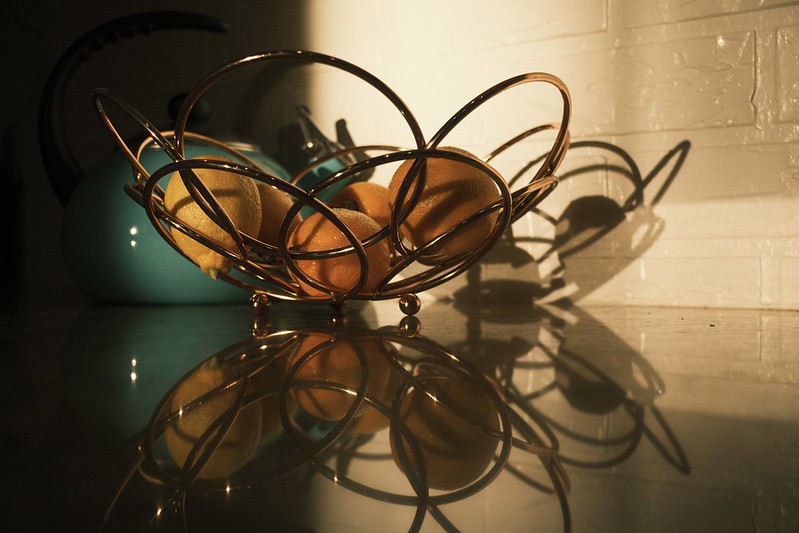
Lemon Bowl – Buckeye, AZ – Fujifilm X-T5 – “Superia Xtra 400

One thing that I haven’t announced (but you might have already picked up on) is that I’m doing more to explain and suggest when to use various Film Simulation Recipes. There are so many to choose from, and it can be difficult to know which to try. Then, when you find one you like, maybe the weather or light changes, and you don’t like it nearly so much in that situation. Now what do you do?

The trouble with suggesting Recipes is that, while one person might love one for a certain light and situation, another person might hate it for the same light and situation. For example, in the very same day, one photographer told me that they used the Kodak Portra 400 Recipe for a professional portraiture photo shoot and they couldn’t be more happy with the results, while another photographer told me that they tried that same Recipe for portraits and the results were horrible. Each person has their own tastes and style, and what will work for one person won’t work for another. I could suggest to you the Recipes that I think are good for various situations, but you might completely disagree with my assessment. Still, it can be helpful have a starting point.

Some of the articles that I’ve published so far in 2023 to help out with this are Five Film Simulation Recipes Every Social Media Influencer Should Try on Their Fujifilm X100V, Using Film Simulation Recipes to Recreate Vintage Looks — 10 Recipes to Try Today!, Elevating Your Street Photography with Fujifilm Film Simulation Recipes + 5 Recipes to Try Today!, Creative Collective 040: FXW Zine — Issue 15 — February 2023 (with the article: 10 Film Simulation Recipes for Cloudy Days), The 10 Best Film Simulation Recipes on the Fuji X Weekly App, and 5 Film Simulation Recipes every Fujifilm X-T5 Photographer Should Try. This actually started late last year with the Which Film Simulation Recipe, When? series. You can expect a lot more similar content moving forward because this is where I want to focus more of my time and energy. Even when I’m publishing new Recipes, I’m trying to do a better job of briefly explaining what situations or light they might work best in. Hopefully this is helpful to you.

None of this is completely new. For example, in the SOOC Live broadcasts, not only have we discussed at length a Film Simulation Recipe in each show, but for awhile now we’ve suggested several Recipe for use in specific situations or for various genres of photography. Without giving away what’s in store of Season 3, which kicks off tomorrow, I can tell you that we’re doubling-down on that concept. Be sure to tune in, and subscribe to the new SOOC Live YouTube channel.

What does any of this have to do with a review of the Fujifilm X-T5? Simple: I’m moving away from product reviews. For now—and I don’t know if this will last forever or if it’s just for a time—I won’t be publishing any camera or lens reviews. I want to focus a lot less on telling you what is good or bad about various gear, and focus more on how to use your get to achieve the aesthetics you want straight-out-of-camera. I’m not going to publish a review of the X-T5, but instead publish more articles on using Recipes with that camera (and other camera, too, definitely not just or even mostly the X-T5). I want to help you get the results you want out of your camera, and product reviews, which take a lot of time to put together, get in the way of that. Besides, there are so many reviews of the Fujifilm X-T5 already, what could I possibly add? The only things I would say is that X-Trans V renders the color blue slightly deeper on some film simulations, Auto White Balance can be quirky, Nostalgic Neg. is similar to Eterna, and if you are doing long broadcasts the camera might overheat. Those are the only things that I would add to what others have discussed, and I’ve already said them. If you have been waiting patiently for my review (that won’t come), I hope this is somehow helpful to your decision to buy or not buy; mostly I would say trust your gut, because deep down you know whether or not you actually “need” that new camera, or if it’s just Gear Acquisition Syndrome, New Camera Envy, or Fear of Missing Out.

While not publishing camera and lens reviews might be seen as negative, I hope that the revised vision for Fuji X Weekly is very positive, and that the benefits of the changes far outweigh what must be left behind. I invite you to come along for the ride, and let’s see where all of this goes.

This post contains affiliate links, and if you make a purchase using my links I’ll be compensated a small amount for it.

Fujifilm X-T5 in black:  Amazon  B&H  Moment
Fujifilm X-T5 in silver:  Amazon  B&H  Moment

5 Film Simulation Recipes every Fujifilm X-T5 Photographer Should Try

The Fujifilm X-T5 was released just last November, and it’s already a big hit. Perhaps you just purchased one, or maybe you own an X-H2 or X-H2S (the other X-Trans V models), and you’re not sure which Film Simulation Recipes to try. While so far I’ve only published 15 Recipes that are specifically compatible with the X-T5, there are actually a lot more; in fact, on the Fuji X Weekly App (Android, Apple), there are 40! You see, some X-Trans IV Recipes are compatible with X-Trans V, and some require a slight modification (I’m working on getting those updated for X-Trans V, but it is a slow process). There’s also an App Patron Early-Access Recipe for the X-T5.

You might very well know exactly which Film Simulation Recipes to use on your Fujifilm X-T5, but in case you are unsure, below are five that you should definitely try.

Kodachrome 64 replicates the aesthetic of the beloved Kodachrome color slide film from Kodak, which graced the covers of magazines like National Geographic and Arizona Highways. This is a great option for sunny daytime photography. Looking for a 1980’s or 1990’s vibe? Try this Recipe!

The Kodak Portra 400 v2 Recipe is modeled after the popular Kodak color negative film. Excellent for sunny daylight and especially golden hour photography; as the name suggests, this is good for outdoor portraits. Looking for a contemporary film aesthetic? They this one!

Produces a look similar to the Kodak Ultramax 400 color negative emulsion. Because this Recipe uses Auto White Balance, it has a lot of versatility, and is good for many different situations, including daylight, shade, overcast, indoor, and nighttime. Want a 1990’s and 2000’s look? Give this recipe a try!

Pacific Blues is modeled after Lucy Laucht‘s Spirit of Summer series, particularly the Positano Blues photographs. While it is intended for the endless sun of a summer day at the beach, it’s also good for dramatic results in a number of situations, including dreary overcast and fog. Want a contemporary analog aesthetic with nostalgic vibes? This Recipe is for you!

This Recipe produces a distinct American New Color aesthetic. For best results, use in sunny daylight conditions. Want a 1970’s look? Try this Recipe!


See also:
Which Film Simulation Recipes, When?
The 10 Best Film Simulation Recipes on the Fuji X Weekly App
Elevating Your Street Photography with Fujifilm Film Simulation Recipes + 5 Recipes to Try Today!
Using Film Simulation Recipes to Recreate Vintage Looks — 10 Recipes to Try Today!

Find these Film Simulation Recipes and over 250 more on the Fuji X Weekly — Film Recipes App!

This post contains affiliate links, and if you make a purchase using my links I’ll be compensated a small amount for it.

Fujifilm X-T5 in black:  Amazon  B&H  Moment
Fujifilm X-T5 in silver:  Amazon  B&H  Moment

The 10 Best Film Simulation Recipes on the Fuji X Weekly App

Fujifilm X-E4 + Fujinon 90mm f/2 + Kodachrome 64 Film Simulation Recipe

“I’m new to Fujifilm,” I’ve heard about 20 times over the last two weeks or so. “Which Film Simulation Recipes are the best?”

With over 250 (and quickly approaching 300!) Film Simulation Recipes on the Fuji X Weekly App, it can be difficult to know which to use. There are so many to choose from! This, of course, is a good problem to have, but a problem nonetheless—especially for those new to Fujifilm cameras and recipes. Where do you start? Which recipes should you try first? Which are the best?

Best is a subjective term, and what I might like best you might not. One person’s favorite might be another’s least favorite. I cannot tell you what you will like, but I can suggest recipes that you might like, because these are recipes that I like. The list below are some Film Simulation Recipes that I believe are the best. Your opinion of them might vary, and that’s just fine because we each have our own tastes and styles. Aside from these, there were probably 25 others that I strongly considered choosing, and I had to reluctantly skip. If your favorite didn’t make this list, please let me know in a comment; if one of these is a favorite of yours, let me know that, too!

If you haven’t yet downloaded the Fuji X Weekly App, be sure to do so for free today!

The 10 Best Film Simulation Recipes on the Fuji X Weekly App

The Fuji X Weekly App is free, but becoming a Patron subscriber unlocks the best App experience. There are several Patron benefits, including Filtering the Film Simulation Recipes by camera or sensor, film simulation, color or B&W, and more. Patrons can Star their favorite recipes and use Colored Stars to organize them into groups. Also, Patrons get early-access to some new recipes months before anyone else (currently, as of this writing, there 13 Early-Access Recipes on the App). Besides all of that, Patrons financially support the work of this website, and it’s a great way to assist current and future projects.

See also: Which Film Simulation Recipes, When?

This post contains affiliate links, and if you make a purchase using my links I’ll be compensated a small amount for it.

Fujifilm X-E4 in black:  Amazon   B&H  Moment
Fujifilm X-E4 in silver:  Amazon   B&H  Moment
Fujinon 90mm f/2: Amazon   B&H  Moment

5 Ways to Master that Vintage Film Look

Going Out of Business – Prescott, AZ – Fujifilm X-T5 – “1970’s Summer” Recipe

What a wonderful surprise! Leigh & Raymond Photography (formally known as The SnapChick) posted a video explaining five ways to get a vintage film look from digital cameras. One of their tips is to shoot Fujifilm cameras and use Fuji X Weekly Film Simulation Recipes (that, of course, is an oversimplification of the tip, so be sure to watch the video). Another tip is to use the RitchieCam App on your iPhone. Whoa! I was very surprised by this unexpected double-shoutout.

For those who don’t know, I have my very own iPhone camera app called RitchieCam. The intention of it is to streamline your mobile photography workflow. It’s easy to use thanks to its intuitive design, making it useful for both novices and pros. It embraces a one-step philosophy, as the analog inspired filters deliver images that don’t require editing. If you have an iPhone, download it from the Apple App Store for free today!

Most of you are here, though, not for iPhone photography, but because you have a Fujifilm camera. Back in 2021 I published No Edit Photography: 7 Tips To Get The Film Look From Your Digital Photos, in which I gave some tips for achieving a film-like-look from your non-analog pictures. My advice was:
– Shoot with a Fujifilm camera
– Use Film Simulation Recipes
– Use diffusion filters, such as Black Pro Mist or CineBloom
– Shoot with vintage lenses
– Don’t be overly concerned with perfectly sharp pictures
– Use high-ISOs
– Overexpose and underexpose sometimes

Read the article to learn more about each tip. I recommend starting with both of the first two (Fujifilm cameras and Film Simulation Recipes), and then add one or two of the other five tips. For example, if you have a Fujifilm X-T20, you might use the Kodachrome II recipe plus a vintage lens. Or, if you have a Fujifilm X100V, you might use the Fujicolor Superia 800 recipe plus a 5% CineBloom filter. Anyway, you have to find what works best for you, but if you are not sure, that article is meant to provide some direction, which is hopefully helpful to you in some way.

Thank you, Leigh and Raymond, for all the kind words and support! Your video is much appreciated by me. To those of you reading this, be sure to visit their channel, watch the video, give it a thumbs-up, and subscribe if you don’t already.