I Think You’ll Appreciate This …Or, How to Get Through Another Hump Day

Julio – Arlington, AZ – Fujifilm X-T5 – 1970’s Summer

Recently I shared videos by Leigh and Raymond Photography, Andrew Goodcamera, and Mango Street that mention Fuji X Weekly and/or Film Simulation Recipes. That’s awesome! Those are pretty big names in the camera world. But if you look on YouTube, there are so many other photographers who are shooting with Recipes and making some wonderful content. They don’t (yet) have the large following of those well-established channels, but they deserve some love and recognition for what they are doing. That’s what this post is about. I want to share with you some of those videos that I found, which perhaps didn’t come up in your feed, but are worthwhile to watch.

Today is Wednesday, which is also sometimes called Hump Day because it is in the middle of the week. If today is a struggle and you are in need of inspiration and/or entertainment, this will surely help! Find a video or two (or more!) below that look interesting, and give it a watch. At the end, if you liked it, don’t forget to give it a thumbs up and consider subscribing to that person’s channel. Let them know that you appreciate their content!

I’m sure I missed several wonderful videos. If you published one recently that I didn’t include, or if you’ve seen one by someone else that should have been in this list, feel free to leave a link to it in the comments. The videos below are simply the ones that YouTube presented to me, and I appreciated them so I thought you might, too.

Enjoy!

If Fujifilm was a Person….

Rusty Hoop – Santa Rosa, NM – Fujifilm X-E4 – Kodak Portra 400 v2 Recipe

If a movie was ever made about your life, who would play you? That’s a fun question that is sometimes used as an icebreaker. I’ve never really thought much about it myself. I’ve been told several times that I have a slight resemblance to Elvis Presley (although I don’t really see it personally), so maybe someone like Austin Butler? If it were up to me, I’d choose Gerardo Celasco, who is not only a good actor, but a super cool guy who shoots with Fujifilm cameras.

In a recent YouTube video by Mango Street entitled If Camera Brands Were People, the portrayal of Fujifilm reminds me a lot of me. It’s a little too accurate. It hits close to home. The video is a lot of fun to watch—I literally laughed out loud several times. I’ve included it below, so if you haven’t seen it, you can do so now. The picture at the top of this post will make more sense afterwards.

So who played me? Unexpectedly, it was Rachel Gulotta (and, unfortunately, not Gerardo… maybe next time). Of course, the video was all in good fun, and meant as comedy. Is it accurate? Are you Fujifilm if Fujifilm was a person? Is Rachel playing the part of you? Tell me what you think!

It’s quite amazing that “Film Simulation Recipe” has become a part of camera culture. For several years the phrase was neologism and used only within a fairly small circle, but it has now become a normal part of photography phraseology. In the Fujifilm world it is (amazingly!) common jargon; “Fujifilm” and “Film Simulation Recipe” are almost inseparable. Now it is beginning to spill outside of that and into the general photography lexicon. It’s hard for me to wrap my head around that, because I never thought this would grow so big, and that so many people would use Fuji X Weekly Recipes on their Fujifilm cameras. Incredible!

Top 10 Film Simulation Recipes of 2022 (& 2023 So Far)

Two Caballeros – Culleoka, TX – Fujifilm X-E4 – Kodachrome 64 Recipe

After yesterday’s Take the Blind Blind Film Simulation Recipe Test article, I’ve been asked a couple of times what were the 10 Film Simulation Recipes that I provided to Andrew Goodcamera. You see, he asked me to give him a list of the Top 10 most popular Film Simulation Recipes of 2022. Now, I have no way of knowing which are the most used; however, I can tell which are the Top 10 most viewed Recipes on the Fuji X Weekly website. Are page-views a good indication of use? Probably, but it’s also quite possible that some Recipes are overrepresented and others are underrepresented. Unfortunately I don’t have a more accurate metric, so this will have to suffice.

Below you will find the Top 10 most popular Film Simulation Recipes of 2022 based on page-views, in order from least to most popular. Seven of them are X-Trans IV Recipes (for the X-Pro3, X100V, X-T4, X-S10, X-E4, & X-T30 II cameras), and three are X-Trans III Recipes (plus compatible with the X-T3 & X-T30). X-Trans V Recipes are pretty new—the oldest published in the third week of November—so it make sense that none made this list, and I suspect that they’ll become increasingly more popular throughout 2023. The Recipes for X-Trans I, II, Bayer, and GFX just aren’t nearly popular enough to crack this list (not likely a Top 20 list, either). The majority of people who shoot using Film Simulation Recipes are doing so on X-Trans III and newer cameras, and the largest group are shooting with X-Trans IV models.

Interestingly, the Classic Chrome Recipe, which is the second one ever published on Fuji X Weekly, ranks pretty high. Black-and-white Recipes aren’t usually as popular as color, so I’m happy to see the Kodak Tri-X 400 Recipe climb the list. I’m not surprised by much else, so let’s get to that list!

Top 10 Film Simulation Recipes of 2022:

Number 10:

Number 9:

Number 8:

Number 7:

Number 6:

Number 5:

Number 4:

Number 3:

Number 2:

Number 1:

Which of these Film Simulation Recipes do you use most? What is your favorite Recipe not found on this list? Let me know in the comments!

I also thought it would be interesting to see if 2023 is trending different so far, or if the Recipes rank the same. While the top half of the list looks nearly identical, there are some notable differences in the bottom half. Pacific Blues is one of my top-favorite recipes, so I’m happy to see it crack the Top 10.

Top 10 Film Simulation Recipes of 2023 (so far…):

Number 10:

Number 9:

Number 8:

Number 7:

Number 6:

Number 5:

Number 4:

Number 3:

Number 2:

Number 1:

Find these Film Simulation Recipes and nearly 300 more on the Fuji X Weekly — Film Recipes App!

Take the Blind Film Simulation Recipe Test to See Which Might Be Your Favorite!

Coastal Blooms – San Simeon, CA – Fujifilm X-E4 – Pacific Blues Recipe

Andrew Goodcamera (formally known as Andrew & Danae) just published a YouTube video in which he conducts a blind film simulation and Film Simulation Recipe test. In the video Andrew shows six sets of 15 pictures. The images are a mix of stock film simulations (no recipe) and various Film Simulation Recipes. As you watch, you are supposed to take note of which pictures stand out to you—perhaps even take a guess at which Recipe you think was used for your favorite—and maybe discover a new Recipe to try that you didn’t realize you’d like. It’s a fun little experiment!

Back in January Andrew reached out to me because he had a video idea, and he needed a list of popular Film Simulation Recipes for it. He didn’t tell me what his video idea was, only that he was going to mention Fuji X Weekly and needed a list of Recipes. I happily provided him with what he requested, and that was the end of the story until today when I noticed he posted a new video. I’m very appreciative for his kind words and honored for the shoutout—thank you, Andrew!

I’m not going to say anything more until you’ve watched the video. I have some commentary that I want to add, but don’t want to spoil it for you, so take a moment right now to watch the video. Don’t scroll past the video below until you’ve watched it! Oh, and make sure you have a notepad handy to keep track of your picks.

Did you watch it? If so, keep scrolling down and let’s compare notes. If not, this is your last chance before you encounter some spoilers, so don’t go any further until you’ve seen the above video!

I had provided Andrew with 10 Film Simulation Recipes, which were the top ten most popular (by page views) from 2022. I wasn’t sure if he had used all of them or not, and I didn’t find out until the reveal that he had used six. I didn’t try to guess which pictures were which Recipes, but just wrote down which three images I liked most (best, second best, and third best) in each set.

What I picked most was picture J. In almost every set (four out of six) I chose that one as my favorite, and if it wasn’t number one it was second or third favorite (six selections total). I had a strong suspicion that it was Pacific Blues, and it turns out that it was indeed that Recipe. Pacific Blues is one of my absolute favorite Recipes, and this blind test just affirms that.

My next most-picked picture was O, although it was not my top favorite in any of the sets, only second or third (picked four times total). I wasn’t really sure which one that was, and was surprised when it was Vintage Kodachrome. I haven’t shot much with that particular Recipe in awhile, so I guess I need to!

The third-most picked picture was G (picked three times total: once number one and twice number two). I had a hunch that it was Kodachrome 64, but I wasn’t certain; turns out my hunch was right.

Picture I, which turned out to be Kodak Portra 400, was picked once for number one and once for number two. Picture H, which turned out to be Kodak Ektar 100, and picture D, which was my Classic Chrome Recipe, were each selected once for third favorite. The only stock film simulation (non-Recipe) picture that I selected was E, which is default Classic Negative, chosen once for third favorite.

Now it’s your turn! What were your top picks? Were you surprised by your findings? Comment below to let me know!

One last note: if you missed today’s SOOC Live broadcast about Street Photography, you can watch it now (click here). We had a great show, which was the first with the new format, so you’ll want to make sure to give it a view. Also, I want to give a big “thank you” to everyone who tuned in and participated!

My Favorite Street Photography Gear

100% – Salt Lake City, UT – Fujifilm X100V – Fujicolor Superia 800

Street photography is a very popular genre, and I get asked fairly frequently what my favorite gear is for it. While I do dabble in street photography, it’s not my most common photographic subject; however, I’ve done enough street photography that I feel comfortable giving gear recommendations for it. In this article I’ll tell you what I use and why.

While there is no definitive explanation, street photography is best described as pictures of chance encounters in public places. It often takes place in urban environments (such as downtown city centers), but it is certainly not limited to that. Some will say that humans must be included in the pictures for it to be street photography, but others will argue that the effects of humanity within the environment is acceptable, and some believe that any urban image fits within the genre. It is commonly understood that street photography involves candid (unstaged) pictures, but some will state that it is the chance encounters that are most important, and it is okay to provide some direction to that randomness in order to create a stronger picture. In other words, there’s no universal answer to what exactly street photography is, but most of the time you recognize it when you see it.

Grandmother & Grandson – Farmington, UT – Fujifilm X100V – Fujicolor Superia 100

If you’ve never done street photography but want to try, the first place to start is understanding the laws and customs of the place you are photographing. Each country is different, and it may even vary from specific location to specific location. You want to understand your rights as a photographer in a public location, and the rights of those potentially being photographed. Besides the legal question, there is the ethical one: should you? While something might be legally ok, it does not necessarily mean that it is moral. These are all things that you should consider before attempting any street photography. Research the local laws. Consider what you are comfortable photographing and why, and what you are not comfortable photographing and why not. I cannot emphasize this step enough, and I encourage you to spend some time on these questions before heading out with your camera.

After that, the next step is to go to a public place and capture some candid images. The most common location is an urban environment, such as the center of a large city, but it can be anywhere where people are. If you don’t have easy access to a large downtown, consider what is nearby where you live. Even if you live in a small town or a rural location, I bet there are opportunities nearby if you look hard enough.

Now, let’s discuss gear. To be clear, you can use any camera. I’ve done street photography with most of my gear. There are a few tools that I do prefer over others, but if you don’t have these don’t worry too much about it, because whatever gear you currently own is good enough. The list below is simply the cameras that I personally prefer for street photography.

Fujifilm X100V

This is my favorite camera for street photography. Actually, it’s my favorite camera, period. The Fujifilm X100V is my “desert island” model—if I could own only one camera for the rest of my life, it would be this. There are a few things that make it especially good for street photography.

First, it’s pretty small. It’s good for carrying as you walk around for awhile, and people don’t often get intimidated by it like they would with a larger body. Second, the leaf shutter is basically silent, and allows you to be more stealthy. Yes, electronic shutters are silent, too, but they do have a couple of drawbacks that might affect your photography (situationally dependent), so a silent mechanical shutter is an excellent feature. Third, the optical viewfinder allows you to see outside the frame to better anticipate the decisive moment. There are many other things that make the camera great, such as the build quality, weather sealing, traditional tactile controls, built-in ND filter, etc., etc.; this isn’t a review of the X100V, just some reasons why it is my favorite tool for street photography.

Perhaps the top thing that makes the Fujifilm X100V great for street photography are all the Film Simulation Recipes that you can program into the camera. Almost no matter the aesthetic you want to achieve, there is a Recipe that will allow you to get the look straight-out-of-camera, no editing needed. This can make street photography more fun, while saving you time and frustration later.

The only accessories that I commonly use on my X100V are a Hoage filter adapter, Fotasy UV filter, and 5% CineBloom filter (I only use one filter at a time).

Friendly Wave – Carlsbad, CA – Fujifilm X100V – Kodachrome 64
Paid Fare Zone – Phoenix, AZ – Fujifilm X100V – CineStill 800T
Folding Chairs – Panguitch, UT – Fujifilm X100V – Kodak Tri-X 400

Fujifilm X100V in black:  Amazon   B&H  Moment
Fujifilm X100V in silver: Amazon   B&H  Moment

Ricoh GR III

The Ricoh GR III is a super small and compact camera that you can literally carry with you everywhere, since it fits so easily into a pocket or purse. If you own a Ricoh GR III, there is no excuse for not having it with you. Since photo opportunities aren’t always planned, it’s important to have quick access to a camera at all times, and this model makes it easy. I try to carry my GR III with me whenever I go out, even if it is just to the grocery store.

There are a few reasons why I like the GR III for street photography in particular. Since it is so small and unassuming, most people won’t figure you to be a photographer; if they even notice that you have a camera, they’ll likely think you are a snap-shooter or tourist, and will often disregard you. The 27.5mm (equivalent) lens gives a wide view, which can be good for showing context. Like the X100V, the GR III has a nearly silent leaf shutter. If you don’t want to be noticed, this camera is probably the best bet. There are certainly drawbacks to the GR III (no model is perfect), but for the size and weight it is pretty darn excellent.

There are Recipes for the Ricoh GR III, although not nearly as many as there are for the Fujifilm X100V. If you want to skip picture editing (called one-step photography), the GR III is a solid option that should be strongly considered. In fact, the Fujifilm X100V and the Ricoh GR III compliment each other, and can coexist comfortably in your camera bag.

Urban Crescent – Salt Lake City, UT – Ricoh GR III – Royal Supra
Speak Up or It Will Be Flat – Salt Lake City, UT – Ricoh GR III – Kodak Chrome
Bike with Basket – Scottsdale, AZ – Ricoh GR III – Aged Print

Ricoh GR III:  Amazon  B&H  Moment

iPhone

Since you always have your phone, you always have a camera. If you accidentally left your “real” cameras at home, no worries! Your cellphone camera is a perfectly capable photographic tool. My current cellphone is an iPhone 11. I don’t think your cellphone make and model matter much—any cellphone camera will suffice—but I personally prefer Apple, since I can use the RitchieCam camera app, which is only available for iOS (click here).

The iPhone is great for street photography because nobody thinks twice about seeing someone with their phone out. Even if you do get “caught” capturing a picture, you can easily fake that you are taking a selfie or texting someone or some other typical phone action. Many cellphones have multiple focal length options, so they’re surprisingly versatile. My favorite accessory is the Moment Tele 58mm lens.

While I do use my phone for photography, I also use it for another important reason: Apps! Specifically, the Fuji X Weekly App (Android, Apple) and the Ricoh Recipes App (Android, Apple). In my opinion, those are essential tools to accompany your Fujifilm and Ricoh cameras.

Fame, Fortune – Moab, UT – iPhone 11 + RitchieCam App – Standard Film
Yield then Stop – Panguitch, Utah – iPhone 11 + RitchieCam App – Night Negative
Exxon in Winter – Moab, UT – iPhone 11 + RitchieCam App – Night Negative

Let me show you a few more street images that I captured recently.

The three above pictures, despite being pretty different overall, all have something in common (besides being street photography). If you want to know what it is, you’ll have to tune into SOOC Live on March 2. Nathalie Boucry and I will be discussing the theme of street photography, including things like gear and Film Simulation Recipes and such. Mark your calendars now! Be sure to subscribe to the SOOC Live YouTube channel so that you don’t miss out on all the great upcoming broadcasts.

See also: Elevating Your Street Photography with Fujifilm Film Simulation Recipes + 5 Recipes to Try Today!

This post contains affiliate links, and if you make a purchase using my links I’ll be compensated a small amount for it.

Try These 5 Fujifilm Film Simulation Recipes Today for a Color Negative Film Look

Abandoned & Trashed – North Salt Lake, UT – Fujifilm X100V – Fujicolor Reala 100

Getting an analog color negative film look from your Fujifilm camera is super easy! Pick a Film Simulation Recipe, program it into your camera, and photograph with it. You can get straight-out-of-camera analog-like results that don’t require any editing. But with almost 300 Recipes published on this website and the Fuji X Weekly App, it can be difficult to know which ones to choose. If you are not sure, let me suggest to you the five below. Yes, there are many others that will also get you a color negative film look, so this list is by no means definitive, but it might be a good starting point.

I’m doing more to suggest to you Film Simulation Recipes to try in various situations and for different aesthetics. This article is simply a short suggestion of Recipes that will give you a color negative film-like look. If that’s what you want to achieve, I invite you to try these today!

Fujicolor Reala 100 is compatible with the Fujifilm X-Pro3, X100V, X-T4, X-S10, X-E4, and X-T30 II; for X-Trans V, set Color Chrome FX Blue to Weak. Fujicolor Natura 1600 is compatible with the X-T4, X-S10, X-E4, and X-T30 II; for X-Trans V, set Color Chrome FX Blue to Weak. Fujicolor Pro 400H and Kodak Portra 400 are compatible with the X-Pro3, X100V, X-T4, X-S10, X-E4, and X-T30 II; for X-Trans V, set Color Chrome FX Blue to Off. Kodak Gold 200 is compatible with X-Trans III plus the X-T3 and X-T30; for newer X-Trans IV models, set Color Chrome FX Blue to Off, set Clarity to 0, and choose a Grain size (I recommend Small).

Find these Film Simulation Recipes and so many more in the Fuji X Weekly App! Download for free today; consider becoming an App Patron to unlock the best experience and support the work of this website.

See also:

Five Film Simulation Recipes Every Social Media Influencer Should Try on Their Fujifilm X100V
Elevating Your Street Photography with Fujifilm Film Simulation Recipes + 5 Recipes to Try Today!
The 10 Best Film Simulation Recipes on the Fuji X Weekly App
5 Film Simulation Recipes every Fujifilm X-T5 Photographer Should Try. 

New Ricoh GR III & GR IIIx Recipes!!

Captured with a Ricoh GR III using the new “Classic Emulsion” Recipe.

I just published a new set of Ricoh GR III & GR IIIx Recipes: The Film Collection!

For those of you who (in addition to your Fujifilm X cameras) own a Ricoh GR III and/or GR IIIx, you now have five new Ricoh Recipes to choose from, and if you are a Ricoh Recipes App Patron, you have an additional Recipe available to you on the App. Be sure to check it out! If you haven’t updated the firmware of your GR III or GR IIIx recently, be sure to do so right away to get the new Negative Film Picture Control Effect.

Classic Emulsion

Positive Emulsion

Kodak Print

Film Look

Vintage Film

Nostalgic Print

See also: Ritchie’s Ricoh Recipes

This post contains affiliate links, and if you make a purchase using my links I’ll be compensated a small amount for it.

Ricoh GR III  Amazon  B&H  Moment
Ricoh GR IIIx  Amazon  B&H  Moment

Why Shooting JPEGs Is So Popular

I wrote an article for Moment—Why Shooting JPEGs Is So Popular (& 10 Fujifilm Simulation Recipes)—and they published it today! If you have a few minutes, click the link and check it out.

What’s the story behind this article? I had a great conversation with Moment recently, and we discussed various ways that we might be able to collaborate. Moment is the coolest camera store, so it’s really an honor to partner with them in any way that I can. And we have in the past. I wrote part of an article—Why I Never Shoot RAW — FujiFilm Simulations, Recipes, and More!—with Joshua Martin that they published back in September of 2021. Right around that same time we gave away five CineBloom filters, too. Although not a collab, I also reviewed Moment’s 58mm Cellphone Lens. The article they published today came out of the recent conversation we had.

I hope the Why Shooting JPEGs Is So Popular article will achieve several different things. First, I want to reach Fujifilm photographers who have never heard of Fuji X Weekly and Film Simulation Recipes (yes, there are some), and perhaps they will find it all very fascinating and give one a try. Second, I want to reach those who shoot Fujifilm cameras and have heard of Recipes, but perhaps have been too apprehensive to actually use them, and maybe now they will. Third, I want to convince some who shoot Canikony and are frustrated with their current RAW workflow to buy a Fujifilm camera and give Recipes a try. Fourth, I want to explain to those who just don’t “get it” why more and more photographers are choosing to shoot JPEGs and not edit their images, because some of those who have never tried it just can’t fathom why anyone would. Fifth, I want to encourage those who do shoot with Film Simulation Recipes and some grumpy stranger on the internet tells them that they’re doing it wrong; there’s a movement within photography, and you’re a part of it, which is really an incredible thing when you think about it.

There might be more collaboration opportunities between Fuji X Weekly and Moment—this article was simply the next step in a growing partnership. I don’t know for sure what the future collabs might be, but we definitely tossed around several cool ideas. We’ll have to wait and see which ones happen and which don’t, and if other new opportunities arise. In the meantime, I hope that you enjoy the article!

Creative Collective 041: Creative Faded Exposures

I love making retro faded-film-like looks on Fujifilm cameras using the multiple-exposure feature. I have created a number of Film Simulation Recipes which utilize double-exposures to achieve a faded aesthetic. Some of these Recipe are Faded Negative, Faded Color, Vintage Color Fade, Faded Monochrome, and Split-Toned B&W. This type of Recipe isn’t nearly as popular as the “regular” ones that don’t use multiple exposures, and I’m pretty sure it’s because these are a lot more difficult to use. They are way less convenient and practical; however, they can be a good challenge and a lot of fun, and you’ll achieve results that a fairly unique.

I didn’t come up with a new double-exposure Recipe, but I did come up with a slight variation to this concept that I thought I’d share with you. If you are looking for something creative to try, this might just be what you are looking for. In any event, you’re sure to make some interesting images.

Note: this was a Creative Collective article, but now it’s available to everyone.

The concept of this project is pretty simple, and can be done with most Fujifilm cameras. I used my Fujifilm X100V, but you certainly don’t need that model for this project. As long as your Fujifilm camera has a multiple-exposure mode—and most do—you can join in on the fun.

Step one is to choose a Film Simulation Recipe. I went with Kodachrome 64 simply because I like that recipe. While you can use any Recipe, I find that ones with mid or high contrast tend to work better than low-contrast Recipes. So pick your favorite Recipe, whichever one that is, and let’s see what happens.

The second step is to set your camera to capture double exposures. Look for Multiple Exposures in the Drive Menu or on the Drive selector on the top-plate (depending on your camera model). For newer cameras, make sure that you have Average selected in the Multiple Exposure Control submenu. Refer to your camera’s manual if you are not sure.

After that, you’ll want to tape two colored pieces of paper together (I used simple construction paper—see above). You can use any two colors. I chose blue and yellow because they are contrasting colors, and thought it might make it more dynamic. Be creative or thoughtful with whichever colors you choose. A problem you will encounter is that the line between blue and yellow is fine and not feathered. It goes sharply from one color to the other, which is not what you want. We’ll address this in a moment, but for now keep it in mind.

Next, capture the first exposure. The subject can be whatever you want it to be. The camera will ask you if you are satisfied with the exposure or if you want to try again. If you are happy with it, press OK and get ready for the second exposure.

For the next step, which is the second exposure, you will capture an image of the two-colored paper, including a bit of both colors in the frame—it can go straight across or diagonal. You want the picture to be blurry, so flip the camera to manual focus and ensure that it is out-of-focus. This will make the sharp line fuzzy, and will blur out the paper’s texture. I also used a slow shutter speed and moved the paper during the exposure, to further grade the transition between yellow and blue. The camera will allow you to make multiple attempts until you are satisfied, so don’t be afraid to redo the second exposure if you aren’t happy with the results.

Exposure 1, Exposure 2 & Combined Double Exposure Example:

Exposure One
Exposure Two
Combined Double-Exposure Image

Examples:

I haven’t done a whole lot to explore this concept. I’m sure there are a ton of creative possibilities. Use your imagination, and you are likely to capture some intriguing images.

12 Frames: Desert Photography on Kodachrome 25 — Fujifilm X-T5 + Fujinon 18-55mm F/2.8-4 + Special Guest!

Green Hills – Goodyear, AZ – Fujifilm X-T5 – Kodachrome 25 Recipe

A couple days ago I met up with Raymond from Leigh & Raymond Photography (formally The SnapChick) to do some desert photography. They have mentioned this website and the Apps on their YouTube Channel a few times, as they are big fans of Fujifilm cameras, Fuji X Weekly, and Film Simulation Recipes. Leigh and Raymond live in Arizona, and now I do as well, so we were able to finally meet—at least Raymond and I—for some photography.

I was actually very nervous for several reasons. First, I’m an introvert, and meeting new people always makes me a little apprehensive. Second, Leigh and Raymond are big names in photography. They have been successful YouTubers for many years. They are well connected within the industry. It’s kind of like meeting an actor, musician, or sports star. Third, Raymond does ultramarathons; while I might make a special effort to get to Dairy Queen if Blizzards are half off, I’m definitely not doing normal marathons let alone the David Goggins kind—and we were scheduled for a hike through the desert. I wasn’t sure what it would entail, or how intense this adventure might get.

It turns out that I had nothing to worry about. Raymond was super nice. The hike was easy and relatively short—definitely something someone with my “skills” and “experience” (or lack thereof) could accomplish. We had a great time. It was really good to meet up for some desert photography.

Raymond and I — Captured with RitchieCam on my iPhone

I used my Fujifilm X-T5 and Fujinon 18-55mm f/2.8-4 lens for this outing. I chose and programmed into the camera my Kodachrome 25 Film Simulation Recipe because I thought it would do well in this scenario (which I’ll get to in just a moment) and because I’m converting this Recipe for the X-T5. You see, X-Trans V renders blue more deeply on some film simulations, but the fix is simple: if an X-Trans IV Recipe that uses Classic Chrome, Classic Negative, Eterna, or Eterna Bleach Bypass calls for Color Chrome FX Blue set to Strong, change it to Weak on X-Trans V, and if it calls for Color Chrome FX Blue set to Weak, change it to Off. The Kodachrome 25 Recipe calls for Color Chrome FX Blue set to Strong, so I adjusted it to Weak on my X-T5.

I decided that the Kodachrome 25 Recipe would be good for this scenario because of its characteristics. Kodachrome 25 film had low contrast (for slide film), slightly subdued saturation, and true-to-life (yet Kodak-warm) colors. It was regarded as the sharpest, most fine grained emulsion on the market, and was a popular choice for commercial photography. With an ISO of 25, some found this film to be challenging to use, so the higher-ISO Kodachrome 64, which had a little boost in contrast and saturation, was a more common option. Still, plenty of Kodachrome 25 pictures graced the pages of publications such as National Geographic and Arizona Highways, and I wanted to replicate that classic aesthetic for my desert images. It was forecasted to be overcast with perhaps some peeking sun, and the Kodachrome 25 Recipe does well in that weather—not too warm or cool, and not too much or too little contrast.

If this had been film, I would have shot two rolls of 24-exposure Kodachrome 25 (yes, it was by chance exactly 48 exposures). Of course, Kodachrome has long been discontinued, so shooting with this Film Simulation Recipe on a Fujifilm camera is probably the closest you can get to shooting with the emulsion. The Kodachrome 25 frames in this article are my 12 favorites from that desert outing with Raymond. I hope you enjoy!

Rock Ridge – Goodyear, AZ – Fujifilm X-T5 – Kodachrome 25 Recipe
Raymond Photographing Flowers – Goodyear, AZ – Fujifilm X-T5 – Kodachrome 25 Recipe
Flowers in the Dry Desert – Goodyear, AZ – Fujifilm X-T5 – Kodachrome 25 Recipe
Remnants of a Tree – Goodyear, AZ – Fujifilm X-T5 – Kodachrome 25 Recipe
Prickles – Goodyear, AZ – Fujifilm X-T5 – Kodachrome 25 Recipe
Sharp Friends – Goodyear, AZ – Fujifilm X-T5 – Kodachrome 25 Recipe
Cholla Arms – Goodyear, AZ – Fujifilm X-T5 – Kodachrome 25 Recipe
Dead Saguaro – Goodyear, AZ – Fujifilm X-T5 – Kodachrome 25 Recipe
Old Saguaro – Goodyear, AZ – Fujifilm X-T5 – Kodachrome 25 Recipe
Tall Cactus – Goodyear, AZ – Fujifilm X-T5 – Kodachrome 25 Recipe
Morning Trail – Goodyear, AZ – Fujifilm X-T5 – Kodachrome 25 Recipe

Find this Film Simulation Recipe and over 250 more on the Fuji X Weekly App!

This post contains affiliate links, and if you make a purchase using my links I’ll be compensated a small amount for it.

Fujifilm X-T5 in black:  Amazon  B&H  Moment
Fujifilm X-T5 in silver:  Amazon  B&H  Moment
Fujifilm X-T5 + 18-55mm in black:  Amazon  B&H  Moment
Fujifilm X-T5 + 18-55mm in silver:  Amazon  B&H  Moment
Fujinon 18-55mm f/2.8-4:  Amazon  B&H  Moment

Try These 3 Film Simulation Recipes, No Matter Your Fujifilm Camera (almost, anyway) + When To Use Them!

Flock of Cranes – Gilbert, AZ – Fujifilm X-T5 – Kodak Portra 400 v2 Recipe

I’m constantly asked which Film Simulation Recipes should be used in what situations. With approaching 300 Recipes to choose from, it can be hard to know which ones to program into your camera, and what situations to use them in. I’m trying to be more helpful with that, and this article will hopefully provide you with some good guidance.

You might ask why just three. Why not seven Recipes, since there are seven Custom Settings presets? First, it would make this article much too long. I would need to separate it into a handful of parts, published over a couple week period. Second, I think it might discourage discovery. If I said to use these certain seven, one could try them and perhaps even like all of them, and then they might stop searching for others; in doing so, they could miss out on discovering one or two that would become their favorites. So if I suggest just a few, then the opportunity to discover others later is still wide open. I have already published recently a number of articles to encourage discovery—and I plan to post many more—each with a unique approach, which hopefully will resonate with some of you, and be helpful in your quest to find which ones you like to use in various situations.

Another question you might have right out the gate is how can there possible be three Film Simulation Recipes that will work on almost all Fujifilm cameras. There’s not. So what I’ve done instead is suggest three for each of the different sensors or generations. You’ll find something for X-Trans I, II, III, IV, and V, as well as Bayer and GFX. I even included three for the X-T3 and X-T30, as well as three for the X-Trans II cameras that don’t have Classic Chrome. Almost everyone is covered, but for certain there are some cameras that got left out. If that’s your situation, I’m sorry. For the vast majority reading this, you will find below three Recipes to try on your Fujifilm camera, with some brief commentary on when to use each of them. I hope there’s at least one that you try and like; if not, there are so many others to choose from on this website and the Fuji X Weekly App.

X-Trans V

Fujifilm X-T5, X-H2, X-H2S

Use the Kodachrome 64 Film Simulation Recipe for outdoor daylight photography. Can produce good results in overcast weather, shade, natural light indoors, and even sometimes nighttime photography, but is most ideal for sunny daylight and golden hour situations. Use for documentary, street, travel, landscape, still-life, and portrait photography.

Use the Kodak Ultramax 400 Film Simulation Recipe for almost any situation, as it is a highly versatile option. Sunny, cloudy, indoor, nighttime, landscapes, portraits—it’s good for them all and more.

Use the 1970’s Summer Film Simulation Recipe on sunny days. It produces a vintage aesthetic reminiscent of American New Color images, and is good for street, travel, and documentary photography.

X-Trans IV

Fujifilm X-Pro3, X100V, X-T4, X-S10, X-E4, X-T30 II

Use the Kodak Portra 400 v2 Film Simulation Recipe for outdoor daylight photography. An excellent option for golden hour or sunny situations. Use for portrait, travel, documentary, landscape, or still-life photography.

Use the Pacific Blues Film Simulation Recipe for a sunny summer day at the beach. Is also good for dreary overcast, fog, or most any natural light situation. Produces dramatic landscapes and portraits.

Use the Fujicolor Superia 800 Film Simulation Recipe for natural light situations, whether indoor or outdoor. Good for street, travel, documentary, and portrait photography.

X-Trans IV (Part 2)

Fujifilm X-T3, X-T30

Use the Kodak Vision3 250D Film Simulation Recipe for street, travel, documentary, still-life, and portrait photography. Excellent for sunny daylight conditions, but does well in overcast, shade, natural light indoor, blue hour, and some artificial light situations, too.

Use the Kodak Gold 200 Film Simulation Recipe in daylight conditions, especially golden hour. Is best for sunny situations, but also does well in overcast, shade, and indoor natural light. Use it for landscapes, street, documentary, travel, still-life, and portrait photography.

Use the Classic Kodak Film Simulation Recipe for sunny daylight and golden hour photography. Is good for street, travel, documentary, and landscape photography.

X-Trans III

Fujifilm X-Pro2, X100F, X-E3, X-T2, X-T20, X-H1

Use the Ektachrome E100GX Film Simulation Recipe for daylight photography. Is best for sunny situations, particularly golden hour, but is also good for overcast, shade, and indoor natural light. Use for landscape, street, documentary, and portrait photography.

Use the Kodachrome II Film Simulation Recipe for daylight photography. Is best for sunny situations, particularly golden hour, but is also good for shade, overcast, and indoor natural light. Use for street, travel, documentary, still-life, portrait, and landscape photography.

Use the CineStill 800T Film Simulation Recipe for nighttime and artificial light photography. Excellent for street and urban scenes after dark.

X-Trans II

Fujifilm X100T, X-E2, X-E2S, X-T1, X-T10, X70, X30, XQ2

Use the Classic Kodak Chrome Film Simulation Recipe for almost any situation, as it is a highly versatile option. Sunny, cloudy, indoor, nighttime, landscapes, portraits, street, travel—it’s good for them all and more.

Use the Kodak Color Negative Film Simulation Recipe for daylight photography. Does especially well for golden hour, but is good for any natural light situation. Use this for landscape and documentary photography.

Use the Ektachrome 100SW Film Simulation Recipe for almost any situation, as it is a highly versatile option. Sunny, cloudy, indoor, nighttime, landscapes, portraits—it’s good for them all and more. Produces vibrant results.

X-Trans II (Part 2)

Fujifilm X100S, X20, XQ1

Use the Color Negative Film Film Simulation Recipe for daylight photography. It is great for sunny situations, but is also good for overcast, shade, and indoor natural light. Use this for landscape, portrait, and documentary photography.

Use the Fujichrome Slide Film Simulation Recipe for outdoor daylight situations. Good for dramatic landscape photography.

Use the Astia Film Simulation Recipe for sunny daylight photography. Great for landscape photography.

X-Trans I

Fujifilm X-Pro1, X-E1, X-M1

Use the Reminiscent Print Film Simulation Recipe for daylight photography. Great for sunny situations, but also good for shade, overcast, and indoor natural light. Use it for street, travel, documentary, landscape, still-life, and portrait photography.

Use the Vivid Color Film Simulation Recipe for vibrant color images. Ideal for sunny daylight and especially golden hour photography, but also good for overcast, shade, indoor natural light, artificial light, blue hour, and sometimes nighttime situations. Use for landscape, travel, and documentary photography.

Use the Color Negative Film Film Simulation Recipe for daylight situations. Great for sunny daylight, but also good for overcast, shade, and indoor natural light. Use for landscape, travel, and documentary photography.

Bayer

Fujifilm X-A3, X-A5, X-A7, X-A10, XF10, X-T100, X-T200

Use the Golden Negative Film Simulation Recipe for sunny daylight situations. Great for landscape, travel, and documentary photography.

Use the Classic Chrome Film Simulation Recipe for daylight photography. Excellent for sunny situations, but works well in many different light conditions, including sometimes indoor artificial light and nighttime. Use for street, travel, documentary, landscape, still-life, and portraits.

Use the Analog Cool Film Simulation Recipe for sunny daylight conditions, or overly warm light such as indoor artificial light. Good for landscapes and documentary photography.

GFX

GFX-50R, GFX-50S

Use the Classic Negative Industrial Film Simulation Recipe for dramatic landscapes, portraits, and documentary photography. Ideal for sunny daylight, it is also good for overcast, shade, and indoor natural light situations.

Use the Ektachrome Film Simulation Recipe for daylight situations, including sunny, overcast, shade, and indoor natural light. Good for landscape, travel, documentary, and portrait photography.

Use the Provia 400 Film Simulation Recipe for sunny daylight situations, especially golden hour. Use for landscape and travel photography.

Find these Film Simulation Recipes and so many more in the Fuji X Weekly App! Download for free today; consider becoming an App Patron to unlock the best experience and support the work of this website.

See also:

Five Film Simulation Recipes Every Social Media Influencer Should Try on Their Fujifilm X100V
Using Film Simulation Recipes to Recreate Vintage Looks — 10 Recipes to Try Today!
Elevating Your Street Photography with Fujifilm Film Simulation Recipes + 5 Recipes to Try Today!
The 10 Best Film Simulation Recipes on the Fuji X Weekly App
5 Film Simulation Recipes every Fujifilm X-T5 Photographer Should Try. 

Why I Haven’t Published a Fujifilm X-T5 Camera Review

I purchased my Fujifilm X-T5 when it was released back in November. I’ve received several messages lately asking why I haven’t published a review of the new camera. I think it’s because they are considering buying one themselves, and they want to know if it’s actually “worth” upgrading to or if there is something they should be aware of. Basically, some people want to either be talked into buying it or talked out of buying it, as it’s a lot of money and a big decision—which can be paralyzing—and you want to be wise with it. Lots of research is essential, and finding opinions from those you trust can be invaluable. I’m honored and flattered that many of you consider this website to be trustworthy.

At the beginning of each year, I like to take some time to consider how things went the prior year, what the current trajectory is, and where I want things to go. For Fuji X Weekly, I really feel that a slight shift in trajectory is needed, and in some ways I began moving towards that last year, even if I wasn’t sure the why and where. After much consideration, I have a clearer vision of where I want this website to go in 2023, and how to achieve it. I haven’t communicated these changes to you (until now, I suppose), but you’ve probably already noticed some.

There’s actually a lot going on behind the scenes. Many different projects are in the works. I’m juggling quite a bit right now. When the time is right, there are many exciting things that I look forward to announcing and sharing with you. Some projects might never work out, which has happened before (that’s just they way it goes sometimes), but I do believe that most of these will come to fruition. Some will take much longer than others, so stay tuned for these announcements over the coming weeks and months.

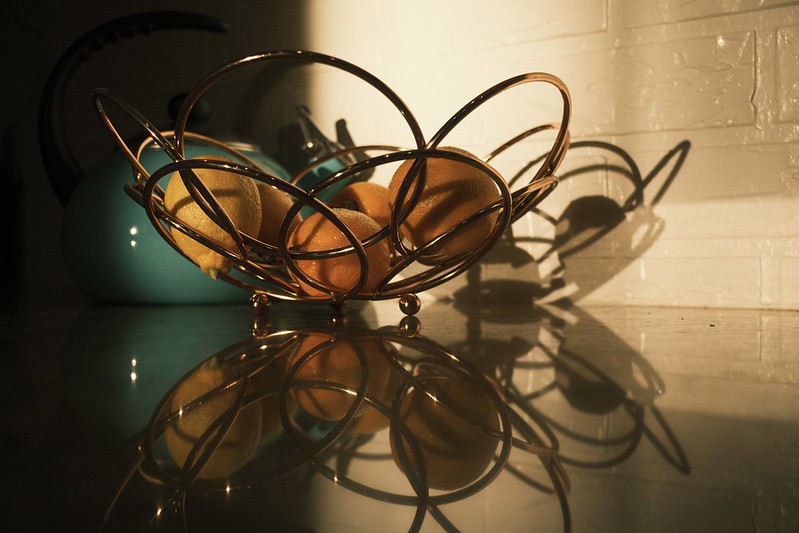
Lemon Bowl – Buckeye, AZ – Fujifilm X-T5 – “Superia Xtra 400”

One thing that I haven’t announced (but you might have already picked up on) is that I’m doing more to explain and suggest when to use various Film Simulation Recipes. There are so many to choose from, and it can be difficult to know which to try. Then, when you find one you like, maybe the weather or light changes, and you don’t like it nearly so much in that situation. Now what do you do?

The trouble with suggesting Recipes is that, while one person might love one for a certain light and situation, another person might hate it for the same light and situation. For example, in the very same day, one photographer told me that they used the Kodak Portra 400 Recipe for a professional portraiture photo shoot and they couldn’t be more happy with the results, while another photographer told me that they tried that same Recipe for portraits and the results were horrible. Each person has their own tastes and style, and what will work for one person won’t work for another. I could suggest to you the Recipes that I think are good for various situations, but you might completely disagree with my assessment. Still, it can be helpful have a starting point.

Some of the articles that I’ve published so far in 2023 to help out with this are Five Film Simulation Recipes Every Social Media Influencer Should Try on Their Fujifilm X100V, Using Film Simulation Recipes to Recreate Vintage Looks — 10 Recipes to Try Today!, Elevating Your Street Photography with Fujifilm Film Simulation Recipes + 5 Recipes to Try Today!, Creative Collective 040: FXW Zine — Issue 15 — February 2023 (with the article: 10 Film Simulation Recipes for Cloudy Days), The 10 Best Film Simulation Recipes on the Fuji X Weekly App, and 5 Film Simulation Recipes every Fujifilm X-T5 Photographer Should Try. This actually started late last year with the Which Film Simulation Recipe, When? series. You can expect a lot more similar content moving forward because this is where I want to focus more of my time and energy. Even when I’m publishing new Recipes, I’m trying to do a better job of briefly explaining what situations or light they might work best in. Hopefully this is helpful to you.

None of this is completely new. For example, in the SOOC Live broadcasts, not only have we discussed at length a Film Simulation Recipe in each show, but for awhile now we’ve suggested several Recipe for use in specific situations or for various genres of photography. Without giving away what’s in store of Season 3, which kicks off tomorrow, I can tell you that we’re doubling-down on that concept. Be sure to tune in, and subscribe to the new SOOC Live YouTube channel.

What does any of this have to do with a review of the Fujifilm X-T5? Simple: I’m moving away from product reviews. For now—and I don’t know if this will last forever or if it’s just for a time—I won’t be publishing any camera or lens reviews. I want to focus a lot less on telling you what is good or bad about various gear, and focus more on how to use your get to achieve the aesthetics you want straight-out-of-camera. I’m not going to publish a review of the X-T5, but instead publish more articles on using Recipes with that camera (and other camera, too, definitely not just or even mostly the X-T5). I want to help you get the results you want out of your camera, and product reviews, which take a lot of time to put together, get in the way of that. Besides, there are so many reviews of the Fujifilm X-T5 already, what could I possibly add? The only things I would say is that X-Trans V renders the color blue slightly deeper on some film simulations, Auto White Balance can be quirky, Nostalgic Neg. is similar to Eterna, and if you are doing long broadcasts the camera might overheat. Those are the only things that I would add to what others have discussed, and I’ve already said them. If you have been waiting patiently for my review (that won’t come), I hope this is somehow helpful to your decision to buy or not buy; mostly I would say trust your gut, because deep down you know whether or not you actually “need” that new camera, or if it’s just Gear Acquisition Syndrome, New Camera Envy, or Fear of Missing Out.

While not publishing camera and lens reviews might be seen as negative, I hope that the revised vision for Fuji X Weekly is very positive, and that the benefits of the changes far outweigh what must be left behind. I invite you to come along for the ride, and let’s see where all of this goes.

This post contains affiliate links, and if you make a purchase using my links I’ll be compensated a small amount for it.

Fujifilm X-T5 in black:  Amazon  B&H  Moment
Fujifilm X-T5 in silver:  Amazon  B&H  Moment

5 Film Simulation Recipes every Fujifilm X-T5 Photographer Should Try

The Fujifilm X-T5 was released just last November, and it’s already a big hit. Perhaps you just purchased one, or maybe you own an X-H2 or X-H2S (the other X-Trans V models), and you’re not sure which Film Simulation Recipes to try. While so far I’ve only published 15 Recipes that are specifically compatible with the X-T5, there are actually a lot more; in fact, on the Fuji X Weekly App (Android, Apple), there are 40! You see, some X-Trans IV Recipes are compatible with X-Trans V, and some require a slight modification (I’m working on getting those updated for X-Trans V, but it is a slow process). There’s also an App Patron Early-Access Recipe for the X-T5.

You might very well know exactly which Film Simulation Recipes to use on your Fujifilm X-T5, but in case you are unsure, below are five that you should definitely try.

Kodachrome 64 replicates the aesthetic of the beloved Kodachrome color slide film from Kodak, which graced the covers of magazines like National Geographic and Arizona Highways. This is a great option for sunny daytime photography. Looking for a 1980’s or 1990’s vibe? Try this Recipe!

The Kodak Portra 400 v2 Recipe is modeled after the popular Kodak color negative film. Excellent for sunny daylight and especially golden hour photography; as the name suggests, this is good for outdoor portraits. Looking for a contemporary film aesthetic? They this one!

Produces a look similar to the Kodak Ultramax 400 color negative emulsion. Because this Recipe uses Auto White Balance, it has a lot of versatility, and is good for many different situations, including daylight, shade, overcast, indoor, and nighttime. Want a 1990’s and 2000’s look? Give this recipe a try!

Pacific Blues is modeled after Lucy Laucht‘s Spirit of Summer series, particularly the Positano Blues photographs. While it is intended for the endless sun of a summer day at the beach, it’s also good for dramatic results in a number of situations, including dreary overcast and fog. Want a contemporary analog aesthetic with nostalgic vibes? This Recipe is for you!

This Recipe produces a distinct American New Color aesthetic. For best results, use in sunny daylight conditions. Want a 1970’s look? Try this Recipe!


See also:
Which Film Simulation Recipes, When?
The 10 Best Film Simulation Recipes on the Fuji X Weekly App
Elevating Your Street Photography with Fujifilm Film Simulation Recipes + 5 Recipes to Try Today!
Using Film Simulation Recipes to Recreate Vintage Looks — 10 Recipes to Try Today!

Find these Film Simulation Recipes and over 250 more on the Fuji X Weekly — Film Recipes App!

This post contains affiliate links, and if you make a purchase using my links I’ll be compensated a small amount for it.

Fujifilm X-T5 in black:  Amazon  B&H  Moment
Fujifilm X-T5 in silver:  Amazon  B&H  Moment

The 10 Best Film Simulation Recipes on the Fuji X Weekly App

Fujifilm X-E4 + Fujinon 90mm f/2 + Kodachrome 64 Film Simulation Recipe

“I’m new to Fujifilm,” I’ve heard about 20 times over the last two weeks or so. “Which Film Simulation Recipes are the best?”

With over 250 (and quickly approaching 300!) Film Simulation Recipes on the Fuji X Weekly App, it can be difficult to know which to use. There are so many to choose from! This, of course, is a good problem to have, but a problem nonetheless—especially for those new to Fujifilm cameras and recipes. Where do you start? Which recipes should you try first? Which are the best?

Best is a subjective term, and what I might like best you might not. One person’s favorite might be another’s least favorite. I cannot tell you what you will like, but I can suggest recipes that you might like, because these are recipes that I like. The list below are some Film Simulation Recipes that I believe are the best. Your opinion of them might vary, and that’s just fine because we each have our own tastes and styles. Aside from these, there were probably 25 others that I strongly considered choosing, and I had to reluctantly skip. If your favorite didn’t make this list, please let me know in a comment; if one of these is a favorite of yours, let me know that, too!

If you haven’t yet downloaded the Fuji X Weekly App, be sure to do so for free today!

The 10 Best Film Simulation Recipes on the Fuji X Weekly App

The Fuji X Weekly App is free, but becoming a Patron subscriber unlocks the best App experience. There are several Patron benefits, including Filtering the Film Simulation Recipes by camera or sensor, film simulation, color or B&W, and more. Patrons can Star their favorite recipes and use Colored Stars to organize them into groups. Also, Patrons get early-access to some new recipes months before anyone else (currently, as of this writing, there 13 Early-Access Recipes on the App). Besides all of that, Patrons financially support the work of this website, and it’s a great way to assist current and future projects.

See also: Which Film Simulation Recipes, When?

This post contains affiliate links, and if you make a purchase using my links I’ll be compensated a small amount for it.

Fujifilm X-E4 in black:  Amazon   B&H  Moment
Fujifilm X-E4 in silver:  Amazon   B&H  Moment
Fujinon 90mm f/2: Amazon   B&H  Moment

Fujifilm Take Notice: Ricoh Just Did What You Won’t

Captured with the new “Negative Film” Picture Control Effect on my Ricoh GR III.

Fujifilm, pay close attention: Ricoh just did with their GR III and GR IIIx what you won’t do with your X-series cameras.

Fujifilm has stated that they’re moving away from Kaizen and to expect less of it going forward, but some other camera makers—including Ricoh—are embracing it. In fact, Ricoh just added a new Picture Control Effect, which is their Film Simulations equivalent, to their GR III and IIIx cameras. This new Effect is called Negative Film, and it looks pretty good so far to me. It’s not really like anything on Fujifilm exactly—perhaps it could be described as somewhat similar to a cross between Classic Negative and PRO Neg. Std—but it does produce an aesthetic that’s easy to appreciate.

I want to point out that the GR III was released almost at the same exact time as the Fujifilm X-T30. Since the release of the X-T30, Fujifilm has introduced three new Film Simulations—Classic Negative, Eterna Bleach Bypass, and Nostalgic Neg.—plus some other JPEG options like Color Chrome FX Blue, Clarity, and Grain size. None of it has trickled down to the X-T30 (or X-T3). Even the X-Pro3 and X100V—premium models, supposedly—weren’t given the Kaizen love that they (really, Fujifilm’s customers) deserve. Yet little ol’ Ricoh not only created a new Effect for apparently no reason other than the fun of it, and they gave it to the almost four-year-old GR III just because they wanted to make their customers happy.

Captured with the new “Negative Film” Picture Control Effect on my Ricoh GR III.

I have a ton of advice that I’d give to Fujifilm if they were ever interested in hearing my opinions. I mean, I have a pretty good pulse on a big chunk of their customer base, and I’ve done more than most to bring them new customers, whether directly or indirectly, so you’d think they would be interested in hearing what I have to say. The very first suggestion that I would have for them is to do more Kaizen and not less. I get that it costs time and money, but fostering a happy long-term repeat customer base is priceless, and well worth whatever it takes to do that. A lot of photographers go from brand-to-brand-to-brand, or they begrudgingly put up with a brand for a long time because they don’t want to endure the cost and headache of switching, and there is a surprisingly large amount of disloyalty among customers. Yes, there are the outspoken fanboys—I am one for Fujifilm—but while their voices are loud, their numbers are surprisingly small. So if a brand can actually make more of their customers loyal, which they do by showing them that they matter and are appreciated, it can have a significant long-term impact. Of course, if your customers don’t think you care about them, they’ll be more quick to leave when another brand offers something new and exciting, or if they think that another brand cares more about their customers than the one they’re currently using.

Ricoh just made sure that their customers know that they care. Fujifilm, make sure that your customers know you care!

Below are some examples of photos captured using the new Negative Film Picture Control Effect on my Ricoh GR III.

See also: Ritchie’s Ricoh Recipes

This post contains affiliate links, and if you make a purchase using my links I’ll be compensated a small amount for it.

Ricoh GR III  Amazon  B&H  Moment
Ricoh GR IIIx  Amazon  B&H  Moment

Clarifying (Typical) Exposure Compensation

One aspect of Film Simulation Recipes that I get asked about a lot is Exposure Compensation. It has caused much confusion. This article is intended to clarify it, and hopefully by the end this puzzling parameter will be fully understood.

First, let’s briefly talk about the exposure triangle. In photography, the exposure triangle refers to the three main elements that control the brightness of an image: aperture, shutter speed, and ISO. Aperture controls the amount of light entering the camera through the lens by adjusting the size of the opening, measured in f-stops. Shutter speed controls the amount of time that the camera’s sensor (or the film) is exposed to light, measured in seconds or fractions of a second. ISO measures the sensitivity of the camera’s sensor (or the film) to light, with lower ISO values indicating lower sensitivity and higher ISO values indicating higher sensitivity. These three elements work together to determine the overall exposure of an image.

Illumination in the Dark Desert – Buckeye, AZ – Fujifilm X-T5 – “CineStill 400D v1” Recipe – Exposure Compensation: 0

Whenever you are not shooting fully manual, but are relying on an auto or semi-auto feature, such as Aperture-Priority (you choose the Aperture, but the camera chooses the Shutter and possibly the ISO) and Shutter-Priority (you choose the Shutter, but the camera chooses the Aperture and possibly the ISO), you adjust the exposure using Exposure Compensation, which on most Fujifilm cameras is via a knob on top of the camera. You can increase or decrease the exposure in 1/3-stop increments. While some people do shoot fully manual, including myself on occasion, many photographers choose to use a semi-auto mode so that the camera handles some lesser important tasks for them. Because more people shoot semi-auto than fully manual, in the Film Simulation Recipes I state the appropriate Auto-ISO and typical Exposure Compensation, but this causes a point of confusion for the fully manual shooter: what do you do? The solution is simple: increase or decrease the exposure over what the light meter suggests by whatever the recipe says. If a particular recipe calls for +1/3 to +2/3 Exposure Compensation, simply increase the exposure over what the light meter says by that amount.

Which brings me to an important point. The suggested Exposure Compensation is not intended to be a rule, but merely a starting point. There are a lot of factors that determine the luminosity curve—the film simulation, Dynamic Range settings, Highlight, Shadow, and even Color Chrome Effect, Color Chrome FX Blue, and Clarity play a role—and that curve is applied to the exposure (the entirety of the triangle). Because of this, it’s important to judge each exposure individually, to determine how the luminosity curve best fits within an exposure, depending on the exact light situation. In other words, “typical” Exposure Compensation is nothing more than a suggestion, which will work sometimes and won’t work other times, and it is up to you to figure out what will work best for each image.

Cactus Evening – Goodyear, AZ – Fujifilm X-E4 – “Bright Kodak” Recipe – Exposure Compensation: +1

Another important point is metering. I use Multi most of the time, but sometimes I use Spot instead. It doesn’t really matter which one you use, because whichever you choose, you’ll still need to judge each exposure individually. However, it can be helpful to know that the typical metering mode used for suggested Exposure Compensations is Multi. If you are using the “typical” Exposure Compensation as a starting point, it will likely work better for you more often if you are also using Multi metering mode. It’s not critical to use any particular metering mode, but, if you are using something other than Multi, you should be aware that the suggested Exposure Compensation will be a little less helpful.

You cannot save an Exposure Compensation within the C1-C7 Custom Presets. Instead, you adjust it (on most Fujifilm cameras) via the Exposure Compensation Knob on the top plate. If your camera has the ability to Custom Name each preset, you could add the “typical” Exposure Compensation to the name as a reminder if you want to. Since you get immediate feedback on what your picture will look like, I wouldn’t get too caught up in worrying about “typical” Exposure Compensation; instead, simply look at the image, and determine if it is too dark or bright, and adjust if necessary.

Cactus Spiderweb – Goodyear, AZ – Fujifilm X-E4 – “Low Key” Recipe – Exposure Compensation: -1 1/3

Most Film Simulation Recipes often look better with a little boost in exposure over what the light meter says, and some look better with a decrease in exposure. But, it’s also situationally dependent. You might find that with a certain recipe you often use +2/3 Exposure Compensation, but then for a certain picture you set it to -1/3. Flexibility is key. To an extent, using Film Simulation Recipes is kind of like shooting slide film, in that you have to get the exposure correct in-the-field at the time of the exposure; however, your camera allows you to see exactly what the picture is going to look like, and you have some excellent tools in-camera to help, such as a histogram and highlight alert.

The takeaways are 1) the “typical” Exposure Compensation listed in each recipe is merely a suggested starting point and nothing more, and 2) each exposure should be judged individually. It’s understandable why this setting is confusing, and why I get so many questions about it. My best advice is to carefully examine the instant feedback your camera is providing you in a situation, and adjust the exposure, either brighter or darker, until it is how you want it to be. I hope this clears things up a bit.

The SOOC Revolution

Fence & Desert – Buckeye, AZ – Fujifilm X-T5 & Fujinon 35mm f/2 – “Vintage Bronze” Recipe

“The effect of one-step processing on both amateur and professional creative photography has been revolutionary.”

—Ansel Adams, Polaroid Land Camera

I woke up this morning unsure what to write about. It just so happened that I had a handful of exposures I captured yesterday evening still sitting on the SD Card in my Fujifilm X-T5. Using Fujifilm’s Cam Remote App, I transferred the pictures from the camera to my iPhone, cropped and straightened a few of them, and uploaded the images to cloud storage. It took maybe 10 minutes tops start-to-finish, and I don’t even think it was that long. One-step photography, which removes the second-step (the editing step), is truly revolutionary, just as Ansel Adams stated. Of course he was talking about instant film—something he was a big fan of—and we’re talking about straight-out-of-camera JPEGs, something that I’m a big fan of. Now I know what to write about today!

First Sign of Spring – Buckeye, AZ – Fujifilm X-T5 & Fujinon 35mm f/2 – “Vintage Bronze” Recipe

Why is shooting straight-out-of-camera (SOOC) JPEGs revolutionary?

First, it allows for a faster, more streamlined workflow. When you use Fujifilm cameras and Film Simulation Recipes, the camera does all the post-processing work for you. You don’t have to spend hours and hours sitting in front of a computer fiddling with images. This can save you an extensive amount of time and effort, which can significantly increase your productivity, plus make photography more enjoyable. It’s not only a faster workflow, but an easier workflow. Achieving a desired aesthetic is as simple as programming the correct recipe into your camera.

Yellow Wildflowers – Buckeye, AZ – Fujifilm X-T5 & Fujinon 35mm f/2 – “Vintage Bronze” Recipe

Next, SOOC JPEGs allow you to be more consistent. Because the camera is applying the recipes, the photographer doesn’t have to worry about inconsistencies in their editing process. This makes achieving cohesive results for a photo series or project much easier.

Also, JPEGs are more efficient than RAW in terms of storage space. You don’t need to buy a larger SD Card or external hard drive or pay for more cloud storage nearly as quickly. Upload and download times are faster. You have a ready-to-share photo the moment that it’s captured—you don’t have to wait for a program to process it first.

Jon at the Fishin’ Pond – Buckeye, AZ – Fujifilm X-T5 & Fujinon 35mm f/2 – “Vintage Bronze” Recipe

Finally, SOOC JPEGs might be considered more authentic. Film Simulation Recipes often replicate the look and feel of classic film stocks and processes, and seem less digital-like in their rendering. There is a growing sentiment among photography consumers (not photographers, but those who view pictures) that “Photoshop” is bad, and picture manipulation equals people manipulation; however, unedited images don’t carry that stigma, and can come across as more authentic.

All of this and more are why there is a revolution in photography right now. More and more photographers—from first-camera beginners to experienced pros with recognizable names—are using Film Simulation Recipes and shooting SOOC JPEGs. It’s a growing trend, and I believe it will become much bigger in the coming years. I’m truly honored to be a part of it, and I’m glad that you’ve come along for the ride.

Budding & Blooming – Buckeye, AZ – Fujifilm X-T5 & Fujinon 35mm f/2 – “Vintage Bronze” Recipe

This post contains affiliate links, and if you make a purchase using my links I’ll be compensated a small amount for it.

Fujifilm X-T5 in black:  Amazon  B&H  Moment
Fujifilm X-T5 in silver:  Amazon  B&H  Moment
Fujinon 35mm in black:  Amazon  B&H  Moment
Fujinon 35mm in silver:  Amazon  B&H  Moment

Find this Film Simulation Recipe and over 250 more on the Fuji X Weekly — Film Recipes App!

Thoughts on the Upcoming X-S20

According to Fujirumors, who has a reputation for being quite accurate, the next Fujifilm model will be the X-S20, which will be announced at the X-Summit in April. What are my thoughts on this upcoming camera?

First of all, I want to state that I have zero inside information. Fujifilm doesn’t tell me anything. I haven’t spoken with anybody who has knowledge about upcoming cameras. What I state about the X-S20—or any unreleased model—is my opinion (nothing more) and should be consumed with a grain of salt.

The X-S10 was a successful model for Fujifilm, doing what it was intended to do: attract those unsatisfied with their Canikony camera who have an interest in Fujifilm but are intimidated by the traditional dials because they have only ever used PASM. I have no doubt that the X-S20 will be just as successful, if not more so.

I believe it will have the same 40-megapixel sensor as the X-H2 and X-T5. It won’t be weather-sealed. It will be 95% the same camera as the X-S10, just with the new sensor and processor. I would be surprised if there were any big surprises. If the X-H2 is too expensive for you, or if you have an X-H2 but want a smaller and cheaper second body, the X-S20 will be the one to consider.

What will separate the X-S20 from the X-S10? Megapixels. Autofocus. Improved IBIS algorithm. Nostalgic Neg. 6K video. I don’t expect the new version to be head-and-shoulders better, but an improvement nonetheless, but with some give-and-take, so an argument could be made that the X-S10 is actually “better” (subjectively, of course), just like the X-T4 might be considered better than the X-T5 by some.

I do wonder if Fujifilm has intentions of introducing a mid-level PASM model. The X-H2/X-H2S cameras are “flagship” cameras that are true “hybrid” models (excellent for both stills and video), but unfortunately those are PASM models, which means long-time Fujifilm photographers were left out in the cold—the X-T4 and X-H1 are the only “flagship hybrid” cameras for you to choose from (yes, an argument could be made for the X-T5, but it is clear Fujifilm intends it for those who primarily are still photographers, not videographers). The X-S10 and X-S20 are entry-level (as in the new entry-level, which used to be mid-level). What’s in-between the high-end X-H2 and the low-end X-S20? For the PASM shooter, nothing. I’m not certain if something is needed, but I wouldn’t be surprised if Fujifilm is exploring that possibility, or even in the process of creating it.

I don’t think, in the current market, that it makes sense to have three entry-level models. That means either the X-E line or X-T00 line is likely on the way out. The X-T00 has historically been more popular, but the X-E line is beloved, and the X-E4 has been especially successful. I’m not sure what might get the ax or when, but it’s possible that the X-T30 II or X-E4 was the last in their respective series. Or maybe the X-T40 (or X-T50… they might skip using four because it is an unlucky number in Japan) or X-E5 will be the last. I hope I’m wrong about this, and both lines continue for years to come, but I don’t think that will be the case.

I’m disappointed that the X-S20 is the next camera to be announced. Six out of the last nine Fujifilm cameras will have been PASM models—X-S10, GFX100S, GFX50S II, X-H2S, X-H2, and X-S20—while one of the three non-PASM models—X-T30 II—wasn’t much more than a firmware update (so essentially 3/4 of Fujifilm’s latest releases have been PASM). I think it’s clear that Fujifilm is more interested in becoming a part of Canikony (Canikonyfilm?), which they see as their future growth potential, than to embrace and better communicate what makes them unique (and why that uniqueness is desirable). Shame. But, at the same time, the X-S line was due for an update, so I’m not too surprised that this is their next model. Still, I think with the current demand for the X100V, which Fujifilm cannot keep up with due to parts shortages, that they would expedite the X100Z (or whatever it will be called). To me, that would have made more sense.

This post contains affiliate links, and if you make a purchase using my links I’ll be compensated a small amount for it.

Fujifilm X-S10:  Amazon  B&H  Moment

Evergreen 35mm Film Canister Case

I used to shoot a lot of film. When I finally discovered the joy of Fujifilm cameras, with their incredible JPEG output, I practically stopped using analog cameras—not entirely, mind you, but almost. It was 25 years ago this upcoming fall (I cannot believe I’m that old…) that I began shooting film, yet I never once figured out a good storage system for my film canisters.

At the pinnacle of my analog adventures, you’d find a half-dozen or so unused film canisters in the refrigerator, another handful in the fridge exposed and waiting development, and another handful stuffed into various pockets of my camera bag, waiting for their chance in the camera. I wasn’t nearly prolific enough to have hundreds of rolls of film in the refrigerator or freezer, but I was a regular at my local lab, buying more film once every week or two. Despite all of the film coming and going for years, not once did I ever have a good system for it. My wife once complained about all of the film in the fridge because it was in the way of the food.

The good folks at Evergreen Cases, who happen to be big fans of Fujifilm cameras and Film Simulation Recipes, sent me a Seahorse X Waterproof 35mm Film Canister Case (with the Fuji X Weekly logo printed on it!). Where was this 25 years ago? If I had had two of these cases, my film could have been a lot more organized. I would have had one case for the refrigerator, where film-in-waiting (either to be exposed or developed) would be stored, and a case in my bag, for the film waiting for its turn in the camera. Now that I shoot a lot less film, one case is enough for me. Film is extremely expensive nowadays, so I’m glad that I use Fujifilm cameras for the vast majority of my photography.

This article doesn’t have much to do with the usual topics of this website, so—to bring it back home real quick—let me tell you a little about the two photographs above, which (admittedly) are nothing special. I used my Fujifilm X-T5 with the Kodak Portra 400 v2 Film Simulation Recipe to capture them. With Fujifilm cameras and recipes, I’m able to quickly and easily snap pictures that are ready to share—whether on social media or this website or with friends and family—the moment that they’re captured. No waiting for the lab. No sitting in front of a computer fiddling with files. Eliminating that second step is revolutionary—at least that’s what Ansel Adams said.

Elevating Your Street Photography with Fujifilm Film Simulation Recipes + 5 Recipes to Try Today!

Friendly Wave – Carlsbad, CA – Fujifilm X100V – “Kodachrome 64”

Street photography is a unique and challenging form of photography that requires a keen eye for detail, a sense of timing, and a deep understanding of light and composition. One of the best ways to elevate your street photography is by using Film Simulation Recipes, such as Kodachrome 64, on your Fujifilm camera. These recipes can help you quickly and easily achieve a specific look and feel in your photographs that can be more difficult to replicate with other techniques.

One of the key benefits of using Film Simulation Recipes is that they allow you to emulate the look and feel of traditional film stocks. The Kodachrome 64 recipe, for example, is known for its warm, saturated colors and high contrast, which can add a sense of nostalgia and emotional depth to your street images. By using this recipe, you can give your photos a vintage look that is both timeless and evocative.

SS At 35th – Phoenix, AZ – Fujifilm X-E4 – “Kodachrome 64”

Another benefit of using recipes on your Fujifilm camera is that they can help you achieve a more consistent aesthetic across your photos. This is especially important for street photographers who often work in rapidly changing light conditions. Using just one recipe over a series of pictures can ensure that your photos have a consistent color palette and tonal range, which can help to tie your photos together and give them a cohesive feel. With that said, it’s important to consider how to use recipes in a way that is true to your personal vision and style. While it can be tempting to simply use (for example) Kodachrome 64 with every exposure, it’s important to remember that each recipe has its own unique characteristics and should be used in a way that complements the subject and mood.

Also, it’s important to remember that Film Simulation Recipes are not a substitute for good technique and composition. While they can help to add a sense of style and character to your photos, they are not a magic bullet that can fix poor technique or composition. In order to achieve the best results, it’s important to combine the use of these recipes with good technical skills and an understanding of light and storytelling.

Going Out of Business – Prescott, AZ – Fujifilm X-T5 – “1970’s Summer“

Using recipes with your Fujifilm camera can be a powerful tool for street photographers who want to add a unique and personal touch to their work. These recipes can help you quickly and easily achieve a specific look and feel in your photos. By combining the use of these recipes with good technique and composition, you can take your street photography to the next level and create truly stunning and evocative images.

This post contains affiliate links, and if you make a purchase using my links I’ll be compensated a small amount for it.

Fujifilm X-T5 in black:  Amazon  B&H  Moment
Fujifilm X-T5 in silver:  Amazon  B&H  Moment
Fujifilm X100V in black:  Amazon   B&H  Moment
Fujifilm X100V in silver: Amazon   B&H  Moment
Fujifilm X-E4 in black:  Amazon   B&H  Moment
Fujifilm X-E4 in silver:  Amazon   B&H  Moment

Five Fujifilm Film Simulation Recipes to try for street photography today:

Find these Film Simulation Recipes and over 250 more on the Fuji X Weekly — Film Recipes App!

Help Fuji X Weekly

Nobody pays me to write the content found on fujixweekly.com. There’s a real cost to operating and maintaining this site, not to mention all the time that I pour into it. If you appreciated this article, please consider making a one-time gift contribution. Thank you!

$5.00