I’ve had many requests to create a LomoChrome Metropolis recipe, but it was impossible until Fujifilm created the new Eterna Bleach Bypass film simulation and new Auto White Priority white balance. LomoChrome Metropolis film, which is a Lomography product, has only been around for a couple of years. The film is high-contrast, with low-saturation and a warm cast. It has a cool retro-feel despite being new.
There’s a special quality to this LomoChrome Metropolis recipe. It’s almost a color version of black-and-white photography. In the right situations it creates a wonderful look that’s easy to love. It often mimics the film pretty faithfully. I’m very happy with how this one turned out, and I used it recently on a trip to Arizona.
This LomoChrome Metropolis recipe has been on the Fuji X Weekly app as a Patron Early-Access recipe since December 1st when the app launched. All of the Patron Early-Access recipes will eventually be made available to everyone as they’re replaced with new ones, which means that there’s a new recipe for Fuji X Weekly Patrons on the app right now, so if you’re a Patron, go check it out. This LomoChrome Metropolis recipe has been unlocked, so everyone now has access to it.
Dark Blossoms – Phoenix, AZ – Fujifilm X-E4 – “LomoChrome Metropolis”
Because this recipe requires Eterna Bleach Bypass, Auto White Priority and a .5 adjustment, it’s only compatible with the Fujifilm X-T4, X-S10, and X-E4 cameras. Unfortunately, all of the other X-Trans IV cameras (as of this writing) don’t have the required JPEG options, so it’s not compatible with other cameras. If you have an X-T4, X-S10 and X-E4, you might really appreciate this new film simulation recipe!
Eterna Bleach Bypass Dynamic Range: DR200 Highlight: +1 Shadow: +2.5 Color: -2 Noise Reduction: -4 Sharpening: -1 Clarity: +4 Grain Effect: Strong, Small Color Chrome Effect: Strong Color Chrome Effect Blue: Strong White Balance: Auto White Priority, +1 Red & -7 Blue ISO: Auto, up to ISO 6400 Exposure Compensation: +1/3 to +1 (typically)
Example photographs, all camera-made JPEGs using this LomoChrome Metropolis film simulation recipe:
Artful Girl – Farmington, UT – Fujifilm X-T4
National Geographic Bag – Phoenix, AZ – Fujifilm X-E4
Bouquet of Fake Flowers – Phoenix, AZ – Fujifilm X-E4
Blossoming Red – Phoenix, AZ – Fujifilm X-E4
Tropical Bloom – Phoenix, AZ – Fujifilm X-E4
Red Winter Berries – Farmington, UT – Fujifilm X-T4
Dirt Desert Drive – Phoenix, AZ – Fujifilm X-E4
Sunlight Through a Dormant Tree – Farmington, UT – Fujifilm X-T4
Backlit Reeds – Farmington, UT – Fujifilm X-T4
Suburban Triangles – Farmington, UT – Fujifilm X-T4
Nobody pays me to write the content found on fujixweekly.com. There’s a real cost to operating and maintaining this site, not to mention all the time that I pour into it. If you appreciated this article, please consider making a one-time gift contribution. Thank you!
One of the more popular film simulation recipes that I’ve created is Kodachrome II, which was made for X-Trans III sensor cameras. While you can use that recipe on X-Trans IV cameras, the newer models have some JPEG options that the older ones don’t, so it can be fun to utilize those options to produce a different and hopefully better version of an old recipe. In this case, I have two new versions of Kodachrome II for X-Trans IV cameras.
Kodak introduced Kodachrome in 1935, and in 1961 they replaced the original film with a new and improved version called Kodachrome II and a higher-ISO sibling called Kodachrome-X. These films had more accurate color, finer grain and faster ISOs (ISO 25 and 64, respectively, compared to ISO 10) than the previous version. It was a big leap forward for color photography, and so it is no surprise that the innovators of color photography in the 1960’s and 1970’s relied heavily on it. It’s also the version that Paul Simon sang, “They give us the greens of summer, makes you think all the world’s a sunny day.”
Kodachrome II and Kodachrome-X produced a very similar look to each other. The main differences were in grain, contrast and saturation, but overall the variations were quite minor. Kodachrome-X was slightly more bold while Kodachrome II was slightly more clean. Even so, comparing slides, it’s tough to distinguish one from the other (conveniently, I have my grandparents old slides at my home). Even though I have named these two film simulation recipes “Kodachrome II” I think they more closely resembles Kodachrome-X film, but I find them to be a reasonable facsimile for both.
Yellow Arrow – Farmington, UT – Fujifilm X-E4 – “Kodachrome II v2”
Because of the toxic chemicals used in the development of this era of Kodachrome, plus the complexity of the process, Kodak changed from K-12 development to K-14 development, which ushered in new Kodachrome in 1974, called Kodachrome 25 and Kodachrome 64. This version of the film is the one that I have personally used. Interestingly enough, even though this version wasn’t all that much aesthetically different than the previous, there was a big outcry among photographers, and a large group who used Kodachrome II and Kodachrome-X did not appreciate the change.
While I created the X-Trans III Kodachrome II recipe, it was Thomas Schwab who modified it for X-Trans IV. His version, entitled Kodachrome II, is compatible with the Fujifilm X-Pro3, X100V, X-T4, X-S10 and X-E4. In some of my example pictures below I used a Tiffen 1/4 Black Pro-Mist diffusion filter with my X100V. Why? Because I haven’t used this filter in awhile and wanted to. I don’t think it adds anything essential to the recipe. In fact, you might prefer the results without the filter. Thank you, Thomas, for creating and sharing this update to the original recipe!
I made a slightly modified version, entitled Kodachrome II v2, which is compatible with the X-T4, X-S10 and X-E4. I used this recipe on my X-E4 (without any diffusion filter). This isn’t intended to be a “better” recipe, just a slightly different version using the new JPEG options found in my X-E4. Both of these film simulation recipes can be found in the Fuji X Weekly app!
Kodachrome II
Classic Chrome Dynamic Range: DR200 Highlight: +1 Shadow: +2 Color: +1 Noise Reduction: -4 Sharpening: +1 Clarity: -2 Grain Effect: Weak, Small Color Chrome Effect: Strong Color Chrome Effect Blue: Weak White Balance: Auto, +3 Red & -4 Blue ISO: Auto, up to ISO 6400 Exposure Compensation: +1/3 to +2/3 (typically)
Example photographs, all camera-made JPEGs using this new Kodachrome II film simulation recipe on my Fujifilm X100V:
Rooflines – Farmington, UT – Fujifilm X100V
Backyard Play Kitchen – Farmington, UT – Fujifilm X100V
Playing Backyard Kitchen – Farmington, UT – Fujifilm X100V
Hover Scooter – Farmington, UT – Fujifilm X100V
Chair by a Fence – Farmington, UT – Fujifilm X100V
Jo in Evening Light – Farmington, UT – Fujifilm X100V
Brothers – Farmington, UT – Fujifilm X100V
Easter Egg Basket – Farmington, UT – Fujifilm X100V
Jon with Walkie Talkie – Farmington, UT – Fujifilm X100V
Fake Plants on a Shelf – Farmington, UT – Fujifilm X100V
Kodachrome II v2
Classic Chrome Dynamic Range: DR200 Highlight: +1 Shadow: +1.5 Color: +1 Noise Reduction: -4 Sharpening: +1 Clarity: -2 Grain Effect: Weak, Small Color Chrome Effect: Strong Color Chrome Effect Blue: Weak White Balance: Auto White Priority, +3 Red & -5 Blue ISO: Auto, up to ISO 6400 Exposure Compensation: +1/3 to +2/3 (typically)
Example photographs, all camera-made JPEGs using this new Kodachrome II v2 film simulation recipe on my Fujifilm X-E4:
Table Between Chairs – Farmington, UT – Fujifilm X-E4
Brothers Playing Together – Farmington, UT – Fujifilm X-E4
Fenced Horse – Farmington, UT – Fujifilm X-E4
Bicycle Sky – Farmington, UT – Fujifilm X-E4
Stop the Storm – Farmington, UT – Fujifilm X-E4
Grabber – Farmington, UT – Fujifilm X-E4
Handle – Farmington, UT – Fujifilm X-E4
Hand Spade – Farmington, UT – Fujifilm X-E4
Jo Holding a Toy – Farmington, UT – Fujifilm X-E4
Jo & Josh Playing – Farmington, UT – Fujifilm X-E4
There’s a real cost to operating and maintaining this site, not to mention all the time that I pour into it. If you appreciated this article, please consider making a one-time gift contribution. Thank you!
Fujifilm X-T1 – Farmington, UT – Photo by Jonathan Roesch – “Jon’s Classic Chrome”
I handed my Fujifilm X-T1 to my 11-year-old son, Jonathan—gave him a brief tutorial on how to use the camera, and let him have at it. My XF10 Classic Chrome film simulation recipe was programmed into the X-T1; to my surprise, Jon made a few small adjustments to it. He increased Dynamic Range to DR400, moved the White Balance Shift to +4 Red, and set Sharpness at 0. I’m not sure why he made those specific changes, but the results are pretty good, and I’m very proud and impressed by the pictures that he captured with the X-T1 using his settings!
My opinion is that this recipe has a ColorPlus feel to it. It could be close to Kodacolor, Portra 400, or Ultramax—it definitely has a Kodak color negative vibe; however, I think Fujicolor C200 might also be in the neighborhood. Whatever film it might be close to, it’s got a great analog-like aesthetic that’s easy to love. Great job, Jon!
Fujifilm X-T1 – Farmington, UT – Photo by Jonathan Roesch – “Jon’s Classic Chrome”
Classic Chrome Dynamic Range: DR400 Highlight: +1 (Medium-High) Shadow: +2 (High) Color: +1 (Medium-High) Sharpness: 0 (Medium) Noise Reduction: -2 (Low) White Balance: Auto, +4 Red & -4 Blue ISO: Auto up to ISO 3200 Exposure Compensation: +2/3 (typically)
Example photographs, all camera-made JPEGs captured by Jon on my Fujifilm X-T1 using his Classic Chrome film simulation recipe:
Fujifilm X-T1 – Farmington, UT – Photo by Jonathan Roesch
Signs, Poles & Wires – Farmington, UT – Fujifilm X100V – “Classic Monochrome”
For some reason, black-and-white film simulation recipesaren’t as popular as color, but Fujifilm cameras are capable of some great monochrome images straight-out-of-camera. This new “Classic Monochrome” recipe was made by Thomas Schwab (B&W Instagram), who has created several of the film simulation recipes on this website and collaborated on several others. He’s a friend of this blog, and I’m honored that he allows me to share his recipes here!
Thomas said that he started with one of the Ilford recipes, and this evolved from that. It’s called “Classic Monochrome” because it has a great old-school B&W print feel. The only change that I added was Toning, which is optional, but it seems to look nice with these settings. This recipe has quickly become one of my favorite black-and-white options! It’s most similar to Dramatic Monochrome, so if you like that recipe you’ll like this one, too. Thank you, Thomas!
This recipe is contrasty and clean. It reminds me of Agfapan 25 printed using a high-contrast filter (maybe a #4, or even split-filtered). It’s not intended to look like it, but that’s what it reminds me of. It does have a limited dynamic range, and it’s easy to clip highlights, so the exposure should be carefully considered, or perhaps try DR-Auto if you are concerned. It’s compatible (as of this writing) with the Fujifilm X100V, X-T4, X-Pro3 and X-S10 cameras.
Monochrome (+Y, +R, +G) Dynamic Range: DR100 Highlight: +4 Shadow: +2 Noise Reduction: -4 Sharpening: +1 Clarity: +4 Toning: WC +1, MG 0 Grain Effect: Weak, Small Color Chrome Effect: Strong Color Chrome Effect Blue: Strong White Balance: Auto, 0 Red & 0 Blue ISO: Auto, up to ISO 12800 Exposure Compensation: -1/3 to +1/3 (typically)
Example photographs, all camera-made JPEGs using this Classic Monochrome film simulation recipe on my Fujifilm X100V:
Marks the Spot – Farmington, UT – Fujifilm X100V
Main Line Trail – Farmington, UT – Fujifilm X100V
Empty Box – Farmington, UT – Fujifilm X100V
Empty Bench – Farmington, UT – Fujifilm X100V
Joshua Biking – Farmington, UT – Fujifilm X100V
Girl & Bike – Farmington, UT – Fujifilm X100V
Horses & Ducks – Farmington, UT – Fujifilm X100V
Country Road Bus – Farmington, UT – Fujifilm X100V
No Motor Vehicles – Farmington, UT – Fujifilm X100V
Weed 1 – Farmington, UT – Fujifilm X100V
Weed 2 – Farmington, UT – Fujifilm X100V
Ice Abstract 1 – Farmington, UT – Fujifilm X100V
Ice Abstract 2 – Farmington, UT – Fujifilm X100V
This post contains affiliate links, and if you make a purchase using my links I’ll be compensated a small amount for it.
Nobody pays me to write the content found on fujixweekly.com. There’s a real cost to operating and maintaining this site, not to mention all the time that I pour into it. If you appreciated this article, please consider making a one-time gift contribution. Thank you!
An issue that many people have found with the different film simulation recipes is knowing what to adjust the White Balance Shift to, as well as knowing what the exposure compensation should be, when changing recipes. Only the newest Fujifilm cameras (the X-Pro3 and newer) have the ability to save the WB Shift with the custom presets; unfortunately, most Fujifilm cameras cannot save WB Shift with custom presets, and that’s a problem when switching between different recipes. Since the camera can’t save certain settings, people have come up with different solutions to help remember what those settings should be. One of those solutions is to put the WB Shift into the custom preset name. Not all Fujifilm cameras have the ability to name the custom settings, but many of them do.
Fuji X Weekly reader Randy Kirk took this name solution to a new level! He designed an abbreviation format for recipe names as a solution to the problem, which he explains below.
“The format translates, from left to right, as follows: Film Recipe Name, WB mode (auto, daylight, etc), WB Offset, exposure compensation, and finally ISO or misc notes.”
“I use these abbreviations for White Balance: AU: Auto TN: Tungsten C1: Custom 1, etc F1: Fluorescent 1 KV: Kelvin CL: Cloud … and so on. Most can also be abbreviated to one letter if I run out of space to type.”
Below are some examples.
Kodachrome 64 is named: K64 DY+2r-5b +2/3~ Translation: “Kodachrome 64, Daylight White Balance with a +2 Red & -5 Blue shift, exposure comp +2/3, plus or minus 1/3 of a stop. The squiggle after the fraction translates to ‘more or less’ and takes less space than typing the full range listed in the recipe.”
Portra 160 is named: P160 DY~+4r-5b +1~ Translation: “Here, the squiggle after DY lets me know I can mess around with the White Balance, and the exposure compensation translates to +2/3 to +1 1/3 stop.”
Tri-X 400 is named: TriX C1+9r-9B +2/3~ 1600+ Translation: “White balance is Custom 1, exposure compensation is +1/3 to +1 stop, and ISO 1600 and up is recommended.”
“Last, here’s one that condenses my cheat notes for two recipes into one preset name: K2/E100 A+3r-4b +1/3+ C/V It looks funky, but translates to: Kodachrome II / Ektachrome 100SW, Auto WB (abbreviated to A), WB Shift, Exposure Comp +1/3 to +2/3 stop.. and the last note indicates Classic Chrome (for Kodachrome II) or Velvia (for E100SW).”
“A plus sign *after* the exposure compensation indicates another 1/3 stop ‘up’ (for a range of +1/3 to +2/3). Or if a recipe calls for an exposure range of minus 1/3 to minus 2/3 stop, then it would simply read ‘-1/3-‘.”
If you are having trouble remembering what adjustments that you need to make to your camera when you switch between recipes, this system of abbreviations with your custom recipe names might be just what you need. I know that this will be helpful to many of you. Thank you, Randy Kirk, for designing these abbreviations and sharing them!
Oleksii Prytuhin has done it again! He created 9 more Film Simulation Recipe Cards to add to your collection!
I cannot tell you just how incredibly popular these are! The first 12 Film Simulation Recipe Cards that Oleksii created have been downloaded over 20,000 times! Even Fujirumors shared it. It’s such a great idea! People are really loving the cards!
These are credit-card-sized cards with Oleskii’s favorite film simulation recipes printed on them. They can be kept in a wallet for quick and easy reference. He printed them 86x54mm on thick paper with matte lamination. Feel free to download them and print them yourself, or save it to your phone.
Oleksii gave me permission to share the PDF with you. If you’re interested in printing these cards for yourself, click the download button below (it will open up the file, which you can download), and print them! There’s also a Word document that contains the individual JPEGs, if that works better for you. I want to give Oleksii a big “thank you” for creating these and sharing them, and I invite you to give him a thank you in the comments if you download them. I appreciate it, and I know the whole Fujifilm community appreciates it!
Vibrant Autumn – Fruit Heights, UT – Fujifilm X-M1 – “Vivid Color”
The Fujifilm X-M1 doesn’t have nearly as many JPEG options as newer X-Series cameras have; however, that doesn’t mean that this camera can’t produce great-looking images straight-out-of-camera. This film simulation recipe is proof of that, as it simply looks great!
Many of you don’t have X-Trans I cameras, since there were only three models made: the X-M1, X-E1 and X-Pro1. Fujifilm quickly moved on to the X-Trans II sensor. I know that some of you still have your old X-Trans I camera, or have purchased one second-hand for cheap. For a long time I neglected creating recipes for these cameras, but no more! This is the second one for X-Trans I, and expect several more to be published in the coming months.
Fall Forest – Flathead Lake, MT – Fujifilm X-M1 – “Vivid Color”
Even though this film simulation recipe is intended for the X-M1, X-E1 and X-Pro1, if you have an X-Trans II or Bayer model, feel free to try this recipe on your camera. It won’t be exactly the same, but it will produce very similar results.
Velvia Dynamic Range: DR200 Highlight: +1 (Medium-Hard) Shadow: +2 (Hard) Color: +2 (High) Sharpness: +1 (Medium-Hard) Noise Reduction: -2 (Low) White Balance: Fluorescent 1 (“Daylight Fluorescent”), -5 Red & +5 Blue ISO: Auto, up to ISO 3200 Exposure Compensation: +1/3 to +2/3 (typically)
Example photographs, all camera-made JPEGs made using this Vivid Color film simulation recipe on a Fujifilm X-M1:
Stinker – Idaho Falls, ID – Fujifilm X-M1
Leave the Light On – Farmington, UT – Fujifilm X-M1
Sunlight Through the Curtain – Farmington, UT – Fujifilm X-M1
Business Hours – Idaho Falls, ID – Fujifilm X-M1
Thrifty Nickel – Idaho Falls, ID – Fujifilm X-M1
Clothes Hangers – Farmington, UT – Fujifilm X-M1
H&M – Farmington, UT – Fujifilm X-M1
Autumn Forest Sunlight – Fruit Heights, UT – Fujifilm X-M1
Bright Autumn Leaves – Fruit Heights, UT – Fujifilm X-M1
Red Berries & Orange Leaves – Fruit Heights, UT – Fujifilm X-M1
Early Autumn Leaves – Fruit Heights, UT – Fujifilm X-M1
October Leaves – Fruit Heights, UT – Fujifilm X-M1
Leaves in a Dark Forest – Fruit Heights, UT – Fujifilm X-M1
Lit Autumn Leaves – Fruit Heights, UT – Fujifilm X-M1
Nobody pays me to write the content found on fujixweekly.com. There’s a real cost to operating and maintaining this site, not to mention all the time that I pour into it. If you appreciated this article, please consider making a one-time gift contribution. Thank you!
I created my original CineStill 800T film simulation recipe about two-and-a-half years ago. That recipe has remained quite popular. It’s received a lot of positive feedback and I remain quite proud of it. That recipe was created for X-Trans III cameras, but newer models have more JPEG options. I’ve been asked a few times if that recipe can be improved using the new features that weren’t around when I created it.
This new version is something that I’ve been working on for months and months. My CineTeal recipe is actually one of the failed attempts. I’ve been trying to achieve either an accurate CineStill 800T or Kodak Vision3 500T look straight-out-of-camera. These two films are actually the same film, but the CineStill version has the RemJet layer removed, which means that it is more prone to halation and can be processed in C-41 chemistry. Vision3 500T is meant to be developed using the ECN-2 process. With either CineStill 800T or Vision3 500T, how the film is shot, developed, and scanned and/or printed can significantly effect the aesthetic.
I’m not 100% satisfied with this recipe. I think in some situations and in certain lighting, it looks pretty darn accurate to the film. In other situations and in other lighting, it’s a little off. There’s a lot of variation in how the film can look, and it’s just not possible to encapsulate it all in one recipe. In any event, if you are looking for a recipe that produces results similar to Tungsten film, this is one to consider. It is only compatible (as of this writing) with the Fujifilm X100V, X-Pro3 and X-T4.
Eterna Dynamic Range: DR400 Highlight: 0 Shadow: +2 Color: +4 Noise Reduction: -4 Sharpening: -3 Clarity: -5 Grain Effect: Strong, Large Color Chrome Effect: Strong Color Chrome Effect Blue: Strong White Balance: Fluorescent 3 (Cool White Fluorescent), -6 Red & -4 Blue ISO: Auto, up to ISO 6400 Exposure Compensation: -1/3 to +2/3 (typically)
Example photographs, all camera-made JPEGs using this new CineStill 800T film simulation recipe on my Fujifilm X100V:
Garage Door Light – Farmington, UT – Fujifilm X100V
Inside Looking Out – Farmington, UT – Fujifilm X100V
Fuel Stop – Farmington, UT – Fujifilm X100V
Quick Quack– Centerville, UT – Fujifilm X100V
Old Navy – Farmington, UT – Fujifilm X100V
Brick at Night – Farmington, UT – Fujifilm X100V
Empty Bench – Farmington, UT – Fujifilm X100V
40% Off – Centerville, UT – Fujifilm X100V
Hi – Farmington, UT – Fujifilm X100V
Navy Surplus Baskets – Farmington, UT – Fujifilm X100V
Ghost Shoppers – Farmington, UT – Fujifilm X100V
Remodel – Farmington, UT – Fujifilm X100V
Red Cotton – Farmington, UT – Fujifilm X100V
Lit Corner – Centerville, UT – Fujifilm X100V
Chillin’ in the Drive Thru – Centerville, UT – Fujifilm X100V
Tree Leaves at Night – Farmington, UT – Fujifilm X100V
Night Rose – Farmington, UT – Fujifilm X100V
Hot Beans – Farmington, UT – Fujifilm X100V
Kitchen Ornament – Farmington, UT – Fujifilm X100V
Book Table – Farmington, UT – Fujifilm X100V
End Table – Farmington, UT – Fujifilm X100V
Girl in Window Light – Farmington, UT – Fujifilm X100V
Home Umbrella– Farmington, UT – Fujifilm X100V
This post contains affiliate links, and if you make a purchase using my links I’ll be compensated a small amount for it.
Nobody pays me to write the content found on fujixweekly.com. There’s a real cost to operating and maintaining this site, not to mention all the time that I pour into it. If you appreciated this article, please consider making a one-time gift contribution. Thank you!
Setting Sun Trees – Bountiful, UT – Fujifilm X100V – “Nature Neon”
This film simulation recipe isn’t mine. It was created by Fuji X Weekly reader Immanuel Sander, who has actually posted several different recipes on his Instagram account (@captn.look). Thomas Schwab was the one who tipped me off to this. There are several really nice recipes that Immanuel has shared, but this one is my personal favorite. I asked him if I could share it with you on this website, and he graciously agreed. Immanuel calls this recipe Captn Look Nature Neon.
I’m not sure what film this might most closely resemble. It’s kind of similar to my Golden Negative recipe (although not exactly), which is kind of similar to FPP Retrochrome (expired high-speed Ektachrome). It’s also almost redscale-ish, a little more subtly than my Redscale recipe. Cross processed film can sometimes have a red/orange color cast, particularly (non-Velvia) Fujifilm transparencies, but I don’t think these settings are especially close to that. Even if this recipe doesn’t look exactly like any particular film, it nonetheless produce very interesting results.
The Road Less Traveled – Antelope Island SP, UT – Fujifilm X100V – “Nature Neon”
It’s called “Nature Neon” in part because it uses the Fluorescent 1 white balance, which is also called Daylight Fluorescent or Neon Light. It gives a look as if a red neon light is illuminating the scene. The change that I made to Immanuel’s recipe is that I set Sharpness to -2; he had it set to -4. Thomas prefers it set to 0. Really, whatever Sharpness you prefer to use from -4 to 0 is acceptable.
This film simulation recipe is compatible with the Fujifilm X100V, X-Pro3 and X-T4. This article is a bit unusual in that it features example photographs from three photographers: Immanuel Sanders, Thomas Schwab, and myself. You can see how three different photographers used these settings. I want to give a big thank-you to Immanuel for creating and sharing this recipe, and to Thomas for showing it to me. Thank you, guys! I encourage you to check out their Instagram pages to see more of their pictures.
Classic Chrome Dynamic Range: DR400 Highlight: 0 Shadow: +2 Color: +3 Noise Reduction: -4 Sharpness: -2 Clarity: -4 Grain Effect: Weak, Small Color Chrome Effect: Weak Color Chrome Effect Blue: Weak White Balance: Fluorescent 1, +2 Red & -5 Blue ISO: Auto, up to ISO 6400 Exposure Compensation: +1/3 to +1 (typically)
Example photographs, all camera-made JPEGs using this Nature Neon film simulation recipe:
Immanuel Sanders
Photo by Immanuel Sander
Thomas Schwab
Photo by Thomas Schwab
Ritchie Roesch
Salt Lake from Ladyfinger Point – Antelope Island SP, UT – Fujifilm X100V
Peeking Peak – Antelope Island SP, UT – Fujifilm X100V
Rocks & Shrubs – Antelope Island SP, UT – Fujifilm X100V
Bison in a Meadow – Antelope Island SP, UT – Fujifilm X100V
Lava Sunset – Antelope Island SP, UT – Fujifilm X100V
This post contains affiliate links, and if you make a purchase using my links I’ll be compensated a small amount for it.
Hidden Church – North Salt Lake, UT – Fujifilm X-T200 – “Golden Negative”
I got my hands on a Fujifilm X-T200! It’s not my camera, I’m just borrowing it for a few weeks. So far I’ve been more impressed with it than I thought I’d be. I’ll write more about all this later. What I want to share today is the very first film simulation recipe that I’ve created for the X-T200, called Golden Negative.
I can’t tell you how many requests I’ve had for recipes compatible with Fujifilm Bayer cameras, such as the X-T200, X-T100, X-A7, X-A5 and XF10, but it’s been a lot! Prior to this, I’d only made three film simulation recipes for these cameras, partly because you cannot save custom presets on these cameras like you can on X-Trans models. You more-or-less have to use one recipe for a period of time, and only switch occasionally. With this film simulation recipe, there are now four to choose from! X-Trans II recipes are compatible with these Bayer cameras, but they produce slightly different results. This recipe will work on X-Trans II, but it won’t look exactly the same. I tried this recipe on an X-Trans IV camera, and it looked noticeably different, but it didn’t look bad, so feel free to try this recipe any camera with the Classic Chrome film simulation; for best results, use it on a Fujifilm Bayer camera.
Early Autumn Evening – North Salt Lake, UT – Fujifilm X-T200 – “Golden Negative”
What does this Golden Negative recipe look like? I’m reminded of prints from the 1980’s and 1990’s, maybe captured on Kodak Gold and printed on Kodak paper. It’s not really intended to resemble that, it’s just what this recipe reminds me of. It has a beautiful low-contrast, low-saturation, warm-cast that’s closer to Kodak color negative film, such as Gold or ColorPlus, than reversal film. I don’t think this recipe is exactly like any specific film, but it looks great nonetheless.
Classic Chrome Dynamic Range: DR-Auto Highlight: +1 Shadow: -2 Color: -2 Noise Reduction: -2 Sharpening: 0 White Balance: Daylight, +4 Red & -2 Blue ISO: Auto, up to ISO 6400 Exposure Compensation: -1/3 to +1/3 (typically)
Example photographs, all camera-made JPEGs using this Golden Negative film simulation recipe on a Fujifilm X-T200:
XB – Farmington, UT – Fujifilm X-T200
Ogden or Bust – Woods Cross, UT – Fujifilm X-T200
Rose Garden – Farmington, UT – Fujifilm X-T200
Shadows on a Leaf – North Salt Lake, UT – Fujifilm X-T200
Ground Leaves – North Salt Lake, UT – Fujifilm X-T200
Brown Leaf – North Salt Lake, UT – Fujifilm X-T200
Autumn Trees Trunks – North Salt Lake, UT – Fujifilm X-T200
Forest Sunstar – North Salt Lake, UT – Fujifilm X-T200
Nature Above City – North Salt Lake, UT – Fujifilm X-T200
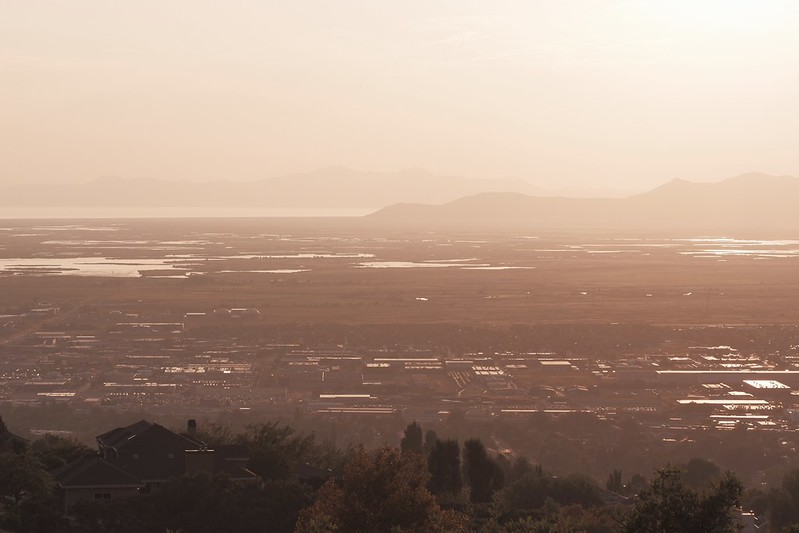
Haze Over North Salt Lake – North Salt Lake, UT – Fujifilm X-T200
Moonrise Over Mansions – North Salt Lake, UT – Fujifilm X-T200
Yellow Balsomroot – North Salt Lake, UT – Fujifilm X-T200
Blossomed Flower – North Salt Lake, UT – Fujifilm X-T200
Faux Succulent on a Shelf – Farmington, UT – Fujifilm X-T200
Girl Playing Cards – Farmington, UT – Fujifilm X-T200
Happy Girl – Farmington, UT – Fujifilm X-T200
Joshua on the Playground – North Salt Lake, UT – Fujifilm X-T200
Nobody pays me to write the content found on fujixweekly.com. There's a real cost to operating and maintaining this site, not to mention all the time that I pour into it. If you appreciated this article, please consider making a one-time gift contribution. Thank you!
Here’s a unique idea that was suggested to me: apply different film simulations to different recipes, just to see what you get. Actually, that’s how My Ektachrome 100SW recipe came to be: a Fuji X Weekly reader took my Kodachrome II recipe and replaced Classic Chrome with Velvia. I’m going to make a series out of this, which I’m calling With Other Film Simulations, and maybe something interesting will come out of it.
I’ll start with the Fujifilm X100VKodachrome 64 film simulation recipe. The original picture (at the top of this post), which you might recognize from my Rover Mini YouTube video, was made using Classic Chrome, the film simulation that the Kodachrome 64 recipe requires. The idea here is to keep every setting the same except for the film simulation. In case you don’t remember, the settings are:
Dynamic Range: DR200 Highlight: 0 Shadow: 0 Color: +2 Noise Reduction: -4 Sharpening: +1 Clarity: +3 Grain Effect: Weak, Small Color Chrome Effect: Strong Color Chrome Effect Blue: Weak White Balance: Daylight, +2 Red & -5 Blue
Let’s look at the pictures:
Provia
Velvia
Astia
PRO Neg. Hi
PRO Neg. Std
Classic Negative
Acros
Monochrome
Sepia
The color images are surprisingly similar. Velvia stands out for being the most vibrant. PRO Neg. Std stands out for having the lowest contrast. Classic Negative stands out for its color shift. The original version, which uses Classic Chrome, is still my favorite, but it is interesting to see how the other film simulations affect the picture. The Monochrome film simulation with these settings might prove to be a good low-contrast black-and-white recipe, something I’ll have to take a closer look at.
I hope that you enjoyed this quick article! We’ll do some more of these in the coming weeks and months. Which film simulation did you find most interesting with the Kodachrome 64 settings? Let me know in the comments!
Ultramax 400 is Kodak’s consumer grade ISO 400 color negative film. Kodak has sold Ultramax 400 under many different names, beginning in 1987 with Kodacolor VR-G 400, rebranded Gold 400 one year later, called simply GC at one point, and finally, in 1997, Kodak settled on Ultramax 400. Kodak still sells Ultramax 400, although it’s not the same film as Kodacolor VR-G 400. This film has been tweaked and updated at least nine times over the years; however, the overall aesthetic is still substantially similar between all variations.
This recipe is a happy accident. I was actually working on a different Kodak film simulation recipe, and this was a failed attempt. But I liked how this one looked, so I made a minor adjustment, and created this recipe, which I determined looked a heck-of-a-lot like Ultramax 400. I didn’t intentionally create an Ultramax 400 recipe, but nonetheless here it is! Sometimes it’s better to be lucky than good.
Colorful Store Decor – Layton, UT – Fujifilm X100V – “Kodak Ultramax 400”
For some of you this new recipe will be an instant favorite. I really love how it looks and plan to use it frequently. This one might be right up there with Kodachrome 64 and Portra 400 for favorite Kodak presets. A word of caution: it does require Clarity, which slows down the camera considerably. This film simulation recipe (as of this writing) is only compatible with the Fujifilm X100V, X-Pro3 and X-T4 cameras.
Classic Chrome
Dynamic Range: DR-Auto
Highlight: +1
Shadow: +1
Color: +4
Noise Reduction: -4
Sharpening: 0
Clarity: +3
Grain Effect: Strong, Large
Color Chrome Effect: Weak
Color Chrome Effect Blue: Weak
White Balance: Auto, +1 Red & -5 Blue
ISO: Auto, up to ISO 6400
Exposure Compensation: +1/3 to +1 (typically)
Example photographs, all camera-made JPEGs using this new Kodak Ultramax 400 film simulation recipe on my Fujifilm X100V:
Road Construction – Clearfield, UT – Fujifilm X100V
Store Closing – Farmington, UT – Fujifilm X100V
Urban Roses – Farmington, UT – Fujifilm X100V
Summer Fruit Tree – Farmington, UT – Fujifilm X100V
Ripening Peaches – Farmington, UT – Fujifilm X100V
Wood Barrel – Layton, UT – Fujifilm X100V
Table & Chair – Farmington, UT – Fujifilm X100V
Library Lights – Farmington, UT – Fujifilm X100V
Contemplation – Farmington, UT – Fujifilm X100V
Blackberry Boy – Farmington, UT – Fujifilm X100V
End Table Succulent – Farmington, UT – Fujifilm X100V
Math Books on a Table – Farmington, UT – Fujifilm X100V
Kitchen Tools – Farmington, UT – Fujifilm X100V
Quality Goods – Layton, UT – Fujifilm X100V
75 – Layton, UT – Fujifilm X100V
Table Bloom – Layton, UT – Fujifilm X100V
Fake Tulips – Layton, UT – Fujifilm X100V
Fake Flowers in Window Light – Farmington, UT – Fujifilm X100V
Nobody pays me to write the content found on fujixweekly.com. There's a real cost to operating and maintaining this site, not to mention all the time that I pour into it. If you appreciated this article, please consider making a one-time gift contribution. Thank you!
Those with Fujifilm X-Trans IV cameras, which include the X-T3, X-T30, X-Pro3, X100V and X-T4, have the most film simulation recipes to choose from. There are currently five X-Trans IV cameras, and they actually fall into two groups: “Old” (X-T3 & X-T30) and “New” (X100V, X-Pro3 & X-T4). The two groups have different options. The latter has the new Classic Negative film simulation (also the new Bleach Bypass film simulation on the X-T4), Color Chrome Effect Blue, Clarity, new Grain options, and new B&W Toning. This means that the recipes that are intended for the X100V, X-Pro3 and X-T4 are not compatible with the X-T3 and X-T30, with the exception of Kodak Tri-X 400, Kodak T-Max 400, and Verano Tostado, which are compatible with X-Trans III & IV (just follow the directions explained in those recipes). I do hope that Fujifilm adds these new features to the X-T3 and X-T30 via firmware updates.
X-T3 & X-T30
The list below are the film simulation recipes that are intended for use on the X-T3 and X-T30. Also, all of the X-Trans III recipes are also fully compatible with these two cameras, so you have that list to choose from, too.
If you have an X-Trans III camera, you can use some of the recipes above, even though they are intended for X-Trans IV. Those recipes that use the Eterna film simulation are only compatible with the X-H1, because that’s the only X-Trans III camera with Eterna. Those that call for Color Chrome Effect or B&W toning are not fully compatible with X-Trans III (but some can be used anyway, it will just look a little different). Others, such as Portra 160 and Warm Contrast, are actually full compatible with X-Trans III, because Color Chrome Effect is Off.
X100V, X-Pro3 & X-T4
The film simulation recipes below are only compatible with the X100V, X-Pro3 and X-T4, with the exception of Kodak Tri-X 400, Kodak T-Max 400, and Verano Tostado (just follow the instructions in that article). Expect this list to grow significantly over the coming weeks and months, as I have a number of different recipes in the works.
All of the X-Trans III and “Old” (X-T3 & X-T30) X-Trans IV recipes are fully compatible with the X100V, X-Pro3 and X-T4, but with two caveats: Grain and B&W Toning. You’ll have to decide if you want Grain set to Small or Large. That will be your call, whatever you think is most appropriate for your pictures. If the recipe calls for B&W Toning, you’ll have to figure out how the new B&W Toning translates, because it’s different. Other than that, all of those recipes are yours to use, in addition to the ones listed above.
Now it’s your turn! Which recipes are your favorite and what cameras are you using them on? Let me know in the comments!
Fuji X Weekly reader Gustavo Potenza sifted through all of the film simulation recipes on this website and organized them by sensor and camera compatibility. Whoa! That was a tall task, but he knocked it out in a matter of minutes. I wanted to share this information with you, but also separate it into multiple posts so that you can quickly find the recipes you’re looking for. I’ll link this article to the recipe page for easy access, and I’ll keep it updated as I make new recipes. Thank you, Gustavo, for doing the hard work on this!
The first list, which are recipes compatible with Fujifilm Bayer and X-Trans I sensors, is very short. I really need to make it longer by adding more recipes. I hope to do that eventually. If you have a Fujifilm camera with a Bayer sensor or X-Trans I sensor, these are the recipes that you can use. The Classic Chrome recipe is only compatible with those cameras that have the Classic Chrome film simulation. At the bottom is the X-Trans II list, which is much longer.
The above recipes are intended for the Fujifilm X-A1, X-A2, X-A3, X-A5, X-A7, X-A10, XF10, X-T100, X-T200, X100, X-PRO1, X-E1, and X-M1 (I hope I didn’t miss any). Some of the X-Trans II recipes below might also work on your Bayer or X-Trans I camera, although results might vary slightly, and it will depend if your camera has the film simulation that the recipe requires.
X-Trans II
The film simulation recipes below are compatible with X-Trans II cameras. A few X-Trans II cameras don’t have all of the different film simulations required, so some of these recipes might not work on your camera.
The above recipes are intended for the Fujifilm X100S, X100T, X-E2, X-E2S, X-T1, X-T10, X70, X20, X30, XQ1, and XQ2 (I hope that I didn’t miss any). Not all of the recipes will be compatible with every X-Trans II camera. Some of them might even be compatible with Bayer and X-Trans I cameras with varying results, so feel free to try.
Red Greens – Kaysville, UT – Fujifilm XQ1 – “Kodachrome”
I’ve made a lot of Kodachrome film simulation recipes for Fujifilm cameras (click here, here, here, here, here and here), and they’re very popular. Kodachrome was an iconic slide film made by Kodak for many, many years, so it’s no surprise that people want to get that look out of their Fujifilm camera. All of my Kodachrome recipes use Classic Chrome because it has a Kodak-esque slide film aesthetic, but some cameras don’t have Classic Chrome, such as the Fujifilm XQ1. Yes, the XQ1 is an X-Trans II camera, and most X-Trans II cameras have Classic Chrome, but this one doesn’t, only Provia, Velvia, and Astia for color images.
I created this recipe by capturing an image on my X-T1 using my Kodachrome 64 recipe for that camera, and then as best as possible recreated the look not using Classic Chrome. While I tried Velvia and Astia, I ended up using Provia. It’s a surprisingly close match, although not exact. I think you’ll like this Kodachrome recipe if your camera doesn’t have Classic Chrome.
!!! Ride !!! – Salt Lake City, UT – Fujifilm XQ1 – “Kodachrome”
Provia Dynamic Range: DR200 Highlight: +2 (Hard) Shadow: +1 (Medium-Hard) Color: -2 (Low) Sharpness: 0 (Standard) Noise Reduction: -2 (Low) White Balance: Daylight (Fujifilm calls it “Fine” for some reason), -1 Red & -4 Blue ISO: Auto, up to ISO 1600
Exposure Compensation: +1/3 to +2/3 (typically)
Example photographs, all camera-made JPEGs made using this “Kodachrome Without Classic Chrome” film simulation recipe on a Fujifilm XQ1:
Lights & Reflections – Kaysville, UT – Fujifilm XQ1
Flag Poles – Farmington, UT – Fujifilm XQ1
Drive Thru Gas & Wash – Kaysville, UT – Fujifilm XQ1
Flowers in a Pot on Concrete – Kaysville, UT – Fujifilm XQ1
Horse Ranch – Salt Lake City, UT – Fujifilm XQ1
Closed Umbrella, Threatening Clouds – Farmington, UT – Fujifilm XQ1
Nobody pays me to write the content found on fujixweekly.com. There's a real cost to operating and maintaining this site, not to mention all the time that I pour into it. If you appreciated this article, please consider making a one-time gift contribution. Thank you!
The Fujifilm X100V, X-Pro3 and X-T4 have a new feature called Color Chrome Effect Blue. This is very similar to a different feature, which has a nearly identical name, that’s also found on X-Trans IV cameras, such as my X-T30, called Color Chrome Effect. What does Color Chrome Effect Blue do to photographs? How is it different than Color Chrome Effect? Those are questions that I hope to answer in this article.
The original Color Chrome Effect takes vibrant colors (mostly reds, but also yellows and greens to a lessor extent) and deepens their tones to retain color gradation. Fujifilm says that a short-lived color slide film called Fortia inspired this setting. Color Chrome Effect Blue is essentially the same, but for blue. It makes blues in the picture a deeper shade. It’s a lot like using a polarizing filter. You have three options: Off, Weak and Strong.
Let’s take a look at the pictures below:
Color Chrome Effect Blue Off
Color Chrome Effect Blue Weak
Color Chrome Effect Blue Strong
Color Chrome Effect Blue Strong & Color Chrome Effect Weak
Color Chrome Effect Blue Strong & Color Chrome Effect Strong
Color Chrome Effect Blue noticeably darkens the blue sky. There’s a difference between Off and Weak and Strong that’s not too hard to spot. I added Color Chrome Effect to the bottom two images, and it doesn’t affect the sky—it barely affects the warm building; it’s so subtle that it’s hard to tell the difference even upon close inspection. I believe that Color Chrome Effect Blue makes more of a difference in an image than Color Chrome Effect, but they manipulate different colors, so they have different purposes. Disappointingly, Color Chrome Effect Blue doesn’t seem to change black-and-white images much at all.
For color images where you want blues to be rendered deeper, such as blue sky, Color Chrome Effect Blue is great! It’s like using a polarizing filter. If you want reds to be rendered deeper, use the original Color Chrome Effect. I hope this helps explain what the new Color Chrome Effect Blue feature is, how it’s different than Color Chrome Effect, and when to use it.
Instamatic Morning – Farmington, UT – Fujifilm X-T30 “Bleach Bypass”
The upcoming Fujifilm X-T4 will have a new film simulation: Bleach Bypass. This new film simulation might eventually come to other X-Trans IV cameras, such as the X-T30, X-T3, X-Pro3 and X100V, but it might not, as Fujifilm has yet to add Classic Negative to the X-T3 and X-T30. It would certainly be nice if Fujifilm gave those of us with “older” X-Trans IV cameras the new film simulations. Even if they never do, you are in luck, as I have created a film simulation recipe to mimic the look of bleach bypass!
Bleach bypass is a darkroom technique where you skip or limit the bleach during development of color film, which causes it to retain the silver. Results will vary greatly depending on the film used and exactly how you develop it, but generally speaking what you get with bleach bypass is a high-contrast, low-saturation, grainy picture that appears as if a black-and-white and color picture were combined together. This technique is more common for motion picture film than still photography, but some people do bleach bypass with C-41 film.
I experimented with the techniques that I used for this film simulation back in June of last year. Much came out of those experiments, including both the Faded Color and Faded Monochrome film simulation recipes, as well as in-camera texturing. I created something similar to this recipe, but gave up on it before completing it. Last week Fuji X Weekly reader James Clinich reached out to me to share some experiments he had been doing, which turned out to be very similar to what I had done back in June. This rekindled my interest, and with inspiration drawn from James, I made this “Bleach Bypass” film simulation recipe.
This film simulation recipe requires the use of the double exposure feature of your camera. You will need a tripod, and there can’t be any movement in the scene. You have to make two identical exposures, one in color and one in black-and-white. After the first exposure is made, you must change the film simulation before making the second exposure. You can have both sets of settings programmed into the custom menu as separate presets, and toggle between them, or just change the film simulation, making sure that the tone is set correctly when making the Acros exposure. It’s a bit tricky and limited, but the results are nice. If you don’t want to do double exposures, but want something that will produce similar results to this recipe, try my Dramatic Classic Chrome recipe except set color to -4. That’s about as close as you can get. Otherwise, if you want to create a bleach bypass look in-camera, this recipe is your best option.
Exposure 1
Classic Chrome
Dynamic Range: DR200
Highlight: +3
Shadow: +4
Color: +2
Color Chrome Effect: Strong
Grain: Strong
Sharpening: +1
Noise Reduction: -4
White Balance: Auto, -1 Red & +3 Blue
ISO: Auto, up to ISO 6400
Exposure Compensation: +1/3 to +2/3 (typically)
Exposure 2
Acros
Dynamic Range: DR200
Highlight: +3
Shadow: +4
Tone: +2 (warm)
Color Chrome Effect: Strong
Grain: Strong
Sharpening: +1
Noise Reduction: -4
White Balance: Auto, -1 Red & +3 Blue
ISO: Auto, up to ISO 6400
Exposure Compensation: +1/3 to +2/3 (typically)
Example photographs, all camera-made JPEGs using this “Bleach Bypass” film simulation recipe on my Fujifilm X-T30:
Pillows – Farmington, UT – Fujifilm X-T30
Window Robot – Farmington, UT – Fujifilm X-T30
Illuminated Faux Flowers – Farmington, UT – Fujifilm X-T30
Pronto! – Farmington, UT – Fujifilm X-T30
Touch of Green – Farmington, UT – Fujifilm X-T30
Rooftops & Mountaintops – Farmington, UT – Fujifilm X-T30
Tracks Under The Bridge – Farmington, UT – Fujifilm X-T30
Do Not Cross Tracks – Farmington, UT – Fujifilm X-T30
Nobody pays me to write the content found on fujixweekly.com. There's a real cost to operating and maintaining this site, not to mention all the time that I pour into it. If you appreciated this article, please consider making a one-time gift contribution. Thank you!
Windows & Reflections – Salt Lake City, UT – Fujifilm X-T1 “Ektachrome 100SW”
What I love about my Ektachrome 100SW film simulation recipe is that it reminds me of a film that I used to use. Just like the original Ektachrome 100SW recipe, which is compatible with X-Trans III & IV cameras, this recipe is identical to my Kodachrome II recipe, except that it uses Velvia instead of Classic Chrome. This version of Ektachrome 100SW is compatible with X-Trans I & II cameras, as well as Fujifilm Bayer cameras.
Velvia
Dynamic Range: DR200
Highlight: +2 (High)
Shadow: +1 (Medium-High)
Color: -1 (Medium-Low)
Sharpness: 0 (Medium)
Noise Reduction: -2 (Low)
White Balance: Auto, +1 Red & -2 Blue
ISO: Auto up to ISO 3200
Example photographs, all camera-made JPEGs captured on my Fujifilm X-T1 using this Ektachrome 100SW film simulation recipe:
Instamatic – Farmington, UT – Fujifilm X-T1
Throw Pillow – Farmington, UT – Fujifilm X-T1
Striped Pillow – Farmington, UT – Fujifilm X-T1
Indoor Decor Near a Window – Farmington, UT – Fujifilm X-T1
Grass & Concrete – Farmington, UT – Fujifilm X-T1
Little Steps – Farmington, UT – Fujifilm X-T1
February Forest – Layton, UT – Fujifilm X-T1
Lizard – Salt Lake City, UT – Fujifilm X-T1
Penguins On A Rock – Salt Lake City, UT – Fujifilm X-T1
Swimming Penguins – Salt Lake City, UT – Fujifilm X-T1
Nobody pays me to write the content found on fujixweekly.com. There's a real cost to operating and maintaining this site, not to mention all the time that I pour into it. If you appreciated this article, please consider making a one-time gift contribution. Thank you!
Evening Light On A Clearing Mountain – Riverdale, UT – Fujifilm X-T30 – “Color Negative”
Silly Putty was invented by accident. There was a shortage of rubber during the second world war, and as a result several companies worked hard to create a synthetic substitute. What we now know as Silly Putty was a failed attempt at synthetic rubber. Even though it didn’t turn out exactly like its inventor had hoped, it still became a useful product that has brought joy to many people across the world. This “Color Negative” film simulation recipe has a similar story to Silly Putty (minus the war and rubber).
I’ve been working on a number of different recipes, trying to mimic several different aesthetics that I’ve been asked to create. One of the films that I’ve been trying to recreate the look of is Fujifilm C200, but I’ve yet to crack the code. This recipe is one of the failed attempts at C200. I like how it looks, so I thought I’d share it, even though it’s not exactly what I was trying for. I hope it become useful and brings joy to someone.
Cameras and Coffee – South Weber, UT – Fujifilm X-T30 – “Color Negative”
I named this recipe “Color Negative” only because it has a general color negative aesthetic, and I didn’t know what else to call it. It’s in the general neighborhood of Fujifilm C200, but it’s not exactly right for that film. Perhaps there’s some generic film that looks similar to this. It doesn’t precisely mimic any one film that I’m aware of, but this recipe does have a film-like quality to it.
PRO Neg. Hi
Dynamic Range: DR400
Highlight: +2
Shadow: +2
Color: -2
Noise Reduction: -4
Sharpening: +1
Grain Effect: Weak
Color Chrome Effect: Off
White Balance: Daylight Fluorescent (1), -2 Red & +4 Blue
ISO: Auto, up to ISO 6400
Exposure Compensation: 0 to +2/3 (typically)
Note: There was some confusion on the white balance required for this recipe. It’s Fluorescent 1, also called Daylight Fluorescent or Neon 1. It’s the first option underneath Cloudy.
Example photographs, all camera-made JPEGs using my Color Negative Film Simulation recipe on a Fujifilm X-T30:
Fallen Leaves – South Weber, UT – Fujifilm X-T30
Hanging Apple – South Weber, UT – Fujifilm X-T30
Leaf Hanging On – South Weber, UT – Fujifilm X-T30
Boy Unsure – South Weber, UT – Fujifilm X-T30
Joy’s Smile – South Weber, UT – Fujifilm X-T30
White Stars – Roy, UT – Fujifilm X-T30
White Cloud Ridge – South Weber, UT – Fujifilm X-T30
Reserved Parking – South Ogden, UT – Fujifilm X-T30
Nobody pays me to write the content found on fujixweekly.com. There's a real cost to operating and maintaining this site, not to mention all the time that I pour into it. If you appreciated this article, please consider making a one-time gift contribution. Thank you!
I thought it might be interesting to separate my film simulation recipes by Dynamic Range setting. There are a ton of different ways that one could organize these, so I thought it might be helpful to somebody to see them in various arrangements. Maybe you’ll see a recipe that you haven’t considered using before, or maybe a certain setting will stand out to you that never crossed your mind before. I don’t really know, but you never know, so I’m just going to do it. For this post I’m separating the film simulation recipes by DR setting. Below are all of my recipes that use DR-Auto: