There are over 300 Film Simulation Recipes on this website and the Fuji X Weekly App. Having so many options to choose from is great, because no matter your style there’s bound to be at least one that you love, and different Recipes are sometimes best in specific situations. The only problem with having all these options is that sometimes it’s hard to know which ones to choose. There can be a paralysis of choice, or, at the very least, it can seem overwhelming.
But not to worry, I’m here to help! Over the last year I’ve been publishing articles to help with this specific problem—to be a guide of sorts through the many Recipes. There’s no comprehensive list (nor should there be, I think) of when to use each option, because whether or not a particular Recipe is great for a specific scenario is subjective. I might like one, but you might dislike it. However, I can provide some direction—something that I have been attempting to do over the last 12 months.
The problem with my method, though, is that it’s easy for my articles on this subject to get lost in the shuffle. So I thought it would be helpful to round them up, and put them into one place. That’s the intention of this article.
First up is my Which Film Simulation Recipe, When? series. If you only open one article, that’s the one to choose. I think it’s probably the most helpful out of all of them in this post. You might appreciate many of the others, too, so I would encourage you to click on more than one article to read, especially if the number of Film Simulation Recipes feels overwhelming to you, or you’re just not sure where to begin. I hope this helps with that, and you’ll have a little more confidence choosing some to program into your camera.
Find these Film Simulation Recipes and many more on the Fuji X Weekly App! Consider becoming a Patron subscriber to unlock the best App experience and to support Fuji X Weekly.
Help Support Fuji X Weekly!
Nobody pays me to write the content found on the Fuji X Weekly blog. There’s a real cost to running this website. I also put a lot of my own time into writing the posts. If you’ve found something on Fuji X Weekly helpful to you and you’d like to give back, this is a good place to do it. You can donate to this blog using PayPal by clicking below. I appreciate it! Thank you for your support! Please do not feel obligated to give, but do so only if you want to.
Millions of people have visited this website in 2023, and the year isn’t even over yet!
I never imagined that Fuji X Weekly would grow so popular—I’m shocked by it, actually. It’s a real honor to be helpful to such a large number of photographers across the world, and I feel like I’m only getting started. It’s amazing to me just how far this thing has come, and I can’t wait to see where it all goes.
I’ve been digging through the Fuji X Weekly website analytics, which I do from time-to-time (but probably not nearly as often as I should), and I discovered a few interesting points. Some of you might find this intriguing, too, while others might not (and I apologize for that). For those who are interested, let’s dive into the stats!
During the month of October two milestones were reached: 1) near the beginning of the month, Fuji X Weekly total page views for 2023 exceeded that of 2022, and 2) by the end of October, Fuji X Weekly surpassed two million unique visitors!
Page views is a pretty straight-forward statistic. Between the homepage, blog page, blog posts, Film Simulation Recipe articles, etc., etc., etc.—across the entirety of the Fuji X Weekly website—all of the various pages have been viewed a total approaching 9,000,000 (last year was just over eight million; this year is on track to top 10 million). That’s an absolutely unbelievable number to me! In 2023, I’m averaging 4.3 page views per visitor, which (from what I can tell) is a good number. I’ve read that 3-4 page views per visitor is average. One person might only ever open one article, while someone else might view seven, and between the two of them they had eight page views, with an average of four. Some websites—such as many e-commerce—have more page views per visitor, while some have less, and some much less. There are several very popular photography websites (I won’t mention them by name, but trust me that they’re highly recognizable) that average less than two page views per visitor.
Surprisingly, the more convoluted statistic is unique visitors. Near the very end of October, Fuji X Weekly surpassed two million unique visitors. Or did it? What constitutes a unique visitor, anyway?
If you visit this website from the same device multiple times, you’ll typically be counted as only one visitor. There are some exceptions, depending on your security settings, how often you delete cookies, if you change internet providers or move to a new home, and things like that—but, by-and-large, if you visit this website (say) 20 times over the year, you are counted as only one unique visitor. However, if you use multiple devices—say, your desktop, laptop, work computer, cellphone, and tablet—you could be counted as five unique visitors. Unless, that is, you are logged into your WordPress account (if you have one) on each of those devices, then you’ll only be counted once and not five times. It’s impossible to know how many unique visitors there actually are, since it’s likely that many people are being counted more than once. I cannot know just how many are being counted more than once, or how many times they’re being counted. For sure, two million different people have not visited Fuji X Weekly so far in 2023, but whatever the real number is, it’s still a heck of a lot.
Let’s talk bounce rate, which is the number of people who visit a website only once, and view only one page, and never come back (they bounce). The average bounce rate across all websites is about 40.5%, but it varies significantly based on website type. Blogs, for example, are in the highest category, with an average bounce rate of 65%. My bounce rate is 50%, which is really good for the type of website that it is. It means that half of the visitors read only one article and leave, never to return. They probably followed a link from some other website or a social media post, or Fuji X Weekly came up in a Google search, and they either found exactly what they were looking for and had no need for further reading, or (more likely) they weren’t all that interested in what was published, so they left. That accounts for one million visitors (and, in turn, one million page views), which leaves the other million as people who are either repeat visitors, or someone who visited just once but viewed more than one article before leaving. For that second group of one million, they averaged almost eight page views per person.
Of that one million who didn’t bounce right away, it’s impossible to know just how many are repeat visitors, or how many were counted more than once (one individual counted as multiple unique visitors). As best as I can tell from the data I could find, making some assumptions based on averages, I believe that around 500,000-ish people have visited Fuji X Weekly in 2023 more than once, and around 80,000-100,000 are regular readers. Someone who is a “regular reader” isn’t necessarily someone who reads everything that’s published, but perhaps checks in every now and then (probably opening many of the Film Simulation Recipe posts that pertain to their particular camera model, but maybe not a lot of the other content). Those who read the majority of the articles published on this website is a much smaller number, around 4,000 to 5,000 I think. Those who read literally everything—the true diehard fans—is likely less than 500, and maybe as little as 200.
We started with millions—two million, to be exact—which is an impressive number; however, we dwindled that down a whole bunch. First to one million, after subtracting those who quickly bounced; then to 500,000-ish, for those who likely visited more than once this year; next to 80,000-100,000, which is the rough number of those who do (at least somewhat) regularly read this website; then to 4,000-5,000, for those who are enthusiastic, and read much of what’s published; and finally to as little as 200—the truly devoted followers of Fuji X Weekly, who read literally all of the articles. Of those numbers, I’m most happy by the smaller ones. I cannot tell you how thrilled I am by those who visit this website often—you are why I continue to publish content and new Recipes frequently. Thank you! From the bottom of my heart, you really mean a lot.
I’m not really sure how to conclude this, but just to say one more time a big “Thank you!” to everyone who visits this website, reads the articles, maybe shares them with others, and perhaps is even a Creative Collective subscriber. I also want to express my great appreciation to those who have downloaded the Fuji X Weekly App (and/or the Ricoh Recipes App and RitchieCam App), and especially to those who have become Patrons. This wouldn’t continue to exist without your support. I really appreciate you!
Luxury Among Palms – Laguna Hills, CA – Fujifilm X-T5 – Reala Ace Recipe
Today’s SOOC Livebroadcast was wonderful. Thank you to everyone who tuned in and participated—you all make it great!
We discusses the new Reala Ace film simulation, and talked at length about my Reala Ace Film Simulation Recipe. The Reala Ace Recipe is for X-Trans V cameras, and not everyone has one of those cameras, and even if you do, you might prefer a different option, so Nathalie Boucry and I offered three similar Recipes as alternatives. Specifically, we suggested Fujicolor Reala 100, Fujicolor Superia 100, and Fujicolor 100 Industrial. Watch the video below to learn more.
There are two Fujicolor Reala 100 Recipes—one for X-Trans IV (excluding the X-T3 and X-T30), and one for X-Trans V. Likewise, there are two Fujicolor Superia 100 Recipes—one for X-Trans IV (excluding the X-T3 and X-T30), and one for X-Trans V. The Fujicolor 100 Industrial Recipe is just for the X-T3 and X-T30; however, simply ignore Color Chrome Effect to use it on X-Trans III (it will look very similar, and only slightly different), or for newer cameras, set Grain size to Small, Color Chrome FX Blue to Off, and Clarity to 0.
While you are here, the long-overdue Viewers’ Images slideshow from the previous broadcast was finally published. You can watch it below. There are some really great pictures by you all, so you’ll definitely want to take a look. Thanks to everyone who submitted photographs!
The November issue of FXW Zine is out now! Creative Collective subscribers can download it today. Not a Creative Collective subscriber? Join to gain access to this issue plus all pervious issues of FXW Zine and the many bonus articles.
Issue 24—yes, the 24th issue!—has two articles. The first is about fall foliage photography, with its brilliant displays of color. The second is a brief look back at the previous 23 issues of FXW Zine. There are 34 pictures (including the cover) over 24 pages. Enjoy!
There’s a brand-new RitchieCam update that I’m really excited to share! If your phone didn’t automatically update the App, be sure to do so now!
Probably the biggest headline is that RitchieCam can now take full-resolution 48MP images! If you have a Pro or Pro Max version of an iPhone 14 or 15 (with a 48mp 1x camera), it’s now possible to capture a richly-detailed high-res picture. In order to do this (for those with a compatible device), select the Gear icon, then tap 48MP Capture to enable. By default, 48MP is disabled. When enabled, RitchieCam will save a 48MP JPEG or HEIC (depending on which format you have selected), plus a 48MP RAW file if that is also selected.
While this new option is definitely wonderful, there are some important considerations that must be mentioned. First, 48MP full-res slows down the camera significantly, and especially if you are also saving a RAW file. If you need to be quick, 48MP should probably be disabled. Second, the image is not pixel-binned, which means that dynamic range will be impacted, and high-ISO pictures won’t look as good. If the scene is particularly contrasty and you are concerned about highlight and shadow details, or if it is a dimly lit, you probably want to take advantage of pixel-binning, and get a standard 12MP image instead. Third, 48MP takes up a lot of storage space on your device, so you might want to use 48MP sparingly and thoughtfully.
One example where 48MP makes a lot of sense is when you are shooting in the 65:24 XPan aspect ratio, which cuts out half of the resolution. Cropping out half of 12MP is a bit crippling. It’s plenty of resolution for internet viewing, but prints are limited to 6″x12″, or perhaps 9″x18″ if you’ve got a clean, sharp picture that won’t be viewed too closely (but that’s definitely pushing it). Now, with 48MP, you have a ton of fine details, and can print 18″x36″ if you want. I think the XPan aspect ratio is the big winner with regards to the high-resolution option, but anytime that you think you might want to make a large print of the scene, and the lighting situation allows, you may want to consider enabling 48MP Capture.
RitchieCam App – Vibrant Color Filter – 65:24 – iPhone 13 Pro – 48MP Capture enabled
There are some other great parts to this update. Photos captured with RitchieCam can now be viewed, shared, or deleted straight from the App—this is a first step in a bigger plan, so it’s definitely not finished, but finished enough to include in this update. The HEIC format has been fixed, and is once again available. We found the bug that Apple included in iOS 17, and circumvented it. It was a needle-in-a-haystack situation, but thankfully it was found and fixed, and you can use HEIC instead of JPEG if you’d like. There are also some small efficiency improvements and bug fixes that you’re not likely to notice (but maybe you will). A lot of work went into this update.
We’re not finished, though. A lot of other great features and improvements are being worked on right now, most of which will be for all iPhones (regardless of whether it has 48MP or not). I’m not sure when the next update will be ready, but it shouldn’t be all that far in the future, so stay tuned!
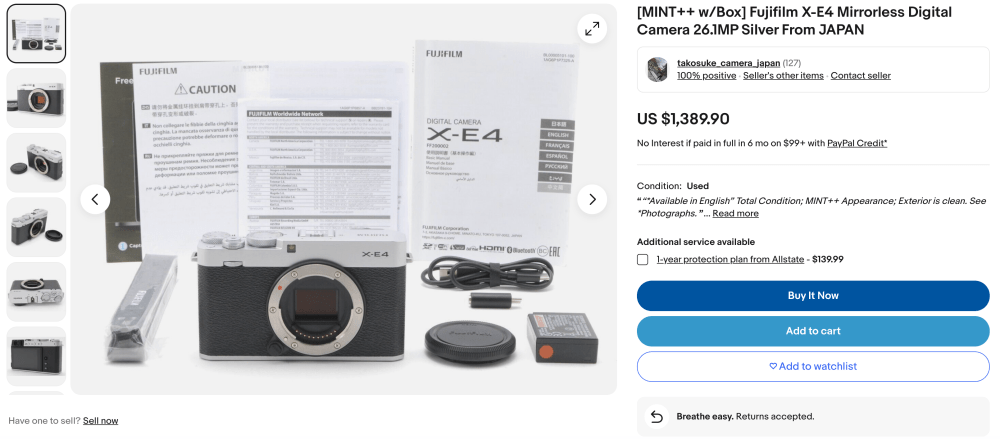
The cost of a second-hand Fujifilm X-E4 is completely out of hand!
Before we get to that, let’s rewind this all a bit. Fujifilm released the X-E4 in late-February 2021. I preordered my copy, which arrived in early March. The X-E4 was the fifth in the X-E line, which began in 2012 with the X-E1, Fujifilm’s second interchangeable-lens X-series model (the X-Pro1 was the first). The X-E2 came out only one year later, and the nearly identical X-E2s was released three years after that. The X-E3 was released in 2017, and rumors floated around that it might be the last X-E camera.
The X-E line is much beloved by those who own them. It’s a combination of beautiful rangefinder styling, diminutive size, simplicity, and affordability, while producing images that are equally as good as the bigger and more expensive models. But sales have always been so-so. The X-E3, in particular, was a slow-mover, and it was possible to buy a brand-new copy for less than MSRP as recently as last year. Two years ago the X-E3 was on sale for $560. This is to say that the X-E line is niche, even within Fujifilm, which is itself sort of a niche brand; however, it’s a much loved series by many who have had the pleasure to use them. The X-E1 was my gateway into Fujifilm; today the X-E4 is my second-favorite camera, only behind the X100V.
With the X-E3 not moving particularly quickly, Fujifilm seriously considered discontinuing the X-E line. But with the discontinuation of the low-budget X-A and X-T000 cameras, plus a vocal outcry from their customers, I believe Fujifilm had a change of heart, so the X-E4, with its minimalistic design, was born. However, between the global parts shortage and the expected so-so sales, Fujifilm didn’t produce as many copies as other cameras. My guess is that they were concerned that unsold boxes of the X-E4 would be sitting around for years like with the X-E3 (and, to an extent, the X-E2s before that, and the X-E2 before that, and the X-E1 before that), so Fujifilm made the decision to discontinue the X-E4, and divert manufacturing resources to other cameras, like the X100V, X-T5, and X-S20.
What Fujifilm did not anticipate is that the sudden success of the X100V—thanks to social media and Film Simulation Recipes (to a degree)—would spill over to the X-E4. Since it became so hard to get a copy of the X100V, and new orders were being placed faster than Fujifilm could manufacture the camera—with backorder lists six months long—people began to look for alternatives. The X-E4, especially paired with the 27mm pancake, was a top alternative suggested for those who wanted an X100V but couldn’t get one. The X-E4, which was already hit-or-miss to find, was now sold out everywhere, and Fujifilm couldn’t manufacture new copies nearly fast enough.
Even though the X-E4 was suddenly super successful, Fujifilm inexplicably discontinued it back in March of this year, just two years after it was initially released. I believe that Fujifilm had already decided to discontinue it, and cease manufacturing at a certain point—not secure the necessary parts to make more copies—and they followed through with their plan despite the increased demand. In my opinion, this was a big mistake. Apparently, Fujifilm may have also planned to quietly discontinue the X-E line with the X-E4. My hope is that they change their minds and create an X-E5, but I’m not holding my breath, because it probably won’t happen. Maybe articles like this will convince them otherwise.
Working – Salt Lake City, UT – Fujifilm X-E4 & Fujinon 27mm f/2.8 – Kodak Vision3 250D
Since the X-E4 was discontinued while demand was high, the prices of used copies has skyrocketed, as reported by Fujirumors. I began this article prior to Patrick publishing his, but got busy with other things before finishing it, then I saw his post on the subject. I questioned if it was even worth publishing, but, after thinking about it, I decided to finish this article. I believe that I have a divergent-enough take on this topic that it’s worthwhile to publish anyway.
Used copies of the X-E4 are being listed for sale for 50% to 100% more (and sometimes higher!) than the camera cost when brand new. Crazy! It’s simple supply and demand. There’s a lot of demand, and Fujifilm didn’t manufacture nearly enough supply. So now, if you want an X-E4 you’re going to pay through the teeth. Even the X-E3 is selling for more than it was, although it still seems pretty affordable—if you can’t find an X-E4, buy an X-E3 instead. I love my X-E4, but I wouldn’t recommend buying one for these prices. What it really shows is that Fujifilm should make an X-E5, or start manufacturing more X-E4 bodies. It’s a wasted opportunity.
Below are some screenshot examples I found of the insanely inflated X-E4 prices. If you are trying to buy one, I sincerely wish you the best of luck finding one for a reasonable cost.
Just in time for Halloween, this video is about using the world’s smallest interchangeable lens—the Pentax-110 24mm f/2.8—on my Fujifilm X-T5 camera, and photographing a haunted ghost town in the Arizona desert!
Field of Gold – Flagstaff, AZ – Fujifilm X-T5 – Kodak Gold 200 Recipe
A favorite Film Simulation for the Fujifilm X-T3 and X-T30, plus X-Trans III cameras, is Kodak Gold 200. I published this Recipe about two-and-a-half years ago, and have had many requests to adapt it for newer models, something that I just recently got around to doing. I took the opportunity to see if I could improve it, utilizing the options that have come out since. While it is still quite similar to the original, I really like how this Kodak Gold 200 Film Simulation Recipe came out.
Kodak introduced Gold color negative film in 1986, and it is still around today. It was originally called Kodacolor VR-G, then Kodacolor Gold, and finally Gold. It replaced Kodacolor VR, which actually (and interestingly) still exists today as ColorPlus. While the film has been improved a few times over the years, it still looks pretty much the same today as it did in the 1980’s. The film is prone to color shifts, and results can vary significantly depending on how i was shot, developed and printed or scanned. Unfortunately, it’s not possible to emulate all of the possible aesthetics of Gold in one Recipe, so this is only a facsimile of one particular Kodak Gold 200 look.
This Kodak Gold 200 Film Simulation Recipe, which will work best in sunny daylight situations, is intended for and is fully compatible with all fifth-generation X-Trans cameras, which (as of this writing) are the X-H2s, X-H2, X-T5, and X-S20 (yes, X-S20). Because X-Trans V renders blue more deeply on some film simulations, setting Color Chrome FX Blue to Weak (instead of Off) will make this Recipe compatible with newer fourth-generation X-Trans cameras—specifically, the X-T4, X-S10, X-E4, and X-T30 II. This Recipe is not compatible with the X100V and X-Pro3; however, you can either try this one with Highlight set to -2 and Shadow set to +1 (and maybe increase exposure by 1/3 stop), or adapt the old Recipe by selecting Grain size Small, Color Chrome FX Blue Off, and Clarity set to 0. Those with newer GFX cameras can use this Recipe, too, but it will render slightly different (give it a try).
Film Simulation: Classic Chrome Grain Effect: Strong, Small Color Chrome Effect: Weak Color Chrome FX Blue: Off White Balance: Daylight, +4 Red & -5 Blue Dynamic Range: DR400 Highlight: -1.5 Shadow: +0.5 Color: +3 Sharpness: -2 High ISO NR: -4 Clarity: -2 ISO: Auto, up to ISO 6400 Exposure Compensation: +2/3 to +1 (typically)
Example photographs, all camera-made JPEGs using this Kodak Gold 200 Film Simulation Recipe on my Fujifilm X-T5:
Evening Hoop – Buckeye, AZ – Fujifilm X-T5
Jon on the Gold Coast – Laguna Beach, CA – Fujifilm X-T5
Wave Crashing – Laguna Beach, CA – Fujifilm X-T5
Rainbows & Palms – Buena Park, CA – Fujifilm X-T5
Vines & Cage – Buckeye, AZ – Fujifilm X-T5
Trumpet Blossom Day – Buckeye, AZ – Fujifilm X-T5
Sun Pouring Over Tree Leaves – Buckeye, AZ – Fujifilm X-T5
Rays & Leaf – Buckeye, AZ – Fujifilm X-T5
Happy Thoughts – Buckeye, AZ – Fujifilm X-T5
Golden Hour Fountain – Buckeye, AZ – Fujifilm X-T5
Golden Bougainvillea – Buckeye, AZ – Fujifilm X-T5
Bougainvillea Arm – Buckeye, AZ – Fujifilm X-T5
Mission Inn & Flag – Riverside, AZ – Fujifilm X-T5
Dodge Van Steering Wheel – Buena Park, CA – Fujifilm X-T5
Bird on a Twisted Dead Tree – Buckeye, AZ – Fujifilm X-T5
Leaf Alone – Flagstaff, AZ – Fujifilm X-T5
Red Leaves – Flagstaff, AZ – Fujifilm X-T5
Golden Trees – Flagstaff, AZ – Fujifilm X-T5
Yellow Forest – Flagstaff, AZ – Fujifilm X-T5
Autumn Woods – Flagstaff, AZ – Fujifilm X-T5
Aspen Leaves – Flagstaff, AZ – Fujifilm X-T5
Golden Aspen – Flagstaff, AZ – Fujifilm X-T5
Dream – Flagstaff, AZ – Fujifilm X-T5
This post contains affiliate links, and if you make a purchase using my links I’ll be compensated a small amount for it.
Find this Film Simulation Recipe and over 300 more on the Fuji X Weekly App! Consider becoming a Patron subscriber to unlock the best App experience and to support Fuji X Weekly.
Help Support Fuji X Weekly!
Nobody pays me to write the content found on the Fuji X Weekly blog. There’s a real cost to running this website. I also put a lot of my own time into writing the posts. If you’ve found something on Fuji X Weekly helpful to you and you’d like to give back, this is a good place to do it. You can donate to this blog using PayPal by clicking below. I appreciate it! Thank you for your support! Please do not feel obligated to give, but do so only if you want to.
Autumn in a Mountain Meadow – Flagstaff, AZ – Fujifilm X100V – Fujicolor Superia 100
When you think of dramatic displays of Autumn colors, you probably don’t think of Arizona. It’s easy to miss that Arizona has a significant amount of mountainous terrain, with extensive forests and even snow-capped peaks in the winter. In autumn, some of these trees change color as the leaves prepare to drop. The fall foliage in Arizona can be impressive!
Two days ago I drove up north to the slopes of the San Francisco Peaks just outside of Flagstaff for an autumn hike. The trail is called Aspen Corner Trail, which sits right below the Snowbowl ski resort. Interestingly, I was looking for the Aspen Loop Nature Trail, but I didn’t quite go far enough, and didn’t realize until later that I wasn’t even on the intended path. I had never been on any trails in this area before; I saw all of the cars and the many photographers, and just figured I was in the right place.
It was an easy hike, with very short sections that might be considered moderate (maybe). I didn’t go anywhere close to the end, just perhaps a quarter mile down where the thick forest opened to a large meadow, then back to the car as the sun was beginning to dip below the horizon. The place was nothing short of stunning!
Arizona Aspens – Flagstaff, AZ – Fujifilm X100V – The Rockwell
For those who don’t know or remember, the way I’m currently using my X100V is the rear LCD is turned off, and the hybrid viewfinder is set to OVF. That means that I don’t know how the pictures turned out until later when I review them. This is intended to replicate a film-like experience, in a way. Since I don’t know what I’m getting, I try to take a little extra care to ensure that I get it right. Also, I really enjoy reviewing all of the photos at once, not knowing how exactly it all went; there’s a certain thrill when one is especially great or unexpectedly interesting. This process has been a good exercise for me.
Now, let’s take a look at the seven Film Simulation Recipes that I used to photograph fall colors on my Fujifilm X100V!
This Recipe produces bright and colorful pictures. If you want to really show off a vibrant scene, The Rockwell will do it! The flip side is that it can be over-the-top sometimes—too bold, too colorful, too crisp. I was confident that this would be a good option, and I was right. If you want to emphasize the vivid colors of autumn, The Rockwell will deliver just that. I used this Recipe more than any of the others.
I don’t shoot with the Kodak Ektar 100 Recipe all that often, so I thought this would be a good opportunity. It’s warm and vibrant, and seemingly a good match for autumn photography. After reviewing the pictures, my regret is not using this Recipe more! The image above, for example, is one of my favorites of the outing. I’m going to keep this one programmed into my camera for awhile longer.
Kodak Portra 400 v2 is one of the Recipes that I typically use the most—definitely Top 5, maybe Top 3—so I thought I’d try the “v1” Kodak Portra 400 Recipe instead on this trip. I just don’t shoot with it often enough. After reviewing the pictures, this is another one that I wish I had used more. While it doesn’t emphasize the colors like the two Recipes above, it does produce an analogue-like rendering that’s easy to appreciate.
Another Recipe that I didn’t use a lot was Reggie’s Portra, although it certainly did quite well. In retrospect, I probably didn’t need to have both Kodak Portra 400 and Reggie’s Portra programmed into the camera. Personally, I prefer the aesthetic of Kodak Portra 400 just slightly more (although, overall, they’re pretty similar), but Reggie’s Portra is more versatile, so it can be the better choice if the light might be something other than sunny daylight. If I were to do this again, I’d choose either Kodak Portra 400 or Reggie’s Portra and not both.
This is a Recipe that I suspected might be very good for fall foliage photography, but I wasn’t certain. I’m now convinced that it is! Upon reviewing the pictures, CineStill 400D v2 was one of my favorite Recipes that I used, and another that I wished that I used more. Very beautiful results, perhaps the best of these seven for the light and colors on this particular adventure. I really liked this one!
Fujicolor Superia 100 was my second-most used Recipe (only behind The Rockwell), and I chose it because I wanted a Fuji color-negative film look, plus I thought this might be a good option for autumn images (although I wasn’t sure). While the picture at the very top of this article, which was captured with this Recipe, was one of my top favorites of this trip, overall I was a tad disappointed with Fujiclor Superia 100. It wasn’t a bad choice for fall colors, but it wasn’t as good as some of the others that I used less often. So, basically, Fujicolor Superia 100 was great sometimes and mediocre at other times, depending on the exact light and colors.
I wondered how a Recipe with a bit more green in it might fare in the fall. I knew there’d be some pines, and figured that the Fujicolor NPH Recipe might render those well. I think the results were interesting—and definitely different than the others—but this was my least favorite of the seven. That’s not to say that it was bad, but only I preferred the other six more. It has some potential, though—for example, the very last picture has an obvious similarity to some prints I have in a photo box in the closet. But, overall, I think there are better Film Simulation Recipes for autumn photography.
Find these Film Simulation Recipes and many more on the Fuji X Weekly App! Consider becoming a Patron subscriber to unlock the best App experience and to support Fuji X Weekly.
Help Support Fuji X Weekly!
Nobody pays me to write the content found on the Fuji X Weekly blog. There’s a real cost to running this website. I also put a lot of my own time into writing the posts. If you’ve found something on Fuji X Weekly helpful to you and you’d like to give back, this is a good place to do it. You can donate to this blog using PayPal by clicking below. I appreciate it! Thank you for your support! Please do not feel obligated to give, but do so only if you want to.
“If we decided to stop entry-level products such as X-T200 or X-E4,” Franck Bernard, Fujifilm France Photo Division Director, stated in a recent Phototrendinterview, “it is because it is not a promising market. Today, competitors are also deciding to abandon certain more accessible product lines.”
Wow. This seems to be confirmation that the X-E line is done. The X-T200 was discontinued back in 2020, and with that the X-T000 line was abandoned. The Fujifilm X-E4 was discontinued back in March. This appears to be an indication that, in 2023, the X-E series has succumbed to the same fate that the X-T000 line did three years ago.
Of course, in other interviews, Fujifilm has kind of tiptoed around this topic and even hinted that the X-E line hasn’t been axed. They never expressly communicated one way or the other with certainty, but now they have. Sort of. They used fuzzy language—“if we decided”—and Mr. Bernard isn’t a corporate manager (he’s regional), so perhaps he didn’t have the authority to state what he said and it might not be exactly what HQ wanted made public. In other words, this might not be the official position of Fujifilm.
I think that his comment is factual and simultaneously must be taken with a large grain of salt. He’s likely saying something that’s largely understood within the company, but also something that Fujifilm doesn’t want to outright state, because they want to reserve the right to change their mind in a quickly shifting market and with dynamic corporate directives. They don’t want to officially kill off the X-E line, only to discover that they should have made an X-E5; instead, if they quietly cancel it, then it’s a bit easier to bring back at a later date if market conditions allow.
Franck Bernard goes on to provide a little context to his comment: “I believe that Fujifilm has made the industrial choice for more than 5 years now to turn to high-end products and we will not return to entry-level products.”
I’ve heard this said a few times from Fujifilm managers. They believe the future of the brand is not with low-end models, or even with what we once thought of as the mid-range bodies, but with the higher-tier cameras. The X-H line, the X-T0 line, the X100 series, X-S00 line (which was made slightly more higher-end with the X-S20), and X-Pro, along with GFX. That’s where Fujifilm wants to focus their efforts. That’s where Fujifilm sees the future of their digital camera brand. The X-E series just doesn’t fit in, no matter how in-demand the X-E4 was at the time of its discontinuance. Camera brands don’t axe a line that has a lot of demand and a waitlist to buy—unless it was simply impossible to secure the necessary parts to manufacture more, or the higher-ups shifted priorities to other things. I think the latter explains the X-E4’s sudden and inexplicable discontinuation. Fujifilm doesn’t want to offer models in the X-E class. It’s beneath them now. Or, perhaps, for whatever reason, they believe the market is about to dry up for it, despite the demand (which, by the way, still exists more than six months after its discontinuation).
“Logically,” Mr. Bernard continued, “there should be a successor to the X-T30. We would like to maintain older, affordable products that correspond to a certain purchasing power. But we have no visibility on future ranges.” This is a bit after he stated that, “…our flagship product remains the X-T5, the standard model of the range. Comes behind the X-T30 II, and then follows the X-S10/X-S20.”
I think he was saying that, in France, the X-T5 is Fujifilm’s top selling model, followed by the X-T30 II, then the X-S00 series. Because of the demand for the X-T30 II, there should logically be a successor. Fujifilm France wants to be able to offer products that those with a more limited budget can afford. But, Fujifilm Japan has not provided them with a timeline when such a camera will come, if at all. That’s my interpretation, but I don’t know if that’s what he really meant. It’s a bit confusing.
As best as I can tell from all of this, the X-E line is done (but Fujifilm wants to reserve the right to change their minds) and an X-T30 II successor is desired by certain people within Fujifilm (and they believe logically it should happen) but HQ hasn’t provided any information to them on when or if that will happen. This is because—beginning five years ago—Fujifilm began to shift away from lower-end gear and towards higher-end products. This is all a part of the long-term plan, more or less.
Will an X-T40 (perhaps it will be called X-T30 III or X-T50) happen? It sounds like eventually it will happen, but not necessarily soon. Don’t be surprised if it is given new features (IBIS? 40mp?) and a higher price tag. Will an X-E5 happen? Probably not. If a lot of people speak up and state that they’d buy one, maybe. But still probably not. There’s been a large vocal desire for an X80, but that hasn’t happened, nor will it—technically, though, it is still possible, just highly unlikely. I think that’s the unfortunate state of the X-E line.
In a seemingly-unrelated-but-at-closer-look-completely-related article, PetaPixel says that young people are finding digital cameras to be more difficult to use and more time-consuming than cellphone cameras (imagine that!). While it’s easy to dismiss this, I think there are a few points worth considering. First, it’s great that Fujifilm introduced the X App, which is better than their rather mediocre (being kind) Cam Remote App, but the new app is years late and not compatible with older models. If Fujifilm wants to sell cameras to younger folks (which, presumably, generally have a tighter budget and aren’t buying flagship models), having an intuitive and reliable way to transfer the images is a necessity. Unfortunately, Fujifilm has fantastically failed at this, which undoubtedly affects sales of lower-end models. Think about this: film simulations (and especially Film Simulation Recipes) are highly desirable among those who want great results without fuss and without spending a lot of time achieving it. But getting those pictures off the camera can be a pain.
What Fujifilm (and the other camera makers) should have done is create a way to upload directly from the camera to Instagram, X, Facebook, Flickr, text, email, cloud, etc.. Maybe have an Android-like operating system with apps. As it is now, the step in-between that’s time-consuming, frustrating, and unintuitive is one reason why the cellphone is constantly eating away the bottom end of the camera market. Instead of innovating, camera makers just throw their hands up and say “Oh, well.” They blame the cellphone, but really they just concede the fight without trying all that hard to compete with it. Oh, and why did Fujifilm abandon the concept of connecting the camera directly with their Instax printers? That’s another missed opportunity, in a similar vein.
So if Fujifilm were to release an X-E5, but with a whole new way to get the pictures off of the camera and shared wherever the photographer wishes—something that’s easy, fast, and intuitive—I have zero doubts that it would sell well. Yes, there’s the X App, which is a step in the right direction, but ideally there would be no need for an app. It should be a one-step process from the camera itself. As the PetaPixel article illustrates, the hassle of using a digital camera—hassles that don’t need to exist but do, and hassles that aren’t found on the cellphone—is notable enough to go viral. Don’t doubt that the opposite is also viral-worthy. For example, the reason why the X100V suddenly became popular is because it went viral on social media, and a big reason why it went viral is because it could produce analog-looking pictures that didn’t require editing (yes, Recipes!). It produced wonderful results easily, and that caught the attention of so many that the camera is historically long-backordered. Now imagine if those results could be more quickly and intuitively available for sharing. Yes, that’s notable enough to go viral.
Coastal Blossoms at Sunset – Laguna Beach, CA – Fujifilm X100V – Kodak Portra 160 Recipe
Kodak introduced the Portra line in 1998, with two ISO 160 versions, two ISO 400 versions, and an ISO 800 emulsion (plus a short-lived ISO 100 Tungsten film, for those keeping score). Portra saw a couple of updates by Kodak, and in late-2010 the two ISO 160 versions were merged into one, as well as the two ISO 400 versions. The film has become iconic, with its warm yet natural colors. As the name implies, it was meant for portrait photography, but is popular for many genres.
Originally, Kodak Portra 160 came in “NC” (neutral color) and “VC” (vivid color) versions; Portra 160 NC was more popular for portraits and Portra 160 VC was more popular for landscapes. When Kodak merged the two, it fell kind of in-between the two emulsions—more vibrant than NC but less than VC. This Film Simulation Recipe is intended to mimic the merged Portra 160 that Kodak introduced in 2010.
I already have a Kodak Portra 160 Recipe that is compatible with X-Trans III cameras plus the X-T3 and X-T30, but not one for newer models. This update is long overdue, and I’m thrilled to finally publish it. Instead of simply making a quick adjustment to the “old” Recipe, I started from scratch. While the results are still very similar, it’s a significant redesign, and (hopefully) it’s just a tad better. This Recipe pairs really well with diffusion filters; for the California pictures in this article I used a 10% CineBloom filter, and for the Arizona pictures I used a mix of a 5% CineBloom and no diffusion filter at all. I did not adjust Clarity when using the diffusion filters.
Glass View – Laguna Beach, CA – Fujifilm X100V – Kodak Portra 160 Recipe
This Kodak Portra 160 Film Simulation Recipe is compatible with the Fujifilm X-Pro3, X100V, X-T4, X-S10, X-E4, and X-T30 II cameras. For fifth generation X-Trans models, which are the X-H2s, X-H2, X-T5, and X-S20, set Color Chrome FX Blue to Weak instead of Strong. This Recipe will also work on newer GFX cameras, but the results will likely be slightly different.
Film Simulation: Classic Chrome Dynamic Range: DR400 Grain Effect: Weak, Small Color Chrome Effect: Strong Color Chrome FX Blue: Strong White Balance: 4900K, +4 Red & -6 Blue Highlight: -1 Shadow: -2 Color: 0 Sharpness: -2 High ISO NR: -4 Clarity: -3 ISO: Auto, up to ISO 6400 Exposure Compensation: 0 to +1 (typically)
Example photographs, all camera-made JPEGs captured using this Kodak Portra 160 Film Simulation Recipe on my Fujifilm X100V:
Golden Coast – Laguna Beach, CA – Fujifilm X100V
Pacific Gold – Laguna Beach, CA – Fujifilm X100V
Bluff Above the Golden Coast – Laguna Beach, CA – Fujifilm X100V
Blooms Above the Pacific Ocean – Laguna Beach, CA – Fujifilm X100V
Gold Coast Blooms – Laguna Beach, CA – Fujifilm X100V
Sunset Selfie – Laguna Beach, CA – Fujifilm X100V
Blooming Bush on Pacific Bluff – Laguna Beach, CA – Fujifilm X100V
Pacific Overlook – Laguna Beach, CA – Fujifilm X100V
Red Coastal Flowers – Laguna Beach, CA – Fujifilm X100V
Aliso Beach – Laguna Beach, CA – Fujifilm X100V
Hotel – Laguna Beach, CA – Fujifilm X100V
Floral Arch – Laguna Beach, CA – Fujifilm X100V
Flowers & Palms – Laguna Beach, CA – Fujifilm X100V
Bunch of Blossomed Flowers – Laguna Beach, CA – Fujifilm X100V
Flowers & Water – Laguna Beach, CA – Fujifilm X100V
Coastal Peek – Laguna Beach, CA – Fujifilm X100V
Wedding Guests – Laguna Beach, CA – Fujifilm X100V
Flower Petals – Laguna Beach, CA – Fujifilm X100V
Book & Mirror – Laguna Beach, CA – Fujifilm X100V
Gifts & Snacks – Laguna Beach, CA – Fujifilm X100V
Mirror – Laguna Beach, CA – Fujifilm X100V
You Like Jazz? – Laguna Beach, CA – Fujifilm X100V
Twin Palms & Concrete – Surprise, AZ – Fujifilm X100V
Empty Cage – Buckeye, AZ – Fujifilm X100V
Trumpet Haze – Buckeye, AZ – Fujifilm X100V
Streaking Light over Tree Leaves – Buckeye, AZ – Fujifilm X100V
Spiderweb in the Shrub – Buckeye, AZ – Fujifilm X100V
LavAzza Cactus – Scottsdale, AZ – Fujifilm X100V
Trash Moon – Buckeye, AZ – Fujifilm X100V
Orange Leaf – Buckeye, AZ – Fujifilm X100V
Apartment – Buckeye, AZ – Fujifilm X100V
Top of the Playground – Buckeye, AZ – Fujifilm X100V
Playground Canopy – Buckeye, AZ – Fujifilm X100V
Palmin the Sky – Buckeye, AZ – Fujifilm X100V
Tree-Lined Path – Buckeye, AZ – Fujifilm X100V
Bougainvillea Warm – Buckeye, AZ – Fujifilm X100V
Arizona Jon – Buckeye, AZ – Fujifilm X100V
Waterless Lions – Buckeye, AZ – Fujifilm X100V
Evening Light Bougainvillea – Buckeye, AZ – Fujifilm X100V
Oleander Wall – Buckeye, AZ – Fujifilm X100V
Bougainvillea Blossom – Buckeye, AZ – Fujifilm X100V
Find this Film Simulation Recipe and over 300 more on the Fuji X Weekly App! Consider becoming a Patron subscriber to unlock the best App experience and to support Fuji X Weekly.
Help Support Fuji X Weekly!
Nobody pays me to write the content found on the Fuji X Weekly blog. There’s a real cost to running this website. I also put a lot of my own time into writing the posts. If you’ve found something on Fuji X Weekly helpful to you and you’d like to give back, this is a good place to do it. You can donate to this blog using PayPal by clicking below. I appreciate it! Thank you for your support! Please do not feel obligated to give, but do so only if you want to.
Paid For – Goodyear, AZ – Fujifilm X-E4 – Purple Color Cast – Upcoming Recipe
Colors are closely tied to mood and emotion. One picture can produce various reactions simply by changing the color cast. Since Film Simulation Recipes have various color casts, you can use them to make your pictures convey certain feelings. Let’s take a closer look at what exactly that means.
The name most thrown around for the X100V successor is X100R, where “R” stands for Roku, which is six in Japan; however, I’d be surprised if Fujifilm did this just because Roku is such a recognizable brand name. Can you imagine the fun, though, that someone like Omar Gonzalez or Kai Wong could have with this? I can already see the gags about the X100Roku… plug it into your TV for streaming made easy! Catch the latest videos from your favorite YouTubers right on the X100Roku! I don’t know what Fujifilm will name it, but I propose X100Z, which makes the most sense to me.
Other than a new lens, not much is known about the X100V successor. I think it will have the 40mp X-Trans V sensor. Nothing else has leaked, as far as I’ve seen. We’ll just have to wait and see.
A lot of Fujifilm models have been discontinued, and we’re now in the last quarter of 2023, so I thought I would take this opportunity to briefly discuss what the X-series lineup currently looks like.
Fujifilm X100V
This, of course, is the one model that everyone wants but nobody can get. It’s the most in-demand camera that Fujifilm has ever made. With a backorder list that’s months-long, new orders are being placed for the X100V faster than Fujifilm can manufacture new copies. Hopefully, the X100Z (or whatever Fujifilm will call it) will help alleviate this issue, but it might just exacerbate it. I wonder if those who have been on backorder lists for months will be made first in line for the new model, or if they’ll have to jump into a whole new line? Fujifilm will have to be careful with how they handle the transition. The X100V is currently the only rangefinder-style model being offered by Fujifilm. Oh, and good luck finding one!
Fujifilm X-T5
The latest in the often-celebrated X-T line is the X-T5, which is truly a photographer’s camera. It is one of four fifth-generation X-series models, and one of only two with the 40mp X-Trans V sensor. It’s also the only SLR-styled camera with the traditional tactile controls being offered by Fujifilm at this time.
Fujifilm X-H2 / X-H2s
These two cameras are Fujifilm’s flagship models designed to competitively contend with some full-frame offerings by Canikony brands. They’re the most expensive in the lineup, offering the best-of-the-best features, but in a body dissimilar from most that Fujifilm has previously released for X cameras. They’re largely intended to bring photographers into the Fujifilm fold from other brands, and not necessarily satisfy the desires of those who have been with the brand for many years. The X-H2 is the 40mp high-resolution version, while the X-H2s is the 26mp performance option.
Fujifilm X-S20
The X-S20 is the more budget-friendly and compact version of the X-H2/X-H2s. It’s like their little brother. It’s also more intended to bring in folks from Canikony brands than to sell to long-time Fujifilm users. Despite having the old sensor, it’s Fujifilm’s newest X-series model.
Fujifilm X-S10
The X-S10 is the predecessor to the X-S20. Even though the new iteration has been out for several months, Fujifilm hasn’t discontinued the X-S10. I’m not sure if it’s because they still have a lot of copies sitting around, or if it’s just selling so well that they’ll keep it around awhile longer. Fujifilm did something similar with the X-T3—continued to manufacture it well after the X-T4 was released—because it was still doing well for them. The X-S10 is Fujifilm’s cheapest offering, and currently the best value in my opinion.
That’s it! That’s the full X-series lineup currently. It looks a lot different than it used to—boy, have times changed!
Cameras that have been discontinued that still might see a successor are the X-T30 II, X-E4, and X-Pro3. My guess is that an X-Pro4 will be announced in late-spring or early-summer, and will be the first to follow the upcoming X100-series model. I’m not certain if we’ll get an X-T40 (maybe they’ll call it X-T30 III or X-T50), but it would make a lot of sense to offer it, as that line has always done well for Fujifilm, and a budget-friendly camera with the traditional tactile controls is curiously and sadly missing. If Fujifilm does eventually make an X-E5, if past releases are any indication, it will be sometime in late-2024 or even in 2025, I think, just before X-Trans VI; however, the X-E4 had a lot of demand and a long backorder list before being suddenly discontinued, so it would make a lot of sense to release an X-E5 before then. I’m not convinced that Fujifilm will offer both an X-T00 and X-E model simultaneously, and it’s possible that one of those two lines is gone for good. We’ll see.
My guess is that we’ll see three X-series cameras in 2024. The first will be the X100Z, then the X-Pro4, then either the X-T40 or X-E5 later in the year. The X100V successor is the only one that’s for certain, the rest is speculation.
This post contains affiliate links, and if you make a purchase using my links I’ll be compensated a small amount for it.
I guess it’s “Prime Day” at Amazon, and they have some deals on Fujifilm and Fujifilm related gear that I thought worth pointing out, just in case you needed an excuse to spend money. I don’t know how long these deals will last—they might be over quick. So let’s get right to it!
This post contains affiliate links, and if you make a purchase using my links I’ll be compensated a small amount for it.
TTArtisan 27mm f/2.8 AFAmazon 20% off TTartisan 50mm F1.4 TiltAmazon 20% off Samyang 75mm f/1.8 AFAmazon 24% off Fujifilm Instax Square SQ6Amazon 31% off K&F Concept NP-W235 Battery and ChargerAmazon 20% off SmallRig X-T5 Retro CageAmazon 20% off SmallRig X-H2/X-H2S CageAmazon 20% off SmallRig X-S20 CageAmazon 20% off
Not a lot to get excited about, but the lenses are pretty decent deals. I have the K&F Concept NP-W235 battery charger, and it works well; the batteries themselves I guess are good for spares.
I’m not a wedding photographer, although I have photographed a few weddings in the past as a favor to family and friends. Since I’m always carrying a camera around, I’m occasionally asked to capture someone’s wedding, but it’s not my thing. While I have a lot of photography experience, I have limited experience as a wedding photographer.
I don’t envy those in this genre, because it’s a lot of work. The wedding photographer is often one of the first to arrive at the venue, and one of the last to leave, because every moment—from setup to reception’s end, and especially every instance in-between—is worth recording. There are so many memorable moments throughout the day, and the photographer’s job is to capture as many as possible, including every single of the big ones. Then there’s all the culling and editing. I would estimate that for every hour spent capturing pictures, I’d need two to three hours at the computer to edit the images. If I photographed for 12 hours, that would mean 24 to 36 hours of post-processing. Yikes!
Because Film Simulation Recipes can save you a whole bunch of time, it’s not surprising that I’ve been asked a number of times which ones might be good for wedding photography. Whether you’re a professional, or just doing it as a favor, or as a guest, Recipes are much more efficient, and cutting the culling and editing down to a reasonable time is highly appealing. I haven’t photographed a wedding since I began using Recipes, so it’s been difficult to recommend specific ones. Without personal experience, I’ve only been able to guess which ones might do well.
Last month I was invited to Marisa and Sahand Nayebaziz‘s wedding in Laguna Beach, California. Sahand is an app developer—if you’ve ever used the Fuji X Weekly App, Ricoh Recipes App, or RitchieCam App, you’ve seen his handiwork. His own app is called Details Pro, and if you are familiar with SwiftUI, you’ve probably heard of and maybe even used his app. Anyway, I’ve worked with Sahand for three years now, and he has been a significant part of the Fuji X Weekly story. He shoots with Fujifilm cameras and uses Film Simulation Recipes, so naturally we have developed a friendship. It was a real honor to be invited to Marisa and Sahand’s marriage ceremony.
Fujifilm X100V — Kodak Portra 400 v2 Recipe
The wedding was incredibly beautiful! Aside from the breathtaking location and the perfect weather, the event was decorated so well. It was literally like nothing I’d ever seen before. It was like a movie, except it was real!
My wife and I were guests. I brought my Fujifilm X100V—with a 10% CineBloom filter on the front—and did my best to stay out of the way. I wanted to photograph the wedding, but there’s nothing more annoying to the wedding photographer—and perhaps also the bride and groom—than to get in the way by being pushy with the camera. It’s much better to just blend into the crowd. I wasn’t the wedding photographer, and was quite satisfied with that arrangement; however, I still wanted to capture some images. Funny story, the wedding photographer, who was using a couple of Leica models, asked me several questions about my X100V; apparently he’s interested in buying one for his personal photography. Although I tried to blend in, my camera caught his attention, but I think in a good way.
My approach was to focus on things that I thought the wedding photographer might overlook. Of course, I had no idea what the photographer would or wouldn’t capture, but I know how easy it is to miss small things when your attention is on big things. I did my best to photograph those potentially missed pictures, while drawing as little attention to myself as practical. Also, I think the perspective of the guests can be a little different than that of the wedding crew, so I approached it as such.
The Fujifilm X100V is a great camera, but the fixed-focal-length lens is limiting. That’s not always a bad thing, but it did make it challenging in this case because I was sometimes further away than I needed to be to get the shots that I wanted. The digital teleconverter was utilized more often than usual—in a pinch it works well, but I avoid it when I can.
Fujifilm X100V — Fujicolor NPS 160 Pulled
I had two Film Simulation Recipes in mind for the wedding, but I wasn’t sure until I got there if they would be good choices. It was a daylight outdoor wedding, and for those pictures I used my Kodak Portra 400 v2 Recipe, which is a favorite of both Sahand and myself, so it made a lot of sense to try it. That Recipe worked excellent, and I couldn’t be happier with the results. For the indoor reception pictures, I used the Fujicolor NPS 160 Pulled, which is soft and versatile—perfect for the situation.
Kodak Portra 400 v2 is a Film Simulation Recipe that I’m now happy to recommend for outdoor daylight wedding photography. Some others to consider are Kodak Portra 400, Reggie’s Portra, Timeless Negative, Reala Ace, Fujicolor Reala 100, Fujicolor Superia 100, Fujicolor C200, Fujicolor Pro 400H, and Fujicolor Natura 1600. I’m sure many others could work, too. Of course, which one you should choose will depend on the exact light condition and the aesthetic you desire. Fujicolor NPS 160 Pulled is a Recipe that I’m happy to recommend for indoor wedding photography. Fujicolor Super HG v2, Eterna v2, Reggie’s Portra, Reala Ace, and Timeless Negative are some others to consider. You might notice that a few Recipes are in both categories, and that’s because they’re more versatile. In fact, Fujicolor NPS 160 Pulled could also be a good option for sunny daylight situations. Kodak Tri-X 400 would be my top choice for black-and-white.
I just picked two Recipes, but if I was the photographer (and not a guest), I would have seven options ready to go in my C1-C7. I would select two for sunny outdoors, two for indoor, two for versatility, and one B&W. Something like Kodak Portra 400 v2 and Fujicolor Superia 100 for outdoors, Fujicolor NPS 160 Pulled and Fujicolor Super HG v2 for indoors, Reggie’s Portra and Reala Ace for versatility, and Kodak Tri-X 400 for monochrome. Then, I’d test each one at the venue, and decide at that point which ones I want to use—perhaps just three or maybe four of them—and stick with those few, unless the light changed and an adjustment was needed.
The photographs in this article are about 1/3 of the total that I gave to the bride and groom. Because I used Film Simulation Recipes and didn’t edit (aside from some cropping), the culling and post-processing took minutes, and not hours and hours. These were bonus pictures for them, hopefully complimenting the wonderful photographs that the actual wedding photographer captured. Marisa and Sahand seemed to like them. If you are considering using Film Simulation Recipes at an upcoming wedding, I hope that this article provides you with some direction. If you’ve used Recipes at a wedding, let me know in the comments which ones you used and how they worked out.
Find these Film Simulation Recipes and many more on the Fuji X Weekly — Film Recipes App! Consider becoming a Patron subscriber to unlock the best App experience and to support Fuji X Weekly.
“If you want that look, you’ve got to shoot RAW. JPEG Recipes are for amateurs, and nobody serious would ever use them. RAW editing gives you complete control.” —Anonymous person on the web trying to be a gatekeeper
I get tired of being told that if you’re serious about photography, you must shoot RAW and not JPEG. It’s such a worn-out argument that keeps getting repeated. I discussed it at length last year in The RAW vs JPEG Debate Needs to End… Again.
Simply: do whatever you want, and don’t worry about what other people think. There are a lot of people who play gatekeeper, but they shouldn’t have any say in your photography. They have a way that works for them—which is great—but it’s wrong to suggest that their way is the “best” or “only” way, and that you must approach your photography the same as they do. My personal approach works best for me, their way works best for them, and what works best for you might not look anything like either. You have to decide for yourself what works best for you. There’s no right or wrong way to do photography, only what does or doesn’t work well for you.
If you’re interested in learning more about my approach, I’ve discussed it extensively in various articles on this blog for years and years. It’s been a journey, and I invite you to travel along with me if you’re interested; otherwise, I published an article on Moment’s website earlier this year where I typed out my approach and why it might be preferable (click here). I don’t expect that everyone should approach photography this way—it’s simply what works for me, and it might or might not be what works for you. If you think it might work for you, too, that’s awesome, and I hope you’ll follow this website.
I just don’t appreciate when people tell me that my way is the wrong way. I’ve actually been told that I’m doing great harm to photography by suggesting that RAW editing isn’t a requirement. Or, more condescendingly, if I just learned to use RAW software, I’d realize why it’s superior (which ignores the years and years and years of experience I have RAW editing…). If you have a way that works for you that’s different than mine, that’s wonderful! Different strokes for different folks. But please don’t go around telling people that your way is the only way or the best way or the way that all serious photographers must use, because that’s nonsense and factually untrue. It’s simply the approach that you prefer, and that’s it. Nothing more, nothing less. It may or may not be what works best for another person.
One day the argument that you must shoot RAW will end. Shoot RAW if you want to and if it works for you, or shoot JPEG if you want to and if it works for you. Or shoot film. Or whatever other technique you like. Or do one approach sometimes and another approach at other times. There is no single path, and you get to choose your journey. Whatever anyone else thinks about it doesn’t matter at all.
The October issue of FXW Zine is out now! Creative Collective subscribers can download it today. Not a Creative Collective subscriber? Join to gain access to this issue plus all pervious issues of FXW Zine and the many bonus articles.
Issue 23 explores the unexpected diversity of Arizona’s landscapes. There are 31 pictures (including the cover) over 24 pages. Enjoy!
With over 300 Film Simulation Recipes on the Fuji X Weekly App, there are bound to be some that are underutilized. Several are intended for very specific scenarios and aren’t especially versatile, so it’s understandable why those are chosen less often than others. Some might just get lost in the crowd; perhaps my sample pictures weren’t strong enough to demonstrate the Recipe’s potential. There’s a group, however, that should be more popular than they are, but are underutilized because they’re not yet available to everyone. These are the Fuji X Weekly App Patron Early-Access Recipes.
My Film Simulation Recipes are free, and the Fuji X Weekly App is free; however, there’s a real expense to all of this, and I do want a little reward for all of my efforts. The best way to support this website is to become a Patron subscriber to my Apps (aside from the Fuji X Weekly App, there’s also the Ricoh Recipes App and the RitchieCam App). As a reward for supporting Fuji X Weekly, the Patron subscription unlocks the best App experience.
Nostalgic Emulsion Recipe
What, exactly, does “the best App experience” mean? For one, Filtering is unlocked. Want to see only the Recipes that are fully compatible with your specific camera model? Want to display only Recipes that use a certain film simulation, white balance type, or dynamic range setting? That’s the Filter feature, and it’s available to Patrons. Another is Favoriting. There are five different colored stars that can be used to organize Recipes into categories. For example, you can use red stars for Recipes that you found to be good options for portraits, yellow for golden hour, green for landscapes, etc.. Or, yellow stars for what is currently in C1-C7, blue for what you want to try next, green for ones you tried and liked, and red for ones you tried and didn’t like. You can use these however it makes the most sense for you, but only if you are a Patron. Oh, and if you’ve made your own custom Film Simulation Recipe, you can use blank Recipe cards to add them to your App.
Another perk of being a Fuji X Weekly App Patron is that you get early access to some new Film Simulation Recipes. These Early-Access Recipes will become available to everyone in time (as they are replaced by new ones), but for now only Patron subscribers can view them. Some aren’t publicly available for everyone for a short time—usually at least a few months—and others stay as Early-Access Recipes for a year or more. For example, Eterna Bleach Bypass was a Patron Early-Access Recipe for over a year, and just two days ago it became freely available to everyone after it was replaced by Expired Kodak Vision2 250D. Currently, there are 14 Early-Access Recipes in the Fuji X Weekly App.
Because not everyone can use these Early-Access Recipes, they’re not nearly as popular as the ones that are available free to everyone. Only App Patrons can use them. Some of these Recipes are really good, though, deserving of much greater attention than they’ve received. This article is simply shining a spotlight on five of them. If you are a Patron, I invite you to find them in the App and give them a try. If you are not a Patron, I ask that you consider supporting this website by becoming a Patron subscriber, which will in turn give you access to them. If you don’t have the Fuji X Weekly App on your phone, download it for free today!
Royal Gold 400 was introduced by Kodak in 1994 as a replacement to the original Kodak Ektar 400 film (which is a little different from the Ektar that came later). The Royal Gold line, which also came in ISO 100 and 200 versions, was marketed as a “step up” from Kodak Gold, with finer grain and more vibrant colors. It was more-or-less an updated Ektar emulsion that was renamed for marketing reasons (Gold sold a lot more than Ektar). In the early 2000’s Royal Gold was replaced by the High Definition/Royal Supra line.
This Film Simulation Recipe wasn’t initially intended to replicate Royal Gold, but simply began as an attempt to achieve a “memory color” aesthetic of photographic prints from the 1990’s and early 2000’s; I wasn’t concerned about the specific films or processes. After shooting with this Recipe and reviewing the results, I was reminded of Kodak Royal Gold 400 film… sometimes. Of course, one film can produce many different aesthetics, depending on (among other things) how it was shot, developed, scanned and/or printed. Royal Gold 400 didn’t always or even usually look like this, but sometimes it did, and I found some examples in a photo-box and online that were quite similar—I’m not sure why, but my suspicion is that the film was mishandled, either from being stored improperly (possibly exposed to too much heat) or waiting too long to develop after exposing. Film can be finicky, but that serendipity is something that makes it special.
The 1981 Kodak Film Simulation Recipe was modeled after some old family pictures found in a photo box. These prints were made in July of 1981—a date stamped on the back—and printed on Kodak paper. The other technical details are unknown, but most likely they were captured with a cheap point-and-shoot of some sort (possibly even a 110 camera) with Kodacolor II color negative film, which was the most popular amateur emulsion of that era. Due to age and improper storage, the prints are fading, with a pronounced orange (sometimes yellow, sometimes red) cast, and colors overall less vibrant than they once were.
I thought that the aesthetic was interesting, so I began to develop a Recipe inspired by these photographs. It took a couple of days, and a few compromises, but I was able to create a look that mimics the general feel of those old pictures made in 1981 and printed on Kodak paper—the reason why I call this Recipe 1981 Kodak.
I binge-watched a number of classic movies from the 1950’s, and I was really inspired by their picture aesthetics. After some research, I discovered that Kodak ECN 5248 25T motion picture film was used in several of these flicks. The problem, of course, with trying to replicate the look of a motion picture film stock is that not only is the aesthetic dependent on the usual factors of how shot and developed, but also on the lighting and filters used, which can be different movie-to-movie and even scene-to-scene. Instead of attempting to mimic the look of any particular movie or cinema film stock, I wanted to create a certain feel or mood—a “memory color” reminiscent of color movies from the 1950’s.
Kodak made Kodachrome color-reversal (slide) film from 1935 through 2009. There are three era’s of Kodachrome: 1935-1960, 1961-1973, and 1974-2009. Each era has its own look; the second and third eras are probably the most similar. Kodachrome is actually a B&W film, with color dyes added during development. It was a unique and complicated process. Because of how the film works, it’s the most difficult emulsion to scan, often producing a blue cast that doesn’t exist when viewing the slides through a projector or on a light table.
Professional labs will have a profile to color-correct Kodachrome scans, but even that’s not usually a 100% match. As it used to be said, “There’s nothing like projected Kodachrome!” If the scans aren’t carefully corrected, the results are often significantly more blue than the slides. The feeling that all the world’s a sunny day (as Paul Simon sang) is completely gone. Once you know what to look for, it’s easy to spot these incorrectly color corrected Kodachrome images, and they’re prevalent. This Recipe mimics those too-blue scans of Kodachrome film.
This Nostalgic Emulsion Recipe was a collaboration between myself and my 15-year-old daughter, Joy. She wanted a certain look, which she described as “dark with deep greens” and similar to some music videos, including Daylight by David Kushner. “That’s the aesthetic I want to make,” she told me, while stopping on a forested scene.
I really like the moody and nostalgic feeling that this Film Simulation Recipe produces. It has a retro negative film look, maybe along the lines of Fujicolor Super HQ or Agfa XRG or something like that, but not exactly like any specific emulsion. You can expect dark shadows and a cool cast that leans green. I think it works best when there’s a lot of lush vegetation, and is good for toning down an overly warm scene.
Evening on Main – Buckeye, AZ – Fujifilm X-E4 – Eterna Bleach Bypass Recipe
I was challenged by Thomas Schwab to create a Film Simulation Recipe that mimics the aesthetic of the picture in the background of Dan Bailey’s YouTube video discussing the Eterna Bleach Bypass film simulation. There were indeed some challenges, including limited samples (which were viewed on a YouTube video), and the fact that I now live in Arizona and not Utah (no access to majestic snow-capped mountain scenes), but I do believe that I got in the ballpark. This is essentially a “black-and-white” Recipe for color photography—capable of producing dramatic near-monochrome images.
This Film Simulation Recipe uses Eterna Bleach Bypass, and it does, in fact, produce a bleach-bypass look. Bypassing the bleach step is a darkroom technique that produces an aesthetic similar to a black-and-white image superimposed over a color image. It’s more common in motion picture cinematography than still photography, but it’s a technique that has been utilized in still photography for a very long time. It can be done with any color film, but is more frequently done with slide film than negative film. If you are desiring a bleach-bypass look, this Recipe will produce that for you.
Pacific Photographer – Pismo Beach, CA – Fujifilm X-E4 – Eterna Bleach Bypass Recipe
This Eterna Bleach Bypass Film Simulation Recipe was a Fuji X Weekly App Patron Early-Access Recipe since last year, but it has been replaced by a different Early-Access Recipe, so now it’s available to everyone. Because it uses the Eterna Bleach Bypass film simulation, it is only compatible with those X-Trans IV cameras that have it, which are the Fujifilm X-T4, X-S10, X-E4, and X-T30 II. For those with fifth-generation models—X-H2s, X-H2, X-T5, and X-S20—because blue is rendered more deeply on this film sim, you’ll want to set Color Chrome FX Blue to Weak instead of Strong. Those with newer GFX cameras can also use it, although it will likely render slightly different.
Film Simulation: Eterna Bleach Bypass Grain Effect: Weak, Small Color Chrome Effect: Off Color Chrome FX Blue: Strong White Balance: Daylight, 0 Red & 0 Blue Dynamic Range: DR400 Highlight: +2.5 Shadow: -1.5 Color: -4 Sharpness: 0 High ISO NR: -4 Clarity: +2 ISO: Auto, up to ISO 6400 Exposure Compensation: -2/3 to -1 1/3 (typically)
Example photographs, all camera-made JPEGs captured using this “Eterna Bleach Bypass” on my Fujifilm X-E4:
Waterless Fountain – Buckeye, AZ – Fujifilm X-E4
Lions in the Park – Buckeye, AZ – Fujifilm X-E4
Suburban Roof Abstract – Buckeye, AZ – Fujifilm X-E4
CVS – Buckeye, AZ – Fujifilm X-E4
Climbing a Wall – Buckeye, AZ – Fujifilm X-E4
Wall Details – Buckeye, AZ – Fujifilm X-E4
Bougainvillea & Building Storm – Buckeye, AZ – Fujifilm X-E4
Clouds Above Mesa – St. George, UT – Fujifilm X-E4
Crashing Wave Along Coast – San Simeon, CA – Fujifilm X-E4
Backyard Garden Sunbeams – Buckeye, AZ – Fujifilm X-E4
Garden Trumpet – Buckeye, AZ – Fujifilm X-E4
Little Bug – Buckeye, AZ – Fujifilm X-E4
Saguaro Fingers – Buckeye, AZ – Fujifilm X-E4
Boardwalking – Pismo Beach, CA – Fujifilm X-E4
Find this Film Simulation Recipe and over 300 more on the Fuji X Weekly App! Consider becoming a Patron subscriber to unlock the best App experience and to support Fuji X Weekly.
Help Support Fuji X Weekly!
Nobody pays me to write the content found on the Fuji X Weekly blog. There’s a real cost to running this website. I also put a lot of my own time into writing the posts. If you’ve found something on Fuji X Weekly helpful to you and you’d like to give back, this is a good place to do it. You can donate to this blog using PayPal by clicking below. I appreciate it! Thank you for your support! Please do not feel obligated to give, but do so only if you want to.
A Fuji X Weekly reader shared with me some scans of expired Kodak Vision2 250D motion picture film that he shot on a Canon camera and had developed using the ECN-2 process. The pictures were very interesting, and I thought it would be fun to recreate the aesthetic for my Fujifilm cameras. I don’t feel that this is a 100% perfect match, but it’s pretty darn close, and definitely has the right vibe.
Kodak made Vision2 250D, a daylight-balanced color negative film, from 1997 to 2005. It was replaced by the very similar Vision3 250D. I have a Recipe already for Kodak Vision3 250D, which renders noticeably different than this Expired Kodak Vision2 250D Recipe. The Vision3 Recipe is one of my favorites, and you should definitely try it if you haven’t already. This Vision2 Recipe probably won’t be anyone’s go-to option, but it is fun to use on occasion, especially if you like warm pictures.
There are two versions: one for “newer” X-Trans IV cameras—specifically, the X-T4, X-S10, X-E4, and X-T30 II—and another for fifth-generation cameras, which are the X-H2s, X-H2, X-T5, and X-S20 (yes, the X-S20, even though it has an X-Trans IV sensor). Those with newer GFX models can use it, too, although it will render slightly different.
The Fuji X Weekly App is free, yet becoming a Fuji X Weekly Patron unlocks the best App experience! One benefit of being a Patron is you get early access to some new Film Simulation Recipes. These Early-Access Recipes will eventually become available free to everyone in time, including this new one. Patrons help support Fuji X Weekly and, really, without them there would be no App. So I want to give a special “thank you” to all of the Patrons!
Find this Expired Kodak Vision2 250D Film Simulation Recipe in the Fuji X Weekly App! If you are a Fuji X Weekly App Patron, it’s available to you right now.
Example photographs, all camera-made JPEGs using this Expired Kodak Vision2 250D Film Simulation Recipe on my Fujifilm X-E4 and Fujifilm X-T5:
X-Trans IV
Sun Below the Trees and Above a Building – Buckeye, AZ – Fujifilm X-E4
Waterless Fountain Detail – Buckeye, AZ – Fujifilm X-E4
Fountain Corrosion – Buckeye, AZ – Fujifilm X-E4
Reflection & Leaves – Buckeye, AZ – Fujifilm X-E4
Architectural Abstract – Buckeye, AZ – Fujifilm X-E4
Four Trumpets – Buckeye, AZ – Fujifilm X-E4
Sunlight through Tree Leaves – Buckeye, AZ – Fujifilm X-E4
End of the Road – Buckeye, AZ – Fujifilm X-E4
Cactus Moon – Buckeye, AZ – Fujifilm X-E4
X-Trans V
Fresh Blooms, Fading Blooms – Buckeye, AZ – Fujifilm X-T5
Electric Wheels – Buckeye, AZ – Fujifilm X-T5
Empty Pathway, Empty Chairs – Buckeye, AZ – Fujifilm X-T5
Indoor Joy – Buckeye, AZ – Fujifilm X-T5
Concrete Shapes – Buckeye, AZ – Fujifilm X-T5
Sun-Kissed Shrub Leaves – Buckeye, AZ – Fujifilm X-T5
Garden Wall – Buckeye, AZ – Fujifilm X-T5
Stucco & Spanish Tiles – Buckeye, AZ – Fujifilm X-T5
CVS Pharmacy – Buckeye, AZ – Fujifilm X-T5
Sunlit Bulb – Buckeye, AZ – Fujifilm X-T5
Red Vans – Buckeye, AZ – Fujifilm X-T5
Watering Pot – Buckeye, AZ – Fujifilm X-T5
Backyard Girl – Buckeye, AZ – Fujifilm X-T5
Happy Boy – Buckeye, AZ – Fujifilm X-T5
Bougainvillea & Blurry Tree – Buckeye, AZ – Fujifilm X-T5
Pink Oleander Blossoms – Buckeye, AZ – Fujifilm X-T5
Cactus Spikes – Buckeye, AZ – Fujifilm X-T5
Curious Dog – Buckeye, AZ – Fujifilm X-T5
Enjoying the Outdoors – Buckeye, AZ – Fujifilm X-T5
Sunstar through Leaves – Buckeye, AZ – Fujifilm X-T5
Arizona Sunset & Saguaro – Buckeye, AZ – Fujifilm X-T5