Why Film Simulation Recipes are BETTER than default Film Simulations

Autumn in a Mountain Meadow – Flagstaff, AZ – Fujifilm X100VFujicolor Superia 100

I get asked sometimes a very fair question: why use Film Simulation Recipes when Fujifilm’s factory-default film simulations are just so darn good?

Fujifilm has, in my opinion, the best JPEG output of any brand. Their film simulations are significantly influenced by Fujifilm’s vast experience with analog film, and it should not surprise anyone that they look good without any modifications. However, Fujifilm does provide a number of tools to customize and fine-tune the straight-out-of-camera results, which I believe makes them even better.

For those who don’t know, Film Simulation Recipes are settings for Fujifilm cameras that produce certain aesthetics, often modeled after classic film emulsions. I have published over 300 of them, which you can find on this website and the Fuji X Weekly App. Recipes are intended to be shot as JPEGs (or RAW+JPEG, if you prefer), and produce out-of-camera pictures that don’t require any editing, or perhaps minimal post-processing if you like. They appear as though they were edited, or even film-like. This saves a lot of time, hassle, and possibly money. It opens up photography to those who don’t know how to RAW edit, or don’t have the desire to learn, or maybe don’t even have access to editing software. This also makes photography more enjoyable to folks (like me) who have RAW-edited for years but don’t care much for it, and would rather be doing other things (like capturing more pictures!).

Golden Light in Abandoned House – North Salt Lake, UT – Fujifilm X100V – Fujicolor Reala 100

Many photographers who own a Fujifilm camera never dive into the menu to adjust the JPEG parameters. They keep it on Provia/STD and at factory defaults, which is 0, Off, or Auto. Or maybe they try the other film simulations, but they still keep everything else set to the default settings. It’s completely understandable. The results are already good, and, besides, the options can seem overwhelming and confusing. Film Simulation Recipes, which takes the guesswork out of the various options, improve upon the standard film sims, but also provide some variety. If you only ever use the default options, you are limited to (for example) a maximum of 10 looks for color photography (11 if you have the latest GFX model with Reala Ace), but there are over 300 Film Simulation Recipes, so (depending on your camera model) you could have hundreds to choose from. You can find the Recipes that produce aesthetics that best match your style and taste.

This is in no way intended to put down factory-default film simulations, or those who use them. My intention is to simply compare a default film sim photograph with a Film Simulation Recipe. Maybe you like the non-Recipe picture better, and that’s ok if you do. There are so many other Recipes to choose from, and I bet at least one would produce a look that you like more than the default film sim—for example, there are 80 Recipes in the Fuji X Weekly App that use Classic Chrome, so if you don’t like the Recipe I chose for this article, there are 79 others that could possibly be a better match for you.

Some Film Simulation Recipes are drastically divergent from the default film simulations, and some are only subtly altered. Many are intended for certain light situations (sunny daylight or artificial light, for example), while Auto White Balance is the factory standard. There’s no one single “right” Recipe or even a perfect film simulation. What matters is finding what works best for you and your photography. That could be a collection of Film Simulation Recipes, it could be a default film sim, or it might be shooting RAW and editing with the software of your choice, or any combination thereof or something different entirely. There’s no right or wrong way. For me, it’s shooting straight-out-of-camera JPEGs using Film Simulation Recipes.

Below are examples of factory-default film simulations compared to Film Simulation Recipes.

Provia

Default Provia/Std

Velvia

Default Velvia

Astia

Default Astia

Classic Chrome

Default Classic Chrome

PRO Neg. Hi

Default PRO Neg. Hi

PRO Neg. Std

Default PRO Neg. Std

Classic Negative

Default Classic Negative

Nostalgic Neg.

Default Nostalgic Neg.

Eterna

Default Eterna

Eterna Bleach Bypass

Default Eterna Bleach Bypass

Find these Film Simulation Recipes and about 300 more on the Fuji X Weekly App! Consider becoming a Patron subscriber to unlock the best App experience and to support Fuji X Weekly.

D-Range Priority: What it is + How, When & Why to use it

Yellow Aspen Forest – Flagstaff, AZ – Fujifilm X-T5 – Kodak Portra 160 v2 – DR-P Auto

Fujifilm introduced a feature called D-Range Priority (abbreviated DR-P) on the Fujifilm X-T3 in late-2018. Except that’s not entirely true, as the history of DR-P goes back much further than that. You see, Fujifilm EXR cameras, which were before X-Trans and utilized pixel-binning, also had something called D-Range Priority. Oh, and on their Frontier scanners, Fujifilm had something nearly identical to DR-P called Hypertone. The origins of DR-P seem to be found somewhere in the 1990’s.

My first camera that had D-Range Priority—a Fujifilm X-T30—arrived at my doorstep in early-2019, but I haven’t utilized the feature all that much, only sparingly. I get questions about it fairly regularly, particularly after I publish a Film Simulation Recipe that uses it, so I thought I’d take a moment and explain what DR-P is, plus how, when, and why to use it.

Let’s go back to Fujifilm’s Frontier scanners, which were common in photo labs in the 1990’s and 2000’s. Fujifilm modeled their film simulations—at least in part—after scans of films with corrections applied. Those scans were likely from Frontier scanners, and one of the corrections that Fujifilm recommended was Hypertone set to Auto. One limitation of digital camera sensors compared to color negative film is dynamic range. Negative film often has a larger dynamic range than digital cameras (especially in the early days of digital). Film tends to be more forgiving to overexposure (highlights), where digital tends to be more forgiving to underexposure (shadows). Hypertone was a software trick to maximize dynamic range so that it would digitally render more similarly to printed film on Fujicolor paper. D-Range Priority is a trick to achieve a dynamic range more similar to Frontier film scans that had Hypertone enabled.

Arizona Barn – Sedona, Arizona – Fujifilm X-T5 – Vibrant Arizona – DR-P Strong

Which answers the question of why to use it. D-Range Priority maximizes dynamic range, so as to keep highlights and shadows in check, but especially highlights. It’s more difficult to blow out highlights when you use DR-P. If you want to have the greatest dynamic range so as to avoid clipped highlights and blocked-up shadows, this is your best tool.

A few notes. First, like the regular Dynamic Range options (you know, DR100, DR200, DR400, and DR-Auto), D-Range Priority is ISO dependent. In this regard, DR-P Weak is like using DR200, and DR-P Strong is like using DR400. D-Range Priority is used in lieu of the Dynamic Range settings, so you cannot choose (for example) both DR200 and DR-P Weak simultaneously, only one or the other. Also, D-Range Priority disables the Tone Curve, so you cannot select a Highlight and Shadow setting. When enabled, DR-P is the Tone Curve. Interestingly, DR400 with both Highlight and Shadow set to -2 produces similar results to DR-P Weak. DR-P Auto chooses DR-P Weak almost always, and only selects DR-P Strong when there is a very bright light source, like shooting directly at the sun. D-Range Priority Strong produces a very low-contrast image, while DR-P Weak is a little less flat, but is still low-contrast.

To choose D-Range Priority, within the IQ section of the camera’s main Menu find D-Range Priority and select Auto, Strong, or Weak. Normally, D-Range Priority is set to Off. You only enable it when you want to use it. You can also choose D-Range Priority within Edit/Save Custom Presets, and have it enabled on any of your C1-C7 (or C1-C4, depending on your model) options.

Dry Fountain Evening – Buckeye, AZ – Fujifilm X-E4 – Expired Kodak Vision2 250D – DR-P Auto

There aren’t very many Recipes that utilize D-Range Priority, but there are some, included a couple that are popular right now. Vibrant Arizona uses DR-P Strong, as does Pulled Fujicolor Superia. Kodak Portra 160 v2 uses DR-P Auto, as do Expired Kodak Vision2 250D, Portra-Style, and Scanned Superia. There aren’t any that expressly use DR-P Weak, although you could enable DR-P Weak for the following Recipes and it will still render similarly: Fujicolor NPS 160 Pulled, Reala Ace, Bright Summer, Bright Kodak, and Indoor Angouleme.

To answer the when to use D-Range Priority question, it’s important to remember what DR-P does: produce a low-contrast picture that maximizes dynamic range to protect shadows and especially highlights. If you want punchy pictures, DR-P is not what you want to use (although in high contrast situations, you might still get dramatic results). If you want light pictures that might more closely resemble film scans (particularly from Frontier scanners), then DR-P is an option that you’ll want to consider.

While D-Range Priority is a fairly recent addition to X-Trans cameras—first introduced on X-Trans IV models—it turns out to have a much longer history. For years I assumed that D-Range Priority was for emergency use in extreme situations only, so I pretty much ignored it. I have since warmed up to DR-P, and I use it much more often than I used to. I still feel it’s probably not an option to utilize all of the time, but in the right situations or for a certain look, it works really well.

Kodak Portra 160 v2 — Fujifilm X-T5 (X-Trans V) Film Simulation Recipe

Yellow Aspen Forest – Flagstaff, AZ – Fujifilm X-T5 – Kodak Portra 160 v2 Recipe

At the very moment that I was finishing up my Kodak Portra 160 Film Simulation Recipe for X-Trans IV cameras, Thomas Schwab, who has created or co-created a number of Recipes on this website, sent me a modification that he made of the “old” Kodak Portra 160 Recipe (for X-Trans III plus the X-T3 & X-T30 cameras) to make it compatible with X-Trans V models. Clear as mud? Let me retry. This new Kodak Portra 160 v2 Recipe was modified by Thomas from the Kodak Portra 160 Recipe published in 2020 so as to be compatible with X-Trans V cameras. Plus he gave it a tune-up. Excitedly, I programmed this new version into my Fujifilm X-T5; however, I had several other projects going on, so it took a little time to get this one out. Thomas Schwab did a great job of updating the old version, and the results speak for themselves. I want to give Thomas a special “thank you” for his work and willingness to share!

Kodak introduced the Portra line in 1998, with two ISO 160 versions, two ISO 400 versions, and an ISO 800 emulsion (plus a short-lived ISO 100 Tungsten film, for those keeping score). Portra saw a couple of updates by Kodak, and in late-2010 the two ISO 160 versions were merged into one, as well as the two ISO 400 versions. Originally, Kodak Portra 160 came in “NC” (neutral color) and “VC” (vivid color) versions; Portra 160 NC was more popular for portraits and Portra 160 VC was more popular for landscapes. When Kodak merged the two, it fell kind of in-between the two emulsions—more vibrant than NC but less than VC. This Film Simulation Recipe is more similar to the merged Portra 160 that Kodak introduced in 2010. The film has become iconic, with its warm yet natural colors. As the name implies, it was meant for portrait photography, but is popular for many genres.

Shell Gas Station – Phoenix, AZ – Fujifilm X-T5 – Kodak Portra 160 v2 Recipe

This Kodak Portra 160 v2 Film Simulation Recipe is compatible with fifth-generation X-Trans cameras, which (as of this writing) are the X-H2, X-H2s, X-T5, and X-S20 (yes, the X-S20). With one modification—setting Color Chrome FX Blue to Strong instead of Weak—this Recipe is also compatible with most fourth-generation X-Trans cameras: X-Pro3, X100V, X-T4, X-S10, X-E4 & X-T30 II. This can also be used on newer GFX models, but it will render slightly different (try it anyway).

Film Simulation: Classic Chrome
Grain Effect: Weak, Small
Color Chrome Effect: Weak
Color Chrome FX Blue: Weak
White Balance: Daylight, +4 Red & -5 Blue
Dynamic Range: D-Range Priority (DR-P) Auto
Color: 0
Sharpness: -1

High ISO NR: -4
Clarity: -2
ISO: Auto, up to ISO 6400
Exposure Compensation: +1/3 to +1 (typically)

Example photographs, all camera-made JPEGs using this Kodak Portra 160 v2 Film Simulation Recipe on my Fujifilm X-T5:

Smokey Sunset – Flagstaff, AZ – Fujifilm X-T5
Mountainous Contemplations – Flagstaff, AZ – Fujifilm X-T5
Siblings – Flagstaff, AZ – Fujifilm X-T5
Backlit Boy in Autumn – Flagstaff, AZ – Fujifilm X-T5
Jonathan Using RitchieCam – Flagstaff, AZ – Fujifilm X-T5
Golden Hour, Golden Trees – Flagstaff, AZ – Fujifilm X-T5
Deer in the Meadow – Flagstaff, AZ – Fujifilm X-T5
Yellow Aspen Tree Tops – Flagstaff, AZ – Fujifilm X-T5
Yellow Aspens behind Green Pine – Flagstaff, AZ – Fujifilm X-T5
Leaves & Needles – Flagstaff, AZ – Fujifilm X-T5
Autumn Joy – Flagstaff, AZ – Fujifilm X-T5
Bougainvillea Pink – Buckeye, AZ – Fujifilm X-T5
Endless Blue & Palms – Buckeye, AZ – Fujifilm X-T5
Dusk in the Suburbs – Buckeye, AZ – Fujifilm X-T5
Frisbee Golf – Buckeye, AZ – Fujifilm X-T5
Yard Palm – Buckeye, AZ – Fujifilm X-T5
Palm Behind Bougainvillea – Buckeye, AZ – Fujifilm X-T5
Two-Trunked Saguaro – Buckeye, AZ – Fujifilm X-T5

This post contains affiliate links, and if you make a purchase using my links I’ll be compensated a small amount for it.

Fujifilm X-T5 in black:  Amazon  B&H  Moment
Fujifilm X-T5 in silver:  Amazon  B&H  Moment

Find this Film Simulation Recipe and over 300 more on the Fuji X Weekly App! Consider becoming a Patron subscriber to unlock the best App experience and to support Fuji X Weekly.

Help Support Fuji X Weekly!

Nobody pays me to write the content found on the Fuji X Weekly blog. There’s a real cost to running this website. I also put a lot of my own time into writing the posts. If you’ve found something on Fuji X Weekly helpful to you and you’d like to give back, this is a good place to do it. You can donate to this blog using PayPal by clicking below. I appreciate it! Thank you for your support! Please do not feel obligated to give, but do so only if you want to.

$5.00

Top 25 Most Popular Film Simulation Recipes of 2023 (so far…)

No Cigarettes – Avila Beach, CA – Fujifilm X-E4 – Kodachrome 64 Recipe

I get asked fairly regularly which Film Simulation Recipes are the most popular. For me, this is a fascinating topic, but it’s definitely hard to know definitively. While I get a glimpse on social media, my best gauge is the Fuji X Weekly website statistics; specifically, which Recipe articles are viewed the most. I don’t collect any data on the Fuji X Weekly App, so that’s no help—although, if I did, it would likely offer the most accurate picture; however, it would still be impossible to know which Recipes people programmed into their Fujifilm cameras, or how often they use each. Perhaps a survey would be particularly useful, yet even it has its limitations. While certainly a flawed method, page-view website statics offer the best glimpse at which Film Simulation Recipes are the most popular, so that’s what I’m using for this article. These are simply the Top 25 most-viewed Recipes on the Fuji X Weekly website.

There’s a lot that can be gleaned from this exercise, but also a grain of salt must be consumed, too. For example, Vibrant Arizona actually has four Recipes in that article (two versions of two), so it would certainly rank lower if it only had one; also, it was published near the end of April, so it has a time disadvantage, as do all of the other Recipes published after January 1st. But, setting those limitations aside, there are still some fascinating trends to be explored. Some of these rankings are quite surprising to me, and others are not surprising at all.

Classic Chrome is the king of film simulations. The five most popular Fuji X Weekly Recipes all use Classic Chrome, as do 21 of the Top 25. Second place, which is Classic Negative with two, is a very distant second. Acros and PRO Neg. Std have one each. The other film simulations don’t even chart on this list. For those who use Film Simulation Recipes, Classic Chrome is clearly the film sim of choice for most.

Not surprisingly, Recipes with Kodak brand names are the most popular. 13 have Kodak in the name, eight have Portra in the name, and five have Kodachrome in the name. Kodak was the most popular film brand, so it should be expected that Film Simulation Recipes that mimic those emulsions would also be popular. What is surprising to me is that none with Fujifilm, Fujicolor, Superia, Provia, Velvia, etc., in the Recipe name made this list, as some of those are my personal favorites.

Two Caballeros – Culleoka, TX – Fujifilm X-E4 – Kodachrome 64 Recipe

10 of these Recipes use a Kelvin White Balance, eight use Auto White Balance, six use Daylight, and one uses a Custom White Balance measurement. Almost all of them are warm, at least a little. Only one B&W Recipe made this list, which isn’t a shock to me because the color Recipes are typically far more popular than monochrome. Only one Recipe specifically intended for night photography made this list, and I’m actually a little surprised by which one and how high it ranks. 10 Recipes use DR200, nine use DR400, five use DR-Auto, and one uses D-Range Priority Strong.

Most people who use Recipes do so on X-Trans IV cameras, specifically the X-Pro3, X100V, X-T4, X-S10, X-E4, and X-T30 II models. Of the Top 25 Recipes, 16 of them are for those specific X-Trans IV cameras, including each of the Top 3. Six are for X-Trans III cameras plus the X-T3 and X-T30, two are for X-Trans V, and one is for X-Trans II (the very last one). But it’s a little more convoluted than that, because some Recipes (Vibrant Arizona and Kodak Tri-X 400 for sure, and probably others) are being used on X-Trans V cameras. Some of the X-Trans III plus X-T3 and X-T30 Recipes are likely being used on X-Trans IV and X-Trans V models to some extent. The majority of X-Trans V Recipes are at a disadvantage because they were published after January 1st, and there are only four fifth-generation X-Trans models anyway. I think the biggest takeaway is that the majority of people who shoot with Film Simulation Recipes in 2023 are doing so on X-Trans III and newer cameras, and X-Trans IV is the largest group within that. Recipes are not as popular on EXR, X-Trans I, X-Trans II, Bayer, and GFX models, although there are certainly many who do use them.

There are some rankings that surprise me. Vibrant Arizona is the only one published in 2023 to make the Top 25, although the fact that there are actually four Recipes in that article certainly affect its page-views. The X-Trans III version of Kodak Portra 400 requires a hard-to-get-right custom White Balance measurement, so it’s always surprising to me that so many use it. Kodak Portra 400 Warm and Bright Summer are especially warm, and their use case is more narrow than the others. If you had asked me what the second-most popular Recipe that uses the Classic Negative film sim, I would not have guessed Kodak Max 800, yet here it is! The X-Trans III version of Kodachrome II was ranked #7 last year, the X-Trans IV version of Kodachome II was ranked #8, Nostalgic Negative was #9, and Kodak Ektar 100 was #10, so those have fallen significantly, now ranked #12, #19, #24, & #16, respectively. I’m a little surprised that Classic Kodak Chrome is the most popular X-Trans II Recipe.

Anyway, I’ve held you up long enough. Let’s get to the list!

Top 25 Most Popular Film Simulation Recipes of 2023 (…so far)

#1:

#2:

#3:

#4:

#5:

#6:

#7:

#8:

#9:

#10:

#11:

#12:

#13:

#14:

#15:

#16:

#17:

#18:

#19:

#20:

#21:

#22:

#23:

#24:

#25:

Find these Film Simulation Recipes and many more on the Fuji X Weekly App!

What’s Old is New — Or, the Global Shutter Hype

There’s a lot of hype around a camera that Sony just announced: the a9 III (such an inspiring name, right? When will camera makers come up with more memorable—and, in turn, marketable—names?). What’s special about this camera is that it’s the world’s first full-frame stacked CMOS global shutter camera.

Global shutter? What’s that? Specifically, we’re talking electronic shutter, and not mechanical. Typically, CMOS sensors are read line-by-line, and not every line at once, which can cause problems like rolling shutter effect. This makes the electronic shutter less useful, as it’s more limited than the mechanical shutter; however, there are also several advantages to an electronic shutter, so sometimes it is preferable. With a global shutter, all the light sensitive sensor elements are read at the same time (not line-by-line), eliminating the disadvantages of the electronic shutter.

This is a significant step forward in camera technology, and I don’t want to diminish that, but at the same time the hype is a bit overhyped. Let me explain why.

One of the big advantages touted by those who are especially excited for this new technology is that it eliminates the need for flash sync speed. Use whatever shutter speed you desire for flash, including ultra-fast. Interestingly enough, this limitation doesn’t exist for leaf shutters, which are a mechanical shutter type found in some cameras, namely the Fujifilm X100-series. If you have a Fujifilm X100V and you are using the mechanical shutter, there’s no need to worry about flash sync speed. Granted, most cameras don’t have a leaf shutter, and leaf shutters are mechanical and not electronic; however, I found it interesting nonetheless that the global shutter solves a problem that isn’t always a problem, depending on your camera. If you don’t have $6,000 to shell out for a new camera, but you already own an X100-series model, you don’t have to worry about missing out, and you can let the FOMO rest for awhile.

Fujifilm X100F — Shutter 1/2000 — flash on

Did you notice all of the qualifiers for the “world’s first” designation? Specifically, full frame and stacked CMOS global shutter. Why do you think those needed to be added? Well, the first full frame camera with a global shutter was the Contax N, way back in 2002 (it was developed in 2000, but it took awhile to come to market). The first camera with a global shutter, in theory, was developed by Kodak in the 1970’s. You see, CCD sensors, which were common before CMOS, were technically global shutter sensors. They became outdated before advancements in camera technology allowed photographers to take advantage of that aspect of them, but, technically speaking, global shutters are far from new, they’re only new to CMOS. Actually, Panasonic made a global shutter CMOS sensor back in 2018; however, the technology is newly coming to the market just now.

The promise of the global shutter is that the disadvantages of the electronic shutter are eliminated, and the need for a mechanical shutter is reduced or eliminated. The mechanical shutter has served photography pretty well over the last 150-ish years, so it’s not exactly a high-priority item to replace (in my humble opinion), but perhaps having fewer moving parts in future camera models will extend the life of those bodies (maybe). If you have a leaf shutter camera, the advantages of a global shutter is much less significant, but if you don’t, it’s a bigger deal for sure. Of course, global shutters bring their own disadvantages (most namely, it takes more processing power to read and store everything all at once). I think it’s just a matter of time before global shutter sensors are common, and perhaps as a result mechanical shutters will be much less common in future cameras.

I’m not saying that the need for improved electronic shutters doesn’t exist, or that significant advancements in the technology shouldn’t be celebrated. I’m simply stating that what’s old is new. That the hype is a little overhyped. For most people, the Sony A9 III won’t be a game-changer, or a milestone model remembered for decades and decades to come (as some are suggesting). I’m certain it will be a great camera that many will love and it will sell quite well for Sony, but for the majority of people, the differences between global and non-global electronic shutters will make little or no practical difference to them and their photography. For some, however, it will be a big deal, and for those folks, it’s worth noting and celebrating. Don’t be surprised if the X-H3 or X-T6 has this technology (I have no idea, I’m just speculating). If you have a leaf shutter camera, such as the X100V, you’re already enjoying the benefits, at least when it comes to flash sync speed and (nearly) silent operation.

See also: Getting that ’90’s Film Look with Fujifilm Cameras

Helping You Decide Which Film Simulation Recipes to Choose

Golden Autumn Trees – Flagstaff, AZ – Fujifilm X100V – Kodak Ektar 100 Recipe

There are over 300 Film Simulation Recipes on this website and the Fuji X Weekly App. Having so many options to choose from is great, because no matter your style there’s bound to be at least one that you love, and different Recipes are sometimes best in specific situations. The only problem with having all these options is that sometimes it’s hard to know which ones to choose. There can be a paralysis of choice, or, at the very least, it can seem overwhelming.

But not to worry, I’m here to help! Over the last year I’ve been publishing articles to help with this specific problem—to be a guide of sorts through the many Recipes. There’s no comprehensive list (nor should there be, I think) of when to use each option, because whether or not a particular Recipe is great for a specific scenario is subjective. I might like one, but you might dislike it. However, I can provide some direction—something that I have been attempting to do over the last 12 months.

The problem with my method, though, is that it’s easy for my articles on this subject to get lost in the shuffle. So I thought it would be helpful to round them up, and put them into one place. That’s the intention of this article.

First up is my Which Film Simulation Recipe, When? series. If you only open one article, that’s the one to choose. I think it’s probably the most helpful out of all of them in this post. You might appreciate many of the others, too, so I would encourage you to click on more than one article to read, especially if the number of Film Simulation Recipes feels overwhelming to you, or you’re just not sure where to begin. I hope this helps with that, and you’ll have a little more confidence choosing some to program into your camera.

Evening Charge – Santa Rosa, NM – Fujifilm X-E4 – Kodak Portra 400 v2 Recipe

Which Film Simulation Recipe, When?
Part 1 (X-Trans IV)
Part 2 (X-T3 & X-T30)
Part 3 (X-Trans III)
Part 4 (X-Trans II)
Part 5 (X-Trans V)
Summer Edition (X-Trans IV)

Working – Salt Lake City, UT – Fujifilm X-E4 – Kodak Vision3 250D Recipe

Elevating Your Street Photography with Fujifilm Film Simulation Recipes + 5 Recipes to Try Today!

More Than Double Wide – Arlington, AZ – Fujifilm X-T5 – 1970’s Summer Recipe

Using Film Simulation Recipes to Recreate Vintage Looks — 10 Recipes to Try Today!

Motel – Panguitch, UT – Fujifilm X100V – Kodak Tri-X 400 Recipe

Five Film Simulation Recipes Every Social Media Influencer Should Try on Their Fujifilm X100V

Abandoned & Trashed – North Salt Lake, UT – Fujifilm X100V – Fujicolor Reala 100 Recipe

Try These 5 Fujifilm Film Simulation Recipes Today for a Color Negative Film Look

Ghosts of the Past – Ogden, UT – Fujifilm XF10 – Classic Chrome Recipe

Try These 3 Film Simulation Recipes, No Matter Your Fujifilm Camera (almost, anyway) + When To Use Them!

Spiderwebs – Buckeye, AZ – Fujifilm X-T5 – Pacific Blues Recipe

5 Film Simulation Recipes every Fujifilm X-T5 Photographer Should Try

Sentinel & Merced – Yosemite NP, CA – Fujifilm X100V – Vintage Color Recipe

The 10 Best Film Simulation Recipes on the Fuji X Weekly App

Garden Spiderweb – Buckeye, AZ – Fujifilm X-E4 – GAF 500 Recipe

7 Film Simulation Recipes for Ultra-High-ISO Photography

Evening Hoop – Farmington, UT – Fujifilm X-E4 – Muted Color Recipe

7 Fujifilm Film Simulation Recipes for Photographing Basketball Hoops

Backlit Lupine – Sun City, AZ – Fujifilm X-T5 – Thommy’s Ektachrome Recipe

Fujifilm Recipes for Spring Flower Photography

Night Statue – Jackson Hole, WY – Fujifilm X100V – Serr’s 500T Recipe

10 Must Try Film Simulation Recipes for Night Photography

Pink Blossom Bush – San Diego, CA – Fujifilm X-T5 – Emulsion ’86 Recipe

Top 7 Best Nostalgic Neg. Film Simulation Recipes for Fujifilm X-Trans V Cameras

Boat Shack at Sunset – Tempe, AZ – Fujifilm X-T5 – Fujicolor Super HG v2 Recipe

8 Fujifilm Film Simulation Recipes for Those Hot Summer Nights

Argus 520 Camera – Buckeye, AZ – Fujifilm X100V – Kodak Max 800 Recipe

Getting that ’90’s Film Look with Fujifilm Cameras

Arizona Barn – Sedona, Arizona – Fujifilm X-T5 – Vibrant Arizona Recipe

The First 7 Film Simulation Recipes to try on your Fujifilm X-Trans V camera

Autumn Aspen – Big Arm, MT – Fujifilm X100V – Vintage Vibes Recipe

10 Vintage Film Simulation Recipes You Should Try!

Rose Budding – Buckeye, AZ – Fujifilm X-T5 – Kodachrome Blue Recipe

5 Amazing Film Simulation Recipes (that few are using…)

Coastal Sunset Colors – Laguna Beach, CA – Fujifilm X100V – Reggie’s Portra Recipe

Comparing 6 Kodak Portra Film Simulation Recipes

Mountain Pines at Sunset – Flagstaff, AZ – Fujifilm X-T5 – Reala Ace Recipe

Five Fantastic Film Simulation Recipes that are Versatile

Autumn in a Mountain Meadow – Flagstaff, AZ – Fujifilm X100V – Fujicolor Superia 100

I used THESE 7 Film Simulation Recipes for Fall Colors on my Fujifilm X100V

First Dance – Laguna Beach, CA – Fujifilm X100V – Fujicolor NPS 160 Pulled Recipe

Using Fujifilm Film Simulation Recipes for Wedding Photography

Find these Film Simulation Recipes and many more on the Fuji X Weekly App! Consider becoming a Patron subscriber to unlock the best App experience and to support Fuji X Weekly.

Help Support Fuji X Weekly!

Nobody pays me to write the content found on the Fuji X Weekly blog. There’s a real cost to running this website. I also put a lot of my own time into writing the posts. If you’ve found something on Fuji X Weekly helpful to you and you’d like to give back, this is a good place to do it. You can donate to this blog using PayPal by clicking below. I appreciate it! Thank you for your support! Please do not feel obligated to give, but do so only if you want to.

$5.00

How Popular is Fuji X Weekly?

Millions of people have visited this website in 2023, and the year isn’t even over yet!

I never imagined that Fuji X Weekly would grow so popular—I’m shocked by it, actually. It’s a real honor to be helpful to such a large number of photographers across the world, and I feel like I’m only getting started. It’s amazing to me just how far this thing has come, and I can’t wait to see where it all goes.

I’ve been digging through the Fuji X Weekly website analytics, which I do from time-to-time (but probably not nearly as often as I should), and I discovered a few interesting points. Some of you might find this intriguing, too, while others might not (and I apologize for that). For those who are interested, let’s dive into the stats!

During the month of October two milestones were reached: 1) near the beginning of the month, Fuji X Weekly total page views for 2023 exceeded that of 2022, and 2) by the end of October, Fuji X Weekly surpassed two million unique visitors!

Page views is a pretty straight-forward statistic. Between the homepage, blog page, blog posts, Film Simulation Recipe articles, etc., etc., etc.—across the entirety of the Fuji X Weekly website—all of the various pages have been viewed a total approaching 9,000,000 (last year was just over eight million; this year is on track to top 10 million). That’s an absolutely unbelievable number to me! In 2023, I’m averaging 4.3 page views per visitor, which (from what I can tell) is a good number. I’ve read that 3-4 page views per visitor is average. One person might only ever open one article, while someone else might view seven, and between the two of them they had eight page views, with an average of four. Some websites—such as many e-commerce—have more page views per visitor, while some have less, and some much less. There are several very popular photography websites (I won’t mention them by name, but trust me that they’re highly recognizable) that average less than two page views per visitor.

Surprisingly, the more convoluted statistic is unique visitors. Near the very end of October, Fuji X Weekly surpassed two million unique visitors. Or did it? What constitutes a unique visitor, anyway?

If you visit this website from the same device multiple times, you’ll typically be counted as only one visitor. There are some exceptions, depending on your security settings, how often you delete cookies, if you change internet providers or move to a new home, and things like that—but, by-and-large, if you visit this website (say) 20 times over the year, you are counted as only one unique visitor. However, if you use multiple devices—say, your desktop, laptop, work computer, cellphone, and tablet—you could be counted as five unique visitors. Unless, that is, you are logged into your WordPress account (if you have one) on each of those devices, then you’ll only be counted once and not five times. It’s impossible to know how many unique visitors there actually are, since it’s likely that many people are being counted more than once. I cannot know just how many are being counted more than once, or how many times they’re being counted. For sure, two million different people have not visited Fuji X Weekly so far in 2023, but whatever the real number is, it’s still a heck of a lot.

Captured with a Fujifilm X-T5 using the 1970’s Summer Recipe

Let’s talk bounce rate, which is the number of people who visit a website only once, and view only one page, and never come back (they bounce). The average bounce rate across all websites is about 40.5%, but it varies significantly based on website type. Blogs, for example, are in the highest category, with an average bounce rate of 65%. My bounce rate is 50%, which is really good for the type of website that it is. It means that half of the visitors read only one article and leave, never to return. They probably followed a link from some other website or a social media post, or Fuji X Weekly came up in a Google search, and they either found exactly what they were looking for and had no need for further reading, or (more likely) they weren’t all that interested in what was published, so they left. That accounts for one million visitors (and, in turn, one million page views), which leaves the other million as people who are either repeat visitors, or someone who visited just once but viewed more than one article before leaving. For that second group of one million, they averaged almost eight page views per person.

Of that one million who didn’t bounce right away, it’s impossible to know just how many are repeat visitors, or how many were counted more than once (one individual counted as multiple unique visitors). As best as I can tell from the data I could find, making some assumptions based on averages, I believe that around 500,000-ish people have visited Fuji X Weekly in 2023 more than once, and around 80,000-100,000 are regular readers. Someone who is a “regular reader” isn’t necessarily someone who reads everything that’s published, but perhaps checks in every now and then (probably opening many of the Film Simulation Recipe posts that pertain to their particular camera model, but maybe not a lot of the other content). Those who read the majority of the articles published on this website is a much smaller number, around 4,000 to 5,000 I think. Those who read literally everything—the true diehard fans—is likely less than 500, and maybe as little as 200.

We started with millions—two million, to be exact—which is an impressive number; however, we dwindled that down a whole bunch. First to one million, after subtracting those who quickly bounced; then to 500,000-ish, for those who likely visited more than once this year; next to 80,000-100,000, which is the rough number of those who do (at least somewhat) regularly read this website; then to 4,000-5,000, for those who are enthusiastic, and read much of what’s published; and finally to as little as 200—the truly devoted followers of Fuji X Weekly, who read literally all of the articles. Of those numbers, I’m most happy by the smaller ones. I cannot tell you how thrilled I am by those who visit this website often—you are why I continue to publish content and new Recipes frequently. Thank you! From the bottom of my heart, you really mean a lot.

You might be curious which pages and articles have been viewed the most on Fuji X Weekly so far this year. For the top five, the homepage is obvious the most-viewed, followed by the X-Trans IV Recipe page, then the Film Simulation Recipe page, then the X-Trans III Recipe page, and finally X-Trans V Recipe page. The most-viewed article is How To Add Film Simulation Recipes To Your Fujifilm Camera. The top five Film Simulation Recipe posts (in order from most to least viewed) are Kodachrome 64, Kodak Portra 400 v2, Kodak Portra 400, Vibrant Arizona, and Vintage Kodak. Aside from the one already mentioned, the top five non-Recipe articles (in order from most to least viewed) are A $400 Alternative to the Fujifilm X100V, X-E4, and X70, Report: Fujifilm X100Z to be Released in Early 2024, Which Film Simulation Recipes, When? — Part 1, How to Solve Fujifilm’s Cam Remote App Not Connecting to iPhone, and Let’s talk about the upcoming Fujifilm X100Z. Film Simulation Recipe articles tend to get a lot more views than the non-Recipe posts.

I’m not really sure how to conclude this, but just to say one more time a big “Thank you!” to everyone who visits this website, reads the articles, maybe shares them with others, and perhaps is even a Creative Collective subscriber. I also want to express my great appreciation to those who have downloaded the Fuji X Weekly App (and/or the Ricoh Recipes App and RitchieCam App), and especially to those who have become Patrons. This wouldn’t continue to exist without your support. I really appreciate you!

Reala Ace + 3 More Recipes!

Luxury Among Palms – Laguna Hills, CA – Fujifilm X-T5 – Reala Ace Recipe

Today’s SOOC Live broadcast was wonderful. Thank you to everyone who tuned in and participated—you all make it great!

We discusses the new Reala Ace film simulation, and talked at length about my Reala Ace Film Simulation Recipe. The Reala Ace Recipe is for X-Trans V cameras, and not everyone has one of those cameras, and even if you do, you might prefer a different option, so Nathalie Boucry and I offered three similar Recipes as alternatives. Specifically, we suggested Fujicolor Reala 100, Fujicolor Superia 100, and Fujicolor 100 Industrial. Watch the video below to learn more.

There are two Fujicolor Reala 100 Recipes—one for X-Trans IV (excluding the X-T3 and X-T30), and one for X-Trans V. Likewise, there are two Fujicolor Superia 100 Recipes—one for X-Trans IV (excluding the X-T3 and X-T30), and one for X-Trans V. The Fujicolor 100 Industrial Recipe is just for the X-T3 and X-T30; however, simply ignore Color Chrome Effect to use it on X-Trans III (it will look very similar, and only slightly different), or for newer cameras, set Grain size to Small, Color Chrome FX Blue to Off, and Clarity to 0.

While you are here, the long-overdue Viewers’ Images slideshow from the previous broadcast was finally published. You can watch it below. There are some really great pictures by you all, so you’ll definitely want to take a look. Thanks to everyone who submitted photographs!

Some pictures from today’s show:

Reala Ace Recipe
Fujicolor Reala 100 Recipe
Fujicolor Superia 100 Recipe
Fujicolor 100 Industrial Recipe

Creative Collective 058: FXW Zine — Issue 24 — November 2023

The November issue of FXW Zine is out now! Creative Collective subscribers can download it today. Not a Creative Collective subscriber? Join to gain access to this issue plus all pervious issues of FXW Zine and the many bonus articles. 

Issue 24—yes, the 24th issue!—has two articles. The first is about fall foliage photography, with its brilliant displays of color. The second is a brief look back at the previous 23 issues of FXW Zine. There are 34 pictures (including the cover) over 24 pages. Enjoy!

RitchieCam Update — 48MP is now Available!

There’s a brand-new RitchieCam update that I’m really excited to share! If your phone didn’t automatically update the App, be sure to do so now!

Probably the biggest headline is that RitchieCam can now take full-resolution 48MP images! If you have a Pro or Pro Max version of an iPhone 14 or 15 (with a 48mp 1x camera), it’s now possible to capture a richly-detailed high-res picture. In order to do this (for those with a compatible device), select the Gear icon, then tap 48MP Capture to enable. By default, 48MP is disabled. When enabled, RitchieCam will save a 48MP JPEG or HEIC (depending on which format you have selected), plus a 48MP RAW file if that is also selected.

While this new option is definitely wonderful, there are some important considerations that must be mentioned. First, 48MP full-res slows down the camera significantly, and especially if you are also saving a RAW file. If you need to be quick, 48MP should probably be disabled. Second, the image is not pixel-binned, which means that dynamic range will be impacted, and high-ISO pictures won’t look as good. If the scene is particularly contrasty and you are concerned about highlight and shadow details, or if it is a dimly lit, you probably want to take advantage of pixel-binning, and get a standard 12MP image instead. Third, 48MP takes up a lot of storage space on your device, so you might want to use 48MP sparingly and thoughtfully.

One example where 48MP makes a lot of sense is when you are shooting in the 65:24 XPan aspect ratio, which cuts out half of the resolution. Cropping out half of 12MP is a bit crippling. It’s plenty of resolution for internet viewing, but prints are limited to 6″x12″, or perhaps 9″x18″ if you’ve got a clean, sharp picture that won’t be viewed too closely (but that’s definitely pushing it). Now, with 48MP, you have a ton of fine details, and can print 18″x36″ if you want. I think the XPan aspect ratio is the big winner with regards to the high-resolution option, but anytime that you think you might want to make a large print of the scene, and the lighting situation allows, you may want to consider enabling 48MP Capture.

RitchieCam App – Vibrant Color Filter – 65:24 – iPhone 13 Pro – 48MP Capture enabled

There are some other great parts to this update. Photos captured with RitchieCam can now be viewed, shared, or deleted straight from the App—this is a first step in a bigger plan, so it’s definitely not finished, but finished enough to include in this update. The HEIC format has been fixed, and is once again available. We found the bug that Apple included in iOS 17, and circumvented it. It was a needle-in-a-haystack situation, but thankfully it was found and fixed, and you can use HEIC instead of JPEG if you’d like. There are also some small efficiency improvements and bug fixes that you’re not likely to notice (but maybe you will). A lot of work went into this update.

We’re not finished, though. A lot of other great features and improvements are being worked on right now, most of which will be for all iPhones (regardless of whether it has 48MP or not). I’m not sure when the next update will be ready, but it shouldn’t be all that far in the future, so stay tuned!

The Fujifilm X-E4 is INSANELY expensive right now!!

The cost of a second-hand Fujifilm X-E4 is completely out of hand!

Before we get to that, let’s rewind this all a bit. Fujifilm released the X-E4 in late-February 2021. I preordered my copy, which arrived in early March. The X-E4 was the fifth in the X-E line, which began in 2012 with the X-E1, Fujifilm’s second interchangeable-lens X-series model (the X-Pro1 was the first). The X-E2 came out only one year later, and the nearly identical X-E2s was released three years after that. The X-E3 was released in 2017, and rumors floated around that it might be the last X-E camera.

The X-E line is much beloved by those who own them. It’s a combination of beautiful rangefinder styling, diminutive size, simplicity, and affordability, while producing images that are equally as good as the bigger and more expensive models. But sales have always been so-so. The X-E3, in particular, was a slow-mover, and it was possible to buy a brand-new copy for less than MSRP as recently as last year. Two years ago the X-E3 was on sale for $560. This is to say that the X-E line is niche, even within Fujifilm, which is itself sort of a niche brand; however, it’s a much loved series by many who have had the pleasure to use them. The X-E1 was my gateway into Fujifilm; today the X-E4 is my second-favorite camera, only behind the X100V.

Two Caballeros – Culleoka, TX – Fujifilm X-E4 & Fujinon 27mm f/2.8 – Kodachrome 64

With the X-E3 not moving particularly quickly, Fujifilm seriously considered discontinuing the X-E line. But with the discontinuation of the low-budget X-A and X-T000 cameras, plus a vocal outcry from their customers, I believe Fujifilm had a change of heart, so the X-E4, with its minimalistic design, was born. However, between the global parts shortage and the expected so-so sales, Fujifilm didn’t produce as many copies as other cameras. My guess is that they were concerned that unsold boxes of the X-E4 would be sitting around for years like with the X-E3 (and, to an extent, the X-E2s before that, and the X-E2 before that, and the X-E1 before that), so Fujifilm made the decision to discontinue the X-E4, and divert manufacturing resources to other cameras, like the X100V, X-T5, and X-S20.

What Fujifilm did not anticipate is that the sudden success of the X100V—thanks to social media and Film Simulation Recipes (to a degree)—would spill over to the X-E4. Since it became so hard to get a copy of the X100V, and new orders were being placed faster than Fujifilm could manufacture the camera—with backorder lists six months long—people began to look for alternatives. The X-E4, especially paired with the 27mm pancake, was a top alternative suggested for those who wanted an X100V but couldn’t get one. The X-E4, which was already hit-or-miss to find, was now sold out everywhere, and Fujifilm couldn’t manufacture new copies nearly fast enough.

Even though the X-E4 was suddenly super successful, Fujifilm inexplicably discontinued it back in March of this year, just two years after it was initially released. I believe that Fujifilm had already decided to discontinue it, and cease manufacturing at a certain point—not secure the necessary parts to make more copies—and they followed through with their plan despite the increased demand. In my opinion, this was a big mistake. Apparently, Fujifilm may have also planned to quietly discontinue the X-E line with the X-E4. My hope is that they change their minds and create an X-E5, but I’m not holding my breath, because it probably won’t happen. Maybe articles like this will convince them otherwise.

Working – Salt Lake City, UT – Fujifilm X-E4 & Fujinon 27mm f/2.8 – Kodak Vision3 250D

Since the X-E4 was discontinued while demand was high, the prices of used copies has skyrocketed, as reported by Fujirumors. I began this article prior to Patrick publishing his, but got busy with other things before finishing it, then I saw his post on the subject. I questioned if it was even worth publishing, but, after thinking about it, I decided to finish this article. I believe that I have a divergent-enough take on this topic that it’s worthwhile to publish anyway.

Used copies of the X-E4 are being listed for sale for 50% to 100% more (and sometimes higher!) than the camera cost when brand new. Crazy! It’s simple supply and demand. There’s a lot of demand, and Fujifilm didn’t manufacture nearly enough supply. So now, if you want an X-E4 you’re going to pay through the teeth. Even the X-E3 is selling for more than it was, although it still seems pretty affordable—if you can’t find an X-E4, buy an X-E3 instead. I love my X-E4, but I wouldn’t recommend buying one for these prices. What it really shows is that Fujifilm should make an X-E5, or start manufacturing more X-E4 bodies. It’s a wasted opportunity.

Below are some screenshot examples I found of the insanely inflated X-E4 prices. If you are trying to buy one, I sincerely wish you the best of luck finding one for a reasonable cost.

See also: The Current Fujifilm X-Series Lineup

Photographing a ghost town with the World’s Smallest lens!!

Fujifilm X-T5 + Pentax-110 24mm + 1970’s Summer Recipe

I just published a new video to the Fuji X Weekly YouTube channel!

Just in time for Halloween, this video is about using the world’s smallest interchangeable lens—the Pentax-110 24mm f/2.8—on my Fujifilm X-T5 camera, and photographing a haunted ghost town in the Arizona desert!

I’ve included it below, so check it out!

The four Film Simulation Recipes that I used are 1970’s Summer, Fujicolor Natura 1600, Kodak Ektachrome E100VS v1, and Agfachrome RS 100. Find all of these Recipes plus hundreds more in the Fuji X Weekly App! The adapter is a Fotasy Pentax 110 to Fujifilm X, which is really quite affordable. The lens, as I said, is the tiny Pentax-110 24mm, which is comically small when attached to my Fujifilm X-T5.

I hope that you enjoy the video!

This post contains affiliate links, and if you make a purchase using my links I’ll be compensated a small amount for it.

Fujifilm X-T5 in black:  Amazon  B&H  Moment
Fujifilm X-T5 in silver:  Amazon  B&H  Moment

Kodak Gold 200 — Fujifilm X-T5 (X-Trans V) Film Simulation Recipe

Field of Gold – Flagstaff, AZ – Fujifilm X-T5 – Kodak Gold 200 Recipe

A favorite Film Simulation for the Fujifilm X-T3 and X-T30, plus X-Trans III cameras, is Kodak Gold 200. I published this Recipe about two-and-a-half years ago, and have had many requests to adapt it for newer models, something that I just recently got around to doing. I took the opportunity to see if I could improve it, utilizing the options that have come out since. While it is still quite similar to the original, I really like how this Kodak Gold 200 Film Simulation Recipe came out.

Kodak introduced Gold color negative film in 1986, and it is still around today. It was originally called Kodacolor VR-G, then Kodacolor Gold, and finally Gold. It replaced Kodacolor VR, which actually (and interestingly) still exists today as ColorPlus. While the film has been improved a few times over the years, it still looks pretty much the same today as it did in the 1980’s. The film is prone to color shifts, and results can vary significantly depending on how i was shot, developed and printed or scanned. Unfortunately, it’s not possible to emulate all of the possible aesthetics of Gold in one Recipe, so this is only a facsimile of one particular Kodak Gold 200 look.

Sonoran Saguaro – Buckeye, AZ – Fujifilm X-T5 – Kodak Gold 200 Recipe

This Kodak Gold 200 Film Simulation Recipe, which will work best in sunny daylight situations, is intended for and is fully compatible with all fifth-generation X-Trans cameras, which (as of this writing) are the X-H2s, X-H2, X-T5, and X-S20 (yes, X-S20). Because X-Trans V renders blue more deeply on some film simulations, setting Color Chrome FX Blue to Weak (instead of Off) will make this Recipe compatible with newer fourth-generation X-Trans cameras—specifically, the X-T4, X-S10, X-E4, and X-T30 II. This Recipe is not compatible with the X100V and X-Pro3; however, you can either try this one with Highlight set to -2 and Shadow set to +1 (and maybe increase exposure by 1/3 stop), or adapt the old Recipe by selecting Grain size Small, Color Chrome FX Blue Off, and Clarity set to 0. Those with newer GFX cameras can use this Recipe, too, but it will render slightly different (give it a try).

Film Simulation: Classic Chrome
Grain Effect: Strong, Small
Color Chrome Effect: Weak
Color Chrome FX Blue: Off
White Balance: Daylight, +4 Red & -5 Blue
Dynamic Range: DR400
Highlight: -1.5
Shadow: +0.5
Color: +3
Sharpness: -2

High ISO NR: -4
Clarity: -2
ISO: Auto, up to ISO 6400
Exposure Compensation: +2/3 to +1 (typically)

Example photographs, all camera-made JPEGs using this Kodak Gold 200 Film Simulation Recipe on my Fujifilm X-T5:

Evening Hoop – Buckeye, AZ – Fujifilm X-T5
Jon on the Gold Coast – Laguna Beach, CA – Fujifilm X-T5
Wave Crashing – Laguna Beach, CA – Fujifilm X-T5
Rainbows & Palms – Buena Park, CA – Fujifilm X-T5
Vines & Cage – Buckeye, AZ – Fujifilm X-T5
Trumpet Blossom Day – Buckeye, AZ – Fujifilm X-T5
Sun Pouring Over Tree Leaves – Buckeye, AZ – Fujifilm X-T5
Rays & Leaf – Buckeye, AZ – Fujifilm X-T5
Happy Thoughts – Buckeye, AZ – Fujifilm X-T5
Golden Hour Fountain – Buckeye, AZ – Fujifilm X-T5
Golden Bougainvillea – Buckeye, AZ – Fujifilm X-T5
Bougainvillea Arm – Buckeye, AZ – Fujifilm X-T5
Mission Inn & Flag – Riverside, AZ – Fujifilm X-T5
Dodge Van Steering Wheel – Buena Park, CA – Fujifilm X-T5
Bird on a Twisted Dead Tree – Buckeye, AZ – Fujifilm X-T5
Leaf Alone – Flagstaff, AZ – Fujifilm X-T5
Red Leaves – Flagstaff, AZ – Fujifilm X-T5
Golden Trees – Flagstaff, AZ – Fujifilm X-T5
Yellow Forest – Flagstaff, AZ – Fujifilm X-T5
Autumn Woods – Flagstaff, AZ – Fujifilm X-T5
Aspen Leaves – Flagstaff, AZ – Fujifilm X-T5
Golden Aspen – Flagstaff, AZ – Fujifilm X-T5
Dream – Flagstaff, AZ – Fujifilm X-T5

This post contains affiliate links, and if you make a purchase using my links I’ll be compensated a small amount for it.

Fujifilm X-T5 in black:  Amazon  B&H  Moment
Fujifilm X-T5 in silver:  Amazon  B&H  Moment

Find this Film Simulation Recipe and over 300 more on the Fuji X Weekly App! Consider becoming a Patron subscriber to unlock the best App experience and to support Fuji X Weekly.

Help Support Fuji X Weekly!

Nobody pays me to write the content found on the Fuji X Weekly blog. There’s a real cost to running this website. I also put a lot of my own time into writing the posts. If you’ve found something on Fuji X Weekly helpful to you and you’d like to give back, this is a good place to do it. You can donate to this blog using PayPal by clicking below. I appreciate it! Thank you for your support! Please do not feel obligated to give, but do so only if you want to.

$5.00

I used THESE 7 Film Simulation Recipes for Fall Colors on my Fujifilm X100V

Autumn in a Mountain Meadow – Flagstaff, AZ – Fujifilm X100V – Fujicolor Superia 100

When you think of dramatic displays of Autumn colors, you probably don’t think of Arizona. It’s easy to miss that Arizona has a significant amount of mountainous terrain, with extensive forests and even snow-capped peaks in the winter. In autumn, some of these trees change color as the leaves prepare to drop. The fall foliage in Arizona can be impressive!

Two days ago I drove up north to the slopes of the San Francisco Peaks just outside of Flagstaff for an autumn hike. The trail is called Aspen Corner Trail, which sits right below the Snowbowl ski resort. Interestingly, I was looking for the Aspen Loop Nature Trail, but I didn’t quite go far enough, and didn’t realize until later that I wasn’t even on the intended path. I had never been on any trails in this area before; I saw all of the cars and the many photographers, and just figured I was in the right place.

It was an easy hike, with very short sections that might be considered moderate (maybe). I didn’t go anywhere close to the end, just perhaps a quarter mile down where the thick forest opened to a large meadow, then back to the car as the sun was beginning to dip below the horizon. The place was nothing short of stunning!

Arizona Aspens – Flagstaff, AZ – Fujifilm X100V – The Rockwell

I had my Fujifilm X100V with me. I picked seven Film Simulation Recipes—some because I knew they’d do well, and others because I wasn’t sure how they’d do and I wanted to find out. The Recipes that I chose for my C1-C7 are The Rockwell, Kodak Ektar 100, Kodak Portra 400, Reggie’s Portra, CineStill 400D v2, Fujicolor Superia 100, and Fujicolor NPH. I’ll discuss each briefly below, providing some thoughts on how well they did. One more note: I used a 5% CineBloom filter with all of these pictures.

For those who don’t know or remember, the way I’m currently using my X100V is the rear LCD is turned off, and the hybrid viewfinder is set to OVF. That means that I don’t know how the pictures turned out until later when I review them. This is intended to replicate a film-like experience, in a way. Since I don’t know what I’m getting, I try to take a little extra care to ensure that I get it right. Also, I really enjoy reviewing all of the photos at once, not knowing how exactly it all went; there’s a certain thrill when one is especially great or unexpectedly interesting. This process has been a good exercise for me.

Now, let’s take a look at the seven Film Simulation Recipes that I used to photograph fall colors on my Fujifilm X100V!

The Rockwell

Fujifilm X100V + The Rockwell

This Recipe produces bright and colorful pictures. If you want to really show off a vibrant scene, The Rockwell will do it! The flip side is that it can be over-the-top sometimes—too bold, too colorful, too crisp. I was confident that this would be a good option, and I was right. If you want to emphasize the vivid colors of autumn, The Rockwell will deliver just that. I used this Recipe more than any of the others.

Fujifilm X100V + The Rockwell

Kodak Ektar 100

Fujifilm X100V + Kodak Ektar 100

I don’t shoot with the Kodak Ektar 100 Recipe all that often, so I thought this would be a good opportunity. It’s warm and vibrant, and seemingly a good match for autumn photography. After reviewing the pictures, my regret is not using this Recipe more! The image above, for example, is one of my favorites of the outing. I’m going to keep this one programmed into my camera for awhile longer.

Fujifilm X100V + Kodak Ektar 100

Kodak Portra 400

Fujifilm X100V + Kodak Portra 400

Kodak Portra 400 v2 is one of the Recipes that I typically use the most—definitely Top 5, maybe Top 3—so I thought I’d try the “v1” Kodak Portra 400 Recipe instead on this trip. I just don’t shoot with it often enough. After reviewing the pictures, this is another one that I wish I had used more. While it doesn’t emphasize the colors like the two Recipes above, it does produce an analogue-like rendering that’s easy to appreciate.

Fujifilm X100V + Kodak Portra 400

Reggie’s Portra

Fujifilm X100V + Reggie’s Portra

Another Recipe that I didn’t use a lot was Reggie’s Portra, although it certainly did quite well. In retrospect, I probably didn’t need to have both Kodak Portra 400 and Reggie’s Portra programmed into the camera. Personally, I prefer the aesthetic of Kodak Portra 400 just slightly more (although, overall, they’re pretty similar), but Reggie’s Portra is more versatile, so it can be the better choice if the light might be something other than sunny daylight. If I were to do this again, I’d choose either Kodak Portra 400 or Reggie’s Portra and not both.

Fujifilm X100V + Reggie’s Portra

CineStill 400D v2

Fujifilm X100V + CineStill 400D v2

This is a Recipe that I suspected might be very good for fall foliage photography, but I wasn’t certain. I’m now convinced that it is! Upon reviewing the pictures, CineStill 400D v2 was one of my favorite Recipes that I used, and another that I wished that I used more. Very beautiful results, perhaps the best of these seven for the light and colors on this particular adventure. I really liked this one!

Fujifilm X100V + CineStill 400D v2

Fujicolor Superia 100

Fujifilm X100V + Fujicolor Superia 100

Fujicolor Superia 100 was my second-most used Recipe (only behind The Rockwell), and I chose it because I wanted a Fuji color-negative film look, plus I thought this might be a good option for autumn images (although I wasn’t sure). While the picture at the very top of this article, which was captured with this Recipe, was one of my top favorites of this trip, overall I was a tad disappointed with Fujiclor Superia 100. It wasn’t a bad choice for fall colors, but it wasn’t as good as some of the others that I used less often. So, basically, Fujicolor Superia 100 was great sometimes and mediocre at other times, depending on the exact light and colors.

Fujifilm X100V + Fujicolor Superia 100

Fujicolor NPH

Fujifilm X100V + Fujicolor NPH

I wondered how a Recipe with a bit more green in it might fare in the fall. I knew there’d be some pines, and figured that the Fujicolor NPH Recipe might render those well. I think the results were interesting—and definitely different than the others—but this was my least favorite of the seven. That’s not to say that it was bad, but only I preferred the other six more. It has some potential, though—for example, the very last picture has an obvious similarity to some prints I have in a photo box in the closet. But, overall, I think there are better Film Simulation Recipes for autumn photography.

Fujifilm X100V + Fujicolor NPH

See also: 10 Film Simulation Recipes for Fall

Find these Film Simulation Recipes and many more on the Fuji X Weekly App! Consider becoming a Patron subscriber to unlock the best App experience and to support Fuji X Weekly.

Help Support Fuji X Weekly!

Nobody pays me to write the content found on the Fuji X Weekly blog. There’s a real cost to running this website. I also put a lot of my own time into writing the posts. If you’ve found something on Fuji X Weekly helpful to you and you’d like to give back, this is a good place to do it. You can donate to this blog using PayPal by clicking below. I appreciate it! Thank you for your support! Please do not feel obligated to give, but do so only if you want to.

$5.00

Is the X-E Line Done? Fujifilm seems to think so….

“If we decided to stop entry-level products such as X-T200 or X-E4,” Franck Bernard, Fujifilm France Photo Division Director, stated in a recent Phototrend interview, “it is because it is not a promising market. Today, competitors are also deciding to abandon certain more accessible product lines.”

Wow. This seems to be confirmation that the X-E line is done. The X-T200 was discontinued back in 2020, and with that the X-T000 line was abandoned. The Fujifilm X-E4 was discontinued back in March. This appears to be an indication that, in 2023, the X-E series has succumbed to the same fate that the X-T000 line did three years ago.

Of course, in other interviews, Fujifilm has kind of tiptoed around this topic and even hinted that the X-E line hasn’t been axed. They never expressly communicated one way or the other with certainty, but now they have. Sort of. They used fuzzy language—“if we decided”—and Mr. Bernard isn’t a corporate manager (he’s regional), so perhaps he didn’t have the authority to state what he said and it might not be exactly what HQ wanted made public. In other words, this might not be the official position of Fujifilm.

I think that his comment is factual and simultaneously must be taken with a large grain of salt. He’s likely saying something that’s largely understood within the company, but also something that Fujifilm doesn’t want to outright state, because they want to reserve the right to change their mind in a quickly shifting market and with dynamic corporate directives. They don’t want to officially kill off the X-E line, only to discover that they should have made an X-E5; instead, if they quietly cancel it, then it’s a bit easier to bring back at a later date if market conditions allow.

Pacific Poppies – Montaña de Oro SP, CA – Fujifilm X-E4 – Pacific Blues Recipe

Franck Bernard goes on to provide a little context to his comment: “I believe that Fujifilm has made the industrial choice for more than 5 years now to turn to high-end products and we will not return to entry-level products.”

I’ve heard this said a few times from Fujifilm managers. They believe the future of the brand is not with low-end models, or even with what we once thought of as the mid-range bodies, but with the higher-tier cameras. The X-H line, the X-T0 line, the X100 series, X-S00 line (which was made slightly more higher-end with the X-S20), and X-Pro, along with GFX. That’s where Fujifilm wants to focus their efforts. That’s where Fujifilm sees the future of their digital camera brand. The X-E series just doesn’t fit in, no matter how in-demand the X-E4 was at the time of its discontinuance. Camera brands don’t axe a line that has a lot of demand and a waitlist to buy—unless it was simply impossible to secure the necessary parts to manufacture more, or the higher-ups shifted priorities to other things. I think the latter explains the X-E4’s sudden and inexplicable discontinuation. Fujifilm doesn’t want to offer models in the X-E class. It’s beneath them now. Or, perhaps, for whatever reason, they believe the market is about to dry up for it, despite the demand (which, by the way, still exists more than six months after its discontinuation).

“Logically,” Mr. Bernard continued, “there should be a successor to the X-T30. We would like to maintain older, affordable products that correspond to a certain purchasing power. But we have no visibility on future ranges.” This is a bit after he stated that, “…our flagship product remains the X-T5, the standard model of the range. Comes behind the X-T30 II, and then follows the X-S10/X-S20.”

I think he was saying that, in France, the X-T5 is Fujifilm’s top selling model, followed by the X-T30 II, then the X-S00 series. Because of the demand for the X-T30 II, there should logically be a successor. Fujifilm France wants to be able to offer products that those with a more limited budget can afford. But, Fujifilm Japan has not provided them with a timeline when such a camera will come, if at all. That’s my interpretation, but I don’t know if that’s what he really meant. It’s a bit confusing.

As best as I can tell from all of this, the X-E line is done (but Fujifilm wants to reserve the right to change their minds) and an X-T30 II successor is desired by certain people within Fujifilm (and they believe logically it should happen) but HQ hasn’t provided any information to them on when or if that will happen. This is because—beginning five years ago—Fujifilm began to shift away from lower-end gear and towards higher-end products. This is all a part of the long-term plan, more or less.

Evening Charge – Santa Rosa, NM – Fujifilm X-E4 – Kodak Portra 400 v2 Recipe

Will an X-T40 (perhaps it will be called X-T30 III or X-T50) happen? It sounds like eventually it will happen, but not necessarily soon. Don’t be surprised if it is given new features (IBIS? 40mp?) and a higher price tag. Will an X-E5 happen? Probably not. If a lot of people speak up and state that they’d buy one, maybe. But still probably not. There’s been a large vocal desire for an X80, but that hasn’t happened, nor will it—technically, though, it is still possible, just highly unlikely. I think that’s the unfortunate state of the X-E line.

In a seemingly-unrelated-but-at-closer-look-completely-related article, PetaPixel says that young people are finding digital cameras to be more difficult to use and more time-consuming than cellphone cameras (imagine that!). While it’s easy to dismiss this, I think there are a few points worth considering. First, it’s great that Fujifilm introduced the X App, which is better than their rather mediocre (being kind) Cam Remote App, but the new app is years late and not compatible with older models. If Fujifilm wants to sell cameras to younger folks (which, presumably, generally have a tighter budget and aren’t buying flagship models), having an intuitive and reliable way to transfer the images is a necessity. Unfortunately, Fujifilm has fantastically failed at this, which undoubtedly affects sales of lower-end models. Think about this: film simulations (and especially Film Simulation Recipes) are highly desirable among those who want great results without fuss and without spending a lot of time achieving it. But getting those pictures off the camera can be a pain.

What Fujifilm (and the other camera makers) should have done is create a way to upload directly from the camera to Instagram, X, Facebook, Flickr, text, email, cloud, etc.. Maybe have an Android-like operating system with apps. As it is now, the step in-between that’s time-consuming, frustrating, and unintuitive is one reason why the cellphone is constantly eating away the bottom end of the camera market. Instead of innovating, camera makers just throw their hands up and say “Oh, well.” They blame the cellphone, but really they just concede the fight without trying all that hard to compete with it. Oh, and why did Fujifilm abandon the concept of connecting the camera directly with their Instax printers? That’s another missed opportunity, in a similar vein.

So if Fujifilm were to release an X-E5, but with a whole new way to get the pictures off of the camera and shared wherever the photographer wishes—something that’s easy, fast, and intuitive—I have zero doubts that it would sell well. Yes, there’s the X App, which is a step in the right direction, but ideally there would be no need for an app. It should be a one-step process from the camera itself. As the PetaPixel article illustrates, the hassle of using a digital camera—hassles that don’t need to exist but do, and hassles that aren’t found on the cellphone—is notable enough to go viral. Don’t doubt that the opposite is also viral-worthy. For example, the reason why the X100V suddenly became popular is because it went viral on social media, and a big reason why it went viral is because it could produce analog-looking pictures that didn’t require editing (yes, Recipes!). It produced wonderful results easily, and that caught the attention of so many that the camera is historically long-backordered. Now imagine if those results could be more quickly and intuitively available for sharing. Yes, that’s notable enough to go viral.

Kodak Portra 160 — Fujifilm X100V (X-Trans IV) Film Simulation Recipe

Coastal Blossoms at Sunset – Laguna Beach, CA – Fujifilm X100V – Kodak Portra 160 Recipe

Kodak introduced the Portra line in 1998, with two ISO 160 versions, two ISO 400 versions, and an ISO 800 emulsion (plus a short-lived ISO 100 Tungsten film, for those keeping score). Portra saw a couple of updates by Kodak, and in late-2010 the two ISO 160 versions were merged into one, as well as the two ISO 400 versions. The film has become iconic, with its warm yet natural colors. As the name implies, it was meant for portrait photography, but is popular for many genres.

Originally, Kodak Portra 160 came in “NC” (neutral color) and “VC” (vivid color) versions; Portra 160 NC was more popular for portraits and Portra 160 VC was more popular for landscapes. When Kodak merged the two, it fell kind of in-between the two emulsions—more vibrant than NC but less than VC. This Film Simulation Recipe is intended to mimic the merged Portra 160 that Kodak introduced in 2010.

I already have a Kodak Portra 160 Recipe that is compatible with X-Trans III cameras plus the X-T3 and X-T30, but not one for newer models. This update is long overdue, and I’m thrilled to finally publish it. Instead of simply making a quick adjustment to the “old” Recipe, I started from scratch. While the results are still very similar, it’s a significant redesign, and (hopefully) it’s just a tad better. This Recipe pairs really well with diffusion filters; for the California pictures in this article I used a 10% CineBloom filter, and for the Arizona pictures I used a mix of a 5% CineBloom and no diffusion filter at all. I did not adjust Clarity when using the diffusion filters.

Glass View – Laguna Beach, CA – Fujifilm X100V – Kodak Portra 160 Recipe

This Kodak Portra 160 Film Simulation Recipe is compatible with the Fujifilm X-Pro3, X100V, X-T4, X-S10, X-E4, and X-T30 II cameras. For fifth generation X-Trans models, which are the X-H2s, X-H2, X-T5, and X-S20, set Color Chrome FX Blue to Weak instead of Strong. This Recipe will also work on newer GFX cameras, but the results will likely be slightly different.

Film Simulation: Classic Chrome
Dynamic Range: DR400
Grain Effect: Weak, Small
Color Chrome Effect: Strong
Color Chrome FX Blue: Strong
White Balance: 4900K, +4 Red & -6 Blue
Highlight: -1
Shadow: -2
Color: 0
Sharpness: -2

High ISO NR: -4
Clarity: -3
ISO: Auto, up to ISO 6400
Exposure Compensation: 0 to +1 (typically)

Example photographs, all camera-made JPEGs captured using this Kodak Portra 160 Film Simulation Recipe on my Fujifilm X100V:

Golden Coast – Laguna Beach, CA – Fujifilm X100V
Pacific Gold – Laguna Beach, CA – Fujifilm X100V
Bluff Above the Golden Coast – Laguna Beach, CA – Fujifilm X100V
Blooms Above the Pacific Ocean – Laguna Beach, CA – Fujifilm X100V
Gold Coast Blooms – Laguna Beach, CA – Fujifilm X100V
Sunset Selfie – Laguna Beach, CA – Fujifilm X100V
Blooming Bush on Pacific Bluff – Laguna Beach, CA – Fujifilm X100V
Pacific Overlook – Laguna Beach, CA – Fujifilm X100V
Red Coastal Flowers – Laguna Beach, CA – Fujifilm X100V
Aliso Beach – Laguna Beach, CA – Fujifilm X100V
Hotel – Laguna Beach, CA – Fujifilm X100V
Floral Arch – Laguna Beach, CA – Fujifilm X100V
Flowers & Palms – Laguna Beach, CA – Fujifilm X100V
Bunch of Blossomed Flowers – Laguna Beach, CA – Fujifilm X100V
Flowers & Water – Laguna Beach, CA – Fujifilm X100V
Coastal Peek – Laguna Beach, CA – Fujifilm X100V
Wedding Guests – Laguna Beach, CA – Fujifilm X100V
Flower Petals – Laguna Beach, CA – Fujifilm X100V
Book & Mirror – Laguna Beach, CA – Fujifilm X100V
Gifts & Snacks – Laguna Beach, CA – Fujifilm X100V
Mirror – Laguna Beach, CA – Fujifilm X100V
You Like Jazz? – Laguna Beach, CA – Fujifilm X100V
Twin Palms & Concrete – Surprise, AZ – Fujifilm X100V
Empty Cage – Buckeye, AZ – Fujifilm X100V
Trumpet Haze – Buckeye, AZ – Fujifilm X100V
Streaking Light over Tree Leaves – Buckeye, AZ – Fujifilm X100V
Spiderweb in the Shrub – Buckeye, AZ – Fujifilm X100V
LavAzza Cactus – Scottsdale, AZ – Fujifilm X100V
Trash Moon – Buckeye, AZ – Fujifilm X100V
Orange Leaf – Buckeye, AZ – Fujifilm X100V
Apartment – Buckeye, AZ – Fujifilm X100V
Top of the Playground – Buckeye, AZ – Fujifilm X100V
Playground Canopy – Buckeye, AZ – Fujifilm X100V
Palm in the Sky – Buckeye, AZ – Fujifilm X100V
Tree-Lined Path – Buckeye, AZ – Fujifilm X100V
Bougainvillea Warm – Buckeye, AZ – Fujifilm X100V
Arizona Jon – Buckeye, AZ – Fujifilm X100V
Waterless Lions – Buckeye, AZ – Fujifilm X100V
Evening Light Bougainvillea – Buckeye, AZ – Fujifilm X100V
Oleander Wall – Buckeye, AZ – Fujifilm X100V
Bougainvillea Blossom – Buckeye, AZ – Fujifilm X100V

Find this Film Simulation Recipe and over 300 more on the Fuji X Weekly App! Consider becoming a Patron subscriber to unlock the best App experience and to support Fuji X Weekly.

Help Support Fuji X Weekly!

Nobody pays me to write the content found on the Fuji X Weekly blog. There’s a real cost to running this website. I also put a lot of my own time into writing the posts. If you’ve found something on Fuji X Weekly helpful to you and you’d like to give back, this is a good place to do it. You can donate to this blog using PayPal by clicking below. I appreciate it! Thank you for your support! Please do not feel obligated to give, but do so only if you want to.

$5.00

The Current Fujifilm X-Series Lineup

According to Fujirumors, there will not be another X-series camera announced in 2023. Apparently, whatever camera was thought to be coming is not… at least not until sometime after New Years. The next Fujifilm camera to be released will, then, be the X100V successor, which will likely be announced in late-January or early-February.

The name most thrown around for the X100V successor is X100R, where “R” stands for Roku, which is six in Japan; however, I’d be surprised if Fujifilm did this just because Roku is such a recognizable brand name. Can you imagine the fun, though, that someone like Omar Gonzalez or Kai Wong could have with this? I can already see the gags about the X100Roku… plug it into your TV for streaming made easy! Catch the latest videos from your favorite YouTubers right on the X100Roku! I don’t know what Fujifilm will name it, but I propose X100Z, which makes the most sense to me.

Other than a new lens, not much is known about the X100V successor. I think it will have the 40mp X-Trans V sensor. Nothing else has leaked, as far as I’ve seen. We’ll just have to wait and see.

A lot of Fujifilm models have been discontinued, and we’re now in the last quarter of 2023, so I thought I would take this opportunity to briefly discuss what the X-series lineup currently looks like.

Fujifilm X100V

This, of course, is the one model that everyone wants but nobody can get. It’s the most in-demand camera that Fujifilm has ever made. With a backorder list that’s months-long, new orders are being placed for the X100V faster than Fujifilm can manufacture new copies. Hopefully, the X100Z (or whatever Fujifilm will call it) will help alleviate this issue, but it might just exacerbate it. I wonder if those who have been on backorder lists for months will be made first in line for the new model, or if they’ll have to jump into a whole new line? Fujifilm will have to be careful with how they handle the transition. The X100V is currently the only rangefinder-style model being offered by Fujifilm. Oh, and good luck finding one!

Fujifilm X-T5

The latest in the often-celebrated X-T line is the X-T5, which is truly a photographer’s camera. It is one of four fifth-generation X-series models, and one of only two with the 40mp X-Trans V sensor. It’s also the only SLR-styled camera with the traditional tactile controls being offered by Fujifilm at this time.

Fujifilm X-H2 / X-H2s

These two cameras are Fujifilm’s flagship models designed to competitively contend with some full-frame offerings by Canikony brands. They’re the most expensive in the lineup, offering the best-of-the-best features, but in a body dissimilar from most that Fujifilm has previously released for X cameras. They’re largely intended to bring photographers into the Fujifilm fold from other brands, and not necessarily satisfy the desires of those who have been with the brand for many years. The X-H2 is the 40mp high-resolution version, while the X-H2s is the 26mp performance option.

Fujifilm X-S20

The X-S20 is the more budget-friendly and compact version of the X-H2/X-H2s. It’s like their little brother. It’s also more intended to bring in folks from Canikony brands than to sell to long-time Fujifilm users. Despite having the old sensor, it’s Fujifilm’s newest X-series model.

Fujifilm X-S10

The X-S10 is the predecessor to the X-S20. Even though the new iteration has been out for several months, Fujifilm hasn’t discontinued the X-S10. I’m not sure if it’s because they still have a lot of copies sitting around, or if it’s just selling so well that they’ll keep it around awhile longer. Fujifilm did something similar with the X-T3—continued to manufacture it well after the X-T4 was released—because it was still doing well for them. The X-S10 is Fujifilm’s cheapest offering, and currently the best value in my opinion.

That’s it! That’s the full X-series lineup currently. It looks a lot different than it used to—boy, have times changed!

Cameras that have been discontinued that still might see a successor are the X-T30 II, X-E4, and X-Pro3. My guess is that an X-Pro4 will be announced in late-spring or early-summer, and will be the first to follow the upcoming X100-series model. I’m not certain if we’ll get an X-T40 (maybe they’ll call it X-T30 III or X-T50), but it would make a lot of sense to offer it, as that line has always done well for Fujifilm, and a budget-friendly camera with the traditional tactile controls is curiously and sadly missing. If Fujifilm does eventually make an X-E5, if past releases are any indication, it will be sometime in late-2024 or even in 2025, I think, just before X-Trans VI; however, the X-E4 had a lot of demand and a long backorder list before being suddenly discontinued, so it would make a lot of sense to release an X-E5 before then. I’m not convinced that Fujifilm will offer both an X-T00 and X-E model simultaneously, and it’s possible that one of those two lines is gone for good. We’ll see.

My guess is that we’ll see three X-series cameras in 2024. The first will be the X100Z, then the X-Pro4, then either the X-T40 or X-E5 later in the year. The X100V successor is the only one that’s for certain, the rest is speculation.

This post contains affiliate links, and if you make a purchase using my links I’ll be compensated a small amount for it.

Fujifilm X100VAmazon   B&H  Moment
Fujifilm X-T5:  Amazon  B&H  Moment
Fujifilm X-H2:  Amazon  B&H  Moment
Fujifilm X-H2S:  Amazon  B&H  Moment
Fujifilm X-S20:  Amazon  B&H  Moment
Fujifilm X-S10:  Amazon  B&H  Moment

Fujifilm Related Deals at Amazon

I guess it’s “Prime Day” at Amazon, and they have some deals on Fujifilm and Fujifilm related gear that I thought worth pointing out, just in case you needed an excuse to spend money. I don’t know how long these deals will last—they might be over quick. So let’s get right to it!

This post contains affiliate links, and if you make a purchase using my links I’ll be compensated a small amount for it.

TTArtisan 27mm f/2.8 AF  Amazon 20% off
TTartisan 50mm F1.4 Tilt Amazon 20% off
Samyang 75mm f/1.8 AF Amazon 24% off
Fujifilm Instax Square SQ6 Amazon 31% off
K&F Concept NP-W235 Battery and Charger Amazon 20% off
SmallRig X-T5 Retro Cage Amazon 20% off
SmallRig X-H2/X-H2S Cage Amazon 20% off
SmallRig X-S20 Cage Amazon 20% off

Not a lot to get excited about, but the lenses are pretty decent deals. I have the K&F Concept NP-W235 battery charger, and it works well; the batteries themselves I guess are good for spares.

Using Fujifilm Film Simulation Recipes for Wedding Photography

Fujifilm X100V — Kodak Portra 400 v2 Recipe

I’m not a wedding photographer, although I have photographed a few weddings in the past as a favor to family and friends. Since I’m always carrying a camera around, I’m occasionally asked to capture someone’s wedding, but it’s not my thing. While I have a lot of photography experience, I have limited experience as a wedding photographer.

I don’t envy those in this genre, because it’s a lot of work. The wedding photographer is often one of the first to arrive at the venue, and one of the last to leave, because every moment—from setup to reception’s end, and especially every instance in-between—is worth recording. There are so many memorable moments throughout the day, and the photographer’s job is to capture as many as possible, including every single of the big ones. Then there’s all the culling and editing. I would estimate that for every hour spent capturing pictures, I’d need two to three hours at the computer to edit the images. If I photographed for 12 hours, that would mean 24 to 36 hours of post-processing. Yikes!

Because Film Simulation Recipes can save you a whole bunch of time, it’s not surprising that I’ve been asked a number of times which ones might be good for wedding photography. Whether you’re a professional, or just doing it as a favor, or as a guest, Recipes are much more efficient, and cutting the culling and editing down to a reasonable time is highly appealing. I haven’t photographed a wedding since I began using Recipes, so it’s been difficult to recommend specific ones. Without personal experience, I’ve only been able to guess which ones might do well.
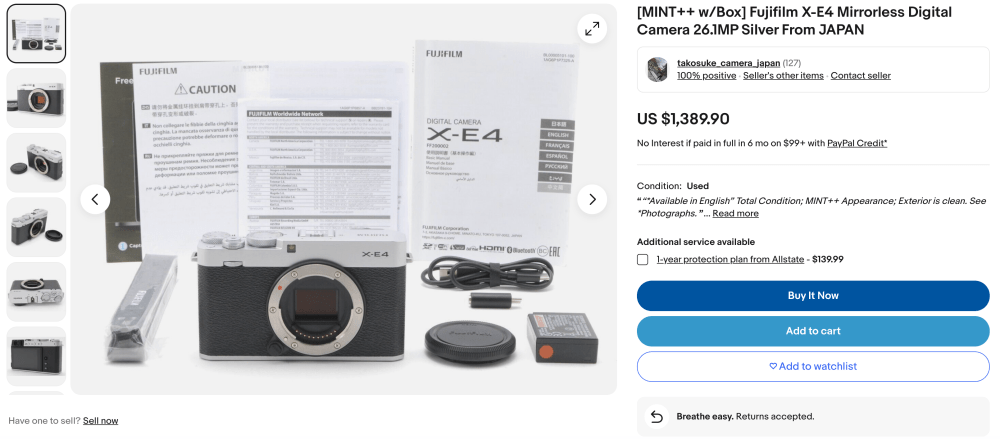
Last month I was invited to Marisa and Sahand Nayebaziz‘s wedding in Laguna Beach, California. Sahand is an app developer—if you’ve ever used the Fuji X Weekly App, Ricoh Recipes App, or RitchieCam App, you’ve seen his handiwork. His own app is called Details Pro, and if you are familiar with SwiftUI, you’ve probably heard of and maybe even used his app. Anyway, I’ve worked with Sahand for three years now, and he has been a significant part of the Fuji X Weekly story. He shoots with Fujifilm cameras and uses Film Simulation Recipes, so naturally we have developed a friendship. It was a real honor to be invited to Marisa and Sahand’s marriage ceremony.

Fujifilm X100V — Kodak Portra 400 v2 Recipe

The wedding was incredibly beautiful! Aside from the breathtaking location and the perfect weather, the event was decorated so well. It was literally like nothing I’d ever seen before. It was like a movie, except it was real!

My wife and I were guests. I brought my Fujifilm X100V—with a 10% CineBloom filter on the front—and did my best to stay out of the way. I wanted to photograph the wedding, but there’s nothing more annoying to the wedding photographer—and perhaps also the bride and groom—than to get in the way by being pushy with the camera. It’s much better to just blend into the crowd. I wasn’t the wedding photographer, and was quite satisfied with that arrangement; however, I still wanted to capture some images. Funny story, the wedding photographer, who was using a couple of Leica models, asked me several questions about my X100V; apparently he’s interested in buying one for his personal photography. Although I tried to blend in, my camera caught his attention, but I think in a good way.

My approach was to focus on things that I thought the wedding photographer might overlook. Of course, I had no idea what the photographer would or wouldn’t capture, but I know how easy it is to miss small things when your attention is on big things. I did my best to photograph those potentially missed pictures, while drawing as little attention to myself as practical. Also, I think the perspective of the guests can be a little different than that of the wedding crew, so I approached it as such.

The Fujifilm X100V is a great camera, but the fixed-focal-length lens is limiting. That’s not always a bad thing, but it did make it challenging in this case because I was sometimes further away than I needed to be to get the shots that I wanted. The digital teleconverter was utilized more often than usual—in a pinch it works well, but I avoid it when I can.

Fujifilm X100V — Fujicolor NPS 160 Pulled

I had two Film Simulation Recipes in mind for the wedding, but I wasn’t sure until I got there if they would be good choices. It was a daylight outdoor wedding, and for those pictures I used my Kodak Portra 400 v2 Recipe, which is a favorite of both Sahand and myself, so it made a lot of sense to try it. That Recipe worked excellent, and I couldn’t be happier with the results. For the indoor reception pictures, I used the Fujicolor NPS 160 Pulled, which is soft and versatile—perfect for the situation.

Kodak Portra 400 v2 is a Film Simulation Recipe that I’m now happy to recommend for outdoor daylight wedding photography. Some others to consider are Kodak Portra 400, Reggie’s Portra, Timeless Negative, Reala Ace, Fujicolor Reala 100, Fujicolor Superia 100, Fujicolor C200, Fujicolor Pro 400H, and Fujicolor Natura 1600. I’m sure many others could work, too. Of course, which one you should choose will depend on the exact light condition and the aesthetic you desire. Fujicolor NPS 160 Pulled is a Recipe that I’m happy to recommend for indoor wedding photography. Fujicolor Super HG v2, Eterna v2, Reggie’s Portra, Reala Ace, and Timeless Negative are some others to consider. You might notice that a few Recipes are in both categories, and that’s because they’re more versatile. In fact, Fujicolor NPS 160 Pulled could also be a good option for sunny daylight situations. Kodak Tri-X 400 would be my top choice for black-and-white.

I just picked two Recipes, but if I was the photographer (and not a guest), I would have seven options ready to go in my C1-C7. I would select two for sunny outdoors, two for indoor, two for versatility, and one B&W. Something like Kodak Portra 400 v2 and Fujicolor Superia 100 for outdoors, Fujicolor NPS 160 Pulled and Fujicolor Super HG v2 for indoors, Reggie’s Portra and Reala Ace for versatility, and Kodak Tri-X 400 for monochrome. Then, I’d test each one at the venue, and decide at that point which ones I want to use—perhaps just three or maybe four of them—and stick with those few, unless the light changed and an adjustment was needed.

The photographs in this article are about 1/3 of the total that I gave to the bride and groom. Because I used Film Simulation Recipes and didn’t edit (aside from some cropping), the culling and post-processing took minutes, and not hours and hours. These were bonus pictures for them, hopefully complimenting the wonderful photographs that the actual wedding photographer captured. Marisa and Sahand seemed to like them. If you are considering using Film Simulation Recipes at an upcoming wedding, I hope that this article provides you with some direction. If you’ve used Recipes at a wedding, let me know in the comments which ones you used and how they worked out.

Kodak Portra 400 v2

Fujifilm X100V — Kodak Portra 400 v2 Recipe

Fujicolor NPS 160 Pulled

Fujifilm X100V — Fujicolor NPS 160 Pulled

This post contains affiliate links, and if you make a purchase using my links I’ll be compensated a small amount for it.

Fujifilm X100V in black:  Amazon   B&H  Moment
Fujifilm X100V in silver: Amazon   B&H  Moment
CineBloom Filters: Moment

Find these Film Simulation Recipes and many more on the Fuji X Weekly — Film Recipes App! Consider becoming a Patron subscriber to unlock the best App experience and to support Fuji X Weekly.